Evoseedbox Evoseedbox Evoseedbox Evoseedbox
  • Português
    • Nederlands (Holandês)
    • English (Inglês)
    • Français (Francês)
    • Deutsch (Alemão)
    • 日本語 (Japonês)
    • 한국어 (Coreano)
    • Español (Espanhol)
    • العربية (Árabe)
    • Русский (Russo)
    • Türkçe (Turco)
  • Evoseedbox Home
  • Wiki
  • Forum
  • Pricing
Client Area
View Categories
  • Home
  • Docs
  • Rclone Google Drive Setup

Rclone Google Drive Setup

1 min read

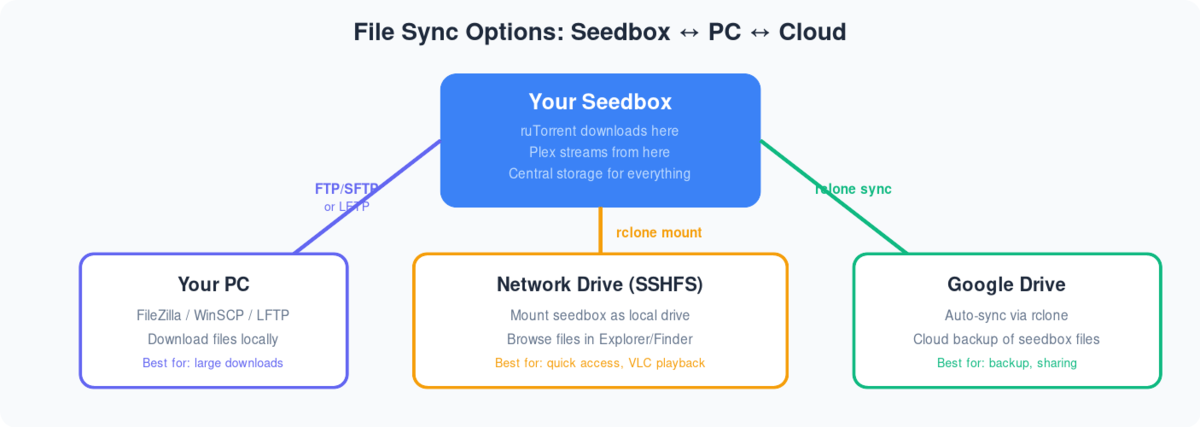
Diagram showing three ways to sync files from seedbox: FTP to PC, SSHFS network drive, and rclone to Google Drive

Following are the step-by-step instructions to setup rclonebrowser:

  1. Instalar rclonebrowser do seu clientarea dashboard
  2. Visit the rclonebrowser’s URL and login
  3. The initial window would have three tabs
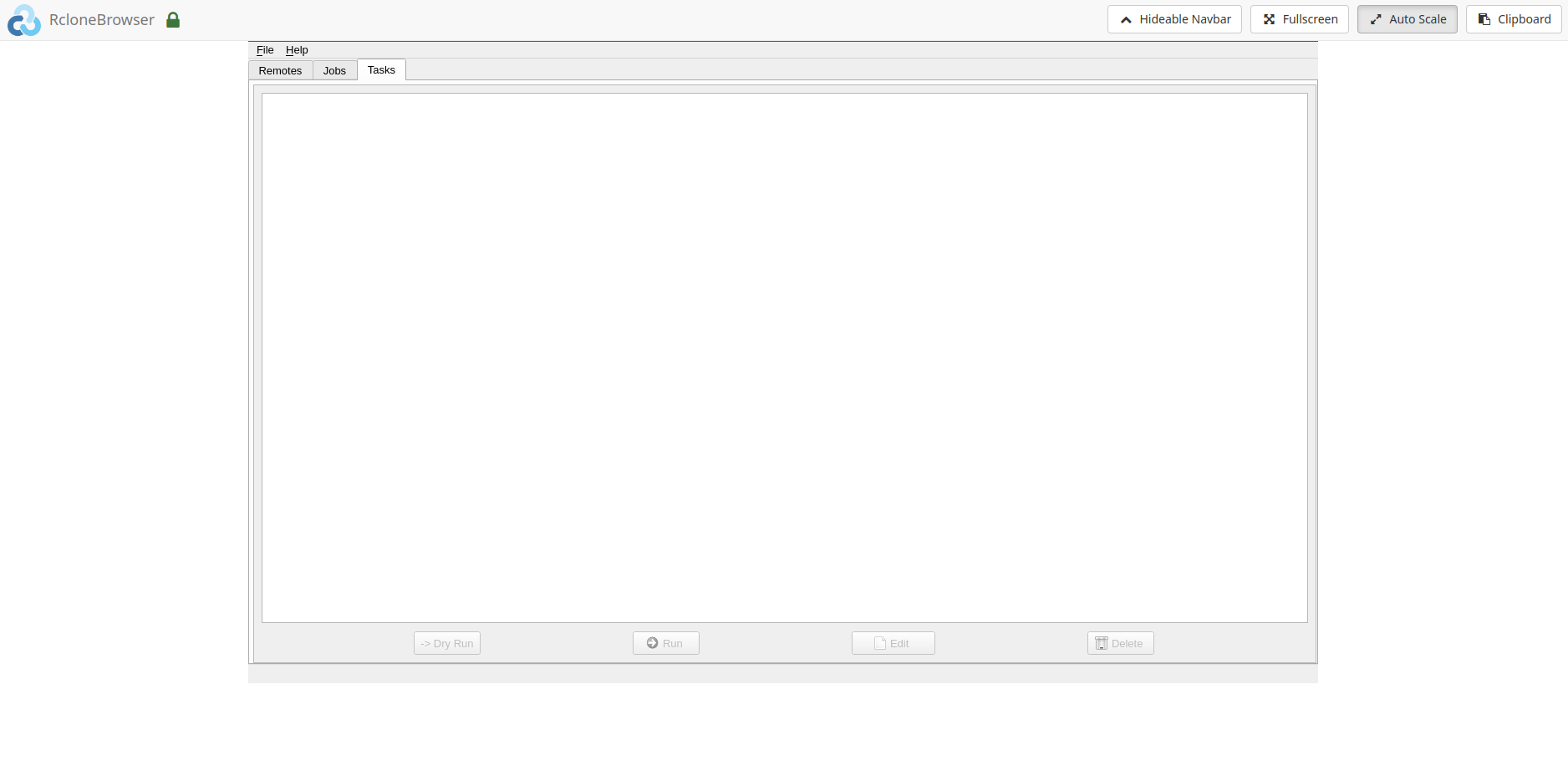
Rclone Gdrive Setup

4. Vá para the remotes tab and click on config
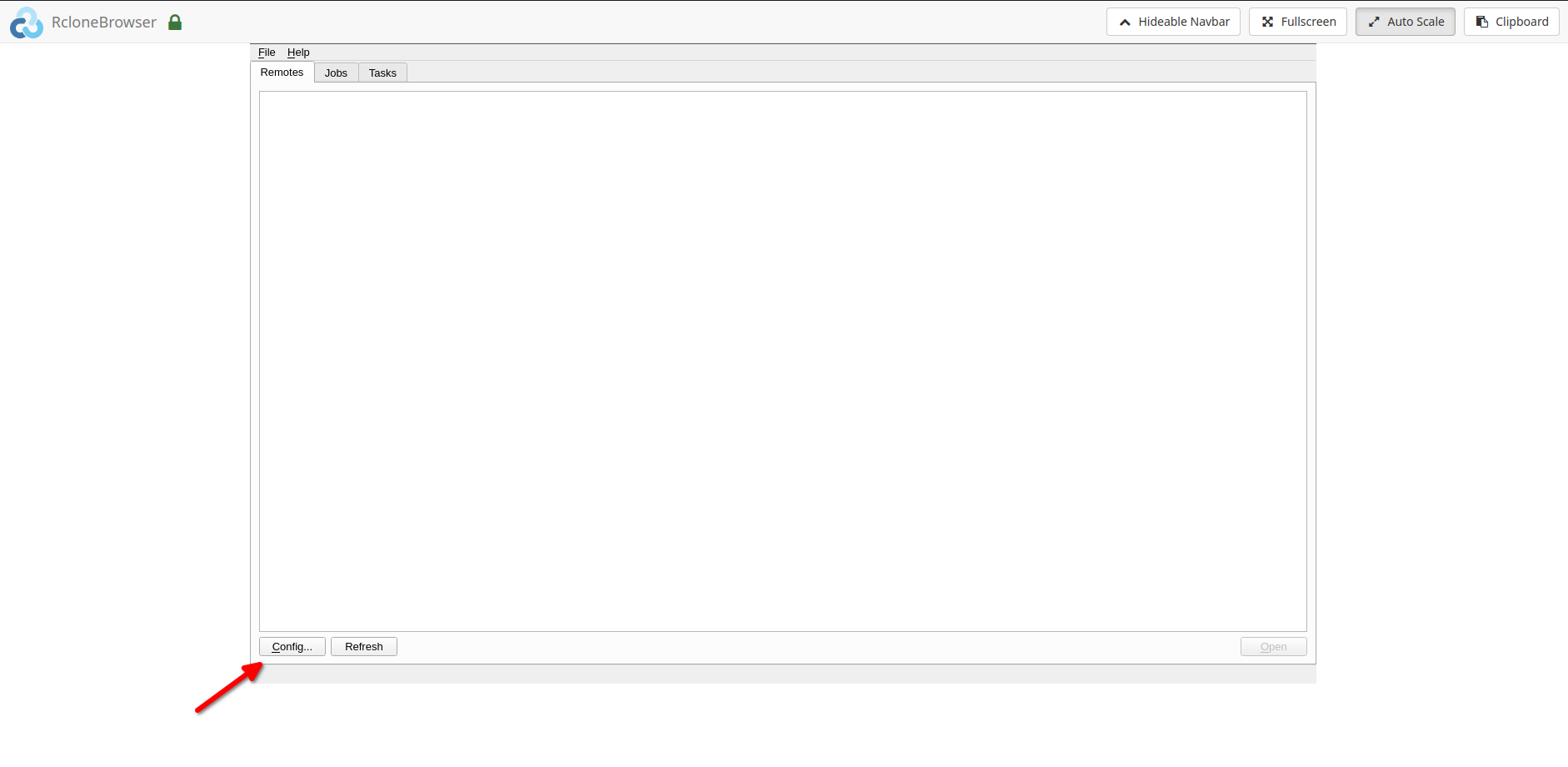
Rclone Gdrive Setup

5. Follow the onscreen instructions to complete the further steps
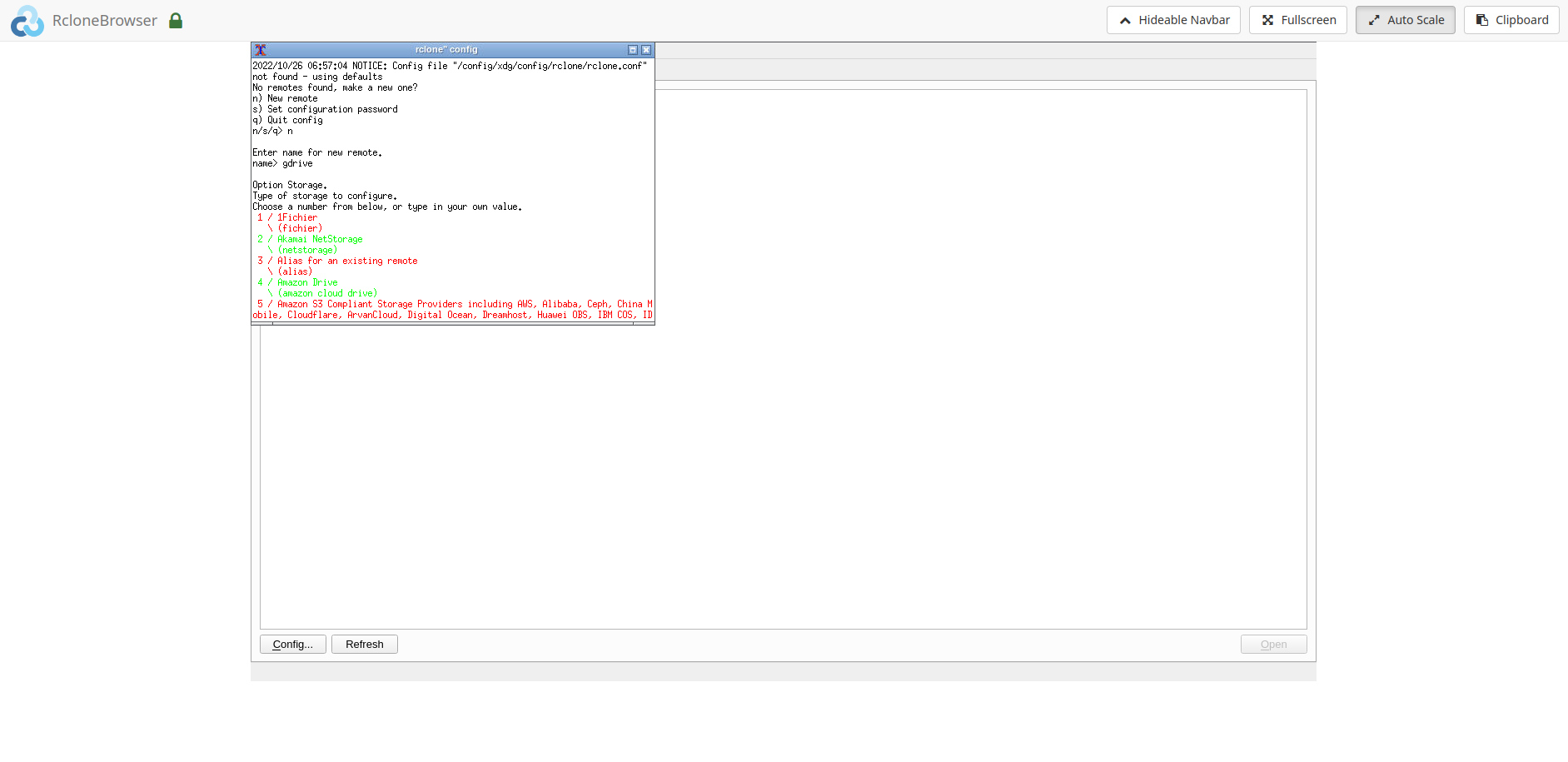
Rclone Gdrive Setup

6. The final steps would require o seguintes:
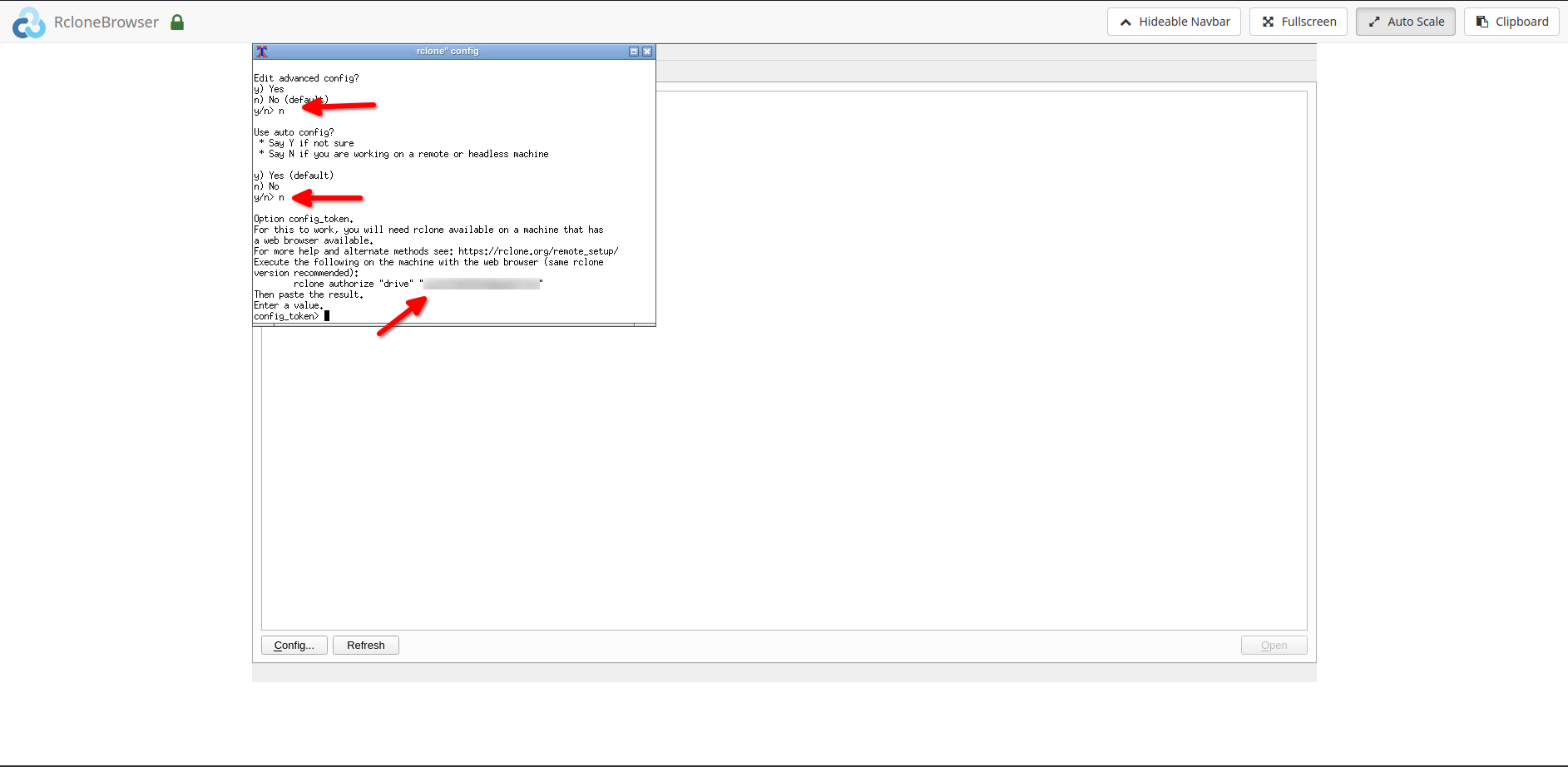
Rclone Gdrive Setup

6.1. Please enter ‘n’ when asked for ‘auto config’
6.2. After the above step, please do o seguintes:
6.2.1. Instalar rclone no seu local system.
6.2.2. Copy the rclone command i.e. ‘rclone authorize drive ’
6.2.3. Run the above command no seu local system, you would be directed no seu browser to give rclone permission to acessar your drive.6.2.4. Copy the ‘config token’ do seu command window and paste it into rclonebrowser.

Nota: For copying and pasting please use the ‘clipboard’ option in the rclonebrowser.

  1. After completing the above step successfully, você pode now acessar your remote. To acessar your remote, click on the open botão by selecting the remote in the rclonebrowser.
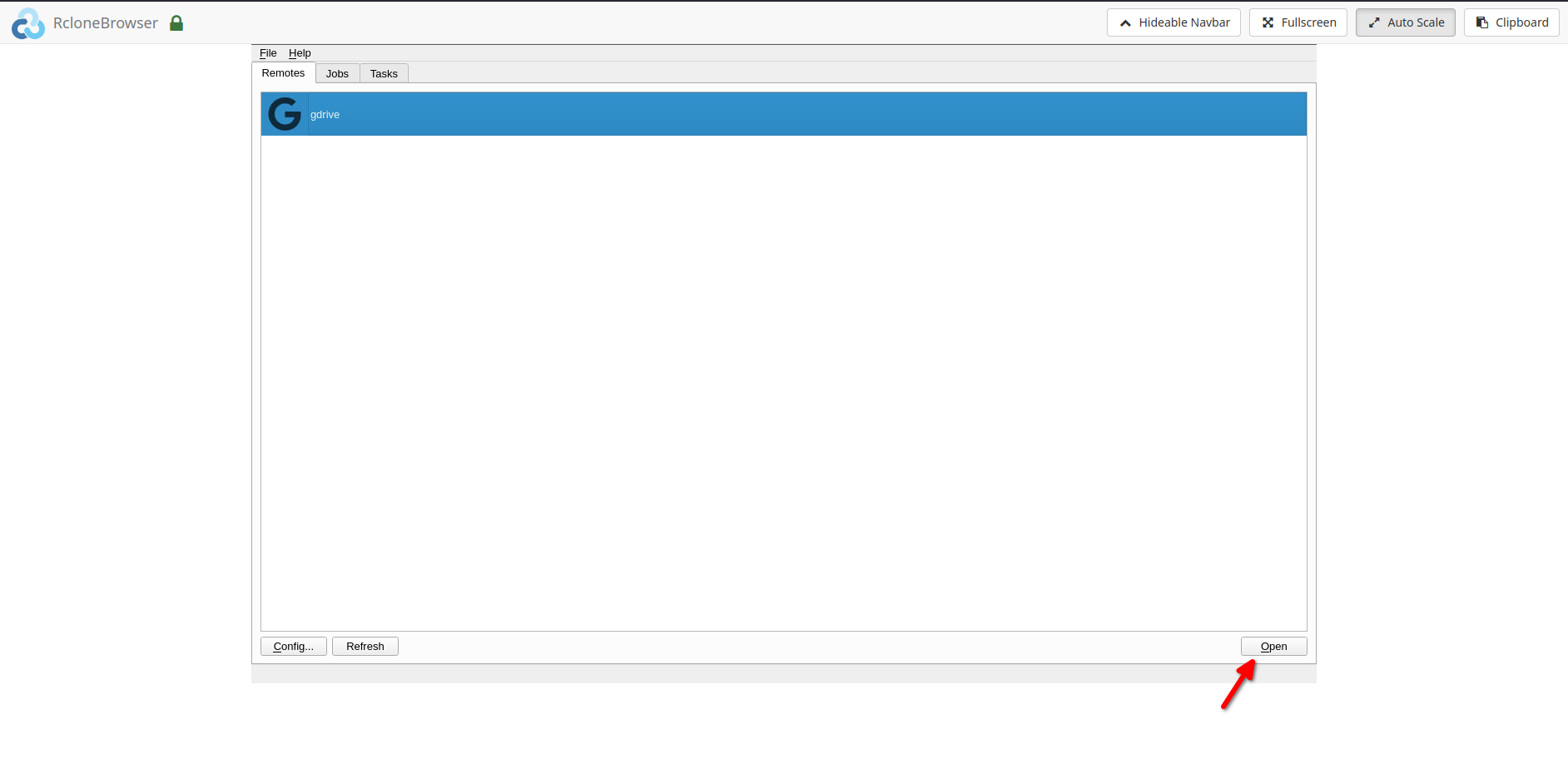
Rclone Gdrive Setup

  1. Your remote would open in a new tab.

Mount option and data sharing:

  1. Você pode mount your remote under the directory ‘/media’ in rclonebrowser.
  2. The same can be acessared under the ‘/home//rclone’ directory on sua seedbox.
  3. Você pode também acessar sua seedbox ‘downloads’ directory in rclonebrowser under the ‘/home//downloads’ directory. Please note that isto é read-only. Writes can be done from sua seedbox if needed.

Guias relacionados #

  • Transfer to Google Drive
  • Sync Files to PC
  • Set Up Duplicati Backup
Updated on 16 de Março, 2026

What are your Feelings

  • Happy
  • Normal
  • Sad

Share This Article :

  • Facebook
  • X
  • LinkedIn
  • Pinterest
Table of Contents
  • Guias relacionados

We create amazing Seedboxes
for everyone to use 😊

Important Links

Scholarship for CS

Refund Policy

Privacy Policy

Terms of service

Cookie Policy

Acceptable Use Policy

Get in Touch

Contact Us

[email protected]

© 2025 Evoseedbox | All rights reserved. By Evo Created with ❤️

  • Nederlands (Holandês)
  • English (Inglês)
  • Français (Francês)
  • Deutsch (Alemão)
  • 日本語 (Japonês)
  • 한국어 (Coreano)
  • Português
  • Español (Espanhol)
  • العربية (Árabe)
  • Русский (Russo)
  • Türkçe (Turco)
Evoseedbox
  • Português
    • Nederlands (Holandês)
    • English (Inglês)
    • Français (Francês)
    • Deutsch (Alemão)
    • 日本語 (Japonês)
    • 한국어 (Coreano)
    • Español (Espanhol)
    • العربية (Árabe)
    • Русский (Russo)
    • Türkçe (Turco)
  • Evoseedbox Home
  • Wiki
  • Forum
  • Pricing
Client Area