Neste tutorial, I will explain you basics of using Rutorrent.
Topics covered will be:
1. What is rutorrent?
2. Como load up the rutorrent interface in evoseedbox?
3. Adding torrents to rutorrent
4. Removing torrents in rutorrent
I have been using seedboxes for past 10 years, I have personally tried various different programs and come para o conclusion that rutorrent is one of the most user-friendly application as a front end to seedboxes. Keep in mind this document will be constantly updated based on user inputs queries and doubts the idea is to make your experience smooth and make your learning curve as small as possible
So let us begin :
1. What is rutorrent?
Rutorrent is a front end or a interface web for a torrent program called rtorrent that runs in Linux.
So you might be thinking why do you need a separate interface for rtorrent?
rtorrent is an extremely resource efficient program so it runs in the terminal interface

not bad eh.. but it's not the most user-friendly interface for most users and remote acessar makes it furthermore challenging for regular users who are not very familiar with such interfaces
So fast forward years and Novik comes inpara o picture .. umm you might be thinking who is Novik? well he is the guy who built rutorrent
Here is his Git repo for rutorrent: https://github.com/Novik/ruTorrent
So what rutorrent does is creates a interface web for rtorrent. It collects data from rtorrent and puts it no seu web browser along with the option to communicate with your rtorrent which is running mostly on Linux server in much more user-friendly manner.
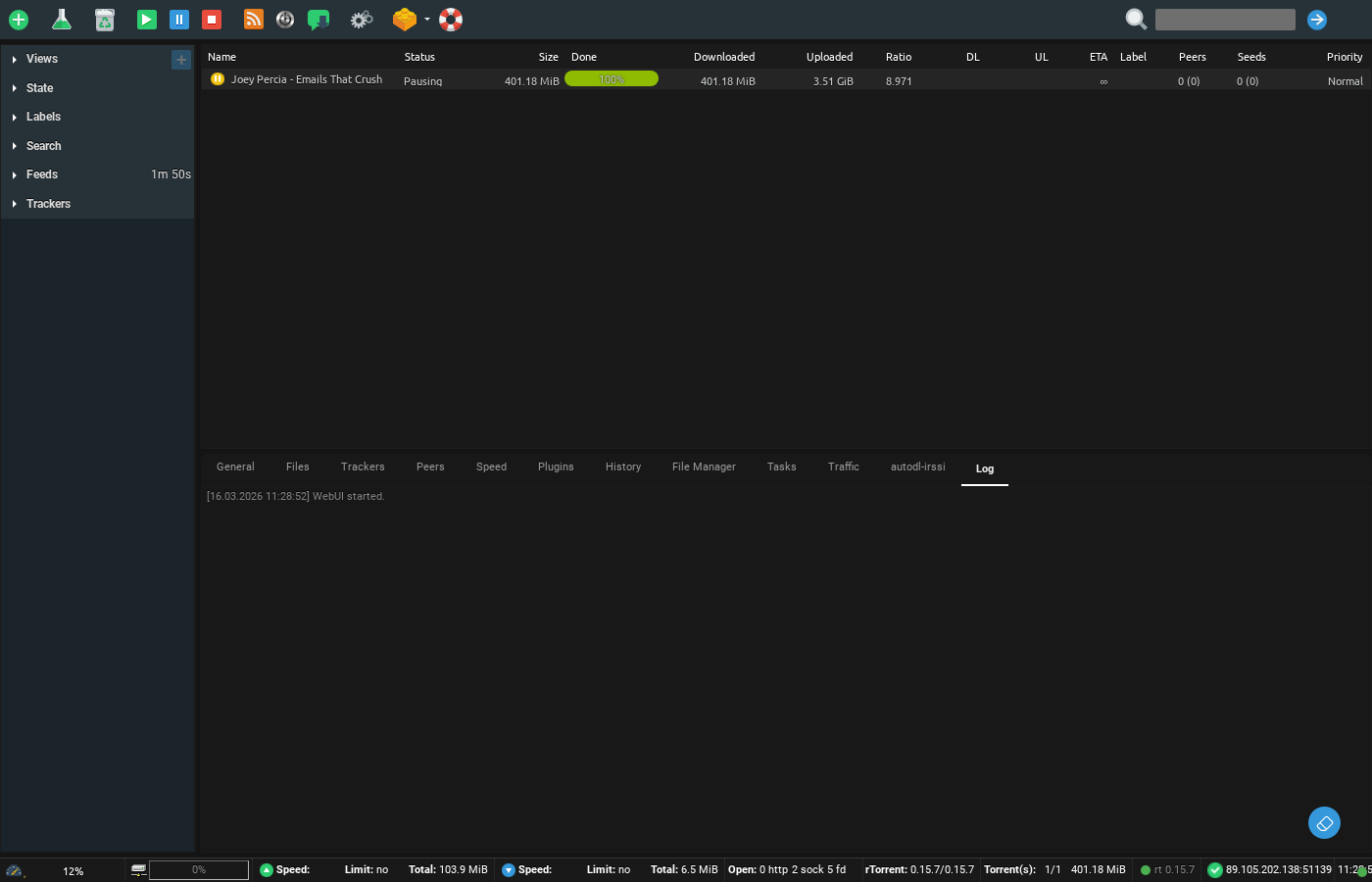
Your rutorrent looks algo assim :

Se você have used programs like utorrent , azureus (Vuze ) etc the interface would look quite similar to you the only difference is that it runs do seu web browser.
For most, of you guys, I think this much is enough if you quer read more há tons of more info online Se você want me to add some more clarity to this feel free to drop in a line or two
So let's get back to business and let me explain to you how você pode easily acessar a rutorrent account with us,
Passo 2: Como load up the rutorrent interface in evoseedbox?
Assim que tiver signed up for a seedbox account (In case you have not please do that at https://evoseedbox.com )
Verifique seu email ( Isto é very critical
you encontrará a link para o seu área do cliente.
Once you are no seu área do cliente ficará parecido algo assim :
Did you quer seed the senha, didn't you?
(sorry for popping your eyes with white área do cliente)
So as você pode see I have highlighted the rutorrent area and há a green botão below it called open, just click on it and yay!! você vai have your rutorrent interface open.
You thought it would be hard
well we have already preconfigurard the setup for you so you don't tem que do much.
Now you must be thinking well it did not ask for my user id or senha for opening up rutorrent.
The thing is no seu área do cliente the nome de usuário is and senha is already preconfigurard in the open botão which saves you the hassle of putting the nome de usuário and senha every time.
Now that you have your rutorrent open let's move to step 3
3. Adding torrents to rutorrent.
Neste guia, we are going to only consider the methods within the torrents interface. There are more avançado methods like remotely adding torrents do browser, Android device, apps but we won't be covering it in this guia para keep is simples and once you understand the basic ways of adding the torrents its
Method 1.
Drag and drop, yes its that easy drag and drop your tracker file to rutorrent and boom vai start loading no seu rutorrent interface
Method 2
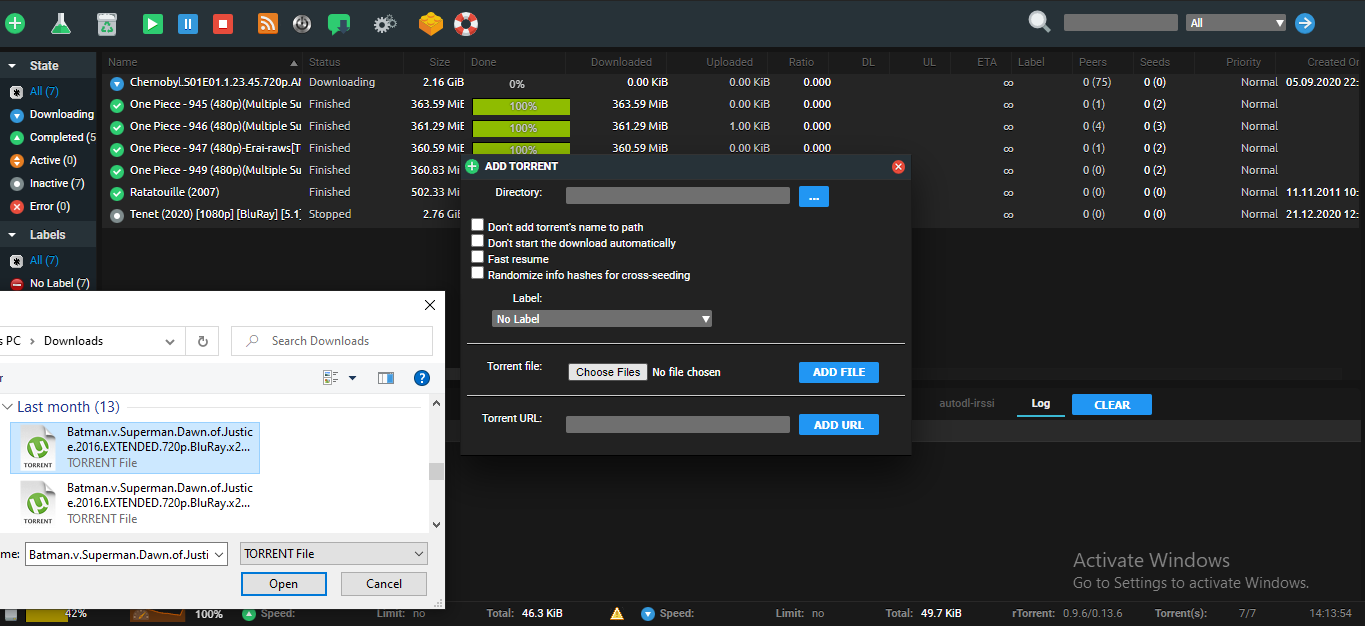
Using add botão in torrent on the top right corner você pode see a + sign if you open it up it gives you an option to browse para o folder where you have downloaded your tracker file from a torrent website, select the torrent/torrents(at a time você pode do 20 tracker files) and then click add file and vai start downlaoding no seu rutorrent interface web.
Method 3.
It is similar para o previous method but in this case instead of downloading the tracker file do seu torrent website you copy the link do seu tracker website and put it the Torrent URL field and press add.
Please note that in some public trackers which are behind cache proxies etc this method might not work, one solution could be to convert the magnet links to tracker files from websites like http://magnet2torrent.me/
These are the most basic methods of adding a torrent to rutorrent other methods of adding torrents with rutorrent will be covered in a different tutorial.
Now that você vai start to add torrents você vai soon realise that you might be reaching the full HDD capacity of sua seedbox ( Você pode always upgrade) but don’t fret você pode always remove torrents make some space by removing torrents.
Which brings us to our next topic
4. Removing torrents in rutorrent
there are primarily 2 ways to remove torrents from rutorrent. The first method would remove just the tracker file in case you are done seeding a particular torrent or you don’t want a certain torrent to be anymore listed no seu rutorrent interface.
Please note that in this method the data of the torrent still remains os you tem que either delete it using the gerenciador de arquivos in rutorrent
Method 2. Removing and delete data method.
This method applies ot torrents which you don't want anymore no seu system
Vai not only remove the tracker file but make space for you to download more torrents in case your HDD is getting full. O processo of doing isto é similar you tem que clique com o botão direito em the torrent you quer get rid of and select remove and delete data.
Well, that is the basics you precisa learn no seu journey to becoming a rutorrent ninja. May the force of seedbox be with you shinobi.
PS: In case the second method does not work (data is not getting removed) : you need ot restart rtorrent . restarting rtorrent is covered in this tutorial section.


