Evoseedbox Evoseedbox Evoseedbox Evoseedbox
  • 日本語
    • Nederlands (オランダ語)
    • English (英語)
    • Français (フランス語)
    • Deutsch (ドイツ語)
    • 한국어 (韓国語)
    • Português (ポルトガル語)
    • Español (スペイン語)
    • العربية (アラビア語)
    • Русский (ロシア語)
    • Türkçe (トルコ語)
  • エボシードボックスホーム
  • Wiki
  • Forum
  • Pricing
Client Area
View Categories
  • Home
  • Docs
  • Rclone Google Drive Setup

Rclone Google Drive Setup

1 min read

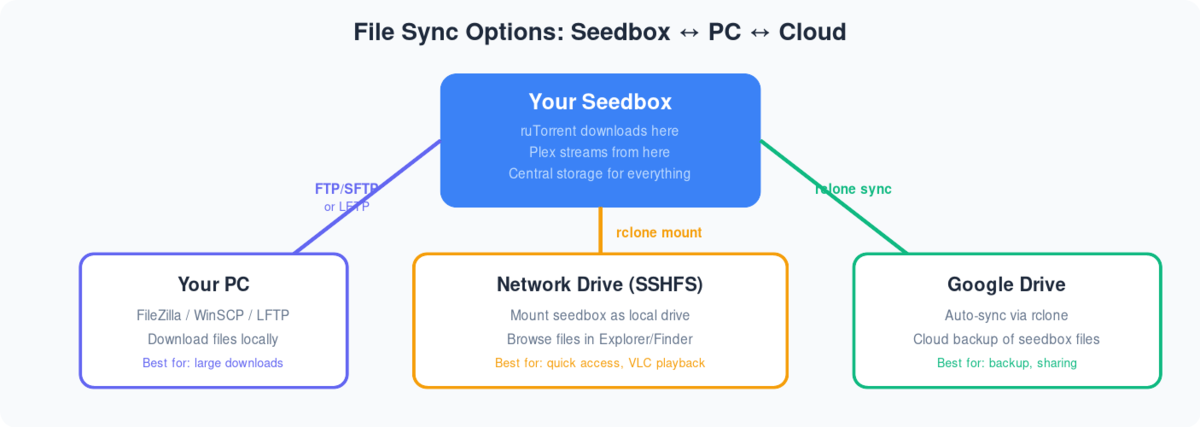
Diagram showing three ways to sync files from seedbox: FTP to PC, SSHFS network drive, and rclone to Google Drive

Following are the step-by-step instructions to setup rclonebrowser:

  1. インストール rclonebrowser あなたの clientarea dashboard
  2. Visit the rclonebrowser’s URL and login
  3. The initial window would have three tabs
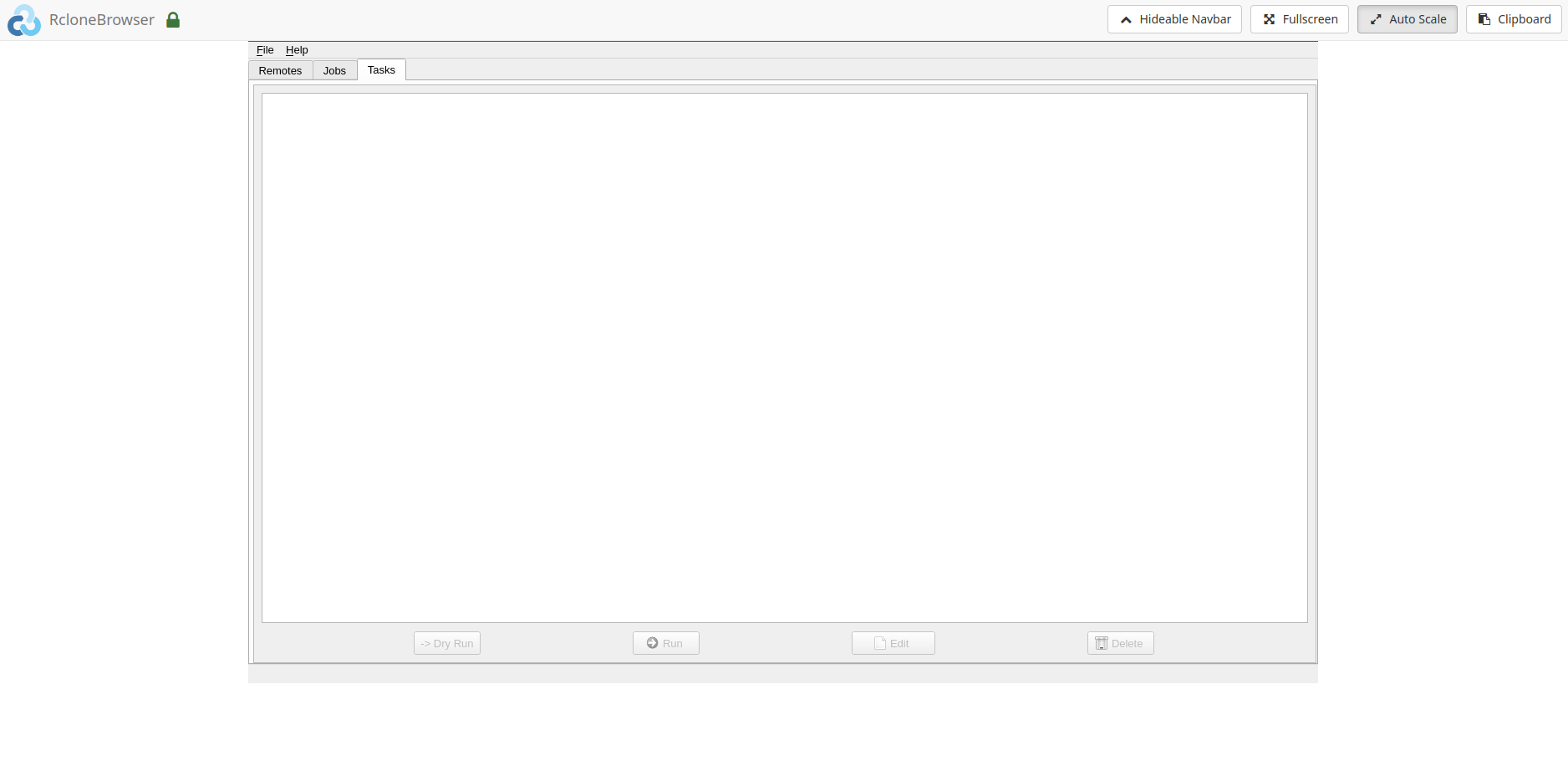
Rclone Gdrive Setup

4. 移動: the remotes tab and click on config
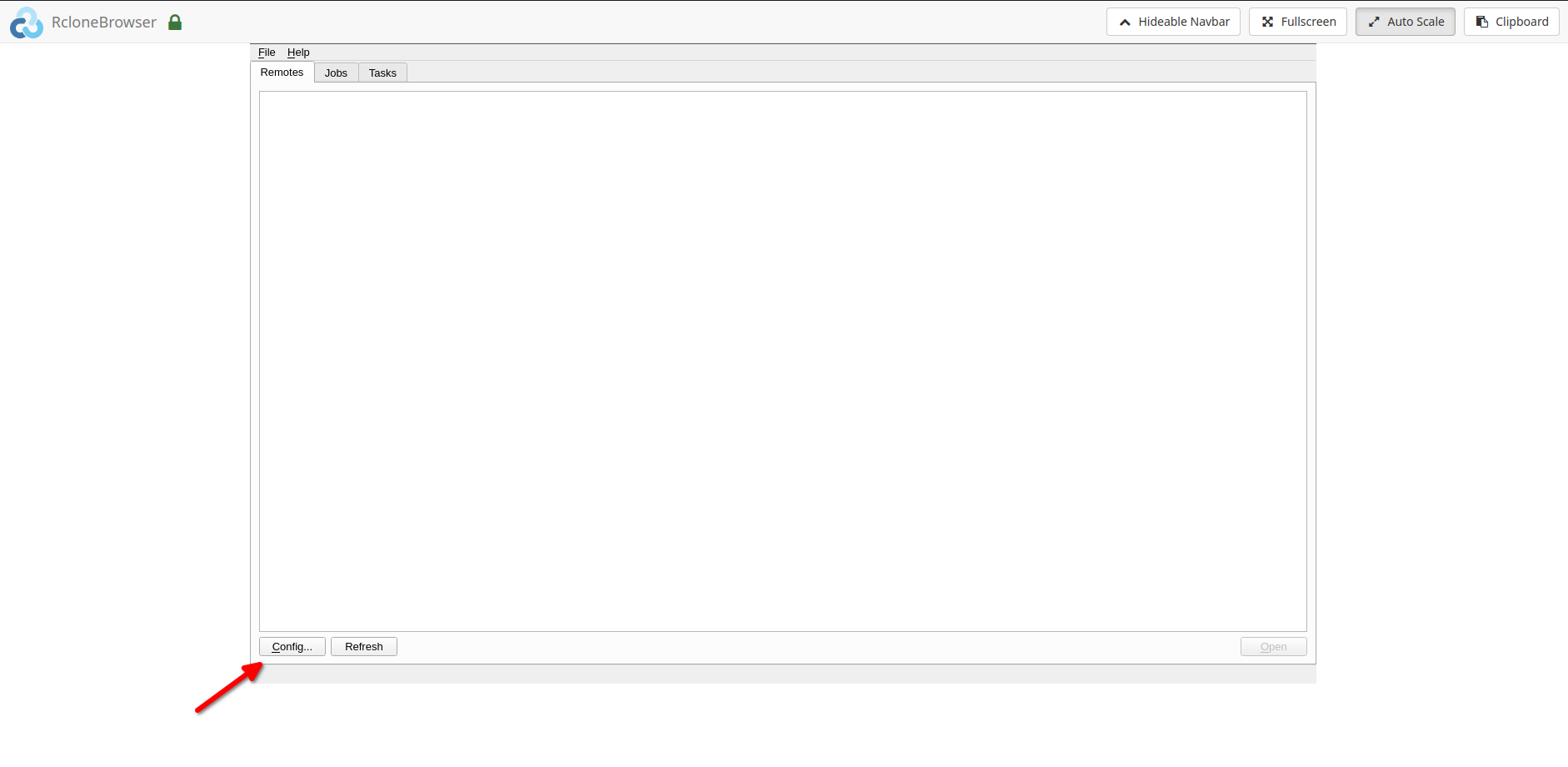
Rclone Gdrive Setup

5. Follow the onscreen instructions to complete the further steps
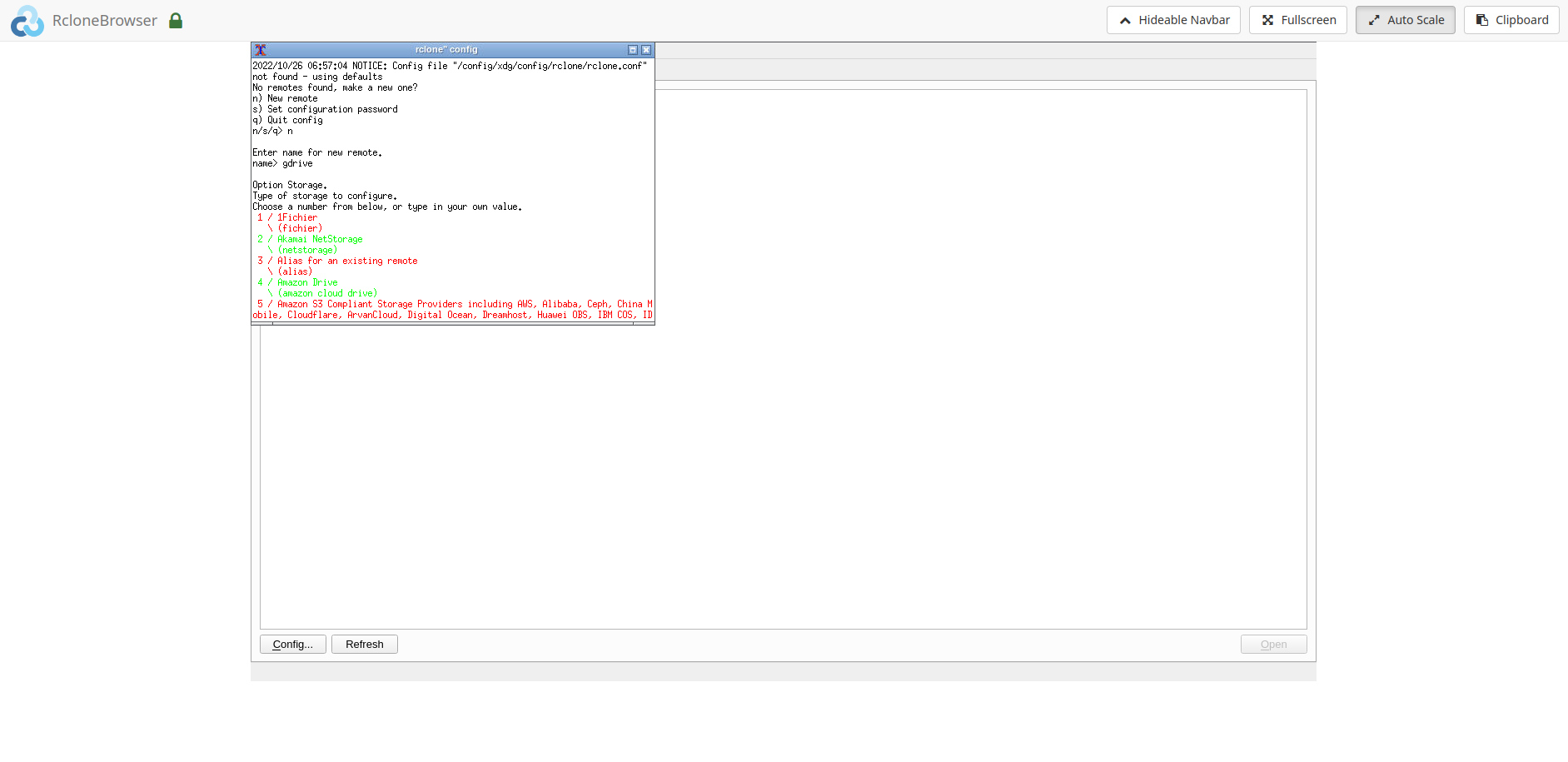
Rclone Gdrive Setup

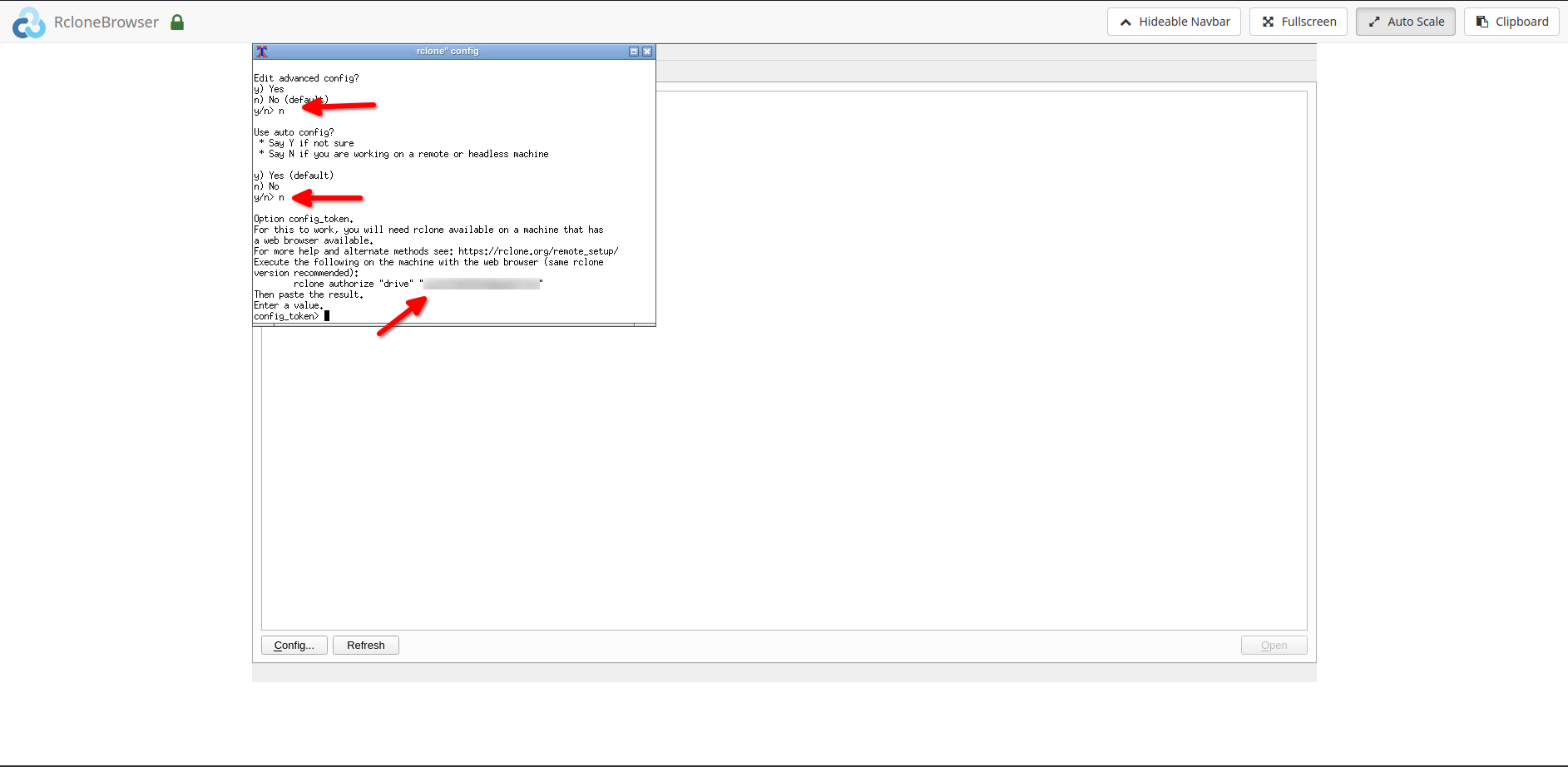
6. The final steps would require the followings:
Rclone Gdrive Setup

6.1. Please enter ‘n’ when asked for ‘auto config’
6.2. After the above step, please do the followings:
6.2.1. インストール rclone あなたの local system.
6.2.2. Copy the rclone command i.e. ‘rclone authorize drive ’
6.2.3. Run the above command あなたの local system, you would be directed あなたの中の browser to give rclone permission to access your drive.6.2.4. Copy the ‘config token’ あなたの command window and paste it into rclonebrowser.

注意: For copying and pasting please use the ‘clipboard’ option in the rclonebrowser.

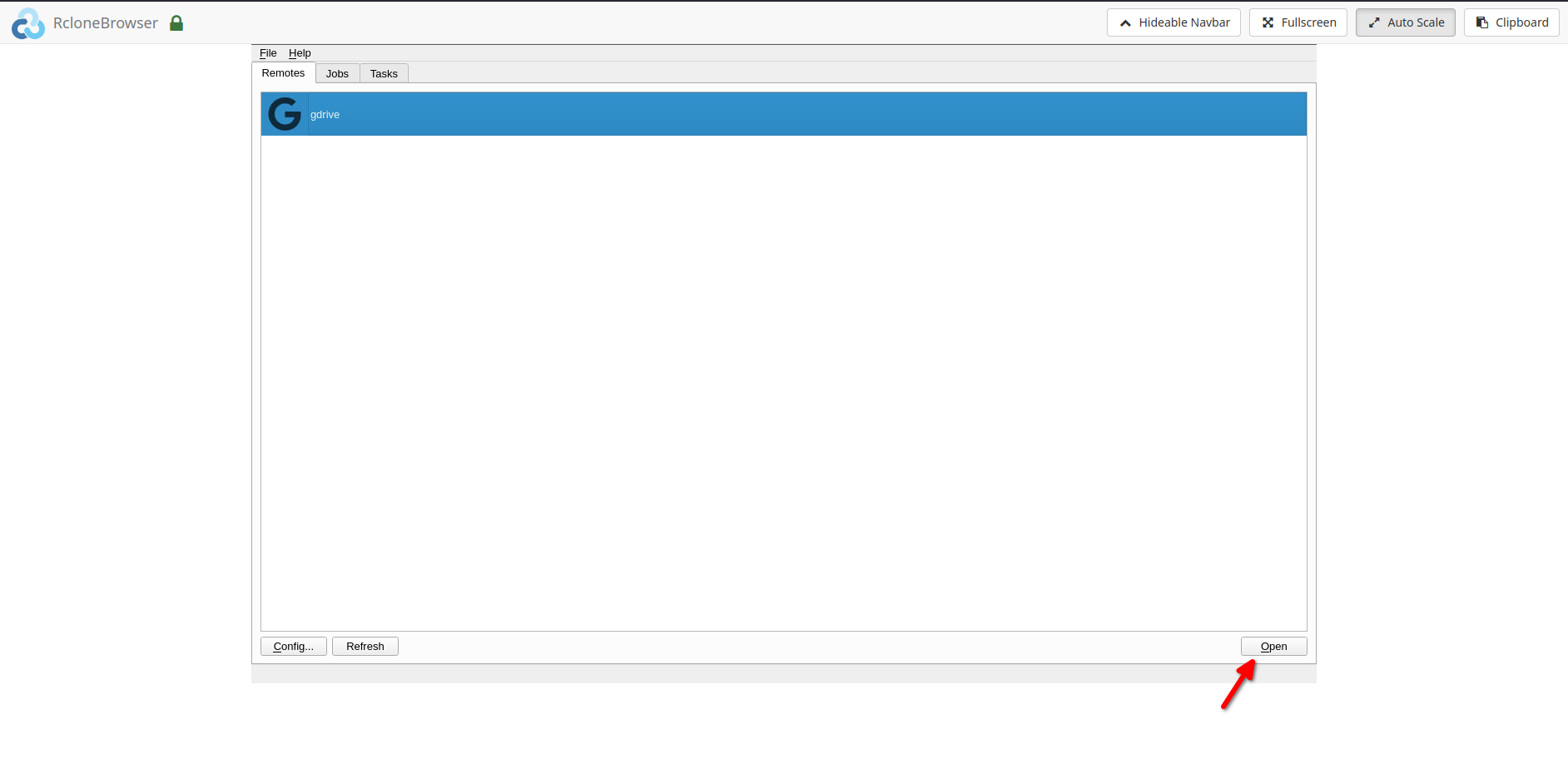
  1. After completing the above step successfully, できます now access your remote. To access your remote, click on the open ボタン by selecting the remote in the rclonebrowser.
Rclone Gdrive Setup

  1. Your remote would open in a new tab.

Mount option and data sharing:

  1. できます mount your remote under the directory ‘/media’ in rclonebrowser.
  2. The same can be accessed under the ‘/home//rclone’ directory on あなたのSeedbox.
  3. できます また access あなたのSeedbox ‘downloads’ directory in rclonebrowser under the ‘/home//downloads’ directory. Please note that これは read-only. Writes can be done from あなたのSeedbox if needed.

関連ガイド #

  • Transfer to Google Drive
  • Sync Files to PC
  • Set Up Duplicati Backup
Updated on 2026年3月16日

What are your Feelings

  • Happy
  • Normal
  • Sad

Share This Article :

  • Facebook
  • X
  • LinkedIn
  • Pinterest
Table of Contents
  • 関連ガイド

We create amazing Seedboxes
for everyone to use 😊

Important Links

Scholarship for CS

Refund Policy

Privacy Policy

Terms of service

Cookie Policy

Acceptable Use Policy

Get in Touch

Contact Us

[email protected]

© 2025 Evoseedbox | All rights reserved. By Evo Created with ❤️

  • Nederlands (オランダ語)
  • English (英語)
  • Français (フランス語)
  • Deutsch (ドイツ語)
  • 日本語
  • 한국어 (韓国語)
  • Português (ポルトガル語)
  • Español (スペイン語)
  • العربية (アラビア語)
  • Русский (ロシア語)
  • Türkçe (トルコ語)
Evoseedbox
  • 日本語
    • Nederlands (オランダ語)
    • English (英語)
    • Français (フランス語)
    • Deutsch (ドイツ語)
    • 한국어 (韓国語)
    • Português (ポルトガル語)
    • Español (スペイン語)
    • العربية (アラビア語)
    • Русский (ロシア語)
    • Türkçe (トルコ語)
  • エボシードボックスホーム
  • Wiki
  • Forum
  • Pricing
Client Area