كيفية Terminate My Service
On this page ▾
Termination of الـ Seedbox الخاص بك is a simple process. Follow the steps below.
الخطوة 1: تسجيل الدخول إلى evoseedbox منطقة العميل.
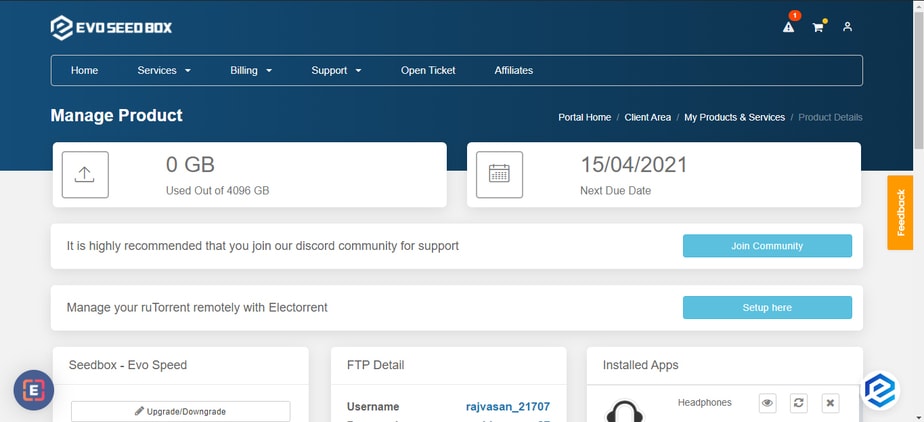
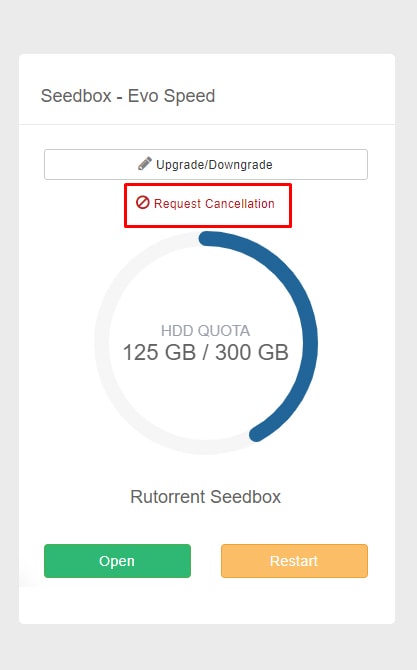
الخطوة 2: In the Rutorrent seedbox section, ستظهر لك find a request cancellation زر.
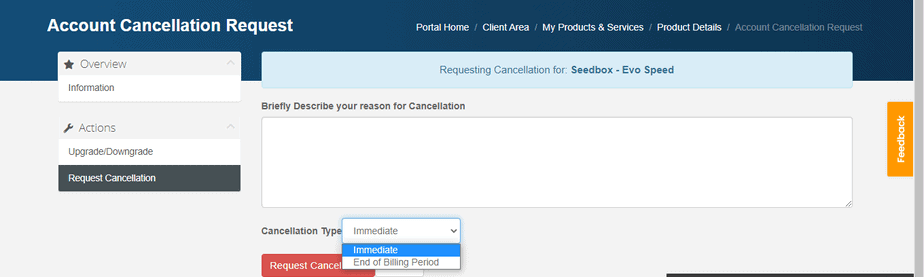
الخطوة 3: Add your reason for cancellation and select cancellation type. انقر على the Request cancellation زر to proceed.
That’s all you يجب do to terminate your account. إذا are terminating within 7 days of your purchase then you are eligible for a full refund.
ملاحظة: Cancellation/termination of your account will result in the deletion of your data. لذلك, it is advised that you take a backup على device.
If يمكنك’t cancel your account still, then raise a ticket for the same.
كيفية Cancel Your Evoseedbox Service
يمكنك cancel الـ Seedbox الخاص بك at any time من منطقة العميل. The process takes less than a minute.
Steps
- تسجيل الدخول إلى Evoseedbox منطقة العميل
- In the ruTorrent Seedbox section, click Request Cancellation
- اختر your cancellation type:
- Immediate: Service ends now. All data is deleted.
- End of billing period: Service continues until your current paid period ends.
- Add an optional reason for cancellation
- Click Request Cancellation to confirm
Before You Cancel
- تحميل your files first: All data on الـ Seedbox الخاص بك is permanently deleted upon cancellation
- Check your refund eligibility: إذا are within the 7-day money-back guarantee period, يمكنك request a full refund
- Consider downgrading: If cost is the issue, يمكنك switch to a smaller plan instead of cancelling
Put this into practice
EvoSeedbox ships with one-click app installs and up to 10 Gbps per box.


