كيفية Get Maximum Transfer Speed استخدام FTP in FileZilla
On this page ▾
By following this guide ستظهر لك be able to get maximum سرعة التحميلs as well as you’ll be able to use concurrent downloads which will make downloading multiple files a lot quicker and efficient.
Filezilla recently has earned a lot of popularity in the FTP client applications thanks to its easy-to-use UI and interactive dashboard which shows both your local machine’s as well as الـ Seedbox الخاص بك’s file structure.
Like any other application, we want to utilize most of التطبيق’s potential especially download and upload speeds. In File Zilla يمكنك use certain techniques and changes in settings to improve سرعة التحميلs.
Let’s see by an example how to set up these settings both for faster سرعة التحميلs and concurrent downloads.
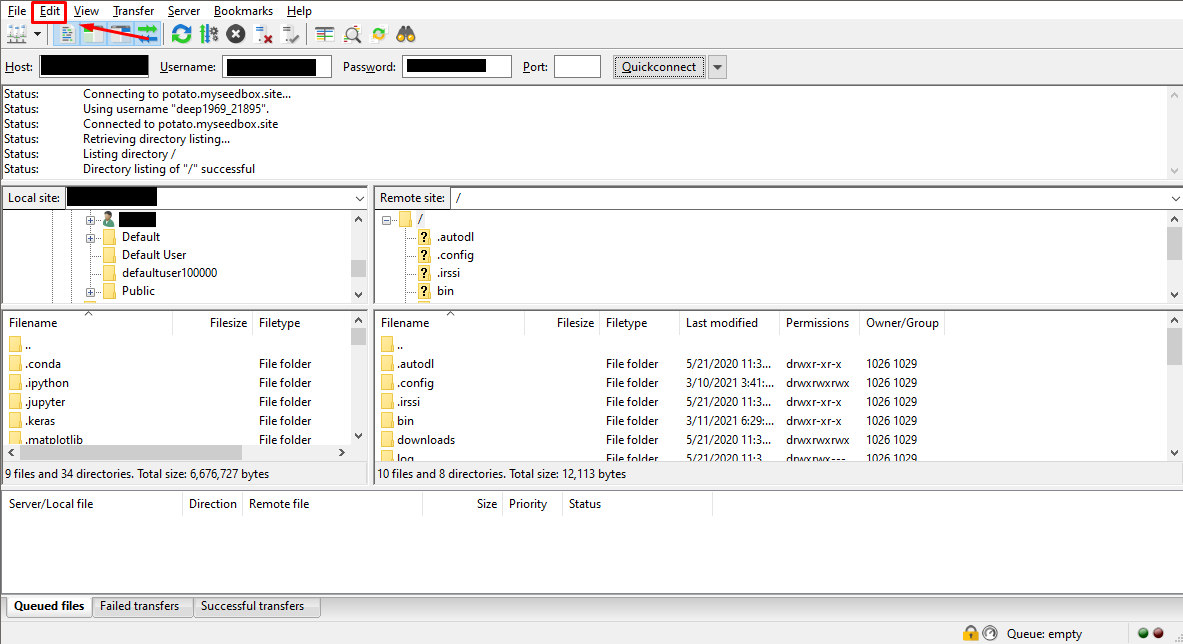
افتح Filezilla and open the edit tab in the top-left corner.
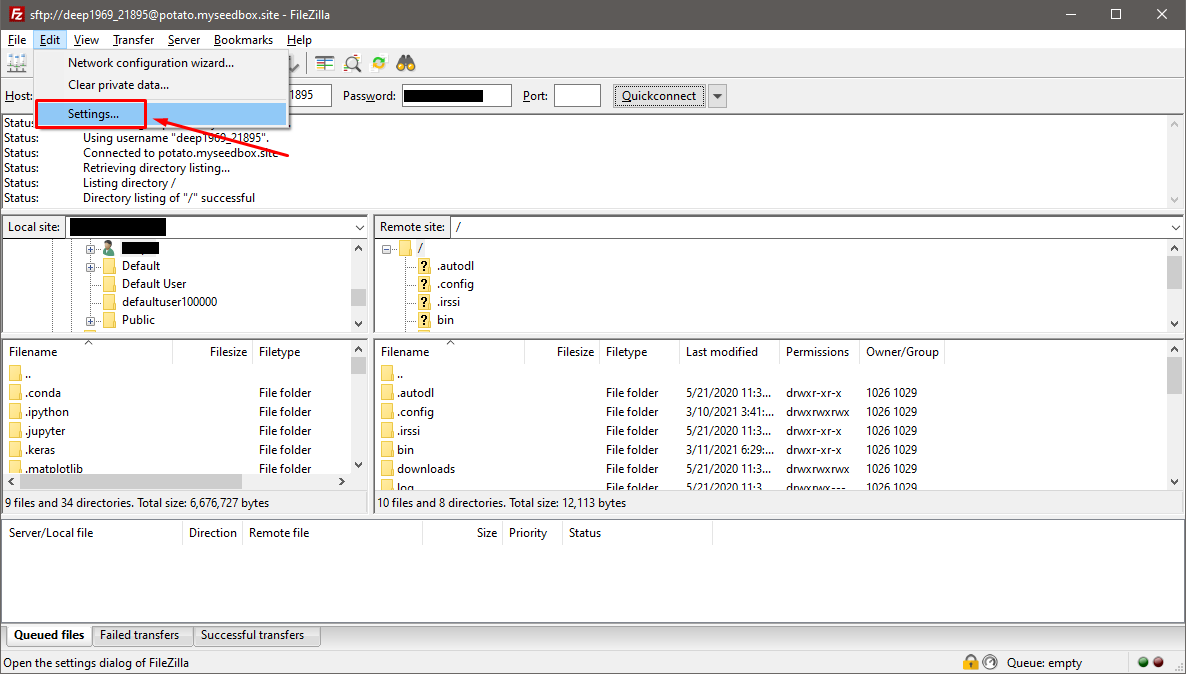
انقر على ‘settings’ in the edit drop-down menu
انقر على the ‘Transfers’ tab on the left side.
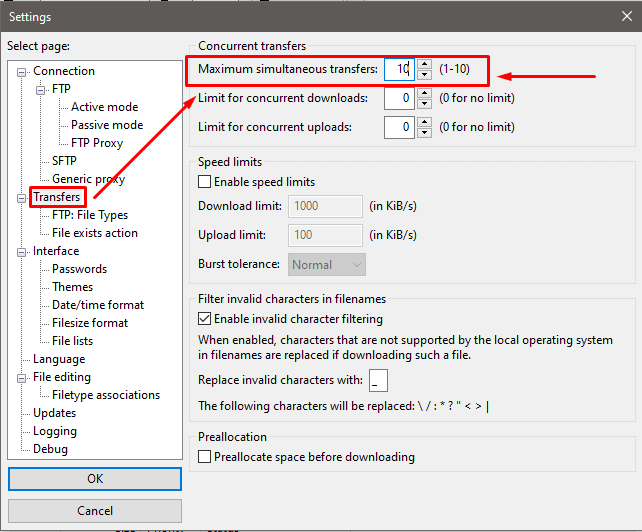
In the ‘Transfers’, the first option ستظهر لك see is the ‘Maximum simultaneous transfers ‘ with its default value is 2 which can go up to a maximum of 10 concurrent downloads at once. يمكنك modify these settings to adjust your concurrent downloads.
Use these settings and you’ll see 10 files being in queue for download at once.
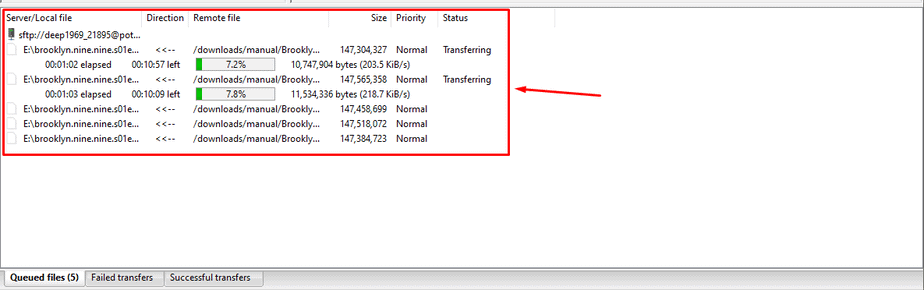
By using the above settings ستظهر لك be able to increase the overall number of files being transferred and get maximum سرعة التحميل possible.
It is أيضاً advisable that you stop all your active torrents while performing a file transfer as it ca provide an extra speed boost
Put this into practice
EvoSeedbox ships with one-click app installs and up to 10 Gbps per box.


