1TB Seedbox: Plans, Uses & What You Get (2026)
On this page ▾
A 1TB seedbox hits a sweet spot: enough room to run a serious download habit and a respectable Plex library, without paying for storage you’ll never fill. If you’re searching for a “1TB seedbox,” you probably want a clear answer to two questions — how much does 1TB actually hold, and is it the right size for me? This guide covers both, plus where EvoSeedbox’s 1TB plan fits and when you should size up or down.
What actually fits in 1TB
Storage math depends entirely on file quality. A 1080p movie might be 2GB or 15GB depending on the encode; a 4K remux can be 60GB+. Here’s a realistic picture of what 1TB (roughly 1000GB) holds:
| Content type | Typical size each | Roughly fits in 1TB |
|---|---|---|
| 1080p movies (compressed) | 2-5 GB | ~200-500 movies |
| 1080p movies (high-bitrate) | 10-15 GB | ~65-100 movies |
| 4K movies / remuxes | 40-60 GB | ~15-25 movies |
| TV episodes (1080p) | 1-3 GB | ~350-1000 episodes |
| Music albums (FLAC) | 300-500 MB | ~2000-3000 albums |
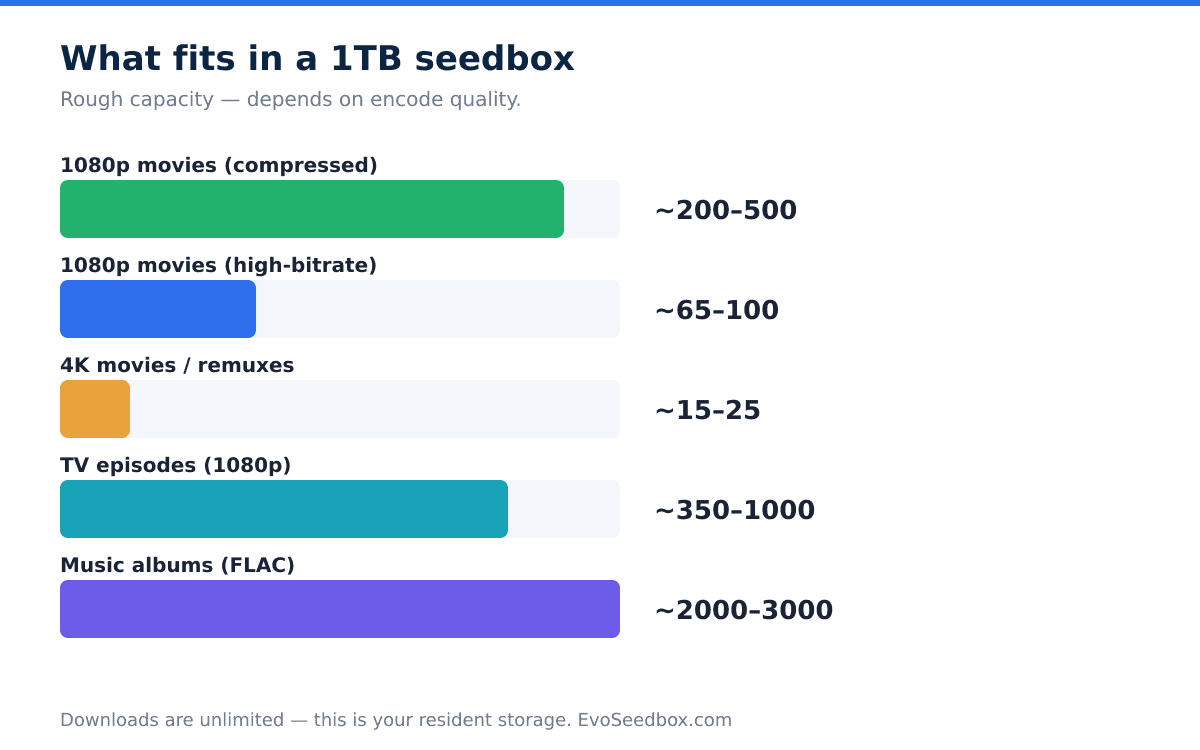
The takeaway: 1TB is a big library if you stick to sensible 1080p encodes, and a tight one if you collect 4K. Remember this is your resident storage — with unlimited downloads, you can churn far more content through the box over a month than you keep on disk at any moment.
Who a 1TB seedbox is for
A 1TB plan suits a few clear profiles:
- The serious torrenter who keeps a healthy active set and rotates content in and out rather than hoarding everything forever.
- The mid-size Plex owner running a solid 1080p movie-and-TV library for a household, without a heavy 4K collection.
- The private-tracker seeder who wants a comfortable buffer to seed a few hundred torrents and build ratio, on a fast Tier-1 line.
If that sounds like you, 1TB is likely the right starting point. If you’re unsure, our guide to choosing a seedbox plan walks through sizing in more detail.
The EvoSeedbox 1TB plan: Dash
Our 1TB option is the Dash plan on the torrent line:
- 1TB of dedicated HDD storage
- $26/month
- 12TB monthly upload allowance — plenty of headroom for seeding and ratio building
- Unlimited downloads and unlimited torrents — the 12TB figure caps upload traffic, not what you pull down
- Netherlands Tier-1 network for fast, reliable transfers
- 50+ one-click apps — rTorrent/ruTorrent, Deluge, Plex, Sonarr, Radarr, and more
- App Doctor self-healing — our monitoring layer detects and repairs common app failures automatically across our 46-server fleet, so your box stays up without you babysitting it
To be straight about it: downloads are genuinely unlimited, but the monthly 12TB is an upload allowance. For the vast majority of seeders that’s far more than you’ll use, but it’s a ceiling, not “unlimited upload.” See full specs and other tiers on our pricing page.
When to size up — or down
1TB isn’t right for everyone. Size up if:
- You’re building a 4K Plex library. At 40-60GB per film, 1TB fills fast. Our Plex-line plans start at 2TB (Spidey, $15/mo) and go up to 8TB (Thanos, $60/mo), with unlimited Plex streaming and locations in Canada, the UK, and France. If Plex is your main use, start with our Plex seedbox plans or read our take on the best seedbox for Plex.
- You seed thousands of torrents and want disk headroom to keep them all active at once.
Size down if you’re a casual user — a handful of downloads a month, a small library you clear out regularly. A smaller, cheaper tier will do the job without wasted space. Our plan-choosing guide maps use cases to sizes.
Pairing a 1TB seedbox with a home NAS
A 1TB seedbox and a home NAS aren’t competitors — they’re a great team. The seedbox does the heavy lifting on a fast datacenter line: downloading, seeding, and streaming without touching your home bandwidth or IP. The NAS handles long-term archival, where cheap bulk storage matters more than speed.
The typical workflow: grab and seed on the seedbox, then sync finished files down to the NAS for permanent keeping. That way 1TB of fast seedbox storage stays a working set, not a warehouse, and your NAS holds the archive. We break down the trade-offs in our seedbox vs NAS comparison.
When 1TB is actually full — and what to remove first
A terabyte sounds like a lot until the day it is not. Before you size up, it is worth knowing that a good share of “I have run out of space” turns out to be the same handful of causes, and two of them are not really about capacity at all.
- Check for two copies of everything first. This is the big one. If Sonarr or Radarr is configured to copy completed downloads into your library rather than hardlink them, every single file exists twice on the same disk — once in the download folder still seeding, once in the library. People discover this at exactly 50% of their real capacity. Fixing the import mode reclaims half the disk without deleting a thing.
- Remember that everything in your home directory counts. Not just the obvious download folder: application data, partially-downloaded files, and anything you copied somewhere and forgot all count toward the figure. An incomplete download that has been abandoned for months is still occupying its full allocated size.
- Prune by seeder count, not by file size. The instinct is to delete the largest file. The better rule is to delete whichever torrent has the most other seeders, because that is the one nobody will ever request from you. The rare torrent with two seeders is where your ratio is actually earned — deleting it to save space is the expensive choice, even when it is big.
- Respect the seed-time rule before removing anything. Most private trackers ask for somewhere between 72 hours and several days. Deleting to free space at hour 71 turns a storage problem into a hit-and-run, which is a much worse problem.
- Archive with
copy, nevermove. If you push finished media to a NAS or cloud,rclone movedeletes the local file and your client stops seeding it the instant it goes. Userclone copy, then delete deliberately once the seed time is met.
Work through those five and a surprising number of 1TB accounts turn out to have been comfortable all along. If you genuinely fill it with things you need resident and seeding, that is the honest signal to size up — not the first time the disk looks busy.
Frequently Asked Questions
Is 1TB enough for a seedbox?
For most people, yes. 1TB holds a large 1080p library (~200-500 compressed movies or several hundred TV episodes) and gives private-tracker seeders a healthy buffer. It’s tight only if you collect 4K remuxes, where 15-25 films can fill the disk.
How many movies can a 1TB seedbox hold?
Roughly 200-500 compressed 1080p movies, 65-100 high-bitrate 1080p films, or 15-25 4K movies — it depends entirely on the encode quality. TV libraries stretch further, at around 350-1000 1080p episodes.
Are downloads really unlimited on the 1TB Dash plan?
Yes. Downloads and the number of torrents are unlimited. The 12TB monthly figure is an upload allowance — it caps how much you seed out, not what you pull in. For nearly all users 12TB of upload is far more than they’ll reach.
Should I get a 1TB seedbox or a bigger Plex plan?
If you run a mostly-1080p library, 1TB (Dash, $26/mo) is plenty. If you’re building a 4K Plex collection, go with a Plex-line plan — 2TB to 8TB with unlimited Plex streaming — since 4K files eat storage quickly. See our Plex plans for the options.
Can I use a 1TB seedbox with my home NAS?
Absolutely, and it’s a common setup. Seed and stream on the seedbox’s fast line, then sync completed files to your NAS for long-term storage. It keeps your seedbox as a fast working set while the NAS holds the archive — more on this in our seedbox vs NAS guide.
Ready to get started? A 1TB Dash seedbox gives you a fast Netherlands Tier-1 line, unlimited downloads, 50+ one-click apps, and App Doctor keeping everything healthy — all for $26/month. See our plans and pick your seedbox to get up and running today.
{“@context”: “https://schema.org”, “@type”: “FAQPage”, “mainEntity”: [{“@type”: “Question”, “name”: “Is 1TB enough for a seedbox?”, “acceptedAnswer”: {“@type”: “Answer”, “text”: “For most people, yes. 1TB holds a large 1080p library (~200-500 compressed movies or several hundred TV episodes) and gives private-tracker seeders a healthy buffer. It’s tight only if you collect 4K remuxes, where 15-25 films can fill the disk.”}}, {“@type”: “Question”, “name”: “How many movies can a 1TB seedbox hold?”, “acceptedAnswer”: {“@type”: “Answer”, “text”: “Roughly 200-500 compressed 1080p movies, 65-100 high-bitrate 1080p films, or 15-25 4K movies — it depends entirely on the encode quality. TV libraries stretch further, at around 350-1000 1080p episodes.”}}, {“@type”: “Question”, “name”: “Are downloads really unlimited on the 1TB Dash plan?”, “acceptedAnswer”: {“@type”: “Answer”, “text”: “Yes. Downloads and the number of torrents are unlimited. The 12TB monthly figure is an upload allowance — it caps how much you seed out, not what you pull in. For nearly all users 12TB of upload is far more than they’ll reach.”}}, {“@type”: “Question”, “name”: “Should I get a 1TB seedbox or a bigger Plex plan?”, “acceptedAnswer”: {“@type”: “Answer”, “text”: “If you run a mostly-1080p library, 1TB (Dash, $26/mo) is plenty. If you’re building a 4K Plex collection, go with a Plex-line plan — 2TB to 8TB with unlimited Plex streaming — since 4K files eat storage quickly. See our Plex plans for the options.”}}, {“@type”: “Question”, “name”: “Can I use a 1TB seedbox with my home NAS?”, “acceptedAnswer”: {“@type”: “Answer”, “text”: “Absolutely, and it’s a common setup. Seed and stream on the seedbox’s fast line, then sync completed files to your NAS for long-term storage. It keeps your seedbox as a fast working set while the NAS holds the archive — more on this in our seedbox vs NAS guide.”}}]}
