Seedbox vs NAS: Which Is Right for You? (2026)
On this page ▾
If you’re trying to decide between buying a NAS and renting a seedbox, here’s the honest truth up front: they aren’t really the same tool. A NAS is storage hardware that lives in your home. A seedbox is a rented server that lives in a datacenter. People pit them against each other because both can download, store, and stream files — but they solve different problems, and plenty of users end up running both. This guide breaks down where each one wins, where each one falls short, and how to figure out which fits your situation.
The Verdict at a Glance
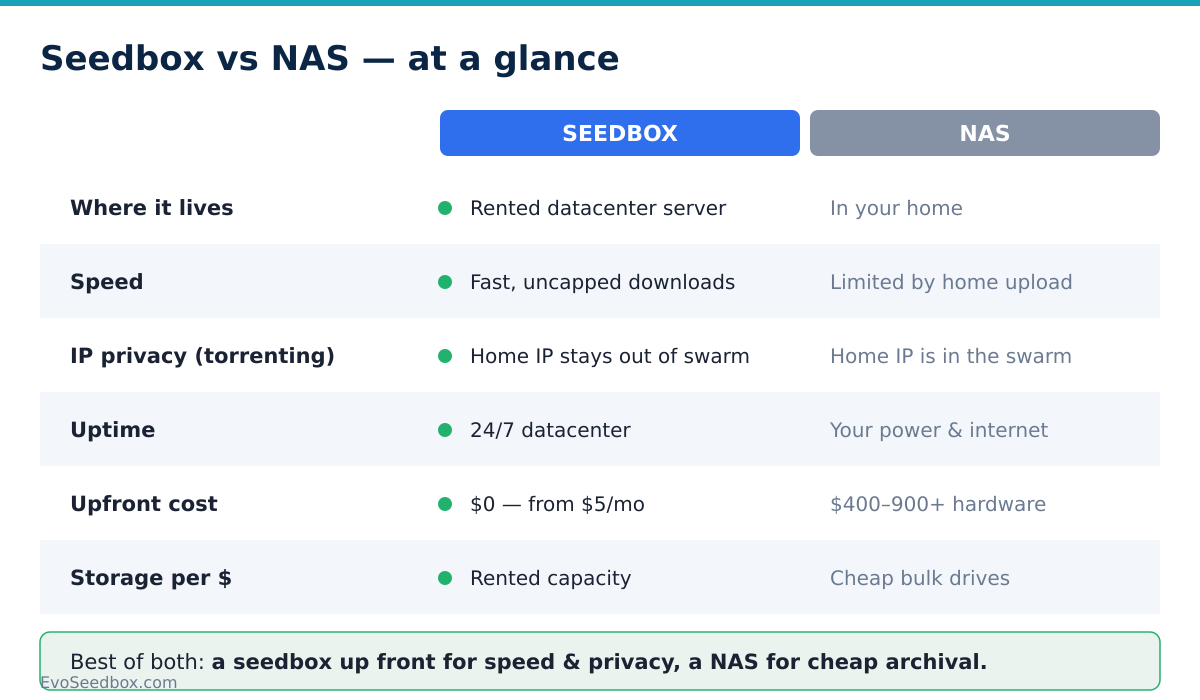
Before the details, here’s the head-to-head on the factors that actually matter:
| Factor | NAS (home) | Seedbox (datacenter) |
|---|---|---|
| Upfront cost | High ($400-900+ for unit plus drives) | None |
| Ongoing cost | Electricity only (plus drive replacements) | Monthly fee (from $5/mo) |
| Storage per dollar | Excellent — you buy cheap bulk drives once | Lower — you rent capacity |
| Speed | Fast on your LAN; limited by home internet remotely | Datacenter bandwidth — fast and uncapped everywhere |
| IP privacy (torrenting) | Your home IP is in the swarm | Home IP stays out of the swarm |
| Uptime | Depends on your power and internet | 24/7 datacenter uptime |
| Maintenance | You handle hardware, drives, updates, noise, heat | Managed for you |
| Best for | Permanent cheap archival, backups, private data | Fast downloading, seeding, streaming, privacy |
The Case for a NAS
A NAS (network-attached storage) — a Synology, a QNAP, or a self-built box — is a small always-on computer full of hard drives that sits in your house. Its biggest strength is economics at scale. You pay once for the unit and the drives, and after that the storage is effectively “free.” If you want 40TB of media sitting at home, a NAS is dramatically cheaper per terabyte than renting the same space anywhere.
You also get full local control. The data is physically yours, on hardware you own, not on rented infrastructure. On your home network you get full LAN speed — copying files between your PC and the NAS is quick, and streaming to a TV in the same house is instant. For backups, family photos, documents, and any private data you want to keep off the internet entirely, a NAS is genuinely excellent.
The trade-offs are real, though. A NAS runs on your home internet, which usually means slow upload speeds and, for many people, monthly data caps. When you torrent from home, your home IP address is what appears in the swarm. There’s the upfront cost ($400-900+ before you’ve downloaded a single file), plus ongoing electricity, the occasional dead drive to replace, and the noise and heat of a machine running 24/7 in your living space. Remote access — reaching your files when you’re away from home — is a do-it-yourself project involving port forwarding, dynamic DNS, or a VPN.
The Case for a Seedbox
A seedbox is a server rented in a datacenter and dedicated to downloading, seeding, and streaming. Its defining advantage is bandwidth. Datacenter connections are fast and uncapped, so a torrent that would crawl on a home line finishes in seconds or minutes, and seeding runs 24/7 without touching your home connection at all. Because the transfers happen on the rented server, your home IP never enters the torrent swarm.
There’s no hardware to buy or maintain — no drives to replace, no electricity bill, no noise. On EvoSeedbox specifically, every plan includes unlimited downloads, datacenter bandwidth, and 50+ one-click apps (Plex, ruTorrent, Sonarr, Radarr, and more), so you’re not configuring software from scratch. Our App Doctor self-healing system watches those apps across the fleet and fixes common failures automatically. Entry is cheap — plans start at $5/mo — so you can be up and running today with no capital outlay. For a deeper look at whether it suits your workflow, see should you use a seedbox and our guide to the best seedbox for torrenting.
The honest downsides: there’s a recurring monthly fee, you generally get less storage per dollar than buying your own drives, and your data lives on rented infrastructure rather than hardware you physically own. For context, across our 47-server fleet users store roughly 462TB combined — about 142GB per user on average — which tells you most people use a seedbox as an active workspace, not a bottomless permanent archive.

The Hybrid: Use Both
Here’s the setup a lot of experienced users land on, because it plays to each tool’s strengths: the seedbox is the front end and the NAS is the archive.
The workflow is simple. Your seedbox does the heavy lifting — grabbing torrents at datacenter speed, seeding them 24/7 to keep your ratios healthy, and keeping your home IP out of the swarm. Then, on a schedule or on demand, you pull the finished files down to your NAS at home (rclone and similar sync tools make this automatic). The seedbox handles everything speed- and privacy-sensitive; the NAS handles cheap, permanent, offline storage.
This sidesteps the biggest weakness of each. The seedbox’s limited storage-per-dollar stops mattering because it’s just a staging area — files move to the NAS and free the space back up. The NAS’s slow home upload and exposed IP stop mattering because it never torrents; it only receives already-downloaded files. You pay a modest monthly seedbox fee and a one-time NAS cost, and you get fast, private downloading plus effectively unlimited cheap archival.
Wiring the hybrid: what seedbox → NAS actually looks like
“Use both” is the easy sentence. The wiring is where people get stuck, so here is the concrete version — and one mistake that quietly costs you your ratio.
- Decide the boundary first. The seedbox holds the working set: what you are actively fetching and seeding. The NAS holds the archive: everything you intend to keep. Nearly every “I ran out of seedbox space” problem is really a boundary that was never drawn — the box was being used as a shelf instead of a workbench.
- Pull from the NAS side, not the seedbox side. Your NAS is always on and it is the thing that knows what it already has. On Synology, QNAP or any Linux box, point
rcloneat an SFTP remote: the host, username and password are the ones inprivate/SBinfo.txton your box, and the port is 22. - Use
copy, nevermove. This is the mistake.rclone movedeletes the file from the seedbox once it has been transferred — and the moment the file leaves, rTorrent stops seeding it and your ratio stops growing.rclone copy seedbox:downloads /volume1/media --transfers 8leaves the original in place so the box keeps seeding while your NAS gets its copy. - Turn up
--transfers. The default of 4 undersells a datacenter connection badly over a long distance. Somewhere between 8 and 16 is where most people find the ceiling of their home line, which is the real constraint here. This is the single most common reason a hybrid setup feels slow, and it is a client-side flag — not the server. - Schedule it and forget it. Synology Task Scheduler or a plain
cronentry at 3 a.m. is all this needs. The seedbox races and seeds around the clock; the NAS quietly collects overnight. - Prefer continuous sync? Use Syncthing instead. It is a one-click app on every plan — 115 boxes across our fleet run it, making it one of our most-installed apps — and it keeps a folder mirrored both ways in real time rather than in a nightly batch. Same rule applies: mirror the completed folder, leave the seeding files where they are.
Done properly, the split pays for itself: you can stay on a smaller, cheaper seedbox tier permanently, because the box only ever holds what is actively seeding — not your whole library.
Which One Fits You?
Use this as a quick decision guide:
- Choose a NAS if your priority is huge, cheap, permanent storage you physically own — backups, a large media archive, private files — and you have a decent home internet connection, don’t mind the upfront cost, and are comfortable managing hardware.
- Choose a seedbox if your priority is fast downloading and seeding, keeping your home IP out of the swarm, streaming from anywhere, and avoiding hardware entirely — with a low monthly cost and nothing to maintain.
- Choose both if you want the fast, private front end and the cheap, permanent archive — the seedbox downloads and seeds, the NAS stores it all long-term.
If storage economics for a giant permanent library dominate everything else, the NAS wins. If speed, privacy, uptime, and zero maintenance matter most, the seedbox wins. For most people who torrent actively, a seedbox is the more practical starting point — and you can always add a NAS later for archival. Still weighing it up? Our guides on whether you should use a seedbox and choosing a seedbox plan walk through it, and you can compare tiers on the pricing page.
Frequently Asked Questions
Is a seedbox cheaper than a NAS?
It depends on the timeframe. A seedbox has no upfront cost and starts at $5/mo, so it’s far cheaper to get started. A NAS costs $400-900+ upfront but has almost no ongoing cost, so over several years it can be cheaper per terabyte for large storage. For fast downloading and seeding, the seedbox wins on cost; for bulk permanent storage, the NAS wins.
Can a NAS download torrents like a seedbox?
Yes — most NAS units can run a torrent client. The difference is where it happens. A NAS torrents over your home internet using your home IP, which means slower speeds, possible data caps, and your address in the swarm. A seedbox torrents over fast datacenter bandwidth and keeps your home IP out of it entirely.
Does a seedbox keep my home IP private when torrenting?
Yes. Because the downloading and seeding happen on the rented datacenter server, that server’s IP is what appears in the torrent swarm — not your home connection. A NAS torrenting from home exposes your home IP unless you add a VPN yourself.
How much storage do I actually get with a seedbox?
It varies by plan. EvoSeedbox plans run from the Blitz tier at 150GB ($5/mo) up to Plex tiers with 2-8TB ($15-60/mo). Across our fleet the average user stores around 142GB, which suits most active workflows. If you need tens of terabytes of permanent archival, that’s where pairing a seedbox with a NAS makes sense. See the plan guide for sizing help.
Can I use a seedbox and a NAS together?
Absolutely, and it’s a popular setup. The seedbox downloads and seeds at datacenter speed while protecting your home IP, then you sync the finished files to your NAS at home (using rclone or similar) for cheap, permanent storage. You get the strengths of both and avoid the main weakness of each.
Can I stream media from a seedbox like I would from a NAS?
Yes. EvoSeedbox includes Plex among its 50+ one-click apps, and its Plex seedbox plans let you stream your library from anywhere over datacenter bandwidth — often more smoothly than a home NAS, which is limited by your home upload speed when you’re away from the house.
Not sure which way to go? If you want fast, private downloading and streaming with nothing to maintain, a seedbox is the easiest place to start — compare tiers on the EvoSeedbox pricing page and you can be up and running today from $5/mo, then add a NAS later if you want a permanent home archive.
