OpenVPN Connect Setup
On this page ▾
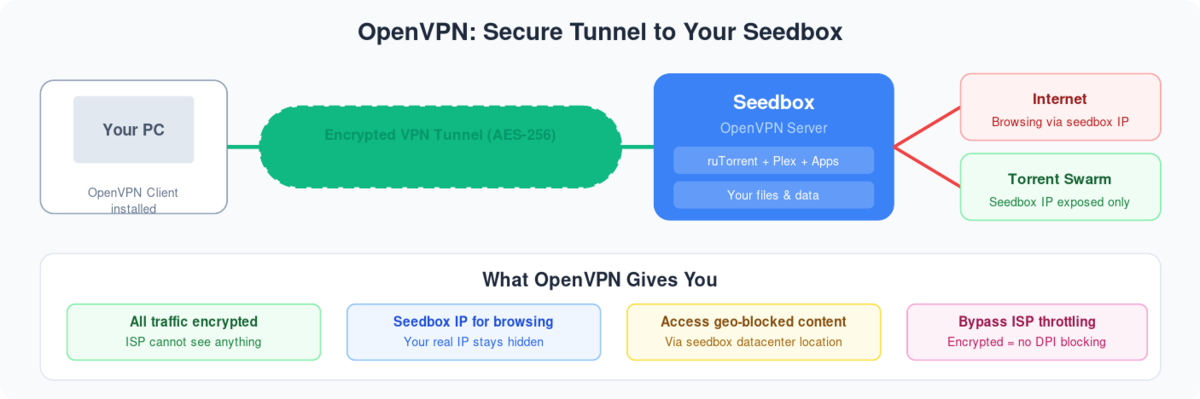
AçınVPN connect is a great tool to connect the VPN provided with seedbox. It has many user-friendly features like easy tab connection, kill switch and many more.
Our VPN is compatible with it. To get started, download AçınVPN connect den link provided here: AçınVPN connect and install it üzerinde device.
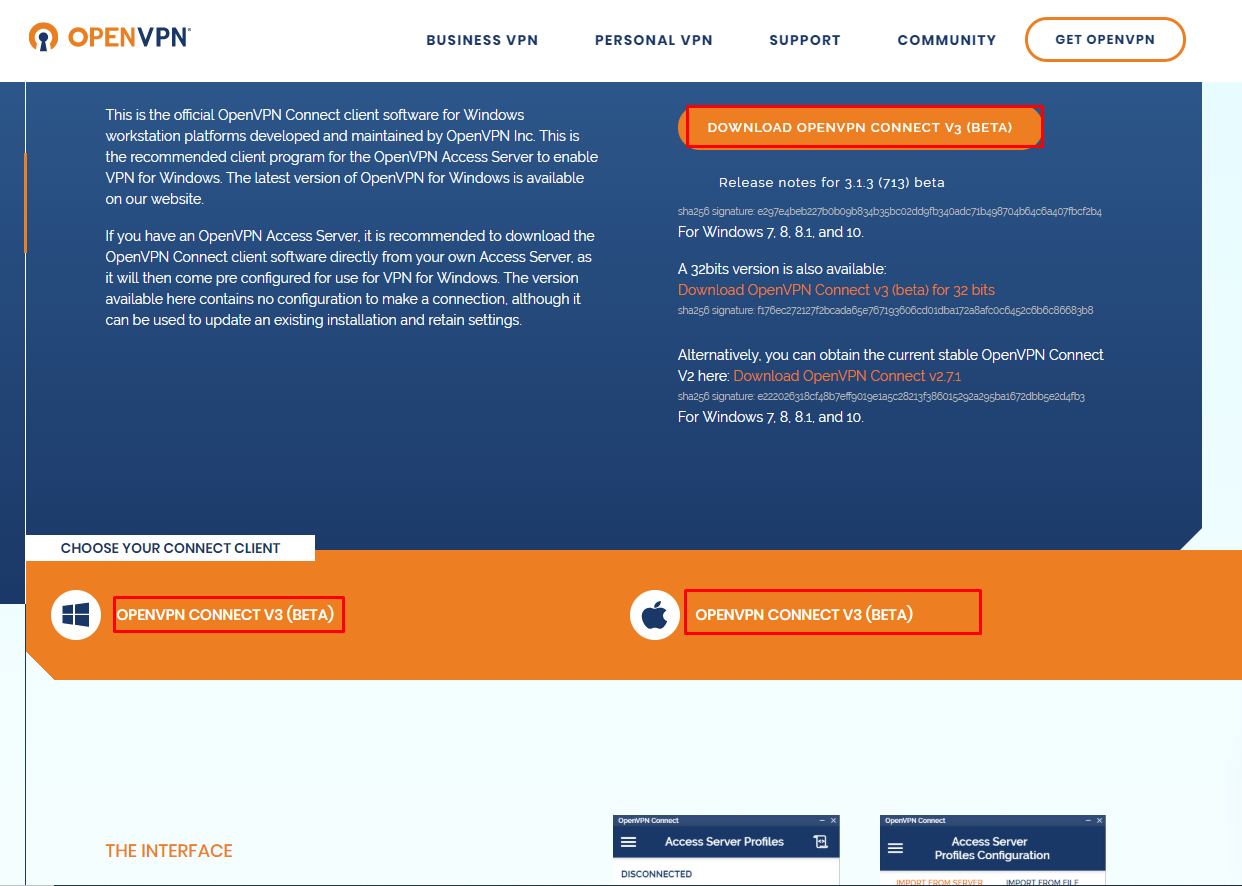
For mac click here: MAC OPENVPN CONNECT
- Now lets install VPN App on our seedbox:
- Açın seedbox’unuz control panel
- Aşağı kaydırın to uygulamas section and search for AçınVPN
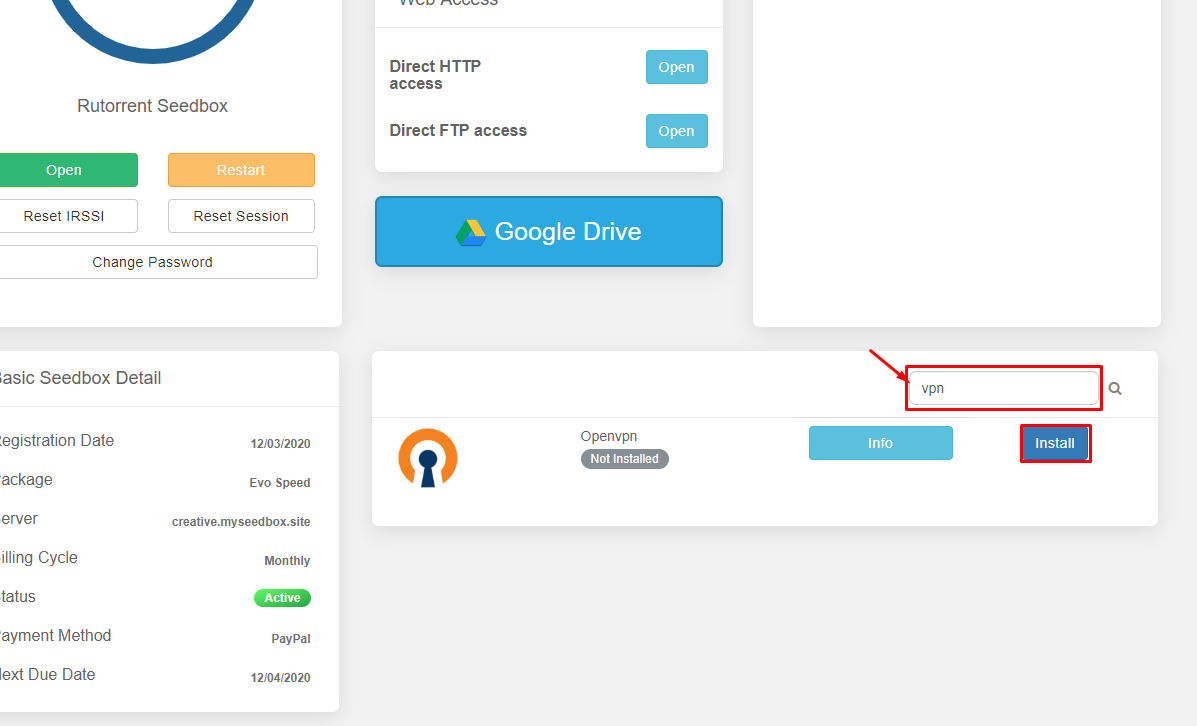
- Then install AçınVPN and wait for a few minutes for it to install
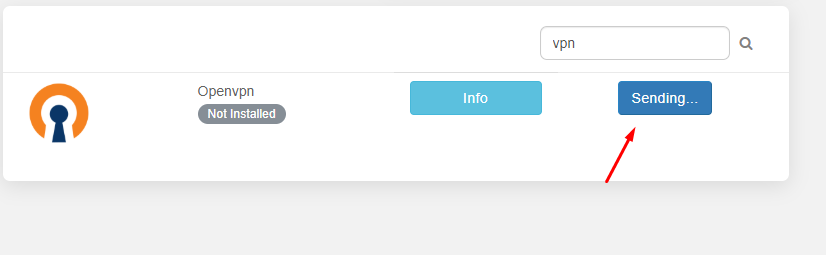
- Once installed click on open
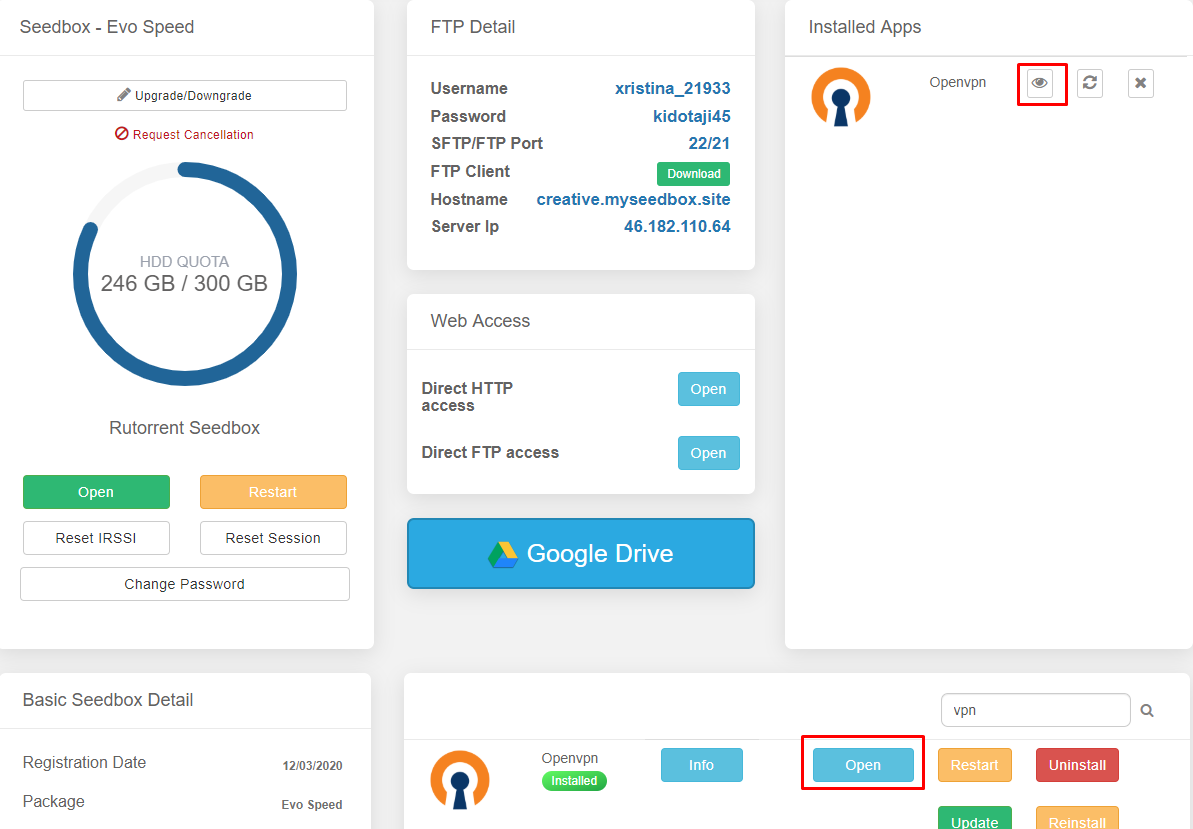
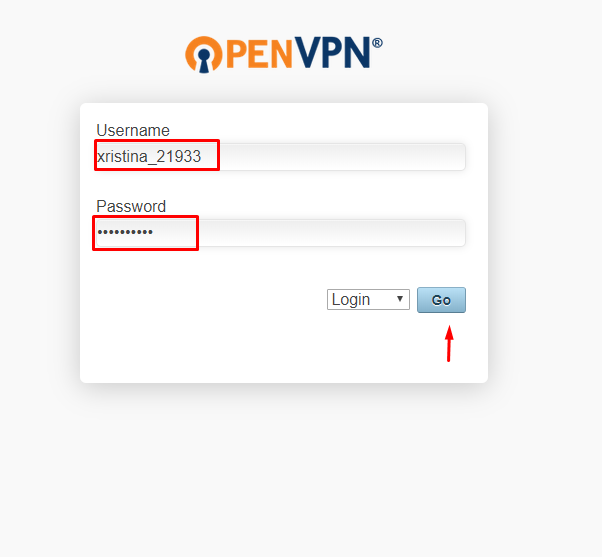
- Insert your user id and şifre to log in.
- Once you have logged in download the locked client profile den list of options.
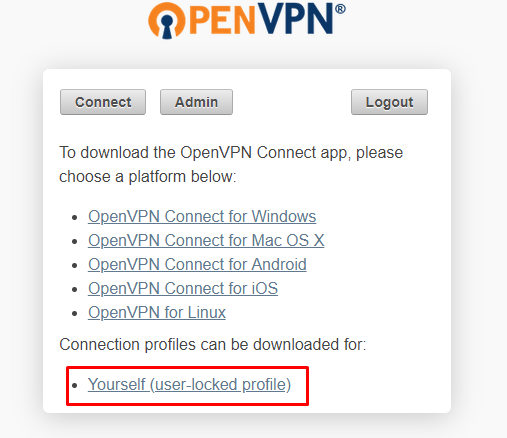
- Kaydedin the file some place where yapabilirsiniz access easily.
- Açın AçınVPN connect client and click on file
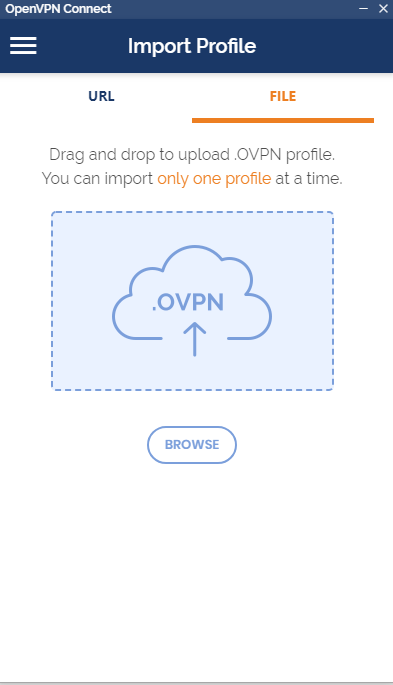
- Drag n Drop or browse and locate the file , once imported choose save şifre and insert the şifre
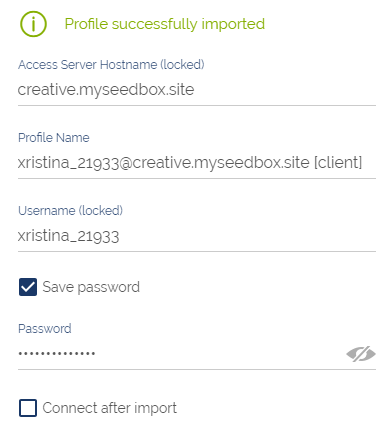
Then click on add on the top right corner
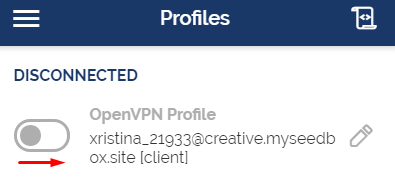
Tıklayın: the toggle düğme to connect
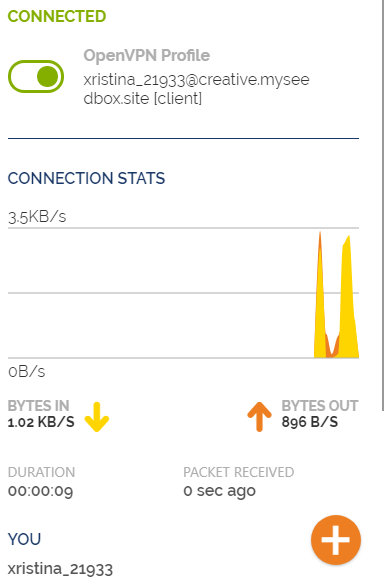
Put this into practice
EvoSeedbox ships with one-click app installs and up to 10 Gbps per box.


