Как Create Torrents Использование ruTorrent
On this page ▾
Did you know that вы можете create your own torrents!? Yes, the street goes both ways. Apart from downloading all the content in the world, вы можете share torrent files by making your own torrent too.
This feat. can be easily achieved by your ruTorrent client, which is pre-настроитьd with your Evoseedbox.
Steps to create torrents using ruTorrent
Шаг 1: Откройте ruTorrent client с вашего Evoseedbox’s Client Area
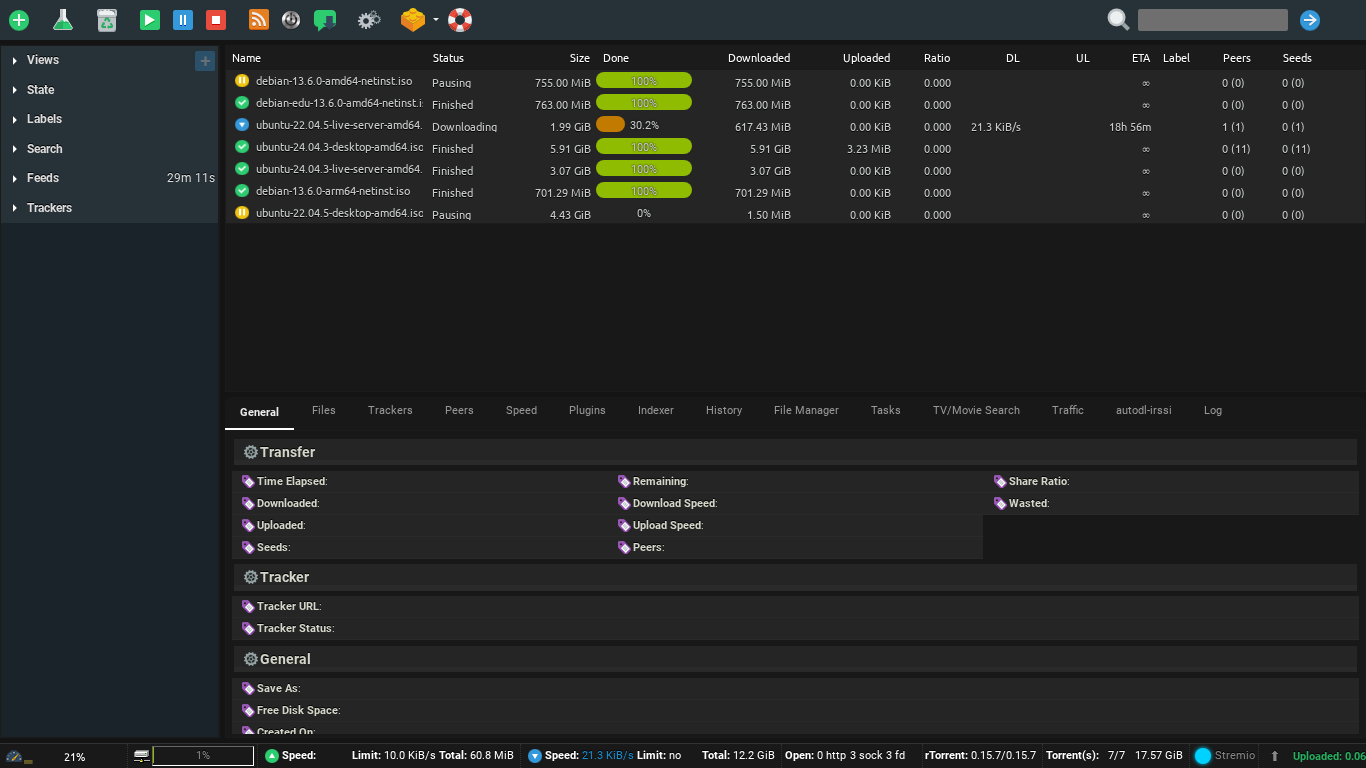
Шаг 2: Нажмите на the flask кнопка в вашем ruTorrent.
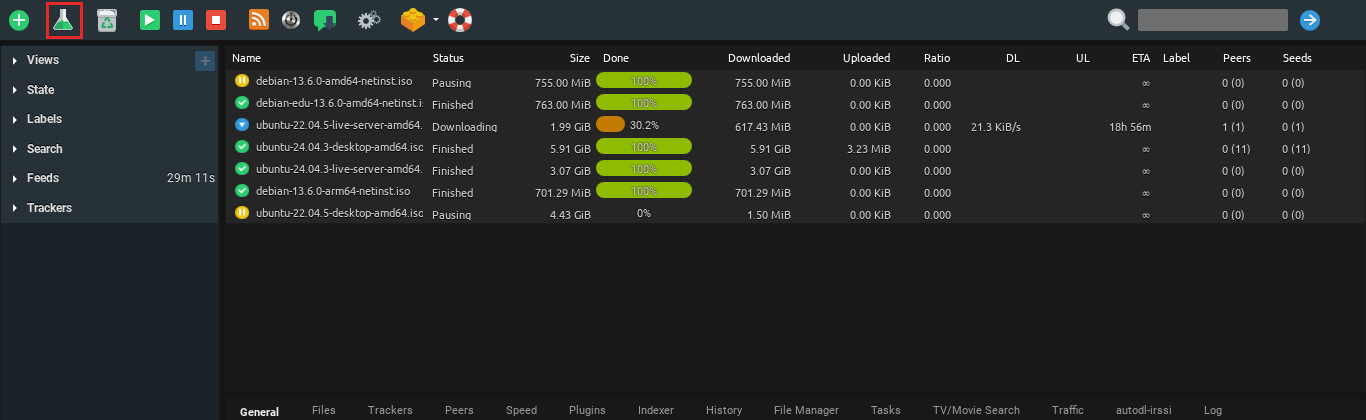
Шаг 3: Inside the pop-up, add the file you хотите share из select source кнопка.
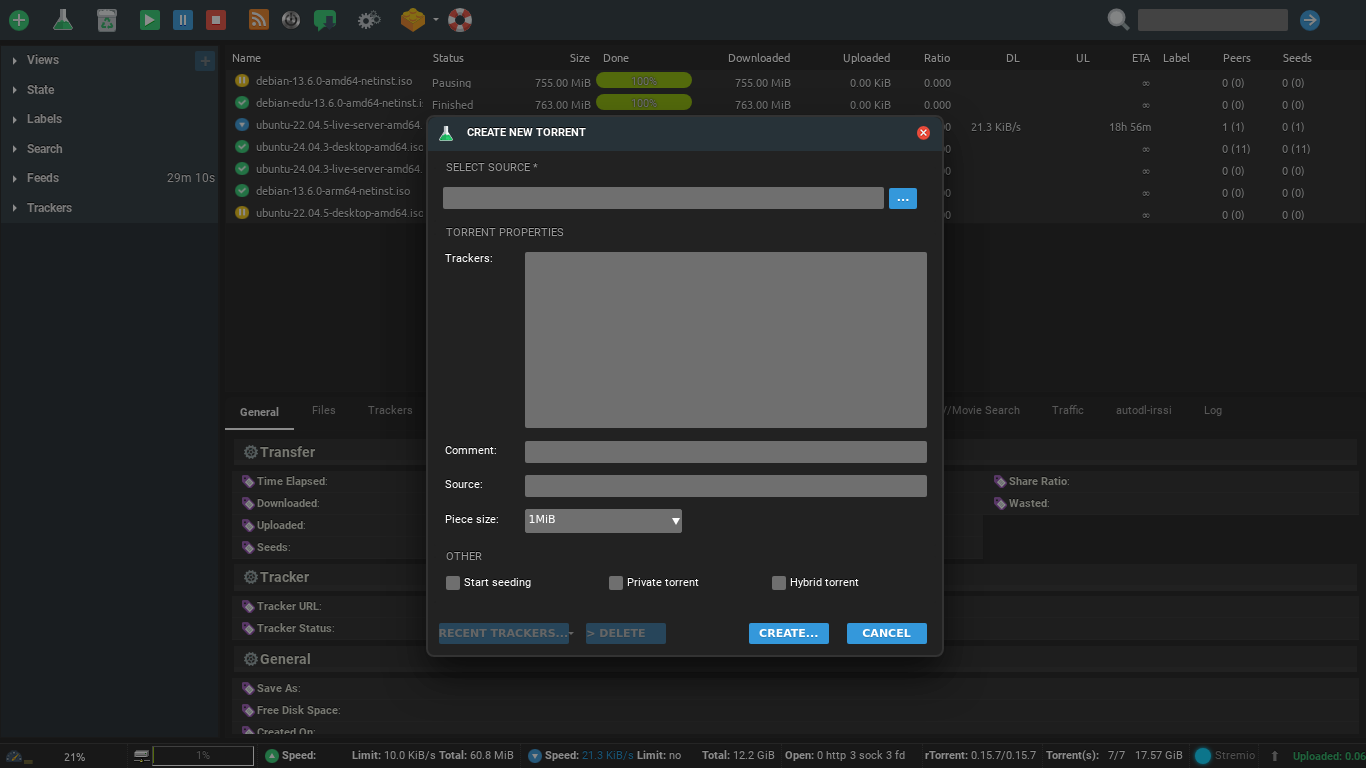
Step 4: Нажмите на create

Step 5: A console will appear на вашем screen, click on save to download the .torrent file на вашем device.
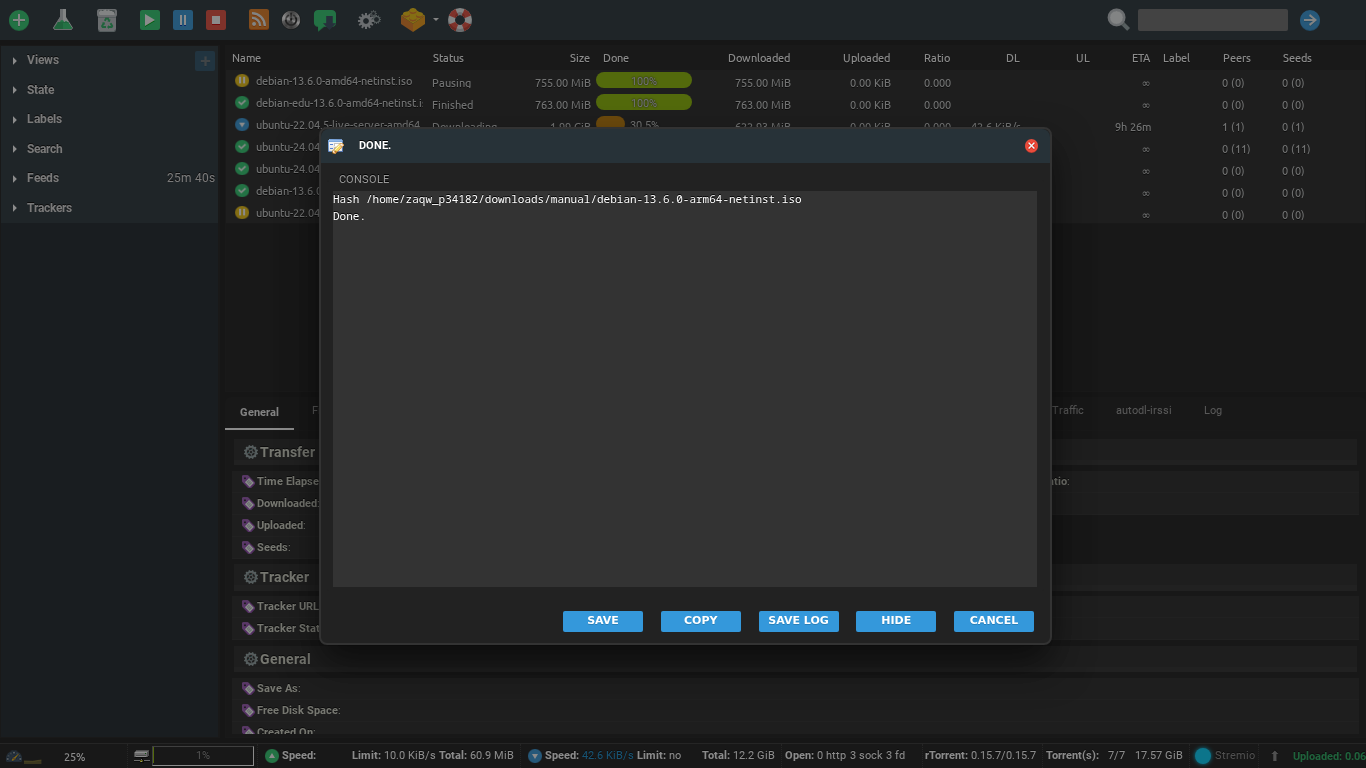
Step 6: Using this torrent file, share your original file using the BitTorrent network.
Put this into practice
EvoSeedbox ships with one-click app installs and up to 10 Gbps per box.


