Evoseedbox Evoseedbox Evoseedbox Evoseedbox
  • Français
    • Nederlands (Néerlandais)
    • English (Anglais)
    • Deutsch (Allemand)
    • 日本語 (Japonais)
    • 한국어 (Coréen)
    • Português (Portugais – du Portugal)
    • Español (Espagnol)
    • العربية (Arabe)
    • Русский (Russe)
    • Türkçe (Turc)
  • Accueil Evoseedbox
  • Wiki
  • Forum
  • Pricing
Client Area
View Categories
  • Home
  • Docs
  • Comment Create Torrents Utilisation de ruTorrent

Comment Create Torrents Utilisation de ruTorrent

< 1 min read

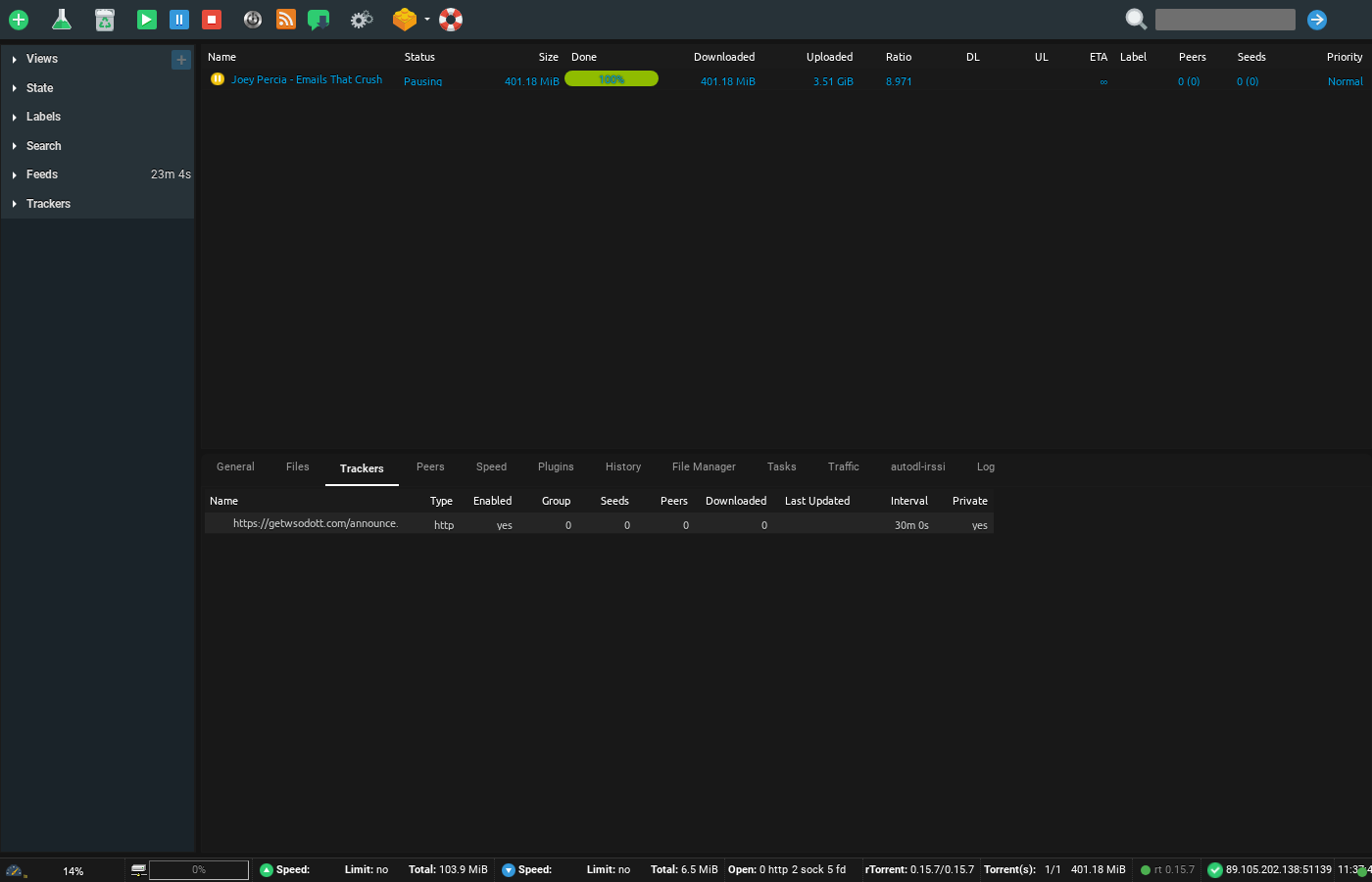
Screenshot of ruTorrent Trackers tab showing connected tracker information and announce status

Did you know that vous pouvez create your own torrents!? Yes, the street goes both ways. Apart from downloading all the content in the world, vous pouvez share torrent files by making your own torrent too.

This feat. can be easily achieved by your ruTorrent client, which is pre-configured with your Evoseedbox.

Steps to create torrents using ruTorrent #

Étape 1: Ouvrir ruTorrent client from your Evoseedbox’s Espace client #
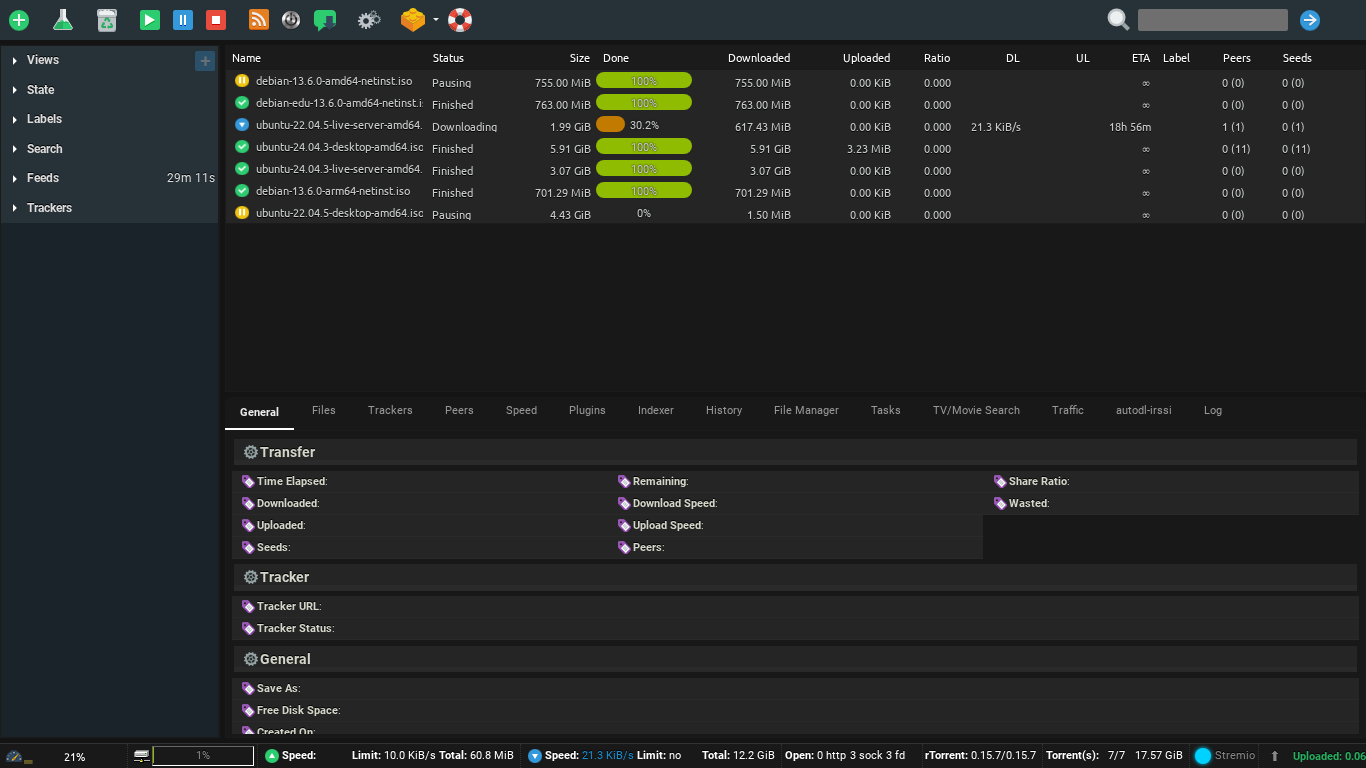
Comment Create Torrents Using Rutorrent

Étape 2: Cliquez sur the flask button in your ruTorrent. #
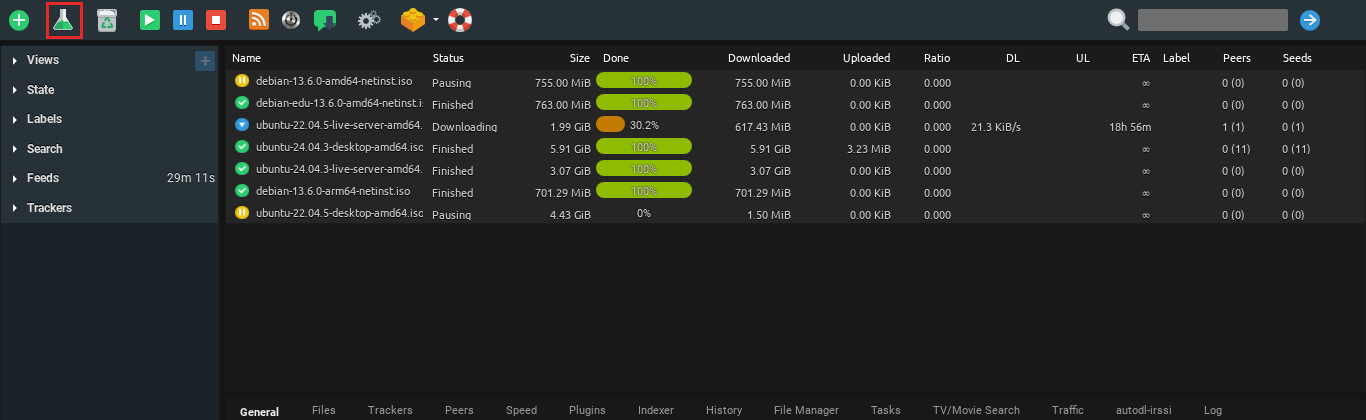
Comment Create Torrents Using Rutorrent

Étape 3: Inside the pop-up, add the file you want to share from the select source button. #
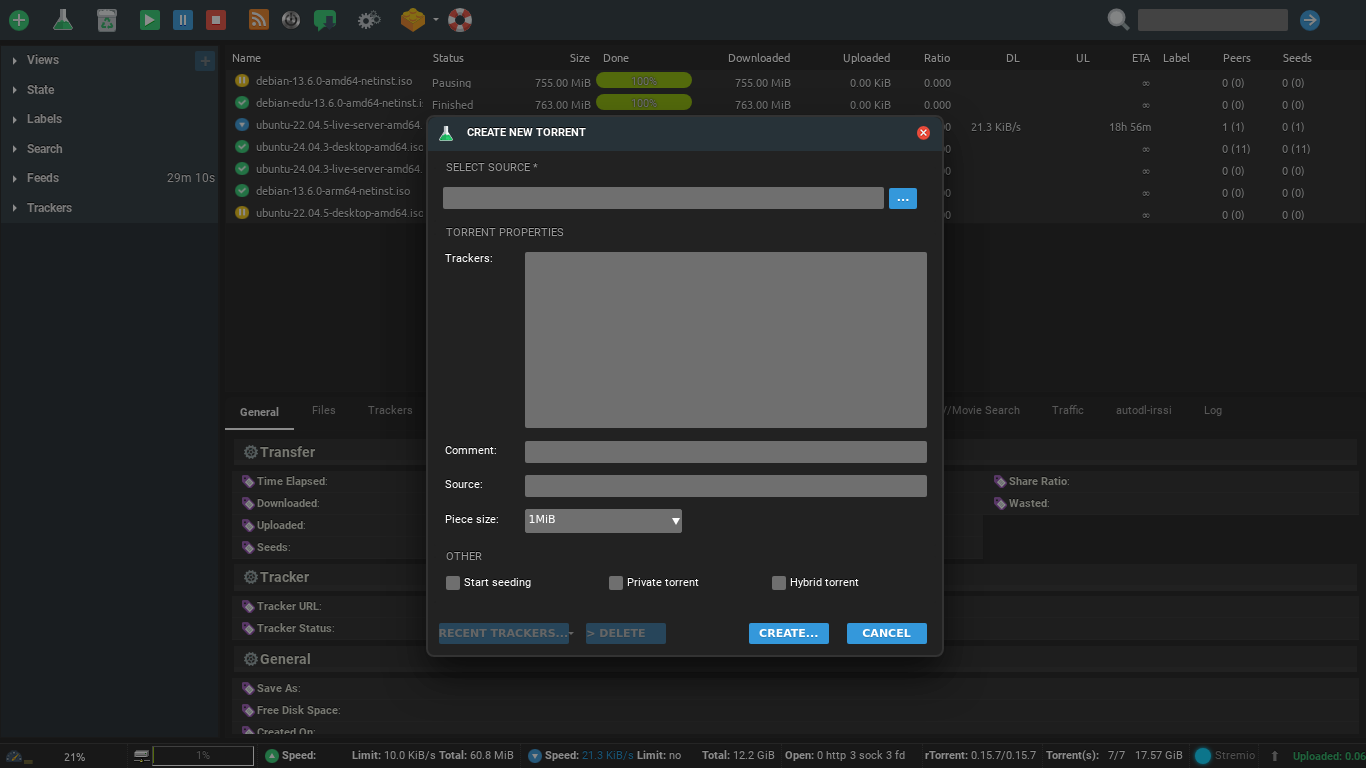
Comment Create Torrents Using Rutorrent

Étape 4: Cliquez sur create #

Comment Create Torrents Using Rutorrent

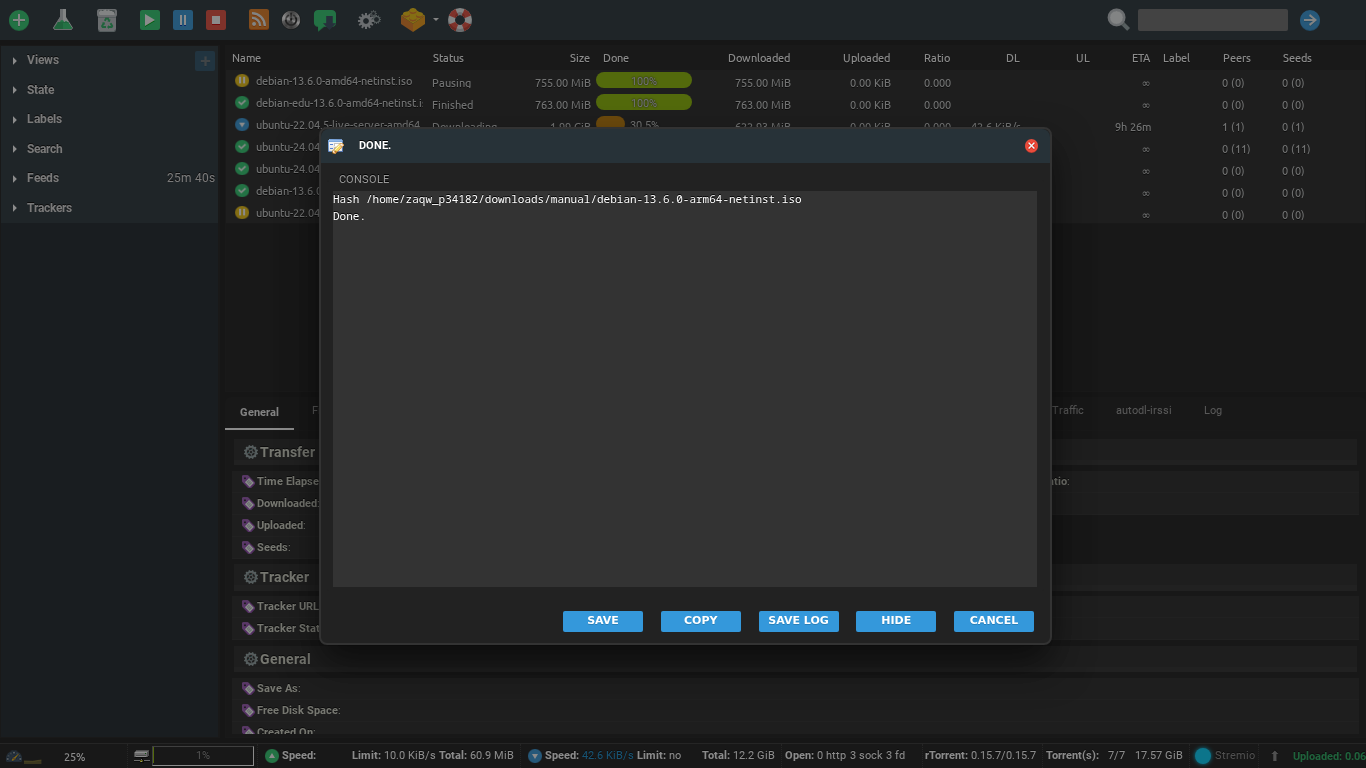
Étape 5: A console will appear on your screen, cliquez sur save to download the .torrent file on your device. #

Comment Create Torrents Using Rutorrent

Step 6: Using this torrent file, share your original file using the BitTorrent network. #

Comment Create Torrents Using Rutorrent

Updated on 16 mars 2026

What are your Feelings

  • Happy
  • Normal
  • Sad

Share This Article :

  • Facebook
  • X
  • LinkedIn
  • Pinterest
Table of Contents
  • Steps to create torrents using ruTorrent
  • Étape 1: Ouvrir ruTorrent client from your Evoseedbox’s Espace client
  • Étape 2: Cliquez sur the flask button in your ruTorrent.
  • Étape 3: Inside the pop-up, add the file you want to share from the select source button.
  • Étape 4: Cliquez sur create
  • Étape 5: A console will appear on your screen, cliquez sur save to download the .torrent file on your device.
  • Step 6: Using this torrent file, share your original file using the BitTorrent network.

We create amazing Seedboxes
for everyone to use 😊

Important Links

Scholarship for CS

Refund Policy

Privacy Policy

Terms of service

Cookie Policy

Acceptable Use Policy

Get in Touch

Contact Us

[email protected]

© 2025 Evoseedbox | All rights reserved. By Evo Created with ❤️

  • Nederlands (Néerlandais)
  • English (Anglais)
  • Français
  • Deutsch (Allemand)
  • 日本語 (Japonais)
  • 한국어 (Coréen)
  • Português (Portugais - du Portugal)
  • Español (Espagnol)
  • العربية (Arabe)
  • Русский (Russe)
  • Türkçe (Turc)
Evoseedbox
  • Français
    • Nederlands (Néerlandais)
    • English (Anglais)
    • Deutsch (Allemand)
    • 日本語 (Japonais)
    • 한국어 (Coréen)
    • Português (Portugais – du Portugal)
    • Español (Espagnol)
    • العربية (Arabe)
    • Русский (Russe)
    • Türkçe (Turc)
  • Accueil Evoseedbox
  • Wiki
  • Forum
  • Pricing
Client Area