Como Use Secure Server Connections in Plex
On this page ▾
Using this guide you’ll be able to create a secure Plex media server conectarion so that você pode have uninterrupted acessar para o media server.
So, let’s look at the steps required :
- The first thing that needs to be done is to set up plex on sua seedbox using the one-click installation in o aplicativo.
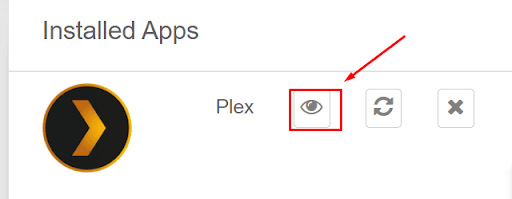
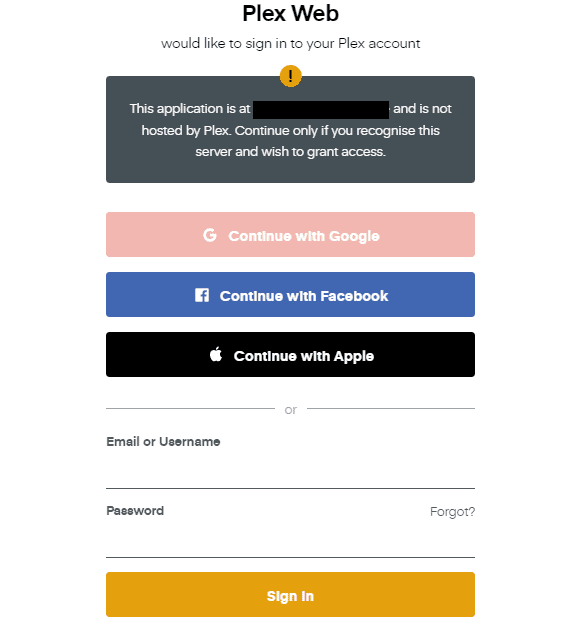
- After installing plex on sua seedbox you need t open it do seedbox apps palette and login inpara o seu plex account using a registered email id and senha.
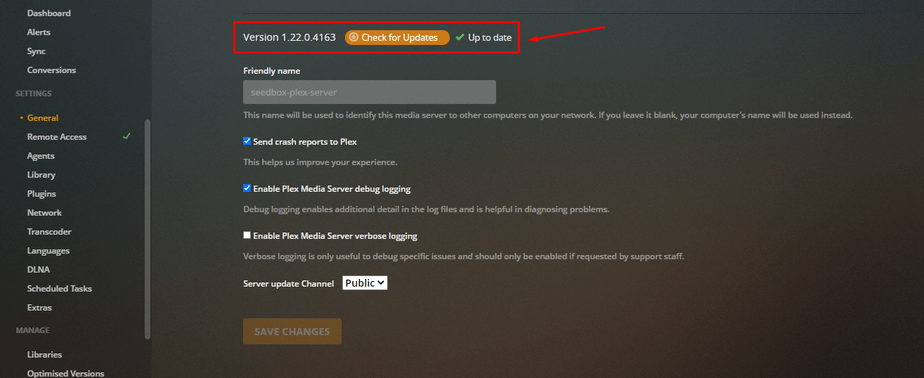
3. Please check that if you have the latest version of Plex media server if you do not update your version para o latest one through App dashboard. You can check the plex version : Settings => General => Version

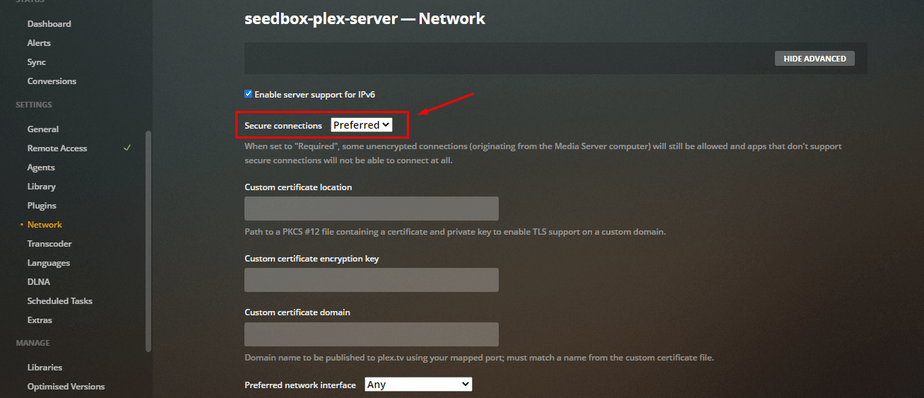
4. To activate secure conectarions go to “Settings => Network => and set Secure conectarions as “Preferred”
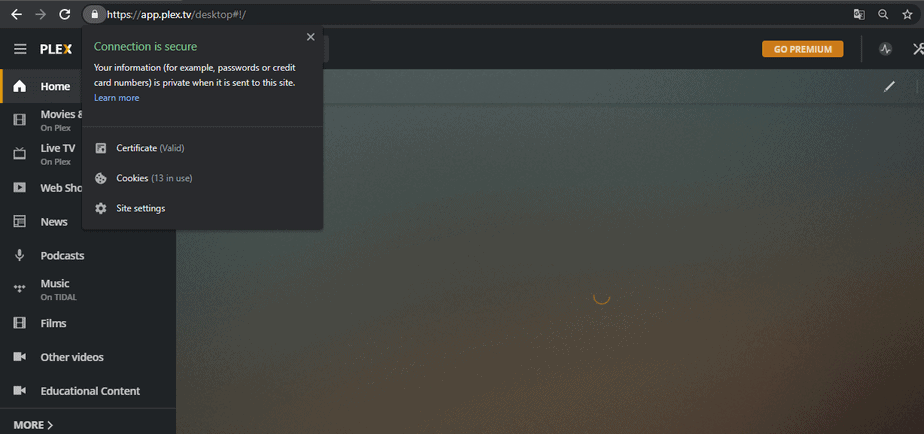
5. After finishing the setup please refresh your browser and do not acessar plex with sua seedbox IP address like you were doing before (https://xxxxxx.xxxxxxxxx.xxxx:13100/web/index.htm) because conectaring like this will not be secure. Você pode acessar secure Plex conectarion with this link: https://app.plex.tv/web/app
Nota: If any of your associated servers don’t support secure conectarions, you’ll conectar to http://app.plex.tv/web/app over regular HTTP conectarion.
6. Se você have a secure conectarion you’ll see a green lock as mostrado abaixo.
Put this into practice
EvoSeedbox ships with one-click app installs and up to 10 Gbps per box.


