Evoseedbox Evoseedbox Evoseedbox Evoseedbox
  • Nederlands
    • English (Engels)
    • Français (Frans)
    • Deutsch (Duits)
    • 日本語 (Japans)
    • 한국어 (Koreaans)
    • Português (Portugees, Portugal)
    • Español (Spaans)
    • العربية (Arabisch)
    • Русский (Russisch)
    • Türkçe (Turks)
  • Evoseedbox Startpagina
  • Wiki
  • Forum
  • Pricing
Client Area
Categorieën bekijken
  • Home
  • Docs
  • Handleiding voor Increase Download and Upload Queues in ruTorrent

Handleiding voor Increase Download and Upload Queues in ruTorrent

1 min leestijd

Through this guide, you’ll get to know how to increase the download and upload queues op uw Rutorrent client. Let’s get started.

1. Login to uw seedbox profile and open your dashboard.
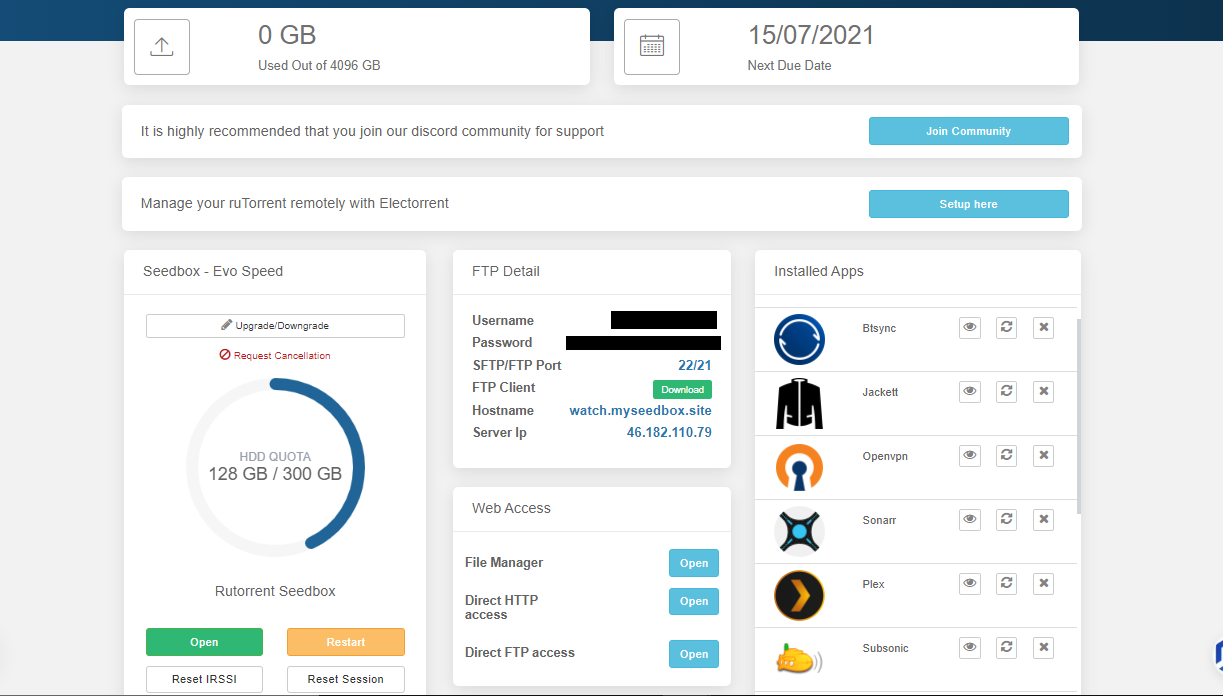
Guide To Increase Downloaden And Uploaden Queues In Rutorrent

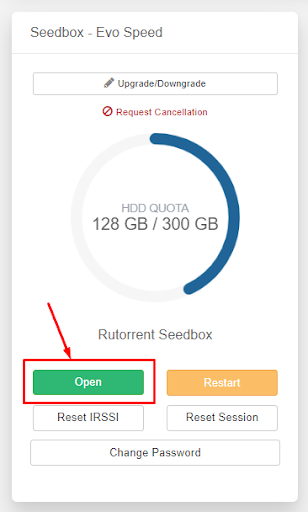
2. Open Rutorrent client

Guide To Increase Downloaden And Uploaden Queues In Rutorrent

3. Then click on the settings knop in the top bar.

Guide To Increase Downloaden And Uploaden Queues In Rutorrent

4. Ga naar the ‘Connection’ and under the other limitations, you’ll be able to choose the upload and download slots.
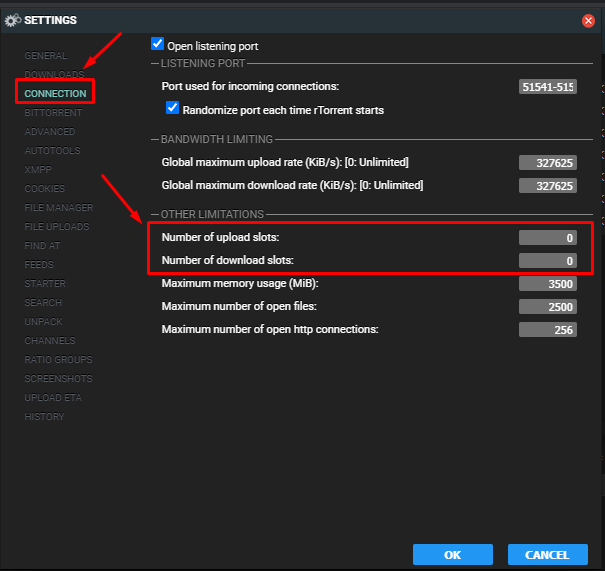
Guide To Increase Downloaden And Uploaden Queues In Rutorrent

Note. The default value has been set to zero which is unlimited

#

5. Under the ‘Downloaden’ section u kunt set the number of upload slots in rutorrent.
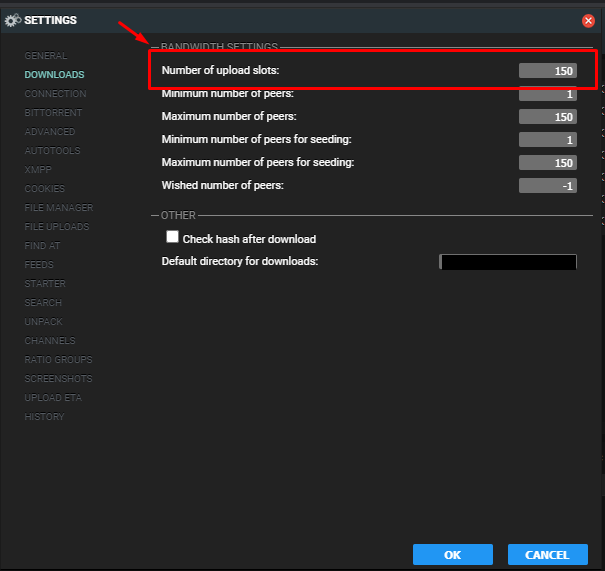
Guide To Increase Downloaden And Uploaden Queues In Rutorrent

Increase Downloaden and Uploaden Queues in ruTorrent #

By default, ruTorrent limits the number of simultaneous downloads and uploads. Increasing these queues lets you download and seed more torrents at once — useful for building ratio across many trackers.

Steps to Change Queue Limits #

  1. Open ruTorrent from uw seedbox dashboard
  2. Click the Settings (gear icon) knop in the top toolbar
  3. Ga naar the Connection tab
  4. Adjust:
    • Maximum number of active downloads: Increase from default (e.g., 5 → 15)
    • Maximum number of active uploads: Increase from default (e.g., 5 → 20)
    • Maximum number of active torrents: Set to the total you want active (e.g., 30)
  5. Click OK to save settings

Recommended Settings #

Use Case Downloadens Uploadens Total
Casual user 5 10 15
Active seeder 10 30 40
Power user / racing 15 50+ 65+

Important Notes #

  • Setting too many simultaneous active torrents can spread your bandbreedte thin — each torrent gets less speed
  • For private trackers, prioritize upload slots over download slots to build ratio
  • Your seedbox opslag limits how many torrents u kunt keep active regardless of queue settings
Geüpdatet op 16 maart 2026

Wat zijn je gevoelens

  • Blij
  • Normaal
  • Verdrietig

Deel dit bericht:

  • Facebook
  • X
  • LinkedIn
  • Pinterest
Table of Contents
  • Note. The default value has been set to zero which is unlimited
  • Increase Downloaden and Uploaden Queues in ruTorrent
    • Steps to Change Queue Limits
  • Recommended Settings
  • Important Notes

We create amazing Seedboxes
for everyone to use 😊

Important Links

Scholarship for CS

Refund Policy

Privacy Policy

Terms of service

Cookie Policy

Acceptable Use Policy

Get in Touch

Contact Us

[email protected]

© 2025 Evoseedbox | All rights reserved. By Evo Created with ❤️

  • Nederlands
  • English (Engels)
  • Français (Frans)
  • Deutsch (Duits)
  • 日本語 (Japans)
  • 한국어 (Koreaans)
  • Português (Portugees, Portugal)
  • Español (Spaans)
  • العربية (Arabisch)
  • Русский (Russisch)
  • Türkçe (Turks)
Evoseedbox
  • Nederlands
    • English (Engels)
    • Français (Frans)
    • Deutsch (Duits)
    • 日本語 (Japans)
    • 한국어 (Koreaans)
    • Português (Portugees, Portugal)
    • Español (Spaans)
    • العربية (Arabisch)
    • Русский (Russisch)
    • Türkçe (Turks)
  • Evoseedbox Startpagina
  • Wiki
  • Forum
  • Pricing
Client Area