Guide pour Increase Download and Upload Queues in ruTorrent
On this page ▾
Through this guide, you’ll get to know how to increase the download and upload queues on your Ruclient torrent. Let’s get started.
1. Connexion to votre seedbox profile and open your dashboard.
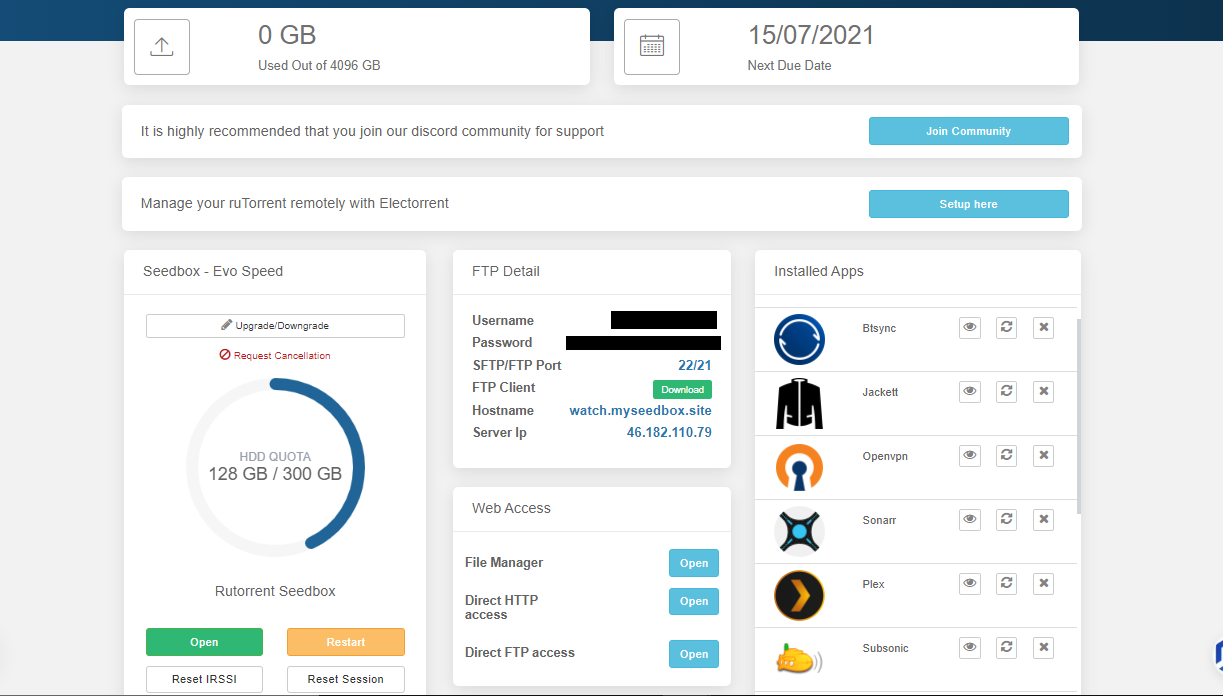
2. Ouvrir Ruclient torrent
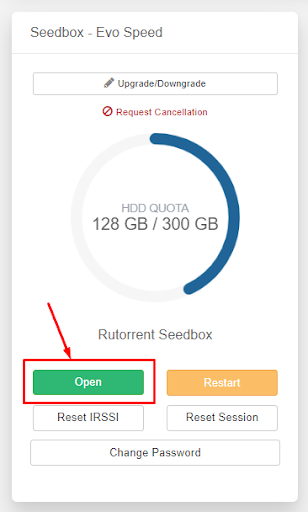
3. Then cliquez sur the settings button in the top bar.

4. Allez à the ‘Connection’ and under the other limitations, you’ll be able to choose the upload and download slots.
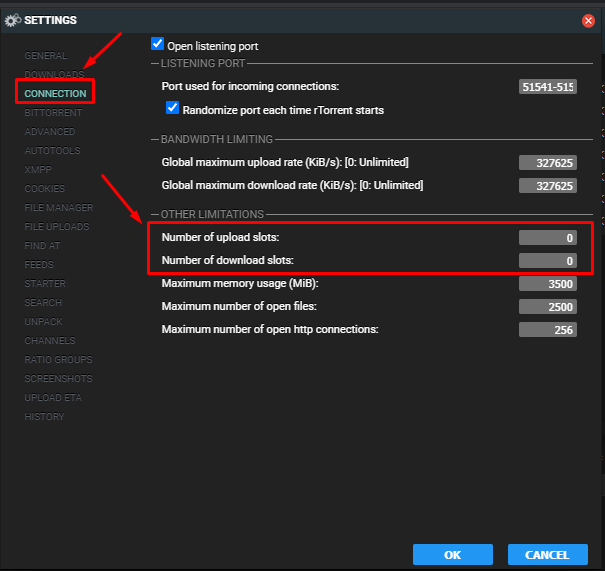
Note. The default value has been set to zero which is unlimited
5. Under the ‘Télécharger’ section vous pouvez set the number of upload slots in rutorrent.
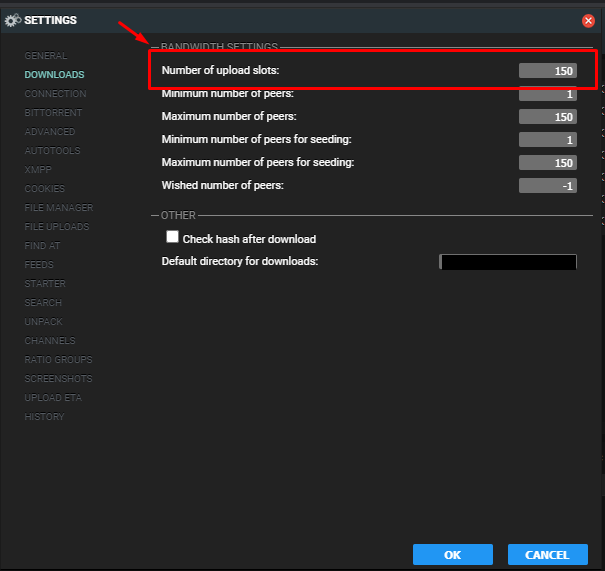
Increase Télécharger and Charger Queues in ruTorrent
By default, ruTorrent limits the number of simultaneous downloads and uploads. Increasing these queues lets you download and seed more torrents at once — useful for building ratio across many trackers.
Steps to Change Queue Limits
- Ouvrir ruTorrent from votre seedbox dashboard
- Click the Settings (gear icon) button in the top toolbar
- Allez à the Connection tab
- Adjust:
- Maximum number of active downloads: Increase from default (e.g., 5 → 15)
- Maximum number of active uploads: Increase from default (e.g., 5 → 20)
- Maximum number of active torrents: Set to the total you want active (e.g., 30)
- Click OK to save settings
Recommended Settings
| Use Case | Téléchargers | Chargers | Total |
|---|---|---|---|
| Casual user | 5 | 10 | 15 |
| Active seeder | 10 | 30 | 40 |
| Power user / racing | 15 | 50+ | 65+ |
Notes importantes
- Setting too many simultaneous active torrents can spread your bande passante thin — each torrent gets less speed
- For private trackers, prioritize upload slots over download slots to build ratio
- Your seedbox stockage limits how many torrents vous pouvez keep active regardless of queue settings
Put this into practice
EvoSeedbox ships with one-click app installs and up to 10 Gbps per box.


