Evoseedbox Evoseedbox Evoseedbox Evoseedbox
  • Nederlands
    • English (Engels)
    • Français (Frans)
    • Deutsch (Duits)
    • 日本語 (Japans)
    • 한국어 (Koreaans)
    • Português (Portugees, Portugal)
    • Español (Spaans)
    • العربية (Arabisch)
    • Русский (Russisch)
    • Türkçe (Turks)
  • Evoseedbox Startpagina
  • Wiki
  • Forum
  • Pricing
Client Area
Categorieën bekijken
  • Home
  • Docs
  • Aan de slag with One-Click Installs

Aan de slag with One-Click Installs

1 min leestijd

Seedboxen zijn tot veel in staat. All you moet do is configureer any app that you want with uw seedbox.

But dit is not as easy as it sounds. You moet have advanced technical knowledge and practice in SSH. Ook, whenever something goes wrong, you moet look for the error, and of course, come up with a solution to resolve it.

Evoseedbox understands this, therefore, all de apps provided in uw seedbox are pre-configureerd for you.

All you moet do is click on the install knop once and de app will connect to uw seedbox.

Steps to Installeren Apps with one-click #

Stap 1: Inloggen to you Evoseedbox’s klantengebied #
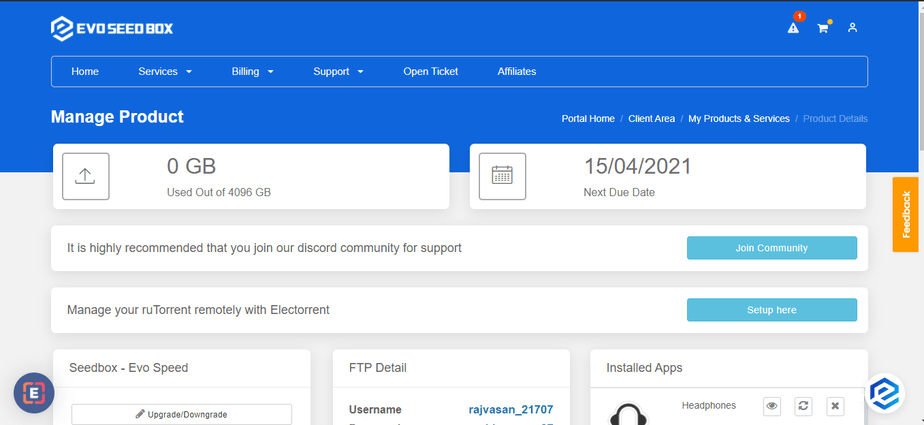
Aan de slag With Seedbox One Click Installerens

Stap 2: Scroll Down and aan het einde, u zult find de apps section. #
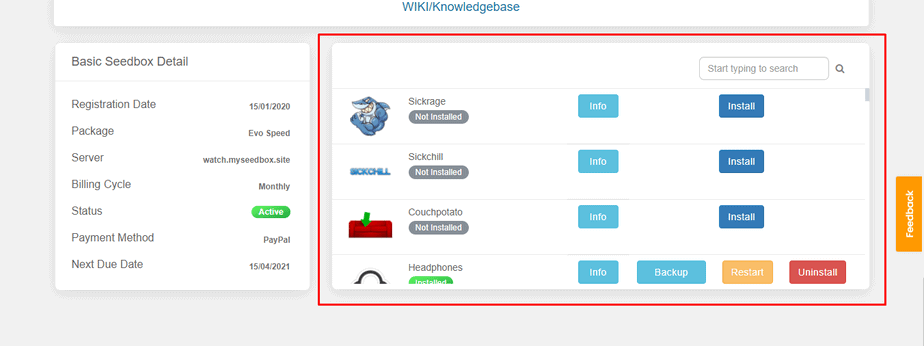
Aan de slag With Seedbox One Click Installerens

Stap 3: Find de app you want to download using the search bar or scroll down. #
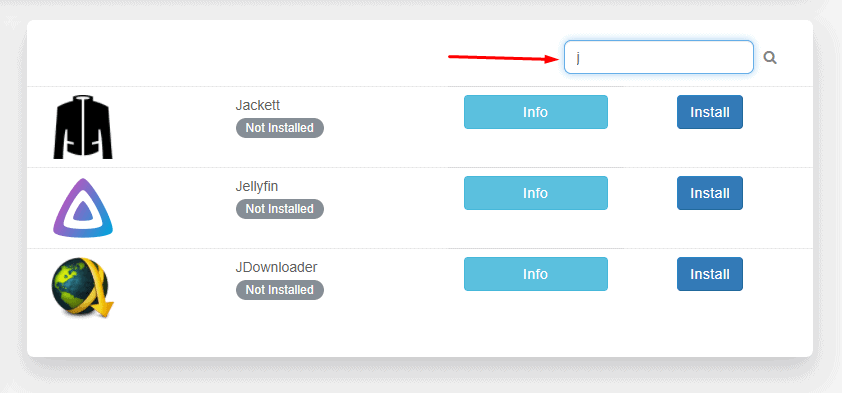
Aan de slag With Seedbox One Click Installerens

Stap 4: Klik op the install knop in front of any app you wish to install. #
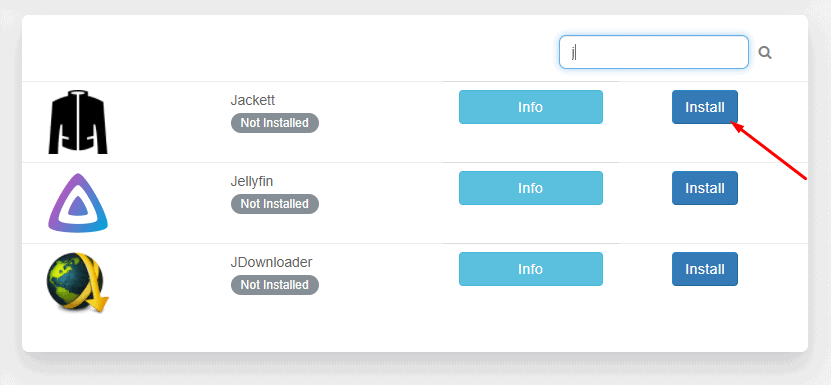
Aan de slag With Seedbox One Click Installerens

Stap 5: Wait for the configuration modules to run and install de app. #
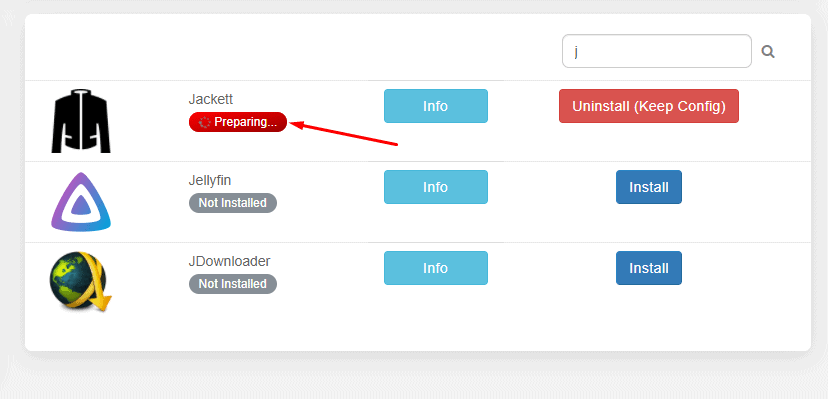
Aan de slag With Seedbox One Click Installerens

Stap 6: Your app is installed. #

Aan de slag With Seedbox One Click Installerens

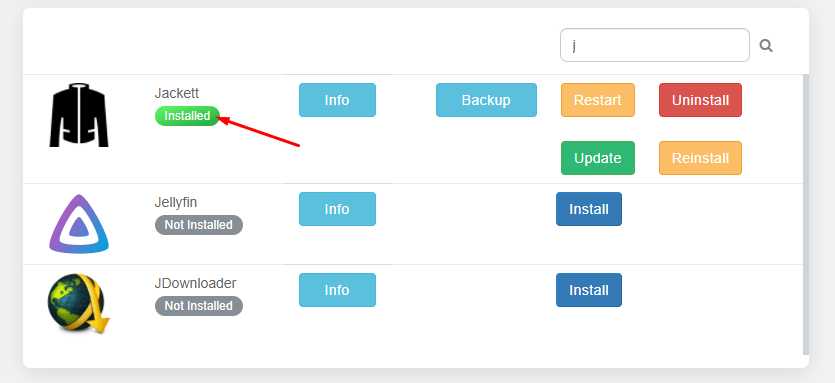
Stap 7: Scroll up to find all your installed apps and click on Open to launch de app. #
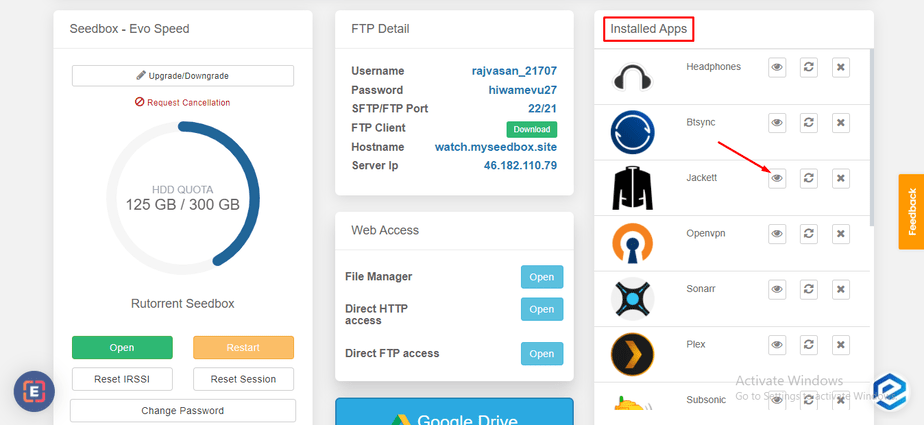
Aan de slag With Seedbox One Click Installerens

That’s all you moet do to install any app on uw seedbox. U kunt use the Info knop next to apps to learn more about what an application is used for.

Geüpdatet op 16 maart 2026

Wat zijn je gevoelens

  • Blij
  • Normaal
  • Verdrietig

Deel dit bericht:

  • Facebook
  • X
  • LinkedIn
  • Pinterest
Table of Contents
  • Steps to Installeren Apps with one-click
  • Stap 1: Inloggen to you Evoseedbox’s klantengebied
  • Stap 2: Scroll Down and aan het einde, u zult find de apps section.
  • Stap 3: Find de app you want to download using the search bar or scroll down.
  • Stap 4: Klik op the install knop in front of any app you wish to install.
  • Stap 5: Wait for the configuration modules to run and install de app.
  • Stap 6: Your app is installed.
  • Stap 7: Scroll up to find all your installed apps and click on Open to launch de app.

We create amazing Seedboxes
for everyone to use 😊

Important Links

Scholarship for CS

Refund Policy

Privacy Policy

Terms of service

Cookie Policy

Acceptable Use Policy

Get in Touch

Contact Us

[email protected]

© 2025 Evoseedbox | All rights reserved. By Evo Created with ❤️

  • Nederlands
  • English (Engels)
  • Français (Frans)
  • Deutsch (Duits)
  • 日本語 (Japans)
  • 한국어 (Koreaans)
  • Português (Portugees, Portugal)
  • Español (Spaans)
  • العربية (Arabisch)
  • Русский (Russisch)
  • Türkçe (Turks)
Evoseedbox
  • Nederlands
    • English (Engels)
    • Français (Frans)
    • Deutsch (Duits)
    • 日本語 (Japans)
    • 한국어 (Koreaans)
    • Português (Portugees, Portugal)
    • Español (Spaans)
    • العربية (Arabisch)
    • Русский (Russisch)
    • Türkçe (Turks)
  • Evoseedbox Startpagina
  • Wiki
  • Forum
  • Pricing
Client Area