Seedboxen zijn tot veel in staat. All you moet do is configureer any app that you want with uw seedbox.
But dit is not as easy as it sounds. You moet have advanced technical knowledge and practice in SSH. Ook, whenever something goes wrong, you moet look for the error, and of course, come up with a solution to resolve it.
Evoseedbox understands this, therefore, all de apps provided in uw seedbox are pre-configureerd for you.
All you moet do is click on the install knop once and de app will connect to uw seedbox.
Steps to Installeren Apps with one-click
Stap 1: Inloggen to you Evoseedbox’s klantengebied
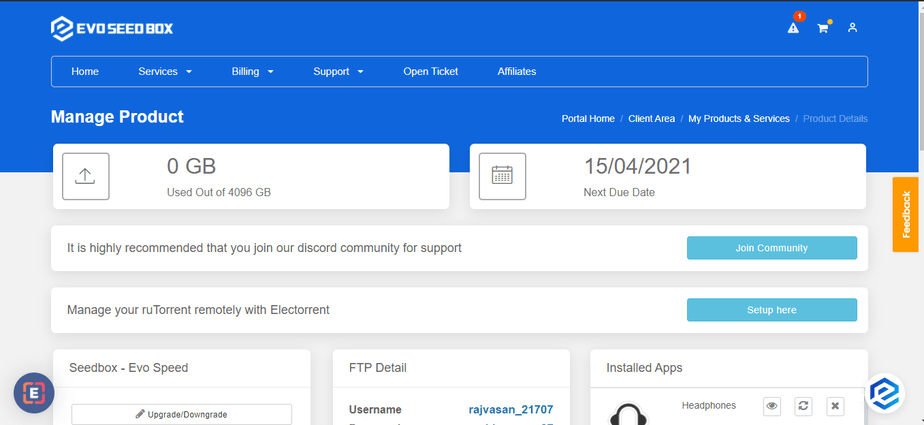
Stap 2: Scroll Down and aan het einde, u zult find de apps section.
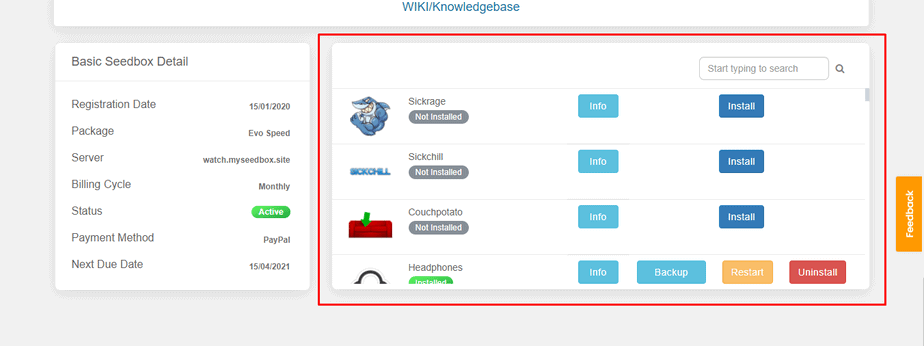
Stap 3: Find de app you want to download using the search bar or scroll down.
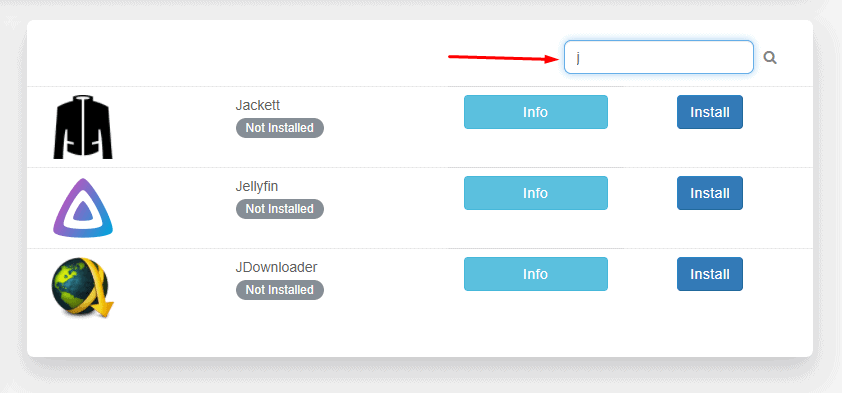
Stap 4: Klik op the install knop in front of any app you wish to install.
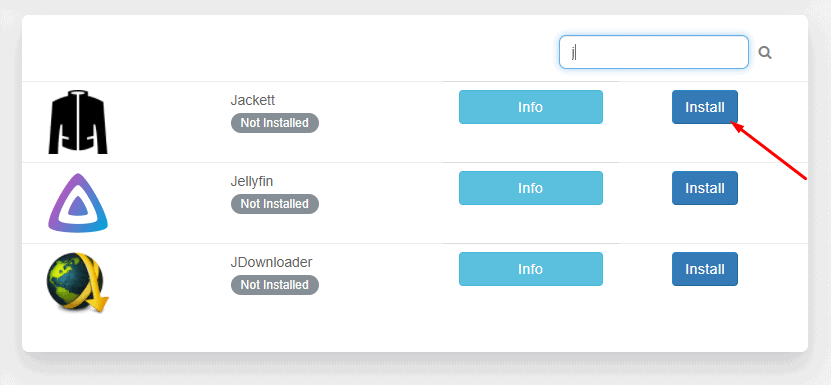
Stap 5: Wait for the configuration modules to run and install de app.
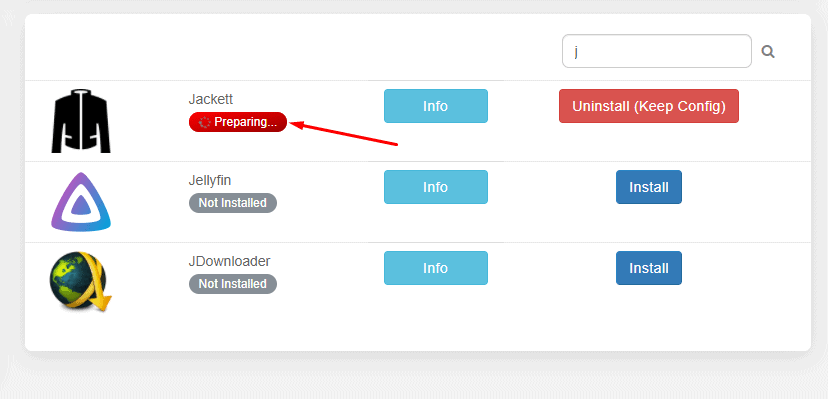
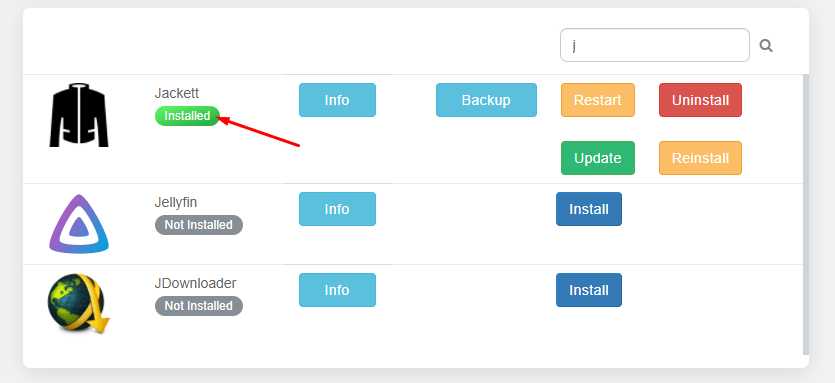
Stap 6: Your app is installed.
Stap 7: Scroll up to find all your installed apps and click on Open to launch de app.
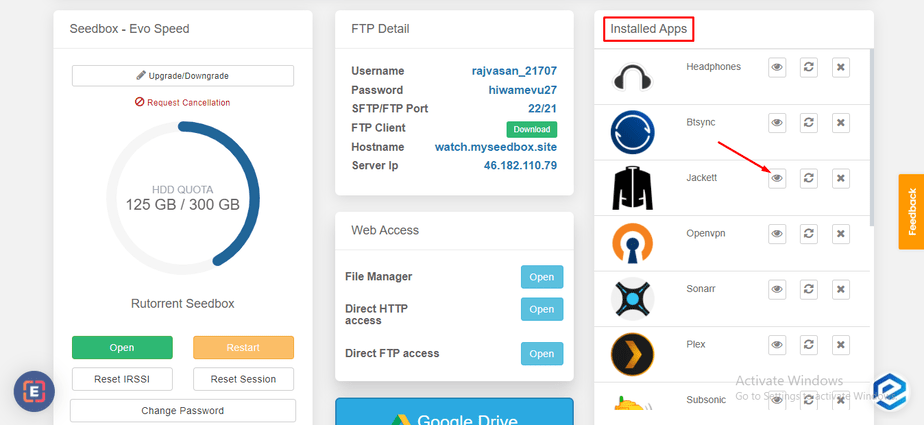
That’s all you moet do to install any app on uw seedbox. U kunt use the Info knop next to apps to learn more about what an application is used for.


