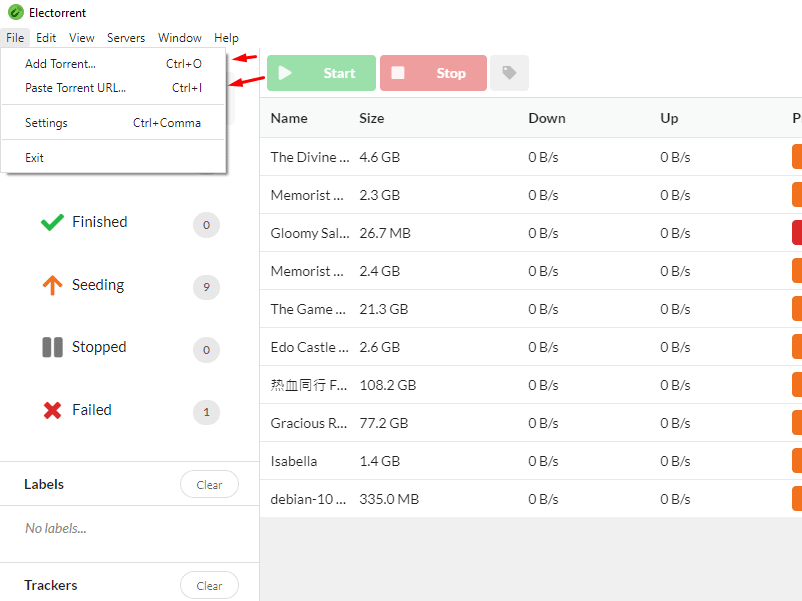
Electorrent allows you to control 당신의 Seedbox remotely from an easy, simple desktop app.
Features #
- Connects 당신의 favorite torrent client
- Handles the magnet link protocol when browsing websites
- 업로드 local torrent files by browsing your filesystem (Ctrl/Cmd+O)
- Drag-and-drop support for torrent files
- Paste magnet links directly 당신의 clipboard (Ctrl/Cmd+I)
- Quickly change between multiple server configurations
- Native desktop notifications
- Fuzzy searching of torrents
- Built in certificate trust system (for self-signed certificates)
- Easy one click installer using Squirrel framework
- Automatic updates straight from the GitHub repository!
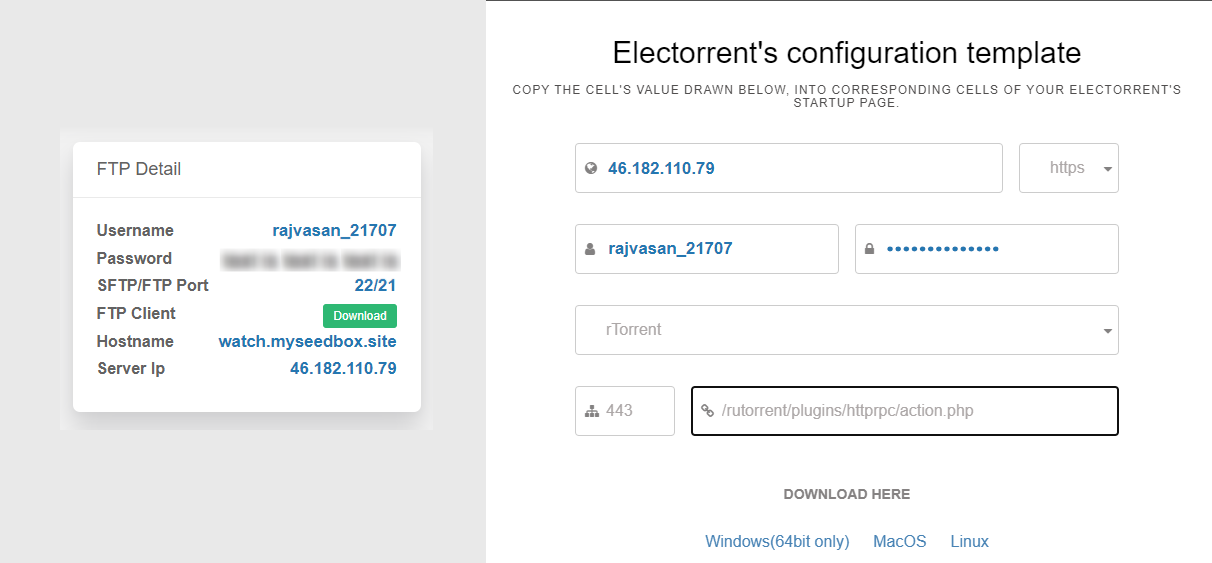
From your 클라이언트 영역, click "setup here" to launch your configuration template.

이것은 the screen 보게 될 것입니다 see. You can copy and paste the information into the program when it launches.
Your 비밀번호 can't be copied but it is located 당신의 클라이언트 영역.
Next click your download for your OS. This guide is done with Windows.
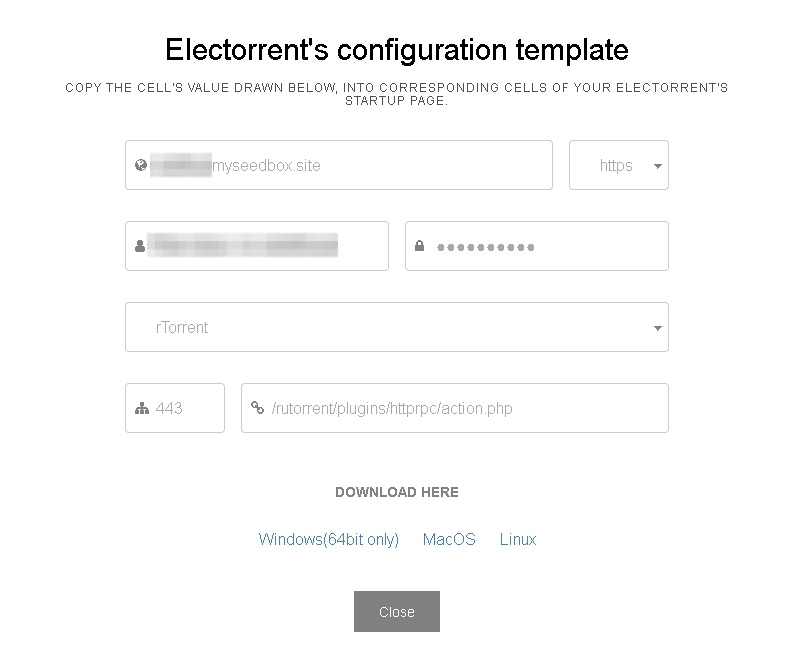
Next enter the information from the screen above.
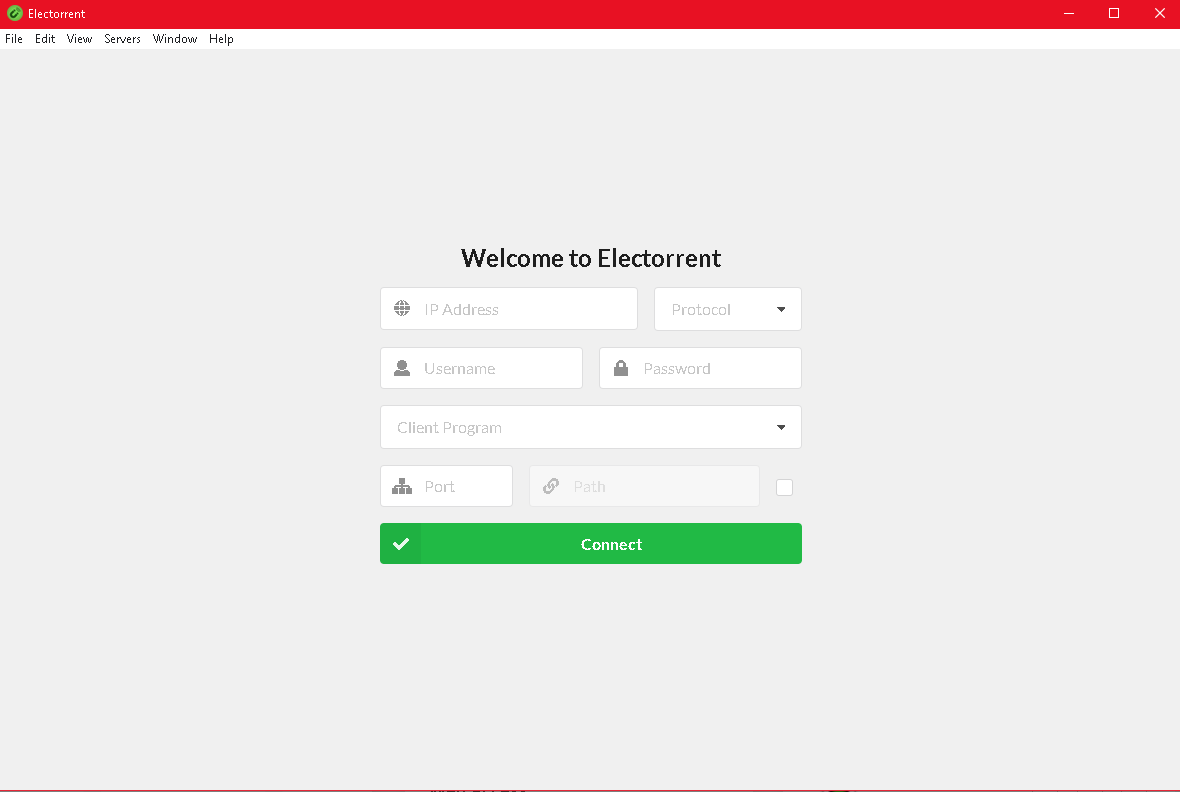
Yay!

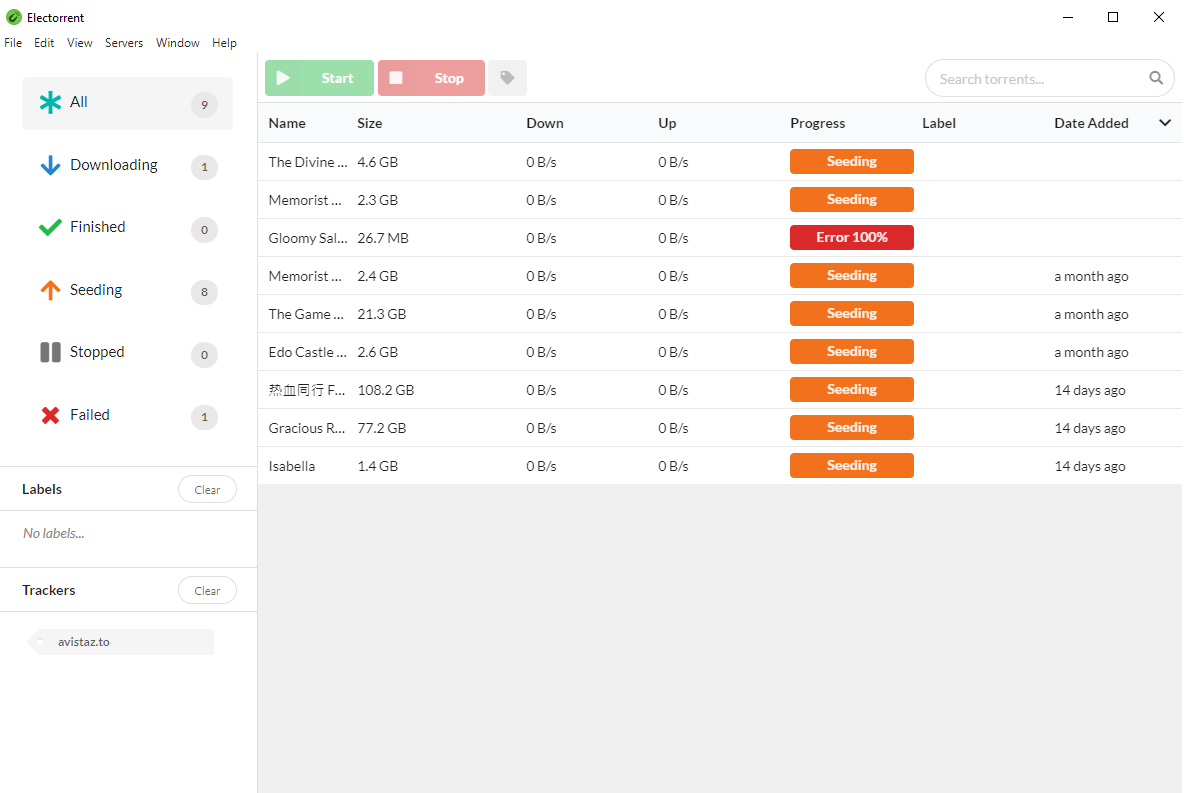
만약 have 파일 your seed box, 이것은 where 할 수 있습니다 view them.
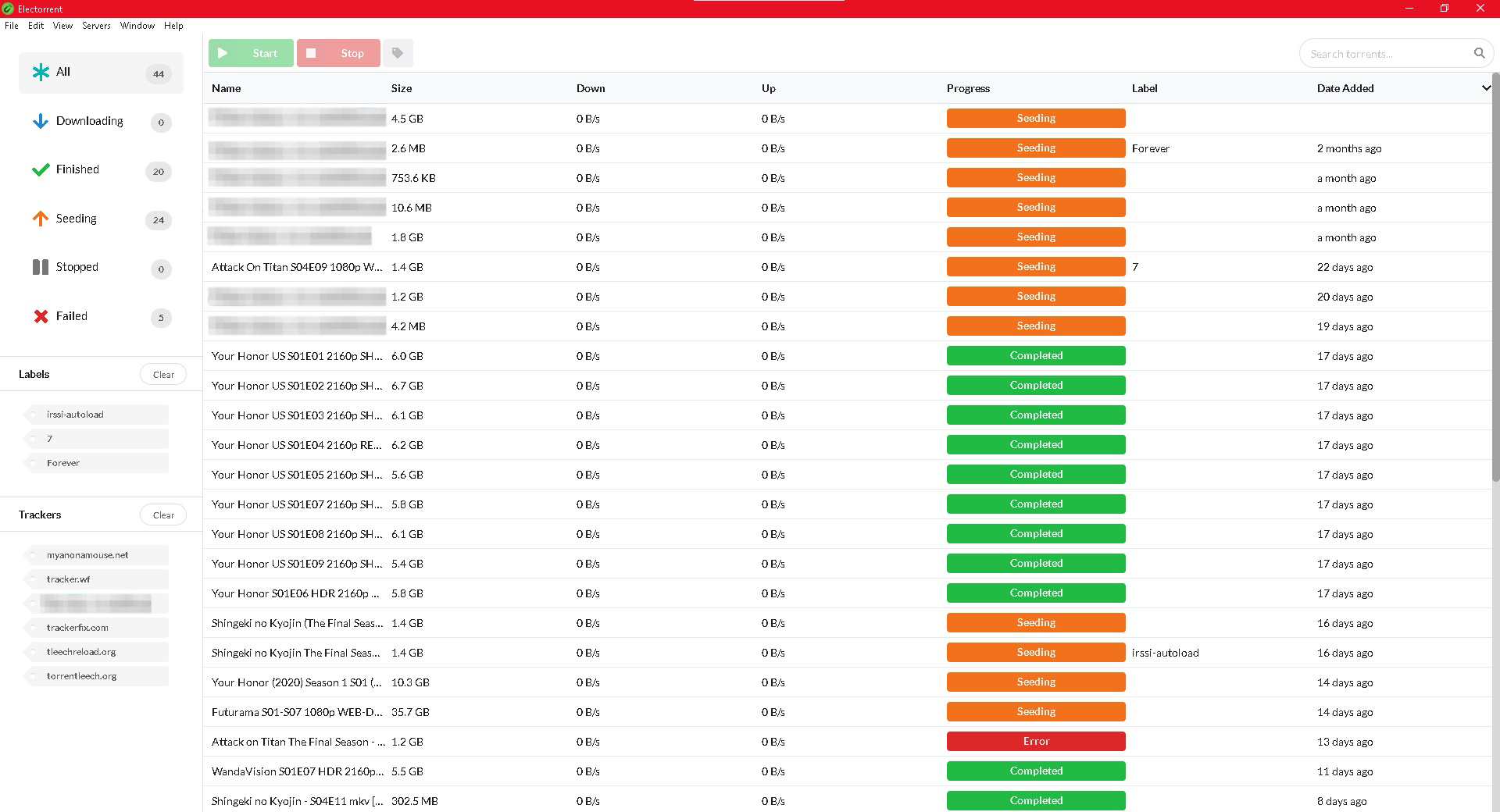
Notice on the left side where it says labels and trackers. You can click one of the tags, and 될 것입니다 only show content with that tag. Which is a great way to track your downloads.
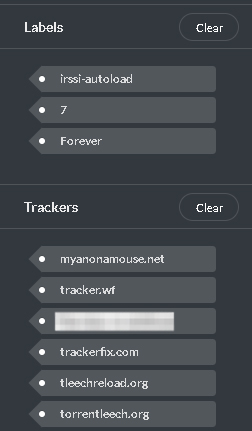
Under layout, I 또한 enabled ETA and Ratio, because those are important information to me.
Electorrent is a great way to access rutorrent like native application 당신의 PC MacBook or Linux device.
The installation is a straight forward like any package installer 당신의 respective device
Once installed and you run electorrent, 보게 될 것입니다 get a screen like this:
- IP address: As displayed in 당신의 Seedbox control panel
- 선택 HTTPS
- Username: As displayed in 당신의 Seedbox control panel.
- Password: As displayed in 당신의 Seedbox control panel.
- Client Program: Choose rtorrent from the dropdown.
- Port : 443
- rpc address : /rutorrent/plugins/httprpc/action.php
- Tick on RPC check box.
For me the final setup looked 이런 모습:
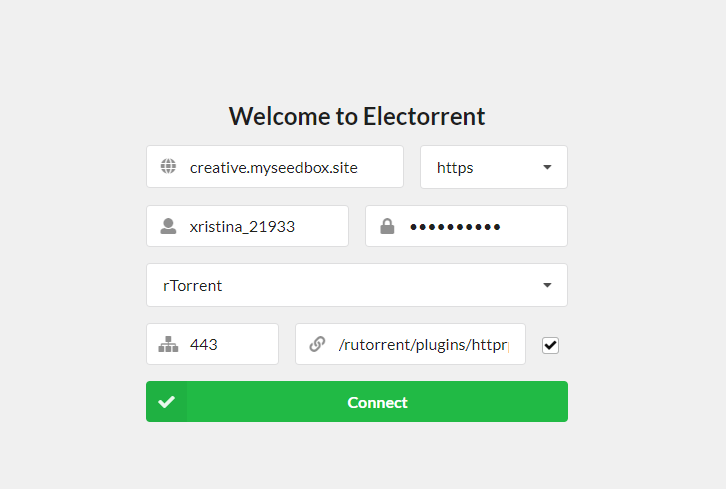
Once done click on Connect large green 버튼
Your electorrent will open up like a native torrent client like this :
One cool way to use seedbox is through the use of electorrent and make it act as the default torrent file handler.
To do this, do the following steps
- 다운로드 a torrent file
- Right click on it, hover on 열기 with and then click on Choose another app
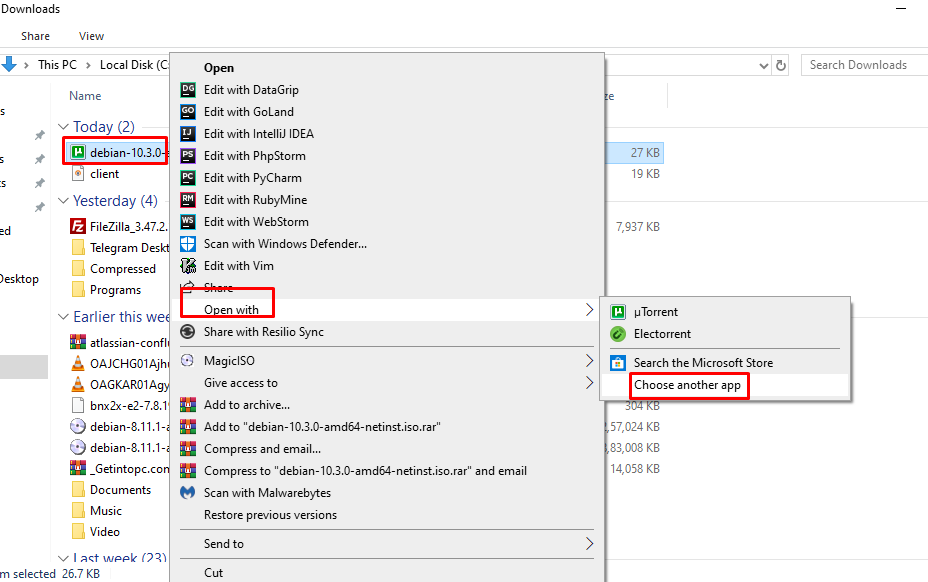
Then select electorrent from the list , for some you might 해야 합니다 scroll a bit to locate electorrent on the list,
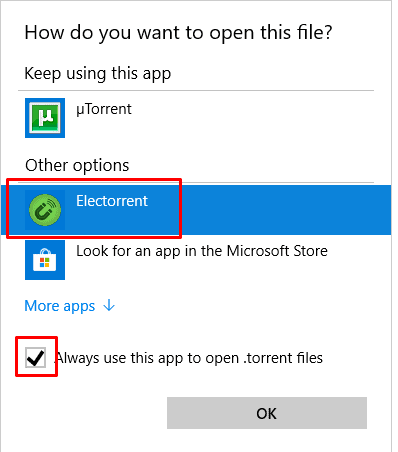
Put the check mark on Always use this app to open .torrent files and click okay.
Now double click on any torrent file and 될 것입니다 directly load into electorrent .
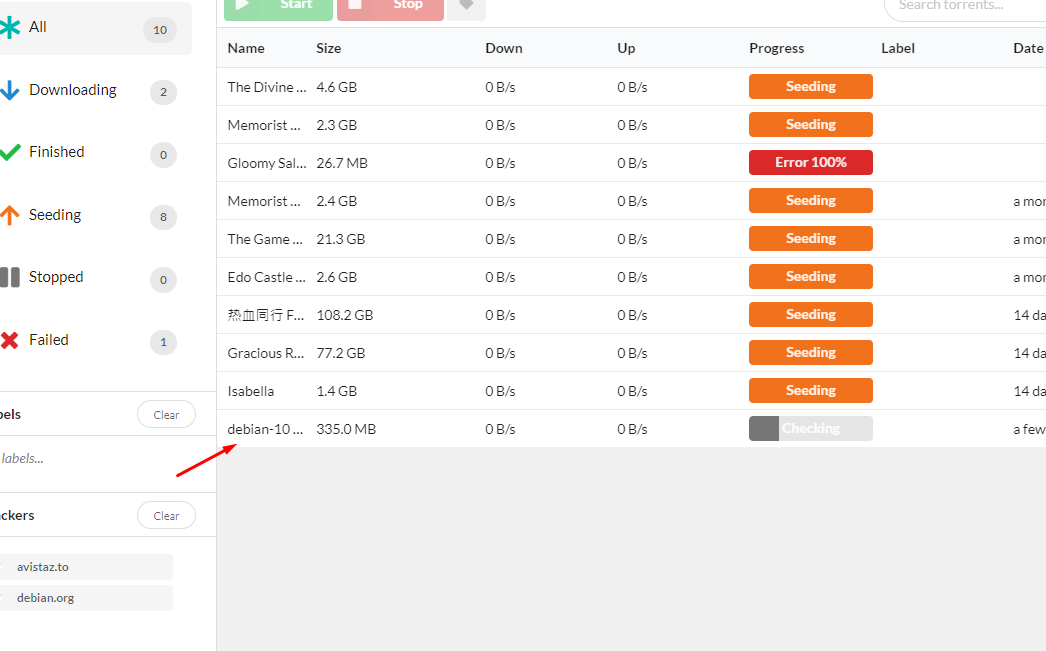
Adding torrents to Electorrent manually #
You can drag and drop a torrent tracker file to electorrent
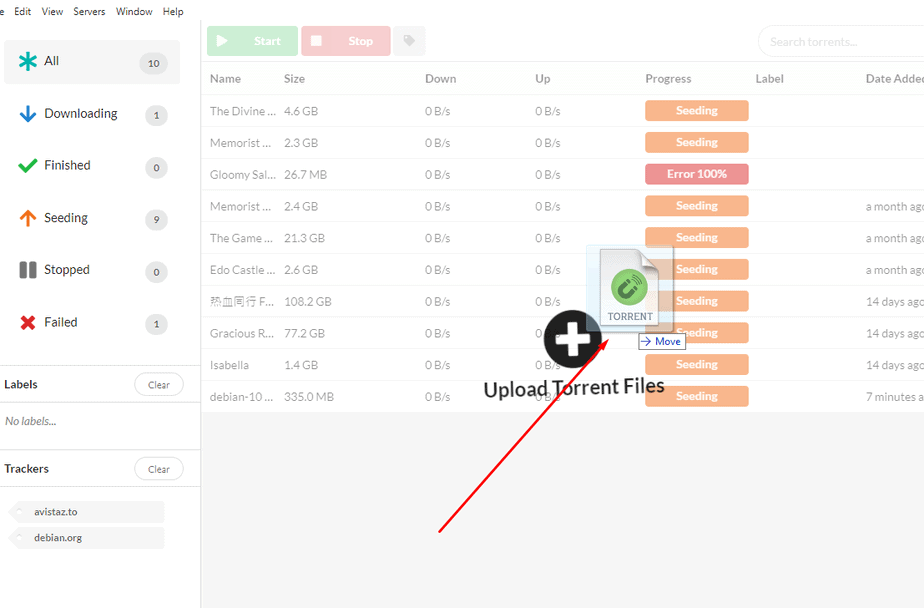
Or 할 수 있습니다 manually add them by clicking on the File menu item and then either choose by file or by link. In the pate torrent URL option, 할 수 있습니다 또한 paste magnet links.