Electorrent セットアップガイド
On this page ▾
Electorrent allows you to control あなたのSeedbox remotely from an easy, simple desktop app.
Features
- Connects あなたの favorite torrent client
- Handles the magnet link protocol when browsing websites
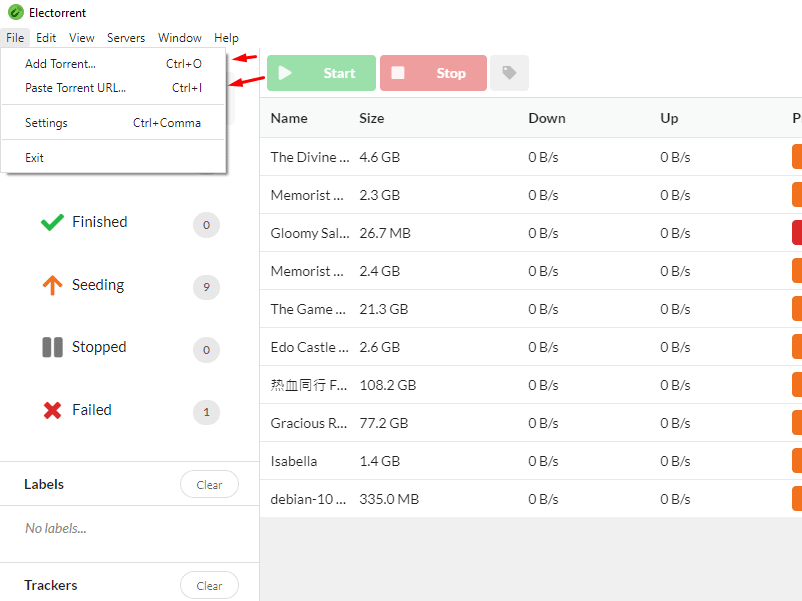
- アップロード local torrent files by browsing your filesystem (Ctrl/Cmd+O)
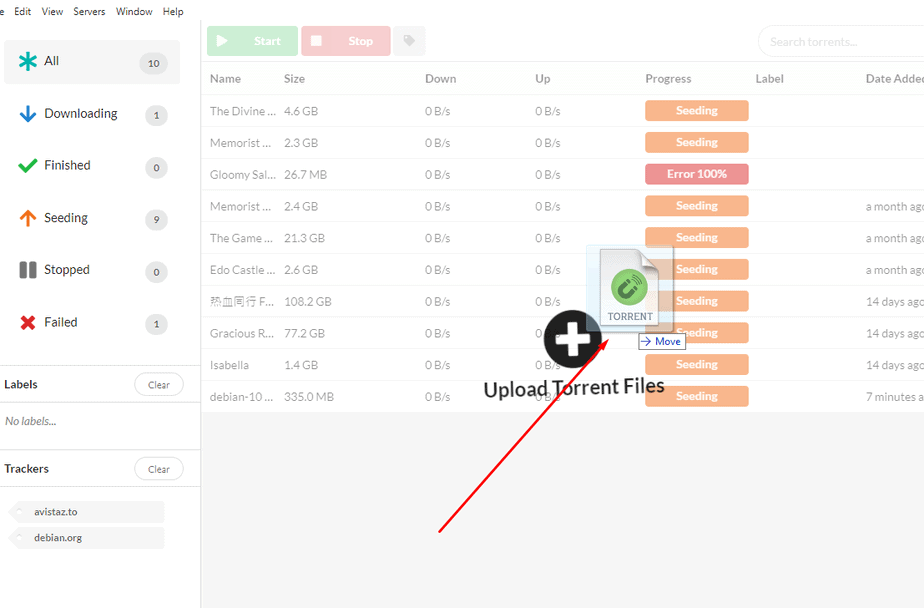
- Drag-and-drop support for torrent files
- Paste magnet links directly あなたの clipboard (Ctrl/Cmd+I)
- Quickly change between multiple server configurations
- Native desktop notifications
- Fuzzy searching of torrents
- Built in certificate trust system (for self-signed certificates)
- Easy one click installer using Squirrel framework
- Automatic updates straight from the GitHub repository!
From your クライアントエリア, click "setup here" to launch your configuration template.

これは the screen 表示されます see. できます copy and paste the information into the program when it launches.
Your パスワード can't be copied but it is located あなたの中の クライアントエリア.
Next click your download for your OS. This guide is done with Windows.
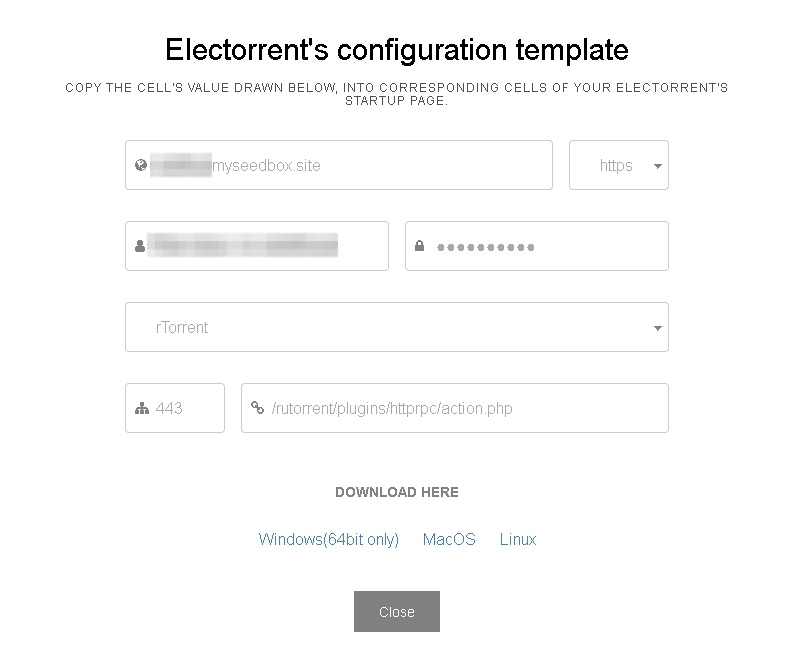
Next enter the information from the screen above.
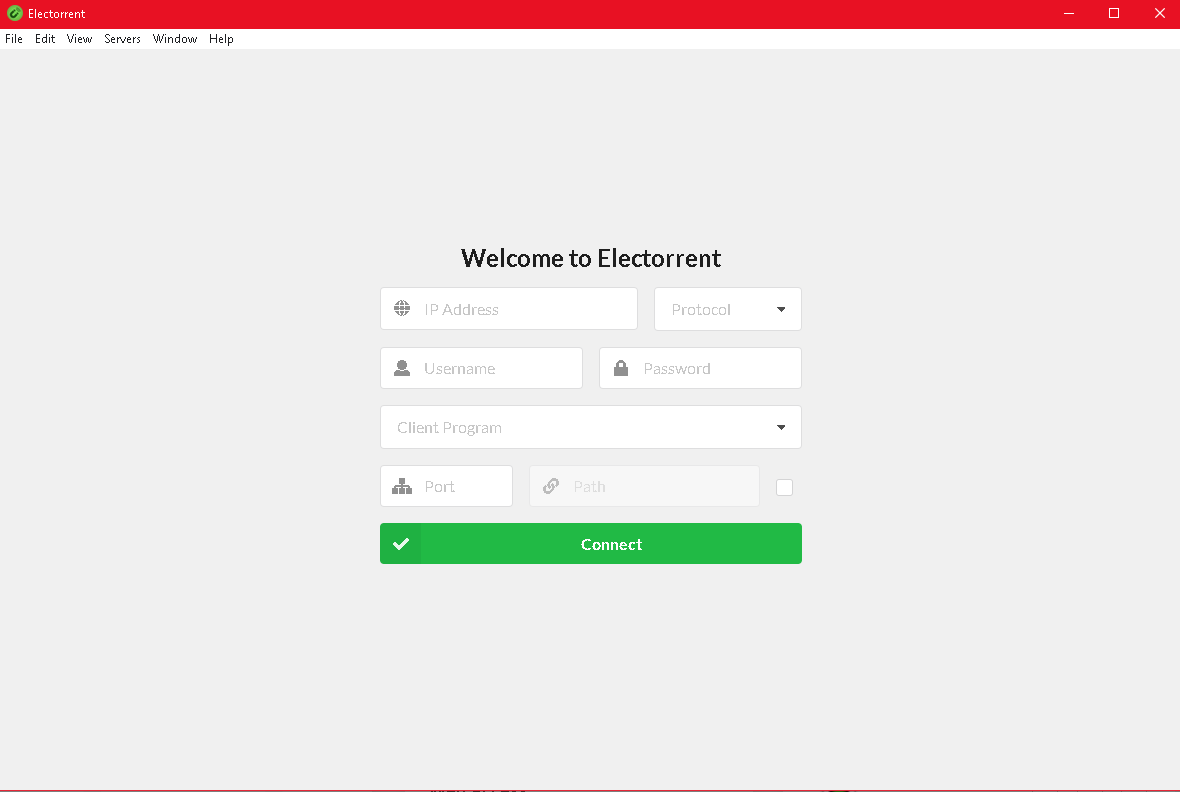
Yay!

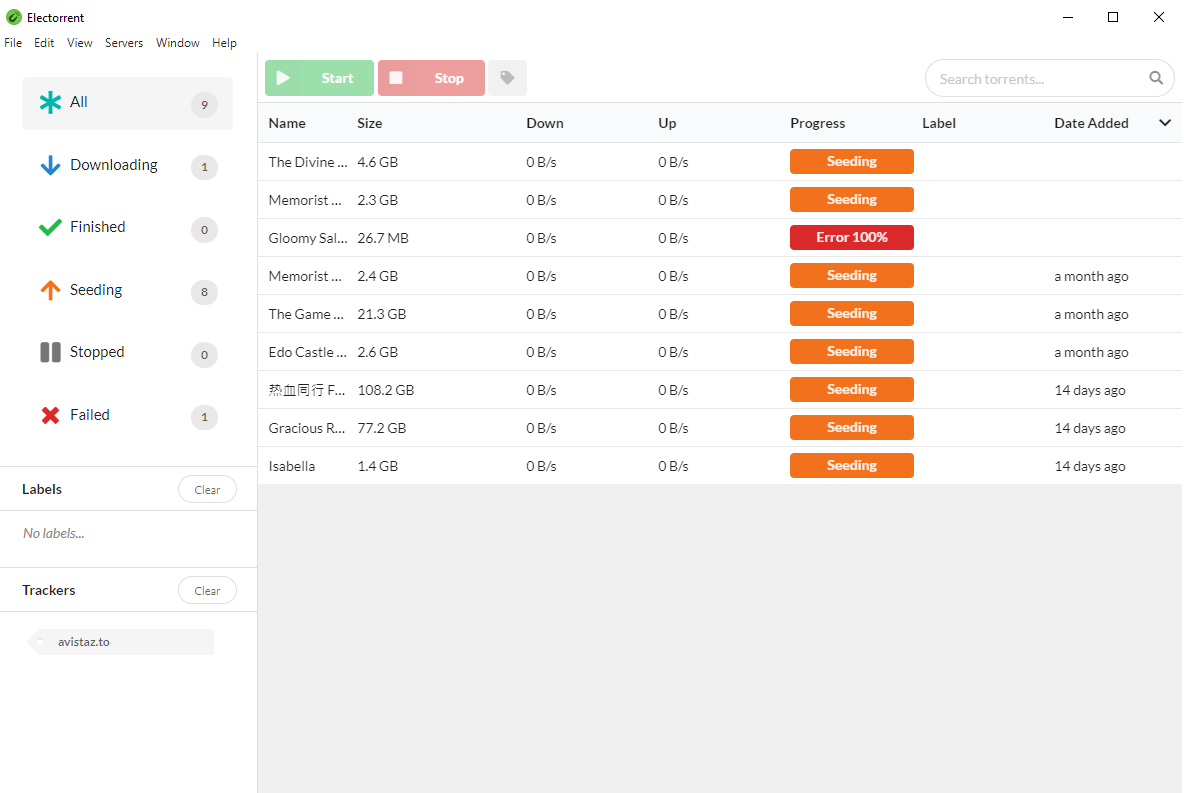
もし have ファイル your seed box, これは where できます view them.
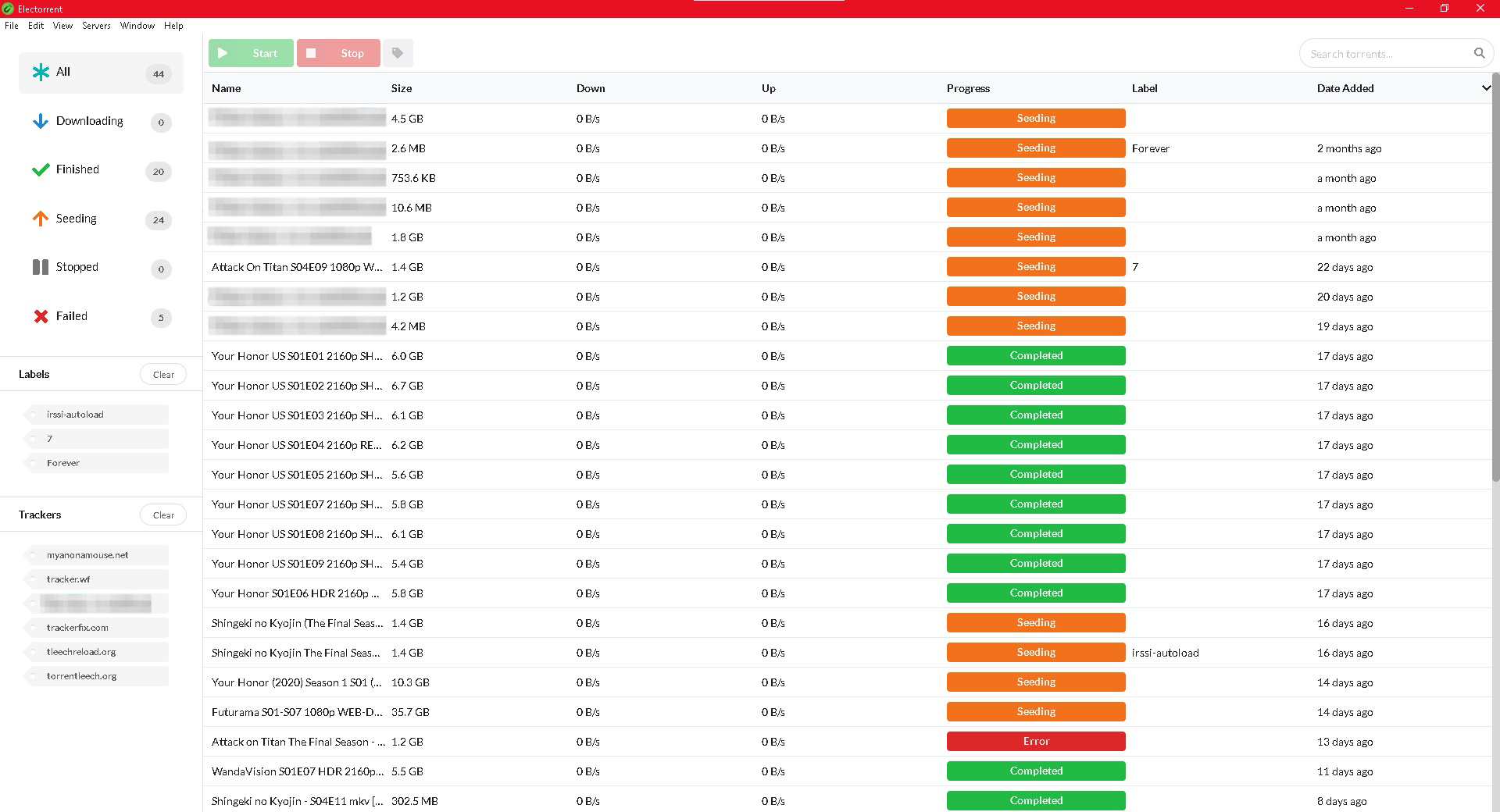
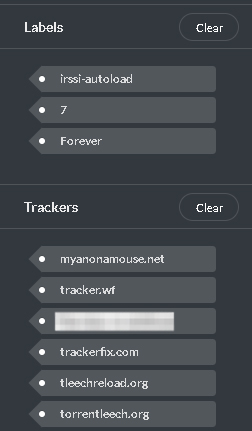
Notice on the left side where it says labels and trackers. できます click one of the tags, and なります only show content with that tag. Which is a great way to track your downloads.
Under layout, I また enabled ETA and Ratio, because those are important information to me.
Electorrent is a great way to access rutorrent like native application あなたの中の PC MacBook or Linux device.
- ダウンロード electorrent for windows here
- ダウンロード electorrent for Mac here
- ダウンロード electorrent for Linux here
The installation is a straight forward like any package installer あなたの中の respective device
Once installed and you run electorrent, 表示されます get a screen like this:
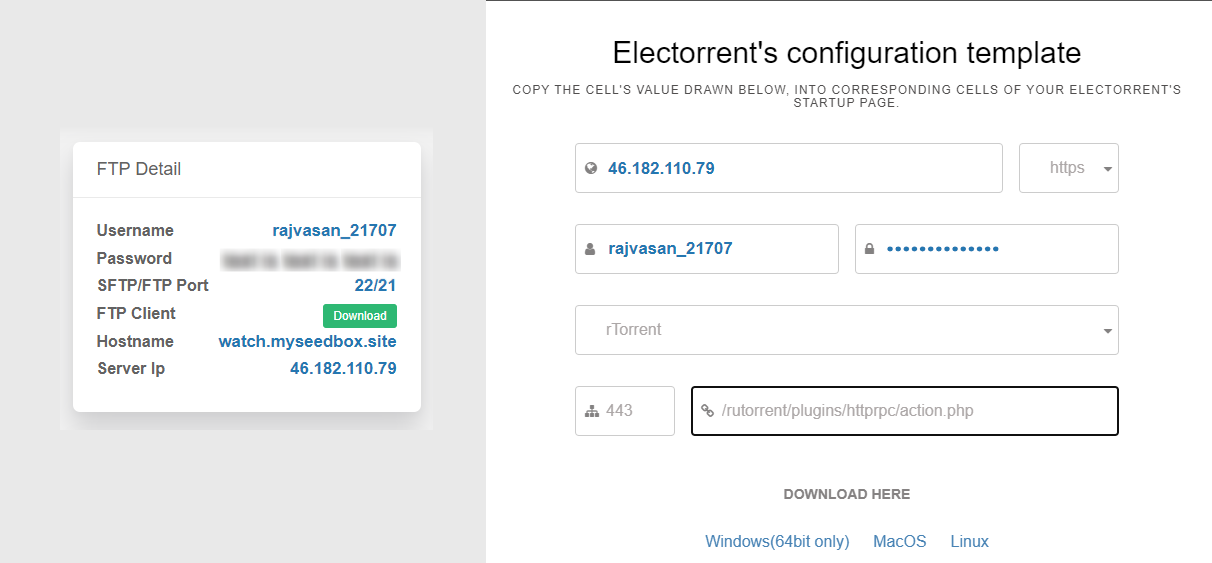
- IP address: As displayed in あなたのSeedbox control panel
- 選択 HTTPS
- Username: As displayed in あなたのSeedbox control panel.
- Password: As displayed in あなたのSeedbox control panel.
- Client Program: Choose rtorrent from the dropdown.
- Port : 443
- rpc address : /rutorrent/plugins/httprpc/action.php
- Tick on RPC check box.
For me the final setup looked このような画面:
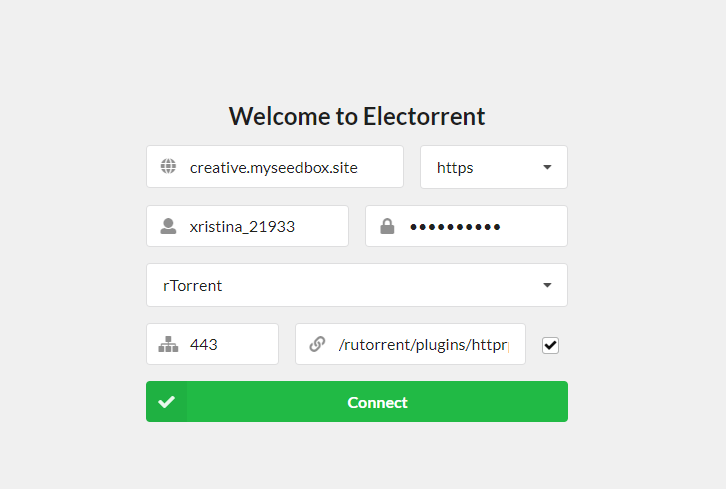
Once done click on Connect large green ボタン
Your electorrent will open up like a native torrent client like this :
One cool way to use seedbox is through the use of electorrent and make it act as the default torrent file handler.
To do this, do the following steps
- ダウンロード a torrent file
- Right click on it, hover on 開く with and then click on Choose another app
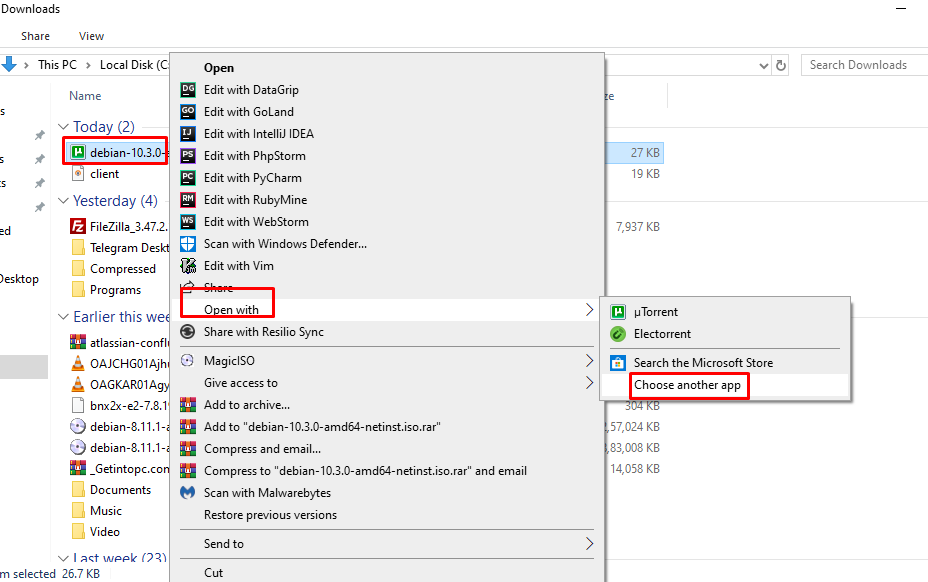
Then select electorrent from the list , for some you might 必要があります scroll a bit to locate electorrent on the list,
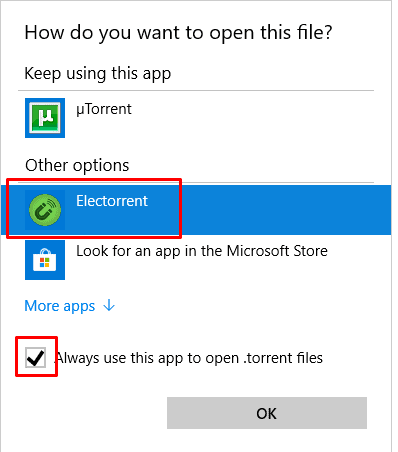
Put the check mark on Always use this app to open .torrent files and click okay.
Now double click on any torrent file and なります directly load into electorrent .
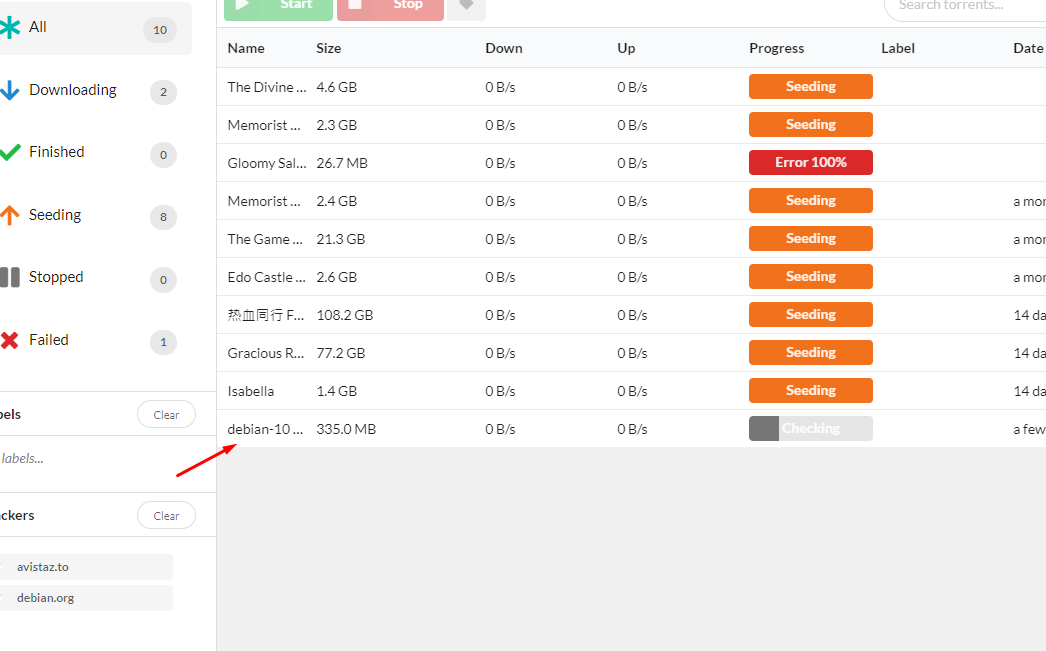
Adding torrents to Electorrent manually
できます drag and drop a torrent tracker file to electorrent
Or できます manually add them by clicking on the File menu item and then either choose by file or by link. In the pate torrent URL option, できます また paste magnet links.
Put this into practice
EvoSeedbox ships with one-click app installs and up to 10 Gbps per box.


