Evoseedbox Evoseedbox Evoseedbox Evoseedbox
  • Français
    • Nederlands (Néerlandais)
    • English (Anglais)
    • Deutsch (Allemand)
    • 日本語 (Japonais)
    • 한국어 (Coréen)
    • Português (Portugais – du Portugal)
    • Español (Espagnol)
    • العربية (Arabe)
    • Русский (Russe)
    • Türkçe (Turc)
  • Accueil Evoseedbox
  • Wiki
  • Forum
  • Pricing
Client Area
View Categories
  • Home
  • Docs
  • Comment Use Emby avec votre EvoSeedbox

Comment Use Emby avec votre EvoSeedbox

1 min read

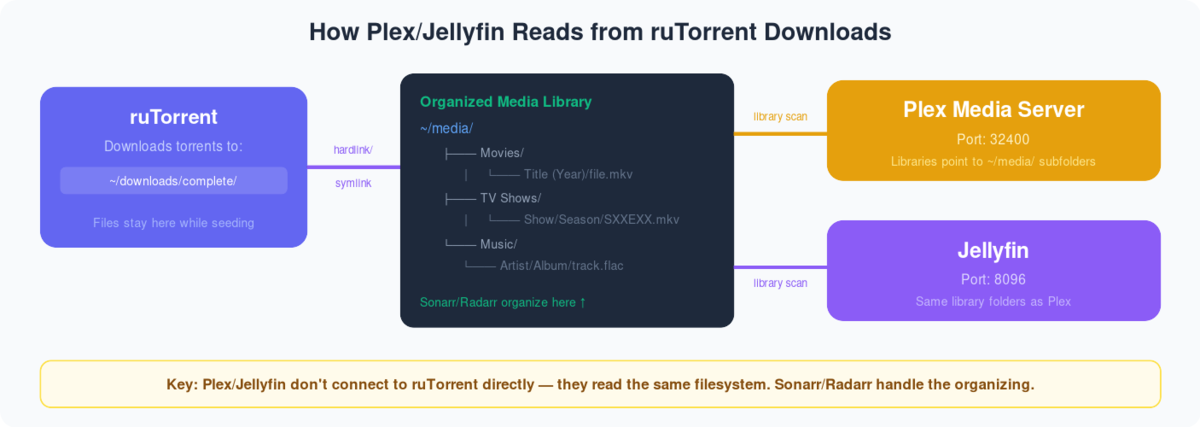
Diagram showing Plex and Jellyfin reading organized media folders that Sonarr Radarr populate from ruTorrent downloads


Qu’est-ce que Emby?
Emby is a media server developed to organize, play, and stream audio and video files on a variety of devices.To use Emby on votre seedbox , you need to first create an Emby account. Si vous already have an account then vous pouvez use those identifiants for using Emby.

Steps to follow for installing Emby on your seed box. #

  1. Connexion in your clien area.

Comment Use Emby With Your Evoseedbox

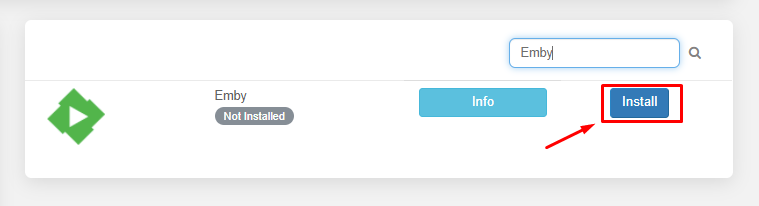
2. Rechercher for emby in the apps section and cliquez sur the install button comme montré ci-dessous.
Comment Use Emby With Your Evoseedbox

3. Once the installation is complete cliquez sur the eye buton to open the apps.

Comment Use Emby With Your Evoseedbox

Quand you open the app for the first time you need to setup the application. Now let’s see how to setup emby for the first time and add media libraries.
#

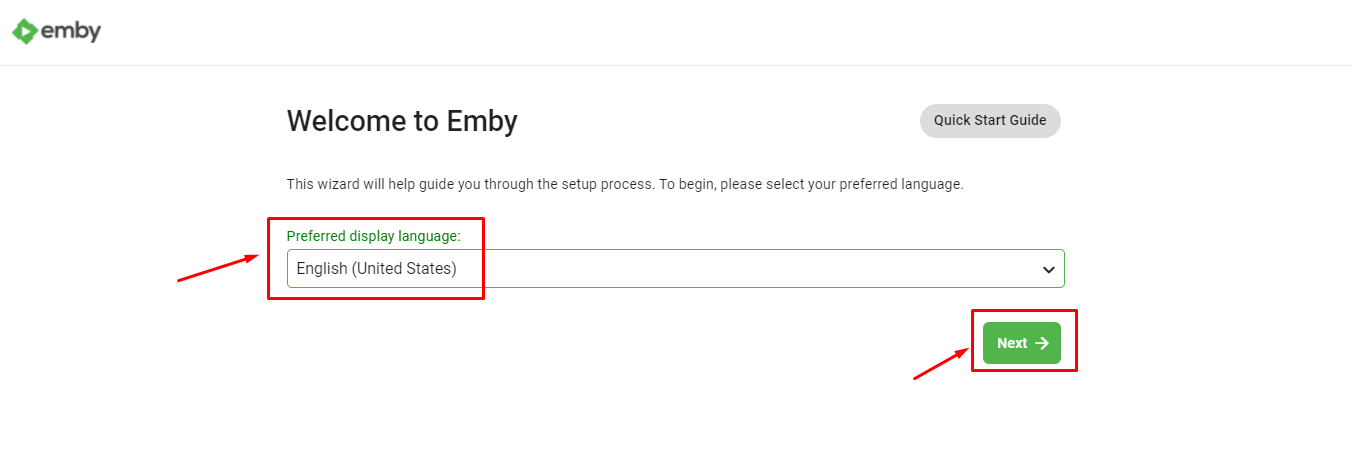
1. First you need to select the language you want emby to function with and cliquez sur next button.
Comment Use Emby With Your Evoseedbox

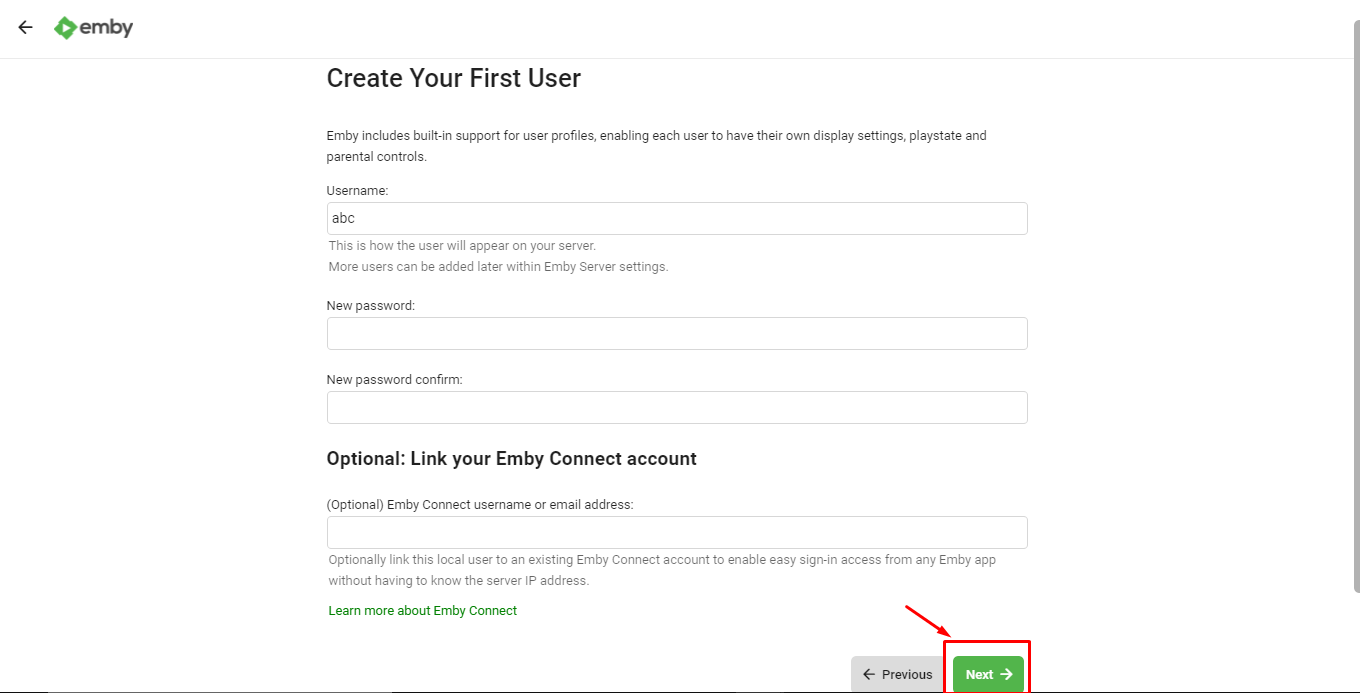
2. Now you need to create user profiles for the each of the individual user that you would be sharing your emby account. Vous pouvez also create mot de passe for the authentication.
Comment Use Emby With Your Evoseedbox

Cliquez sur the ‘Next’ button once user profiles are created.

3. Now let’s add media libraries to our Emby server. Cliquez sur the ‘+ New Library’ button to add new library.

Comment Use Emby With Your Evoseedbox

4. Sélectionnez the content type and display name and browse folder by clicking on the ‘Folders’ button.
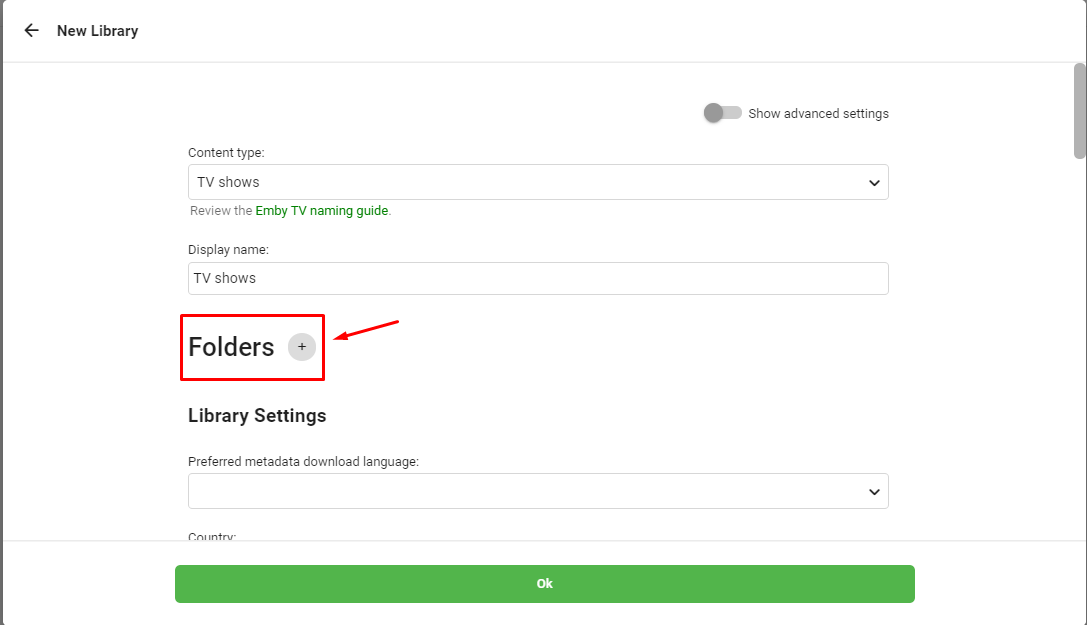
Comment Use Emby With Your Evoseedbox

Folder path should be like  ‘/home/nom d’utilisateur/downloads/manual.
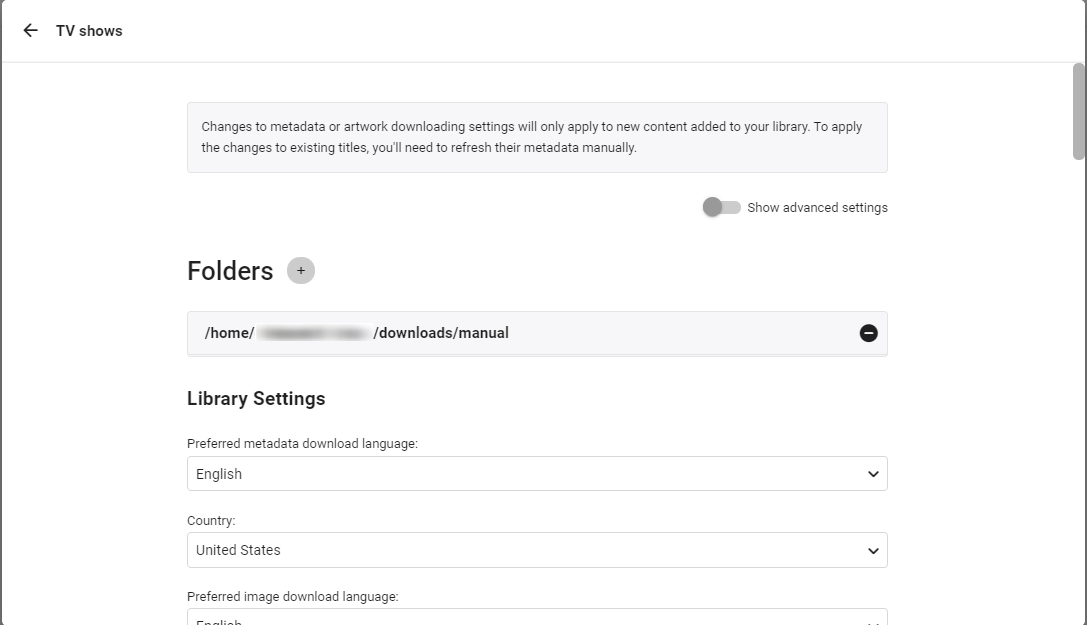
Comment Use Emby With Your Evoseedbox

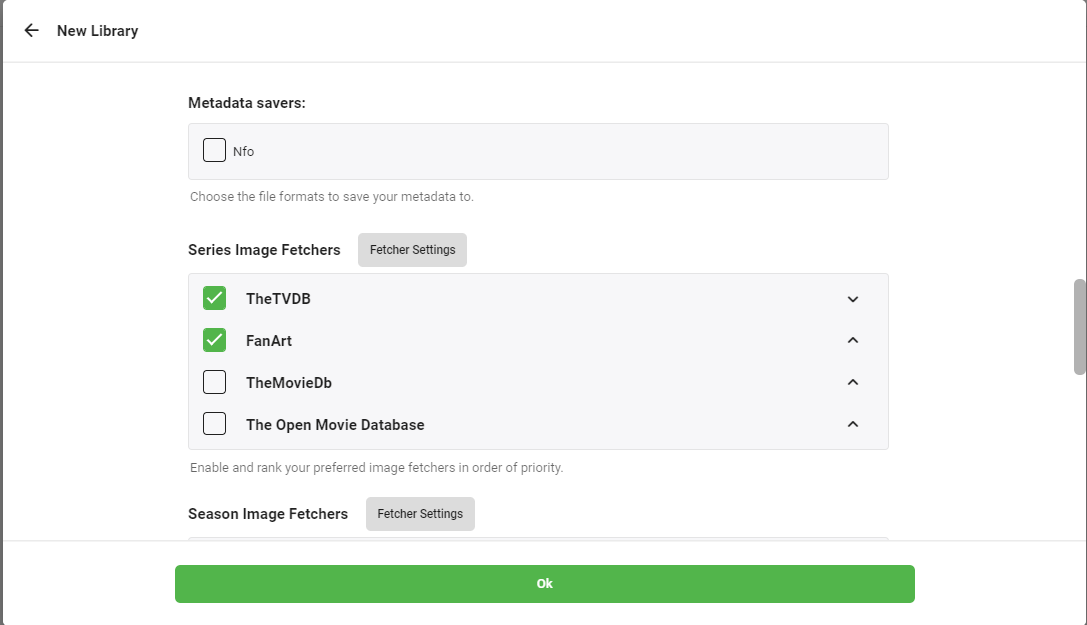
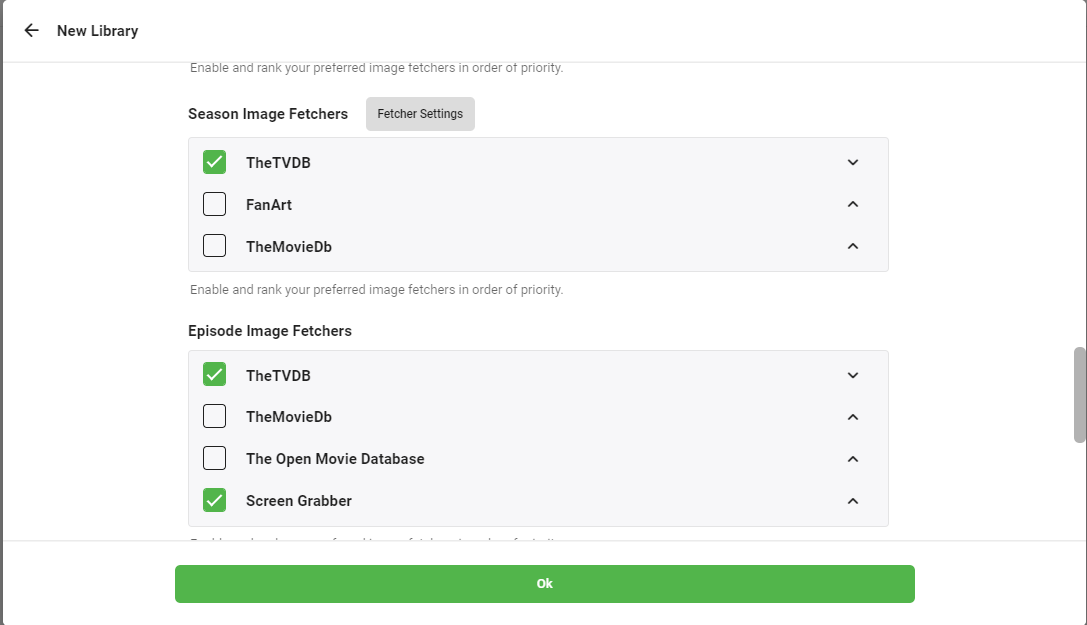
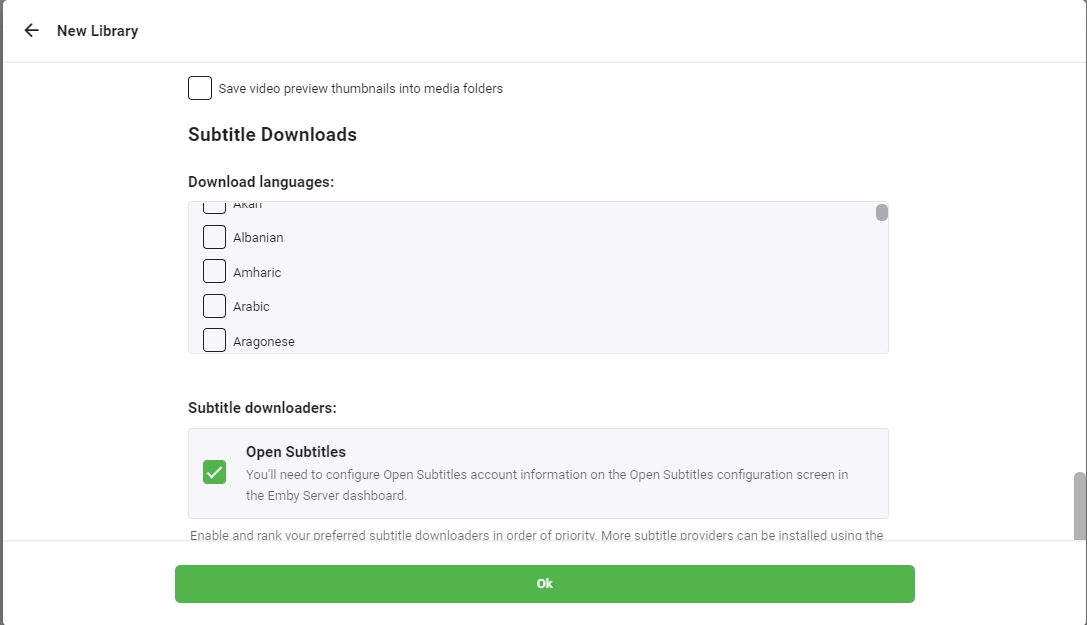
5. In the library settings vous pouvez select the source from where you want to download meta data , episode image thumbnails , and subtitle downloaders.
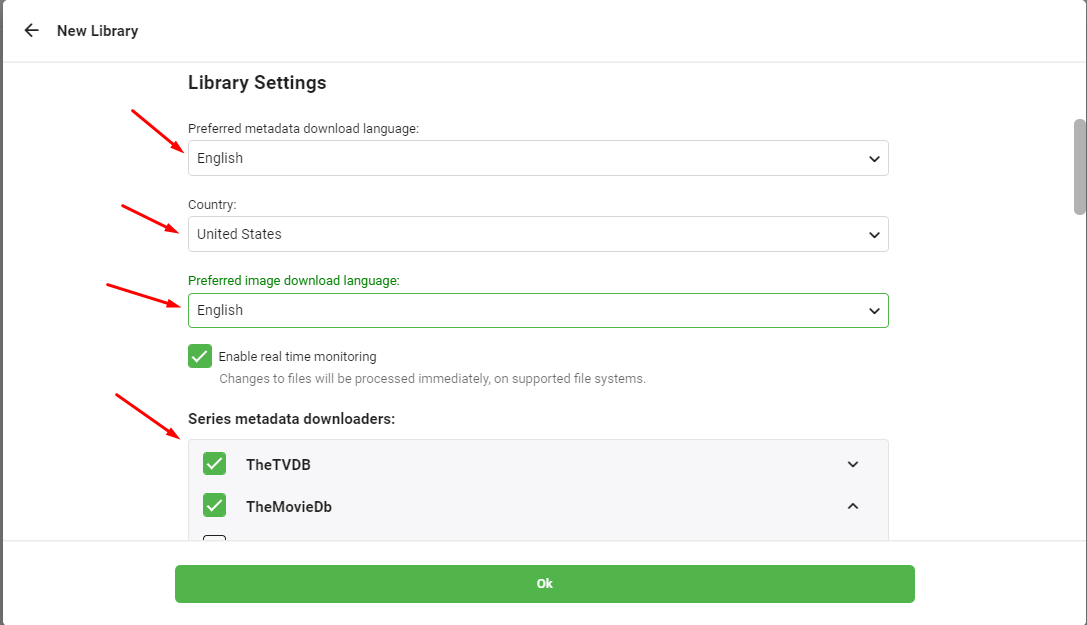
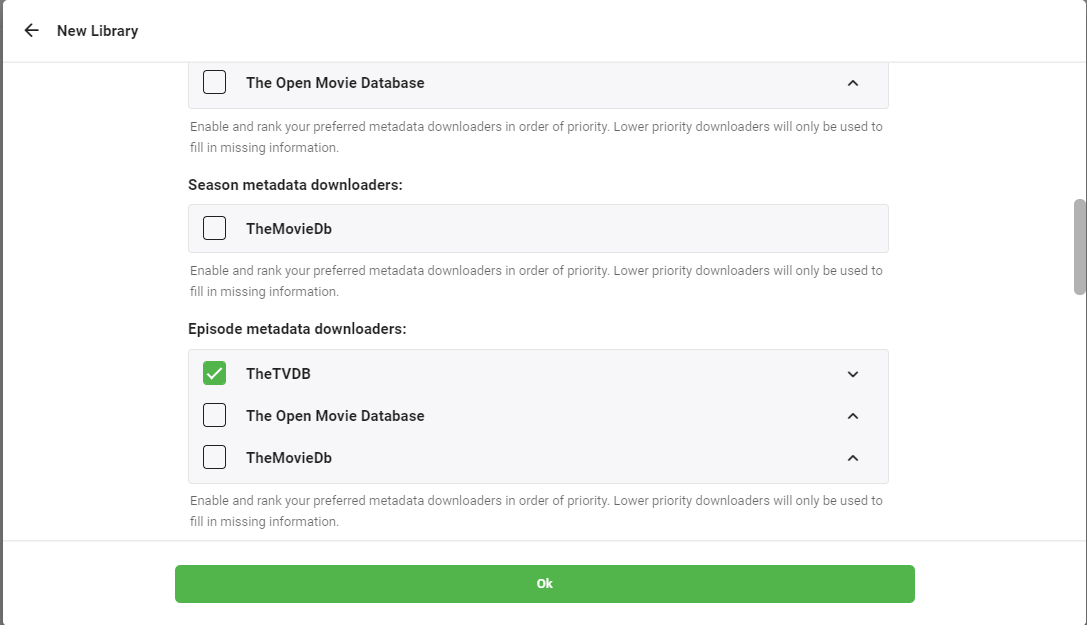
Comment Use Emby With Your Evoseedbox

Comment Use Emby With Your Evoseedbox

Comment Use Emby With Your Evoseedbox

Comment Use Emby With Your Evoseedbox

Comment Use Emby With Your Evoseedbox

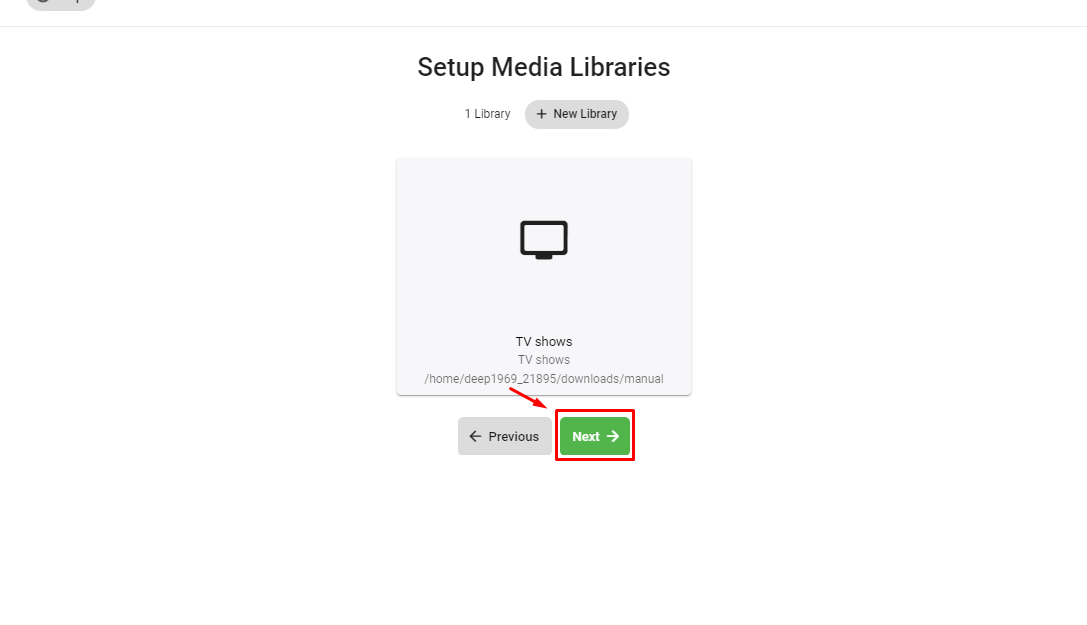
6. Press ‘OK’ button. You will be asked for multiple confirmations ,press next on subsequent screens and cliquez sur finish to complete the process.
Comment Use Emby With Your Evoseedbox

Updated on 16 mars 2026

What are your Feelings

  • Happy
  • Normal
  • Sad

Share This Article :

  • Facebook
  • X
  • LinkedIn
  • Pinterest
Table of Contents
  • Steps to follow for installing Emby on your seed box.
  • Quand you open the app for the first time you need to setup the application. Now let’s see how to setup emby for the first time and add media libraries.

We create amazing Seedboxes
for everyone to use 😊

Important Links

Scholarship for CS

Refund Policy

Privacy Policy

Terms of service

Cookie Policy

Acceptable Use Policy

Get in Touch

Contact Us

[email protected]

© 2025 Evoseedbox | All rights reserved. By Evo Created with ❤️

  • Nederlands (Néerlandais)
  • English (Anglais)
  • Français
  • Deutsch (Allemand)
  • 日本語 (Japonais)
  • 한국어 (Coréen)
  • Português (Portugais - du Portugal)
  • Español (Espagnol)
  • العربية (Arabe)
  • Русский (Russe)
  • Türkçe (Turc)
Evoseedbox
  • Français
    • Nederlands (Néerlandais)
    • English (Anglais)
    • Deutsch (Allemand)
    • 日本語 (Japonais)
    • 한국어 (Coréen)
    • Português (Portugais – du Portugal)
    • Español (Espagnol)
    • العربية (Arabe)
    • Русский (Russe)
    • Türkçe (Turc)
  • Accueil Evoseedbox
  • Wiki
  • Forum
  • Pricing
Client Area