Evoseedbox Evoseedbox Evoseedbox Evoseedbox
  • العربية
    • Nederlands (الهولندية)
    • English (الإنجليزية)
    • Français (الفرنسية)
    • Deutsch (الألمانية)
    • 日本語 (اليابانية)
    • 한국어 (الكورية)
    • Português (البرتغالية ، البرتغال)
    • Español (الأسبانية)
    • Русский (الروسية)
    • Türkçe (التركية)
  • Wiki
  • Forum
  • Pricing
Client Area
View Categories
  • Home
  • المستندات
  • كيفية Use Lidarr مع EvoSeedbox

كيفية Use Lidarr مع EvoSeedbox

2 min read

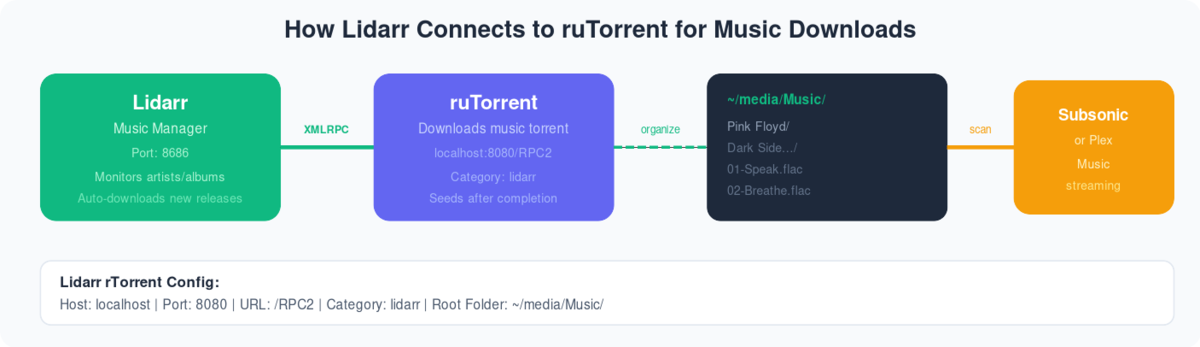
Diagram showing Lidarr sending music downloads to ruTorrent via XMLRPC, organizing to media folder for Subsonic or Plex

كيفية install Lidarrr on Evo-Seedbox? #

1. Login in إلى منطقة العميل and scroll down to التطبيق section.
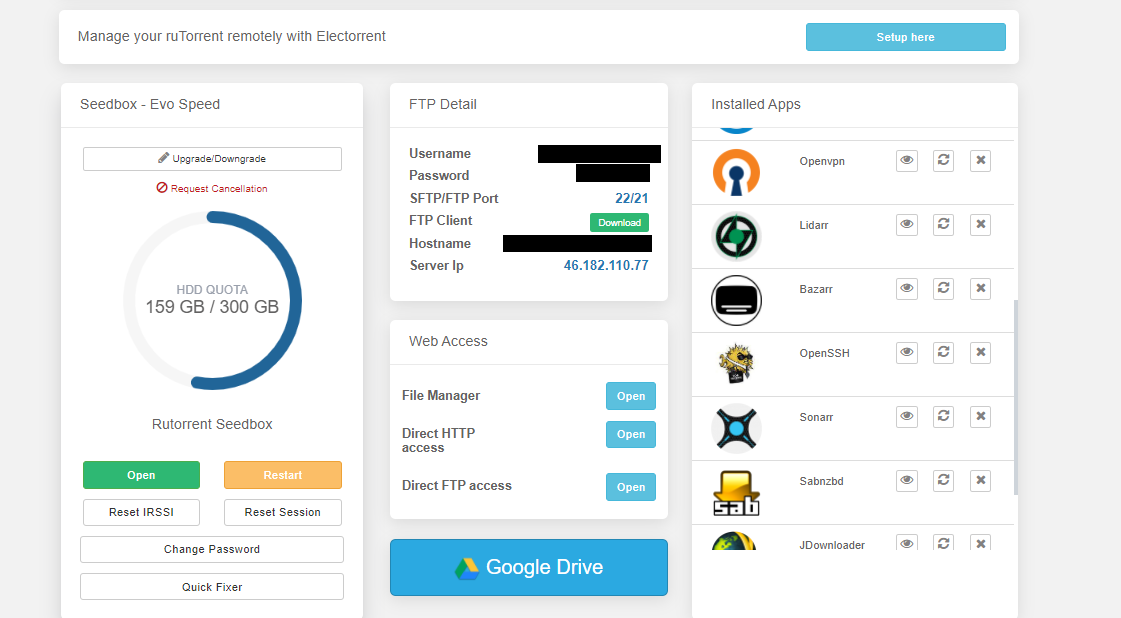
How To Use Lidarr With Your Evoseedbox

2. بحث for Lidarr in التطبيق section and click on the install زر.
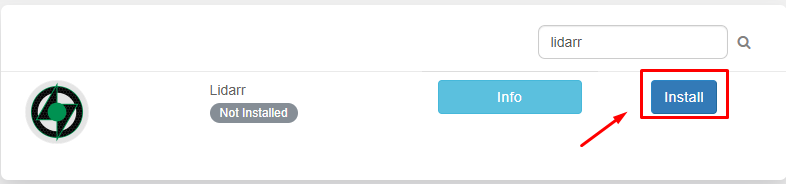
How To Use Lidarr With Your Evoseedbox

3. Now once the installation is complete open التطبيق from the instead app section by clicking on the eye زر as كما هو موضح أدناه.

How To Use Lidarr With Your Evoseedbox

4. Please use the بيانات الاعتماد provided in FTP detail login . بعد نجاح login ستظهر لك see التطبيق window as below.
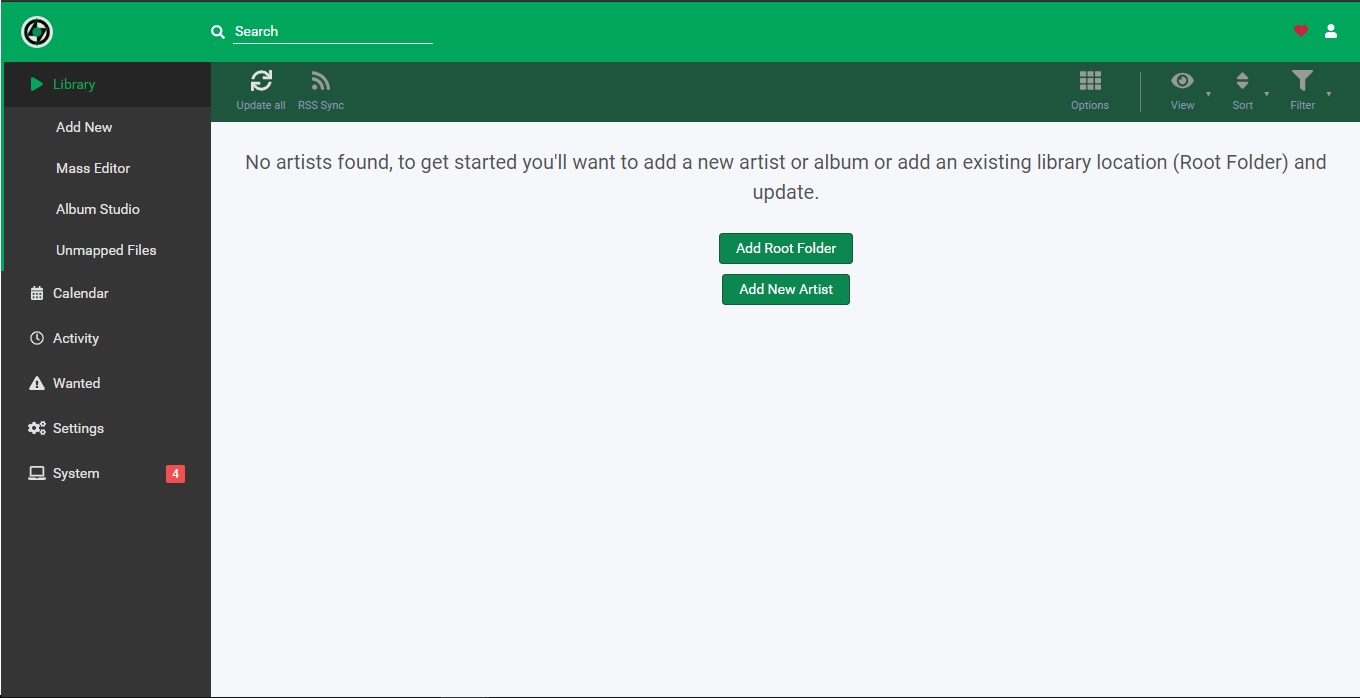
How To Use Lidarr With Your Evoseedbox

In the settings tab, you need to add the download client and indexer for apps operation. Let’s first تكوين our download client.

5. From the settings tab click on the download client.
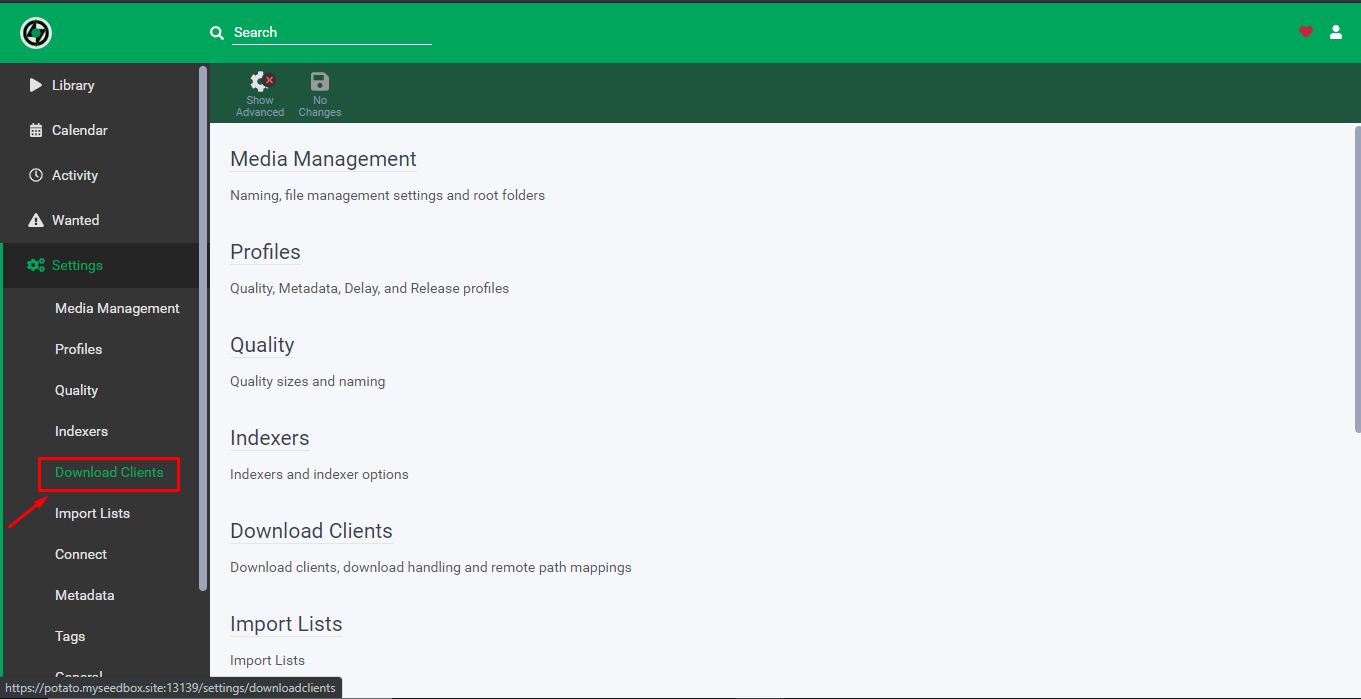
How To Use Lidarr With Your Evoseedbox

6. انقر على the add download client icon.
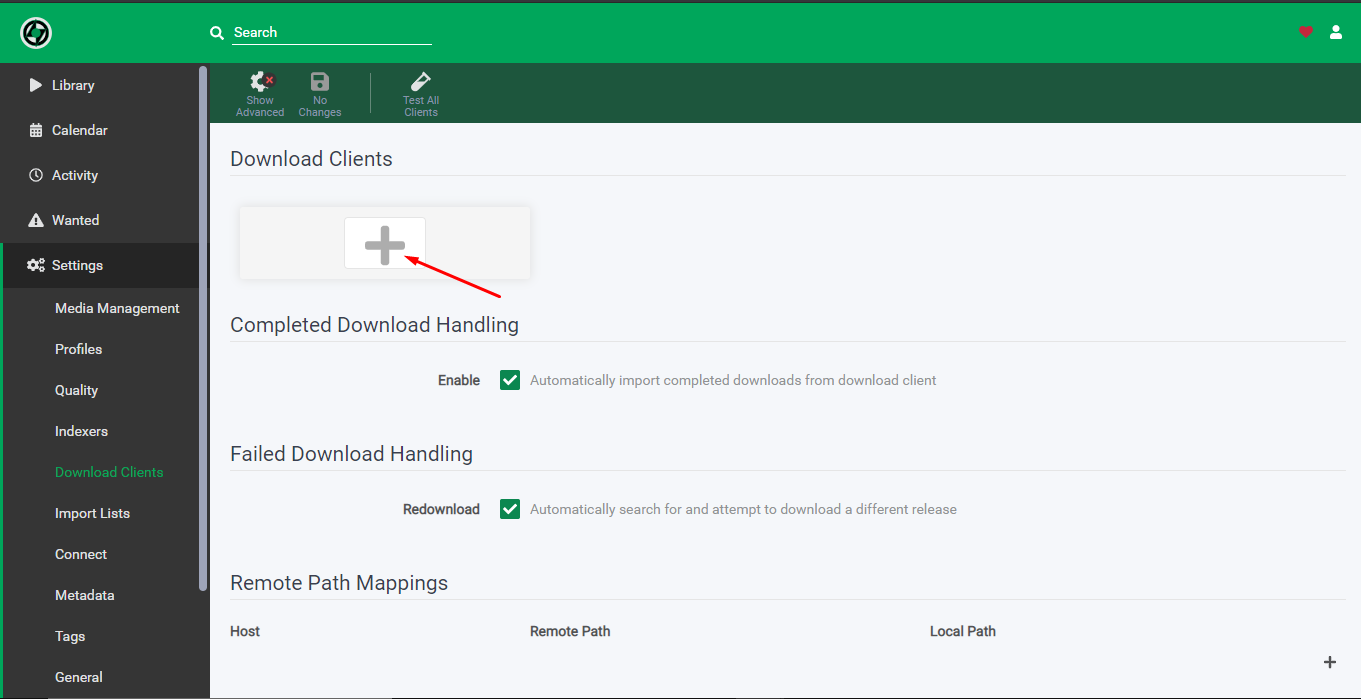
How To Use Lidarr With Your Evoseedbox

7. Fill in the details as كما هو موضح أدناه:

    1. Name – Rtorrent
    2. Check on Enable
    3. Host  – hostname provided in the FTP detail
    4. Port – 443
    5. Url path – rutorrent/plugins/httprpc/action.php
    6. Check on Use SSL
    7. Username – as per provided in the FTP detail
    8. Password –  as per provided in the FTP detail
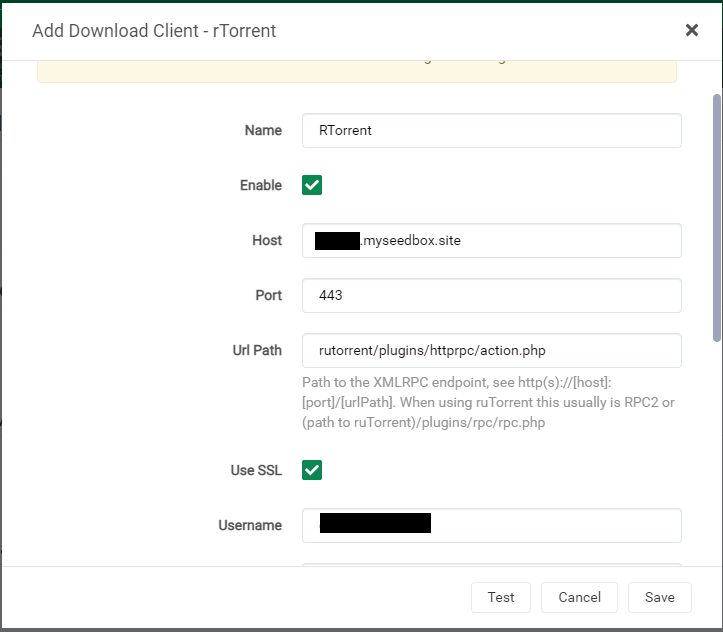
How To Use Lidarr With Your Evoseedbox

8. انقر على the test زر, if everything is okay سوف lead to a green ticket after which يمكنك save the configuration.
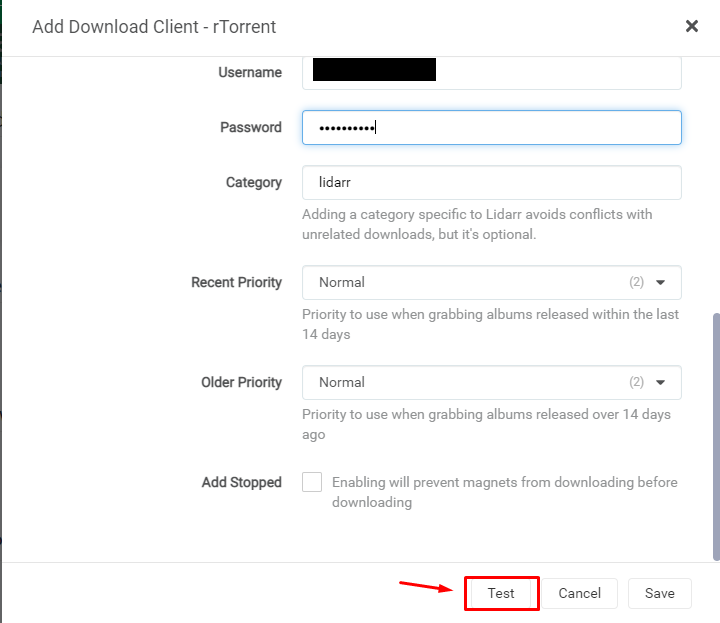
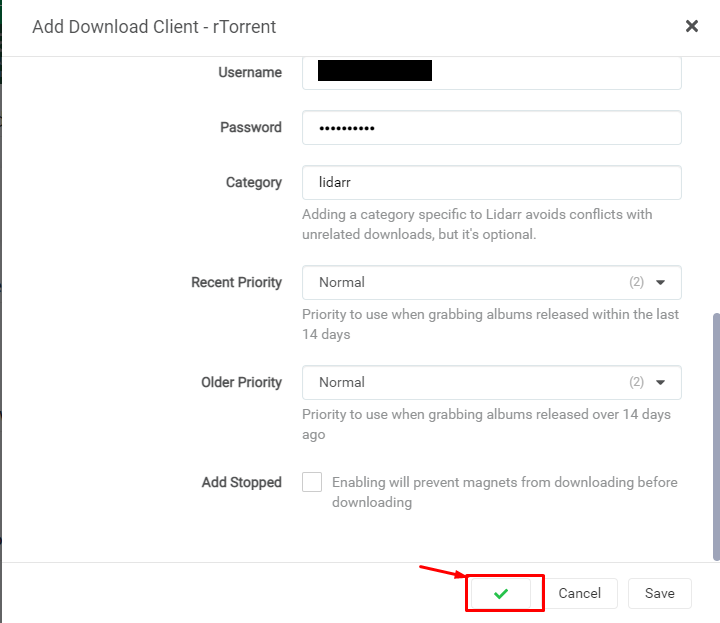
How To Use Lidarr With Your Evoseedbox

How To Use Lidarr With Your Evoseedbox

Setting up indexers in Lidarr: #

  1. انقر على the settings tab and then click on the indexers tab to add the indexer.
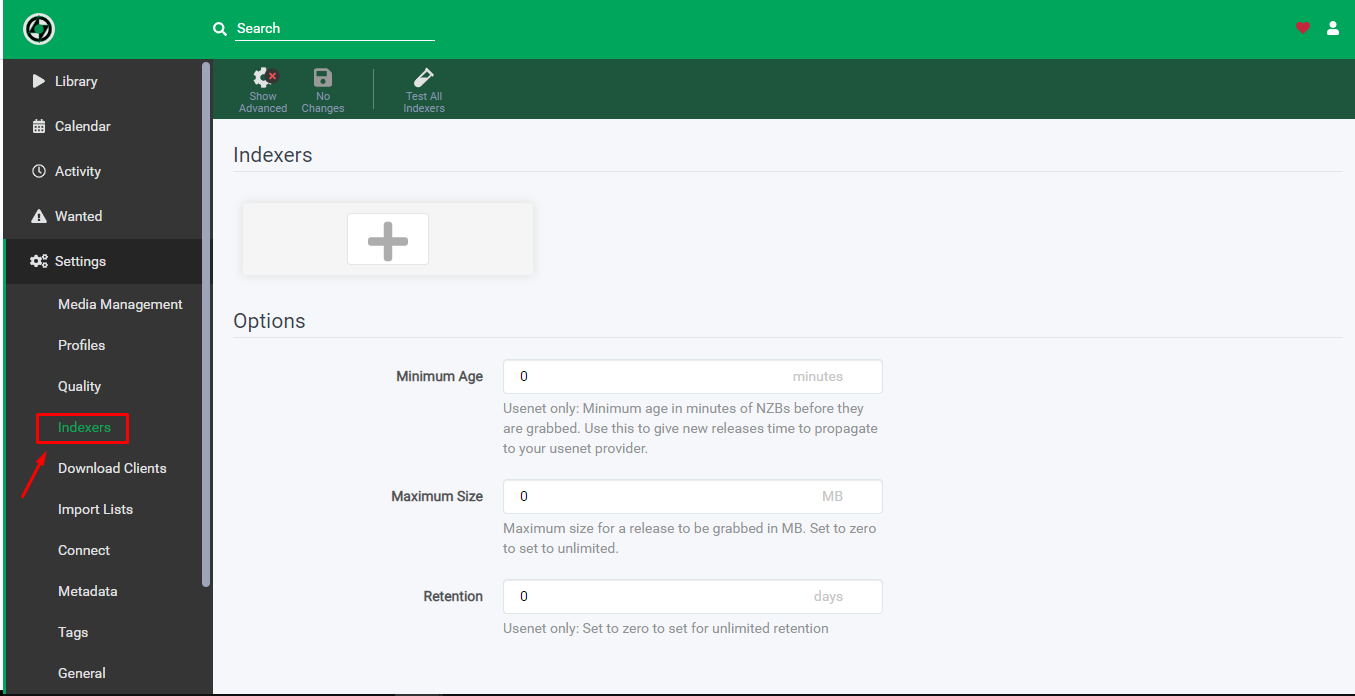
How To Use Lidarr With Your Evoseedbox

2. انقر على the add indexer زر to add new indexer.
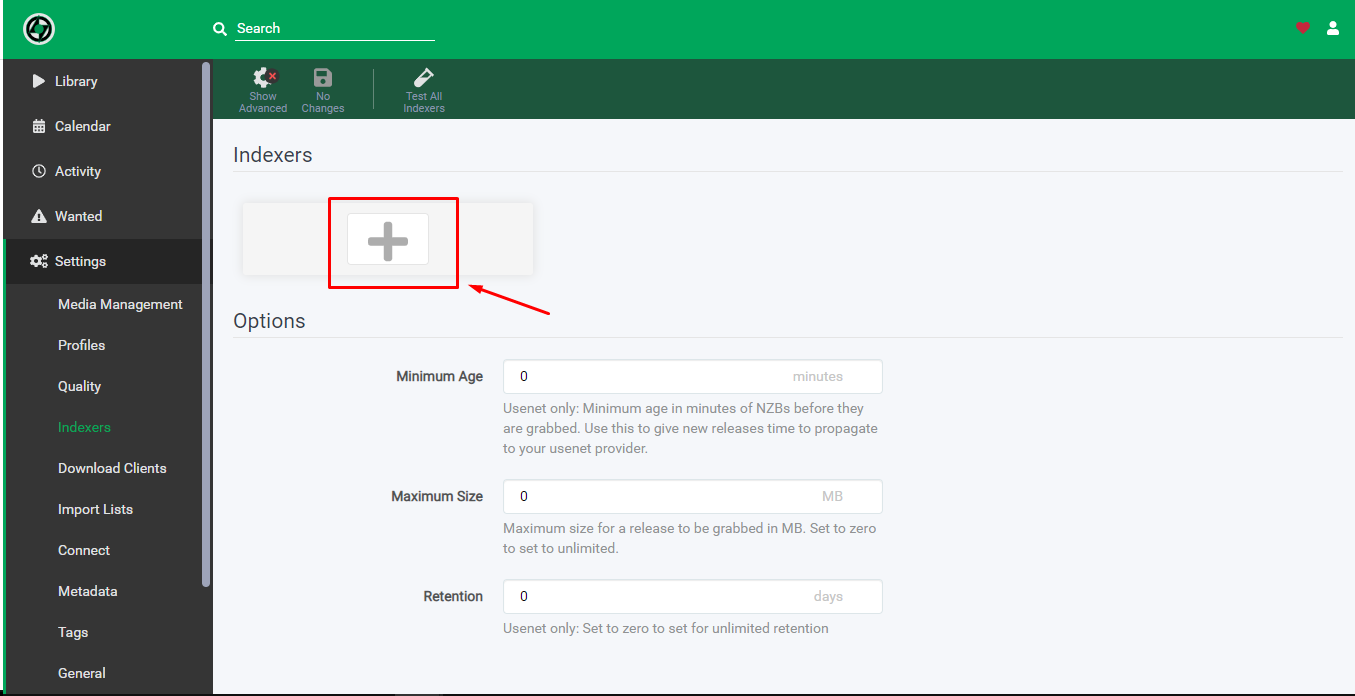
How To Use Lidarr With Your Evoseedbox

3. Choose the Usenet server or torrent website you wish to add as an indexer.
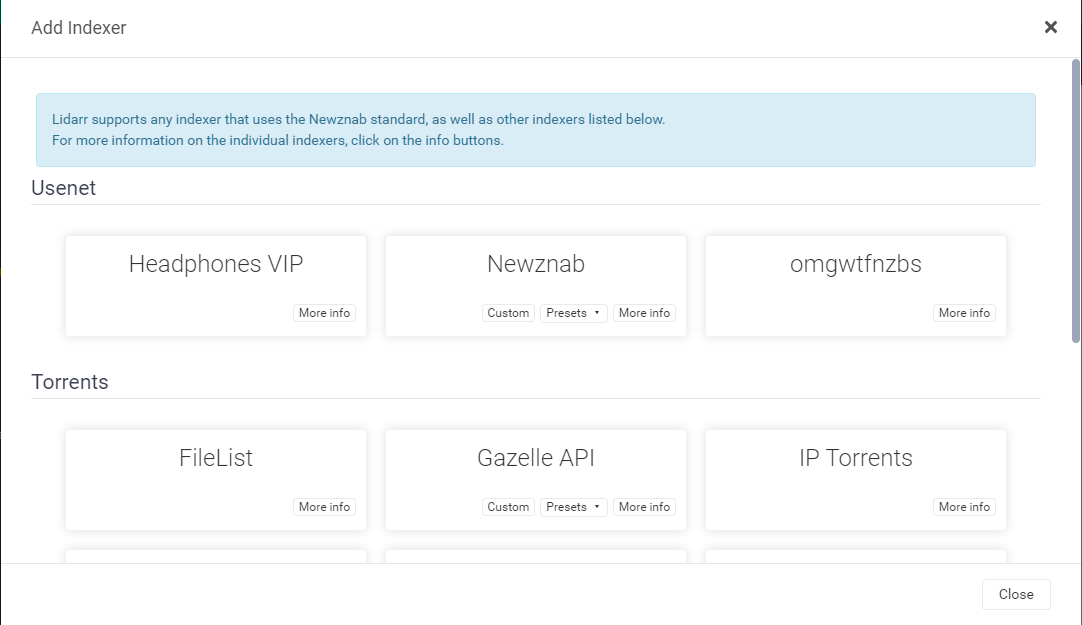
How To Use Lidarr With Your Evoseedbox

4. While adding the indexer add the relevant details asked as per the torrent website.
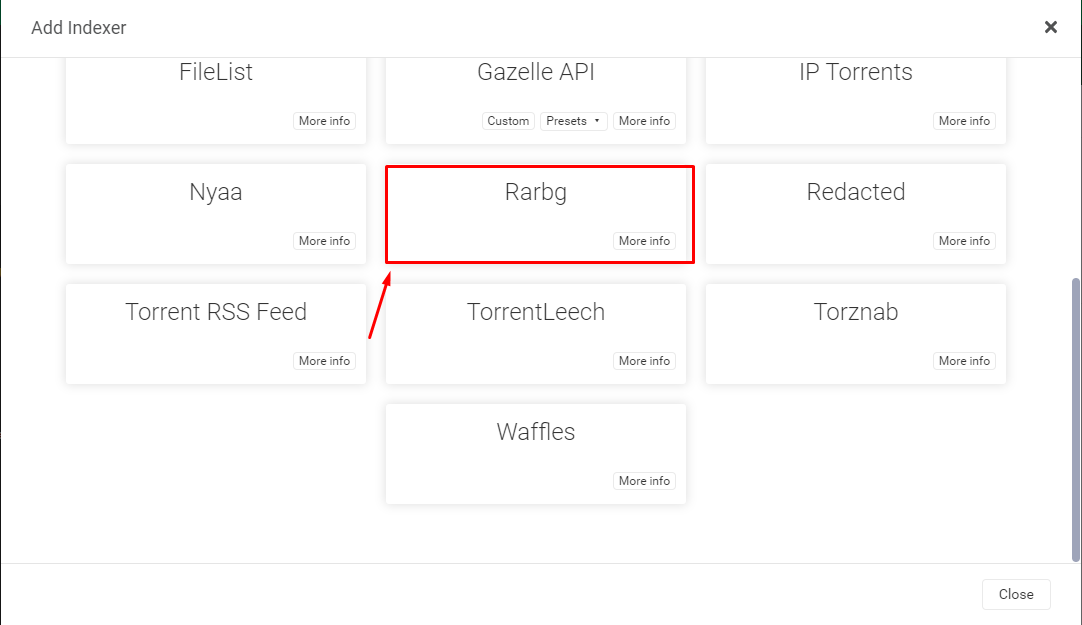
How To Use Lidarr With Your Evoseedbox

5. In the case of rarbg below mentioned details are added and a new captcha token needs to be generated as كما هو موضح أدناه.
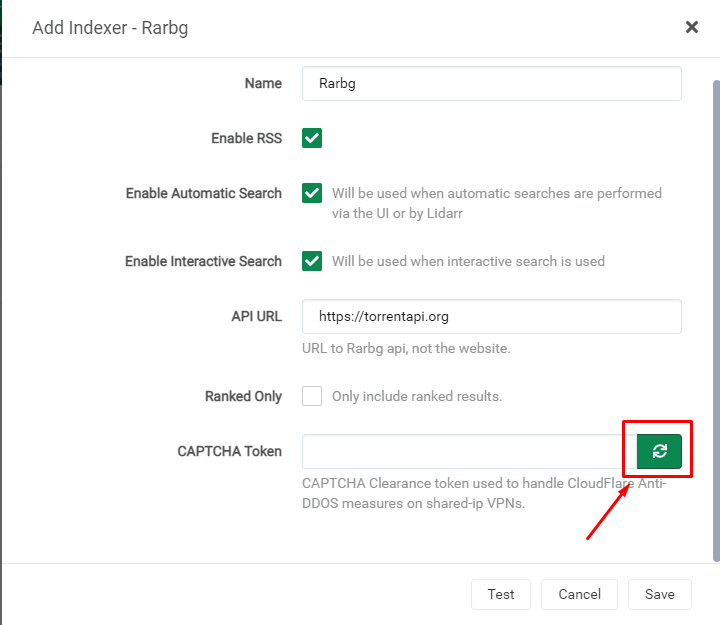
How To Use Lidarr With Your Evoseedbox

6. انقر على the test زر and if it has been set up correctly, it would lead to a green tick after which click on the save زر to save the indexer.
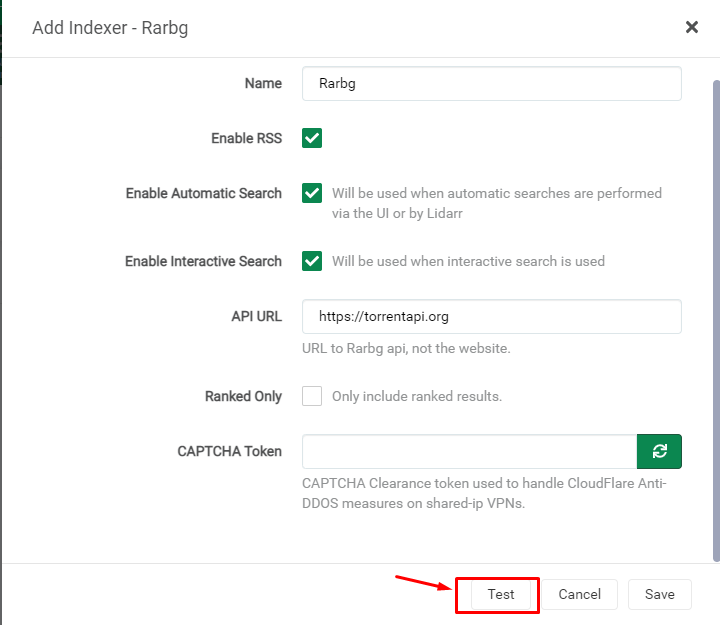
How To Use Lidarr With Your Evoseedbox

7. بعد نجاح test and save يمكنك see the indexer in the indexers page.
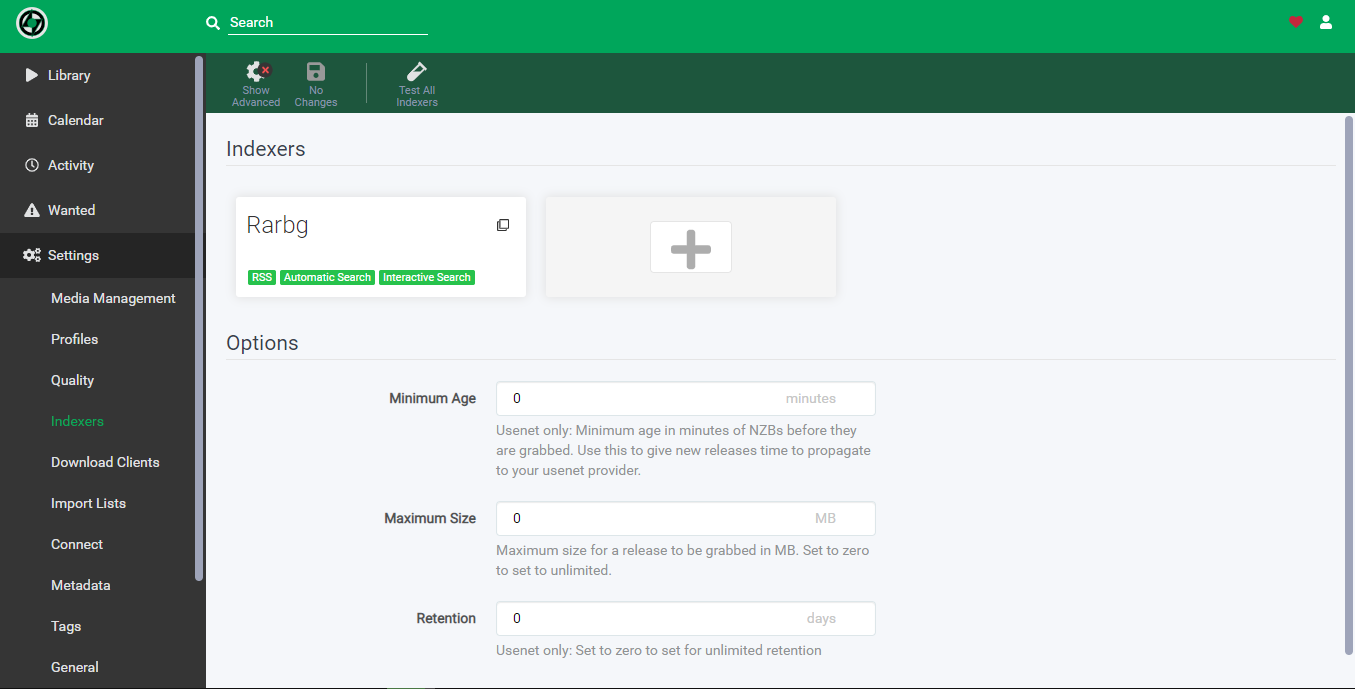
How To Use Lidarr With Your Evoseedbox

حُدثت بتاريخ 16 مارس، 2026

ما هو شعورك؟

  • Happy
  • عادي
  • Sad

شارك هذه المقالة :

  • Facebook
  • X
  • LinkedIn
  • Pinterest
Table of Contents
  • كيفية install Lidarrr on Evo-Seedbox?
  • Setting up indexers in Lidarr:

We create amazing Seedboxes
for everyone to use 😊

Important Links

Scholarship for CS

Refund Policy

Privacy Policy

Terms of service

Cookie Policy

Acceptable Use Policy

Get in Touch

Contact Us

[email protected]

© 2025 Evoseedbox | All rights reserved. By Evo Created with ❤️

  • Nederlands (الهولندية)
  • English (الإنجليزية)
  • Français (الفرنسية)
  • Deutsch (الألمانية)
  • 日本語 (اليابانية)
  • 한국어 (الكورية)
  • Português (البرتغالية ، البرتغال)
  • Español (الأسبانية)
  • العربية
  • Русский (الروسية)
  • Türkçe (التركية)
Evoseedbox
  • العربية
    • Nederlands (الهولندية)
    • English (الإنجليزية)
    • Français (الفرنسية)
    • Deutsch (الألمانية)
    • 日本語 (اليابانية)
    • 한국어 (الكورية)
    • Português (البرتغالية ، البرتغال)
    • Español (الأسبانية)
    • Русский (الروسية)
    • Türkçe (التركية)
  • Wiki
  • Forum
  • Pricing
Client Area