Evoseedbox Evoseedbox Evoseedbox Evoseedbox
  • Türkçe
    • Nederlands (Hollandaca)
    • English (İngilizce)
    • Français (Fransızca)
    • Deutsch (Almanca)
    • 日本語 (Japonca)
    • 한국어 (Kore dili)
    • Português (Portekizce, Portekiz)
    • Español (İspanyolca)
    • العربية (Arapça)
    • Русский (Rusça)
  • Wiki
  • Forum
  • Pricing
Client Area
View Categories
  • Home
  • Dokümanlar
  • Firefox Torrent Control Remote Torrent Adder

Firefox Torrent Control Remote Torrent Adder

1 min read

Tired of opening seedbox dashboard every time to add torrent in rutorrent?

This Firefox add on, "Torrent Control" will allow you to remotely add torrents directly sizin seed box.

İndirin the add on here. 

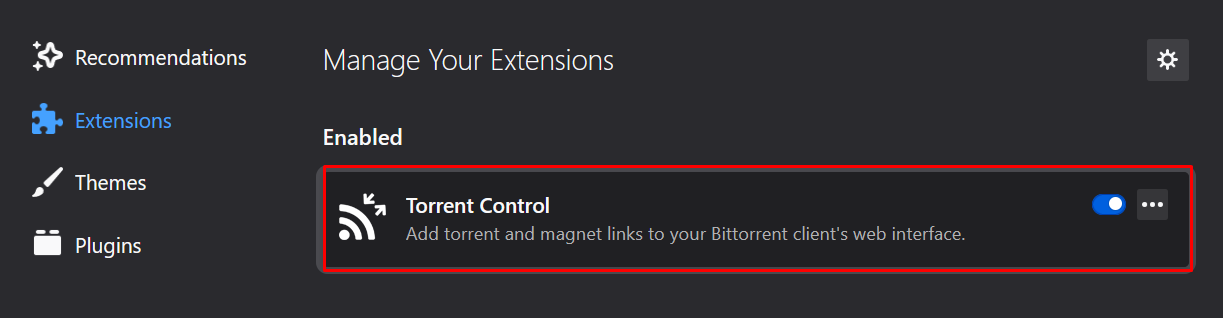
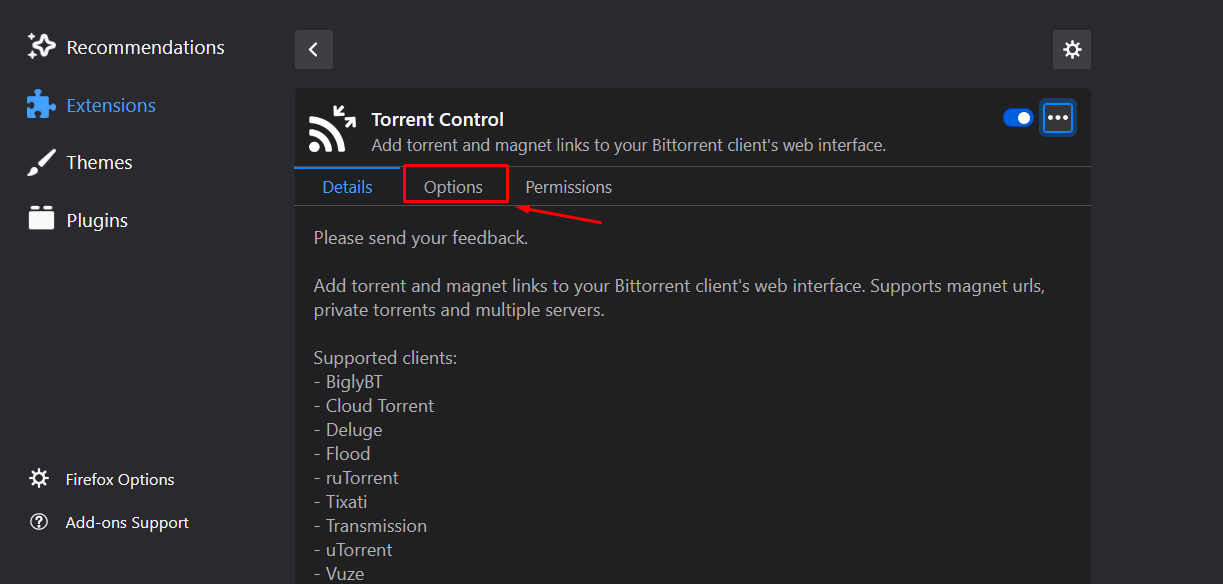
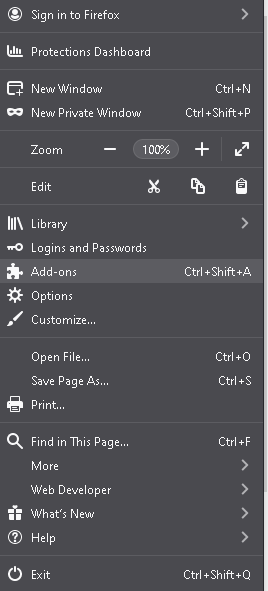
After you have Torrent Control installed. Navigate to about:addons → Torrent Control →  Then Options
Firefox Torrent Control Remote Torrent Adder

Firefox Torrent Control Remote Torrent Adder

Firefox Torrent Control Remote Torrent Adder

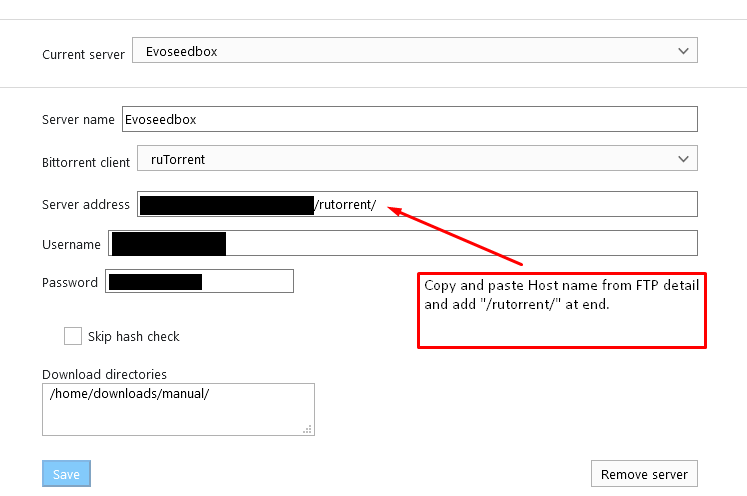
Please keep the default options as it is and set labels as per your reference and set the server configuration by using the FTP details of seedbox’unuz.
Firefox Torrent Control Remote Torrent Adder

yapabilirsiniz use the following as default save directories:/home/WEBSITEUSERNAME/downloads/manual/OR/home/WEBSITEUSERNAME/downloads/Example:  /home/evo4ever/downloads/manual/ OR /home/evo4ever/downloads/

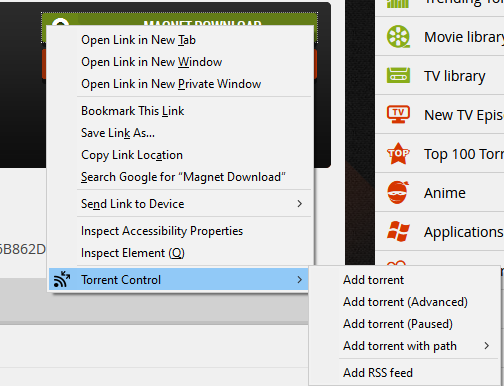
After you are done, select save and try adding any torrent by going sizin favorite torrent website and right-clicking on a magnet link. 
Firefox Torrent Control Remote Torrent Adder

Eğer get an error, you more than likely entered some information wrong. Double-check and ensure your details are entered correctly. 

You will see this when you right-click a magnet link.

From here, yapabilirsiniz add your torrent with whatever label you want, or with other options.

  1. Add Torrent is default and simply adds the torrent to seedbox’unuz.
  2. Add Torrent (advanced) lets you modify some information.
  3. Add Torrent(Paused) adds the torrent paused
  4. Add Torrent with label → lets you select what label. Useful if you have different torrent websites with different seed requirements. 
  5. Add Torrent with path lets you change your download path if you desire.

Yapabilirsiniz ayrıca open seedbox’unuz’s rutorrent by click on the extension itself.

Updated on 16 Mart 2026

What are your Feelings

  • Happy
  • Normal
  • Sad

Bu makaleyi paylaş :

  • Facebook
  • X
  • LinkedIn
  • Pinterest

We create amazing Seedboxes
for everyone to use 😊

Important Links

Scholarship for CS

Refund Policy

Privacy Policy

Terms of service

Cookie Policy

Acceptable Use Policy

Get in Touch

Contact Us

[email protected]

© 2025 Evoseedbox | All rights reserved. By Evo Created with ❤️

  • Nederlands (Hollandaca)
  • English (İngilizce)
  • Français (Fransızca)
  • Deutsch (Almanca)
  • 日本語 (Japonca)
  • 한국어 (Kore dili)
  • Português (Portekizce, Portekiz)
  • Español (İspanyolca)
  • العربية (Arapça)
  • Русский (Rusça)
  • Türkçe
Evoseedbox
  • Türkçe
    • Nederlands (Hollandaca)
    • English (İngilizce)
    • Français (Fransızca)
    • Deutsch (Almanca)
    • 日本語 (Japonca)
    • 한국어 (Kore dili)
    • Português (Portekizce, Portekiz)
    • Español (İspanyolca)
    • العربية (Arapça)
    • Русский (Rusça)
  • Wiki
  • Forum
  • Pricing
Client Area