Firefox Torrent Control Remote Torrent Adder
On this page ▾
Tired of opening seedbox dashboard every time to add torrent in rutorrent?
This Firefox add on, "Torrent Control" will allow you to remotely add torrents directly para o seu seed box.
Baixar the add on here.
Depois que você have Torrent Control installed. Navigate to about:addons → Torrent Control → Then Options
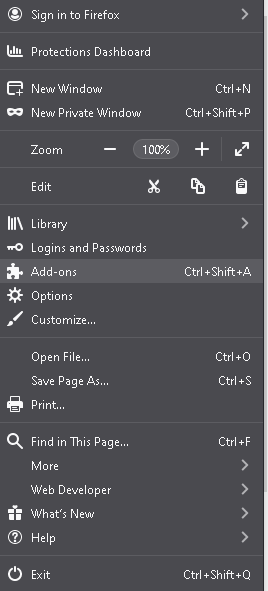
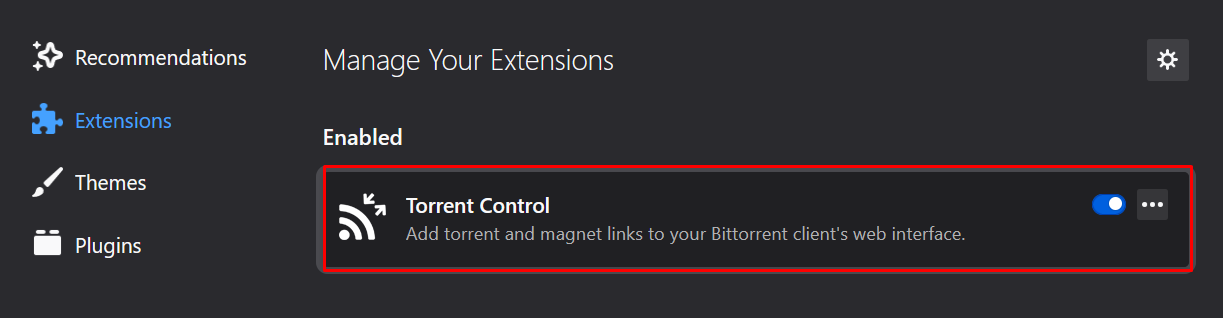
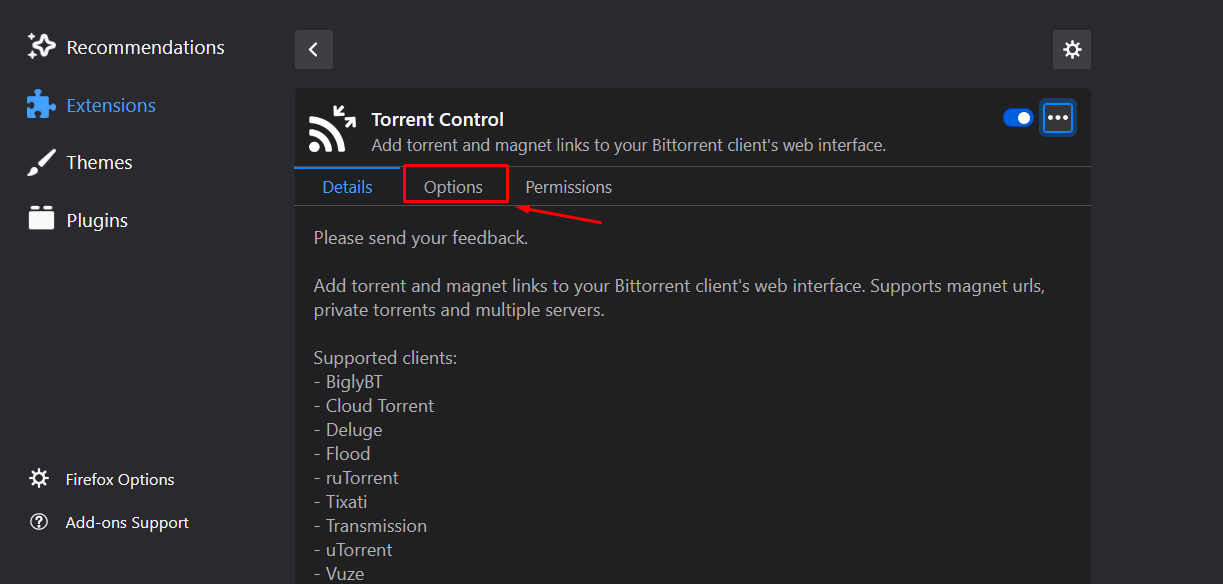
Please keep the default options as it is and set labels as per your reference and set the server configuration by using the FTP details of sua seedbox.
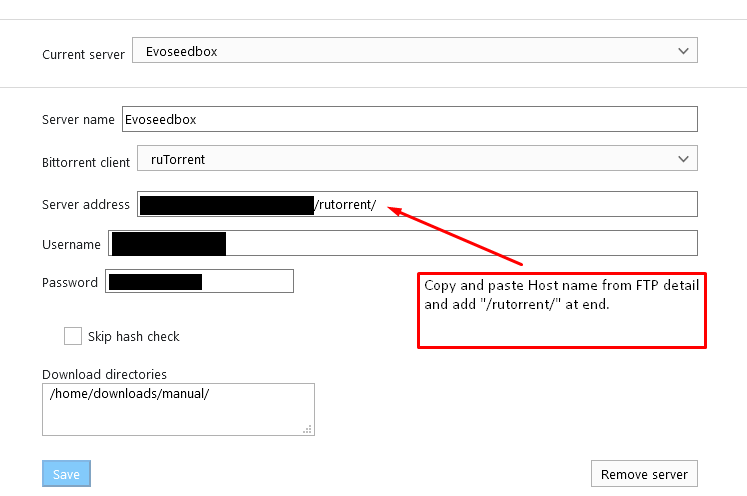
você pode use o seguinte as default save directories:/home/WEBSITEUSERNAME/downloads/manual/OR/home/WEBSITEUSERNAME/downloads/Example: /home/evo4ever/downloads/manual/ OR /home/evo4ever/downloads/
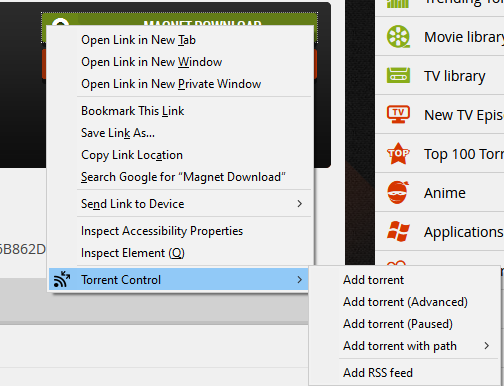
Depois que você are done, select save and try adding any torrent by going para o seu favorite torrent website and right-clicking on a magnet link.
Se você get an error, you more than likely entered some information wrong. Double-check and ensure your details are entered correctly.
Você vai see this when you right-click a magnet link.
From here, você pode add your torrent with whatever label you want, or with other options.
- Add Torrent is default and simply adds the torrent to sua seedbox.
- Add Torrent (avançado) lets you modify some information.
- Add Torrent(Paused) adds the torrent paused
- Add Torrent with label → lets you select what label. Useful if you have different torrent websites with different seed requirements.
- Add Torrent with path lets you change your download path if you desire.
Você pode também open sua seedbox’s rutorrent by click on the extension itself.
Put this into practice
EvoSeedbox ships with one-click app installs and up to 10 Gbps per box.


