Introduction #
-
What is Transdroid? #
- Transdroid is an android application designed to manage and control torrent downloads on various torrent clients remotely.
- It acts as a remote interface for torrent clients like Transmission, µTorrent, rTorrent, Deluge, and others, allowing users to manage their torrent activities from their Android devices. With Transdroid, you can add, remove, and monitor torrents, as well as adjust download and upload speeds, all from a mobile interface.
- It is particularly useful for users who utilize seedboxes, as it enables them to manage their torrents remotely without needing to access the seedbox directly.
- What is a Seedbox?
-
-
Setting up Transdroid with seedbox #
- Since rutorrent is the most popular and advanced remote torrent client in my opinion . In this tutorial I am going to explain to you how to use rutorrent and transdrone along with the different apps
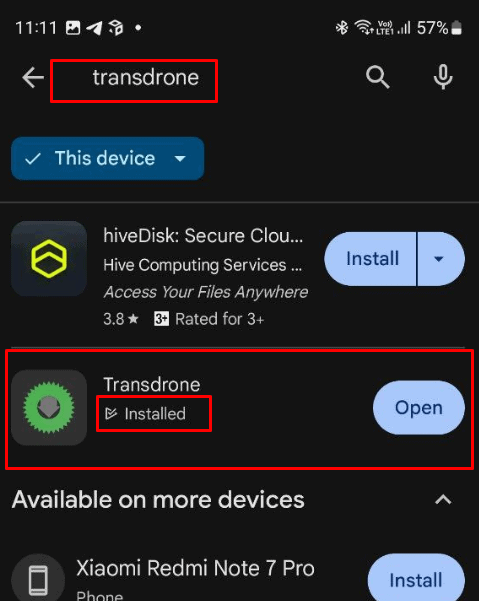
- Step 1 : Install Transdrone to your android device from google play store Transdrone — Apps on Google Play
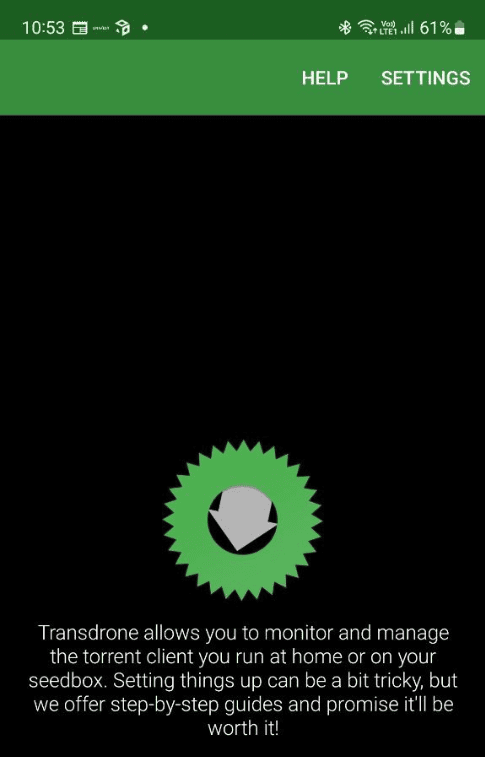
- Step 2 : Open it on your Android device and click on settings
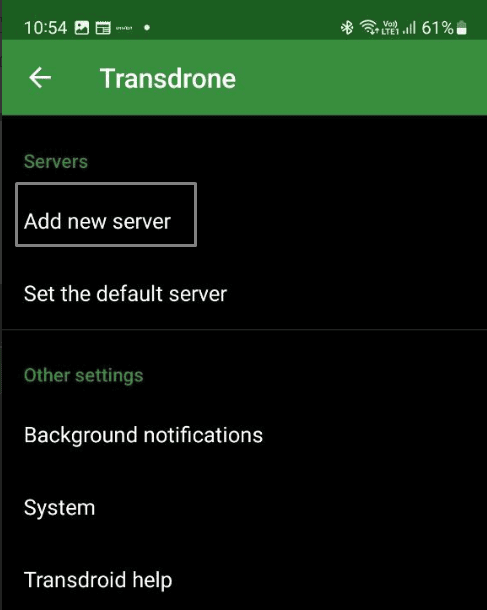
Step 3 : Click on add new server
Step 4 : Select Add normal, custom server

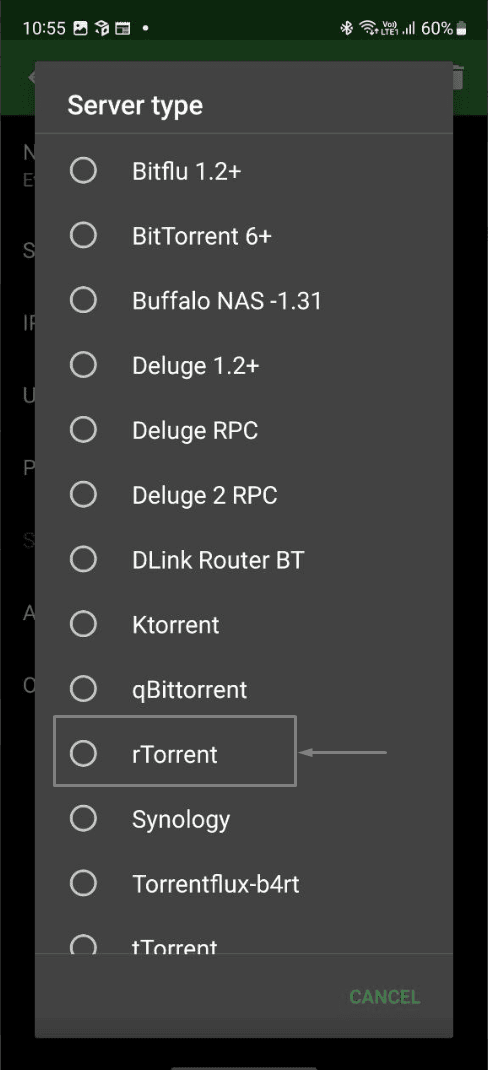
Step 5: Depending on your torrent client, choose the one that you have set up remotely
in our case we are using rtorrent so we select that.
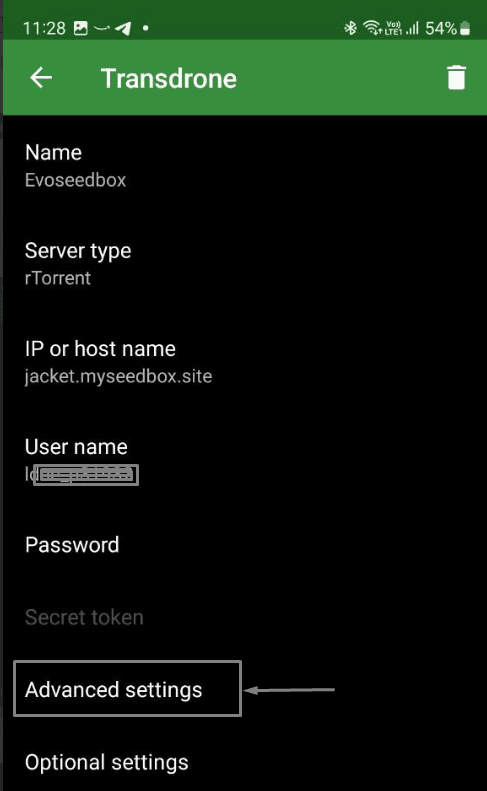
Step 6: In rTorrent settings we have to fill up Name , IP/Hostname, Username and password
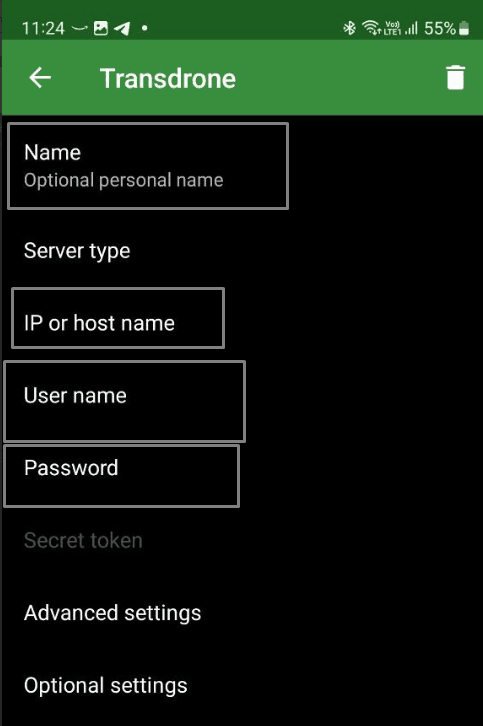
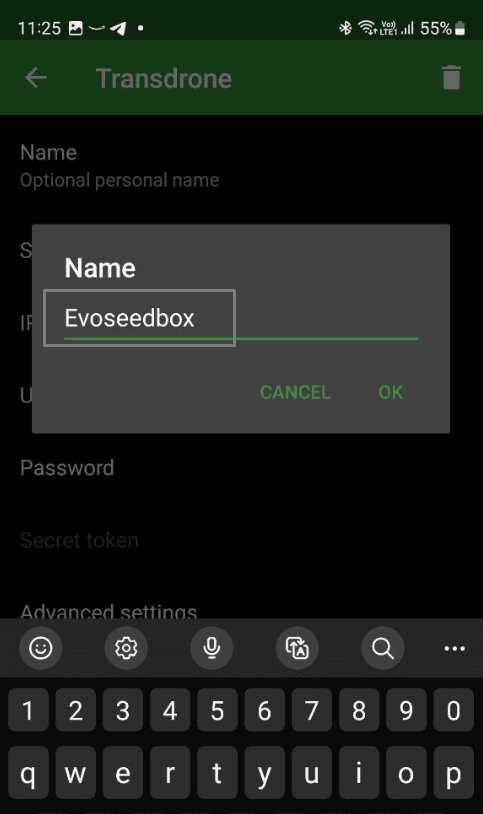
Name is optional you can keep anything that helps you recall which seedbox you are setting up.
Inputting Seedbox credentials #
copy the hostname from your seedbox client area in evoseedbox
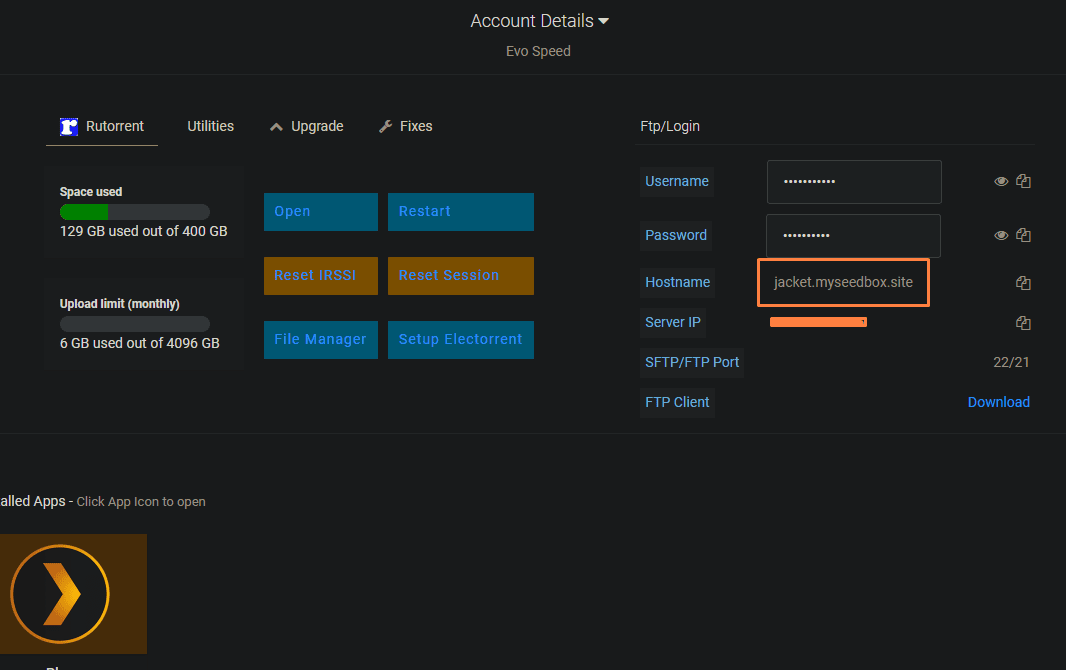
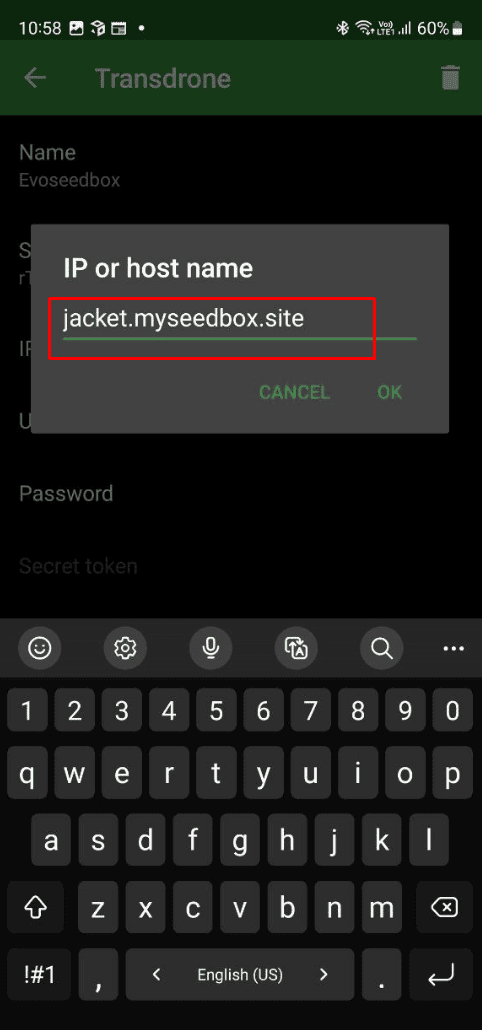
Then paste it in Transdrone in the IP or host name field.
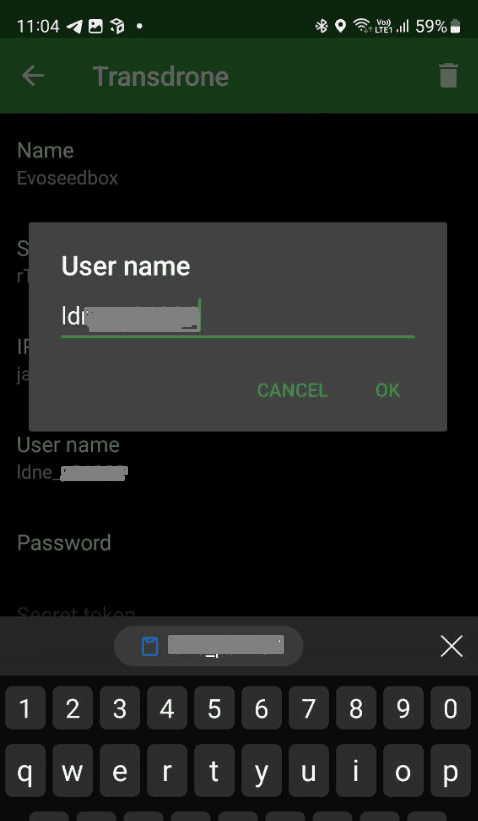
Similarly copy the username from your seedbox client area and fill up the Username field
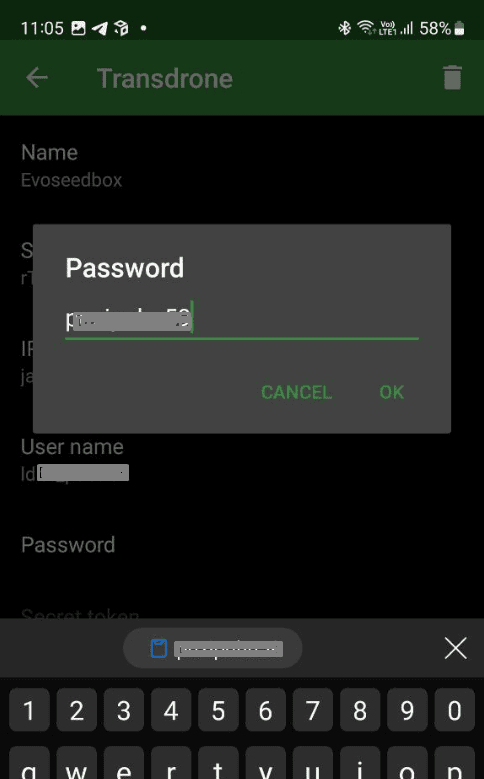
Same with the password field copy and paste it from your evoseedbox client area.
Once done now click on Advanced Settings
-
Establishing a secure connection #
In Transdrone advanced settings we have to fill up Port Number , SCGI mount point and activate SSL for
max security.
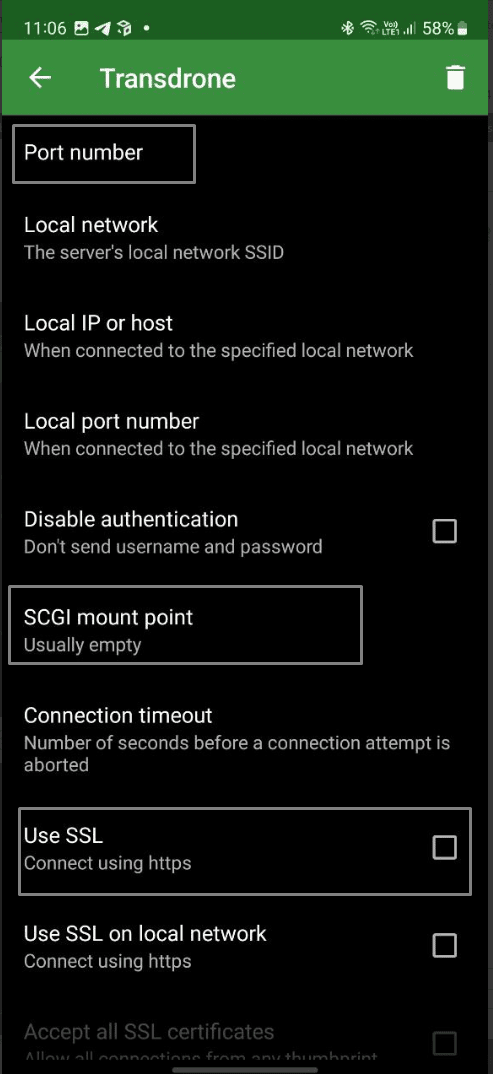
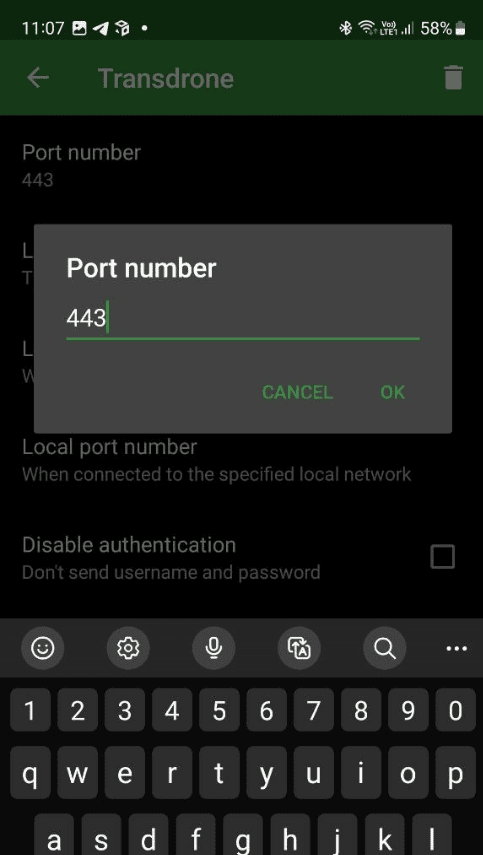
For port number fill in 443
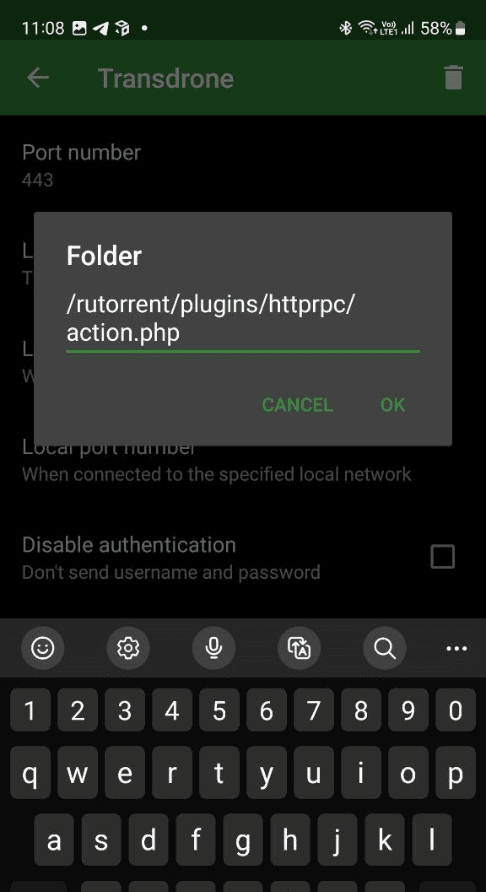
For SCGI mount fill in : /rutorrent/plugins/httprpc/action.php
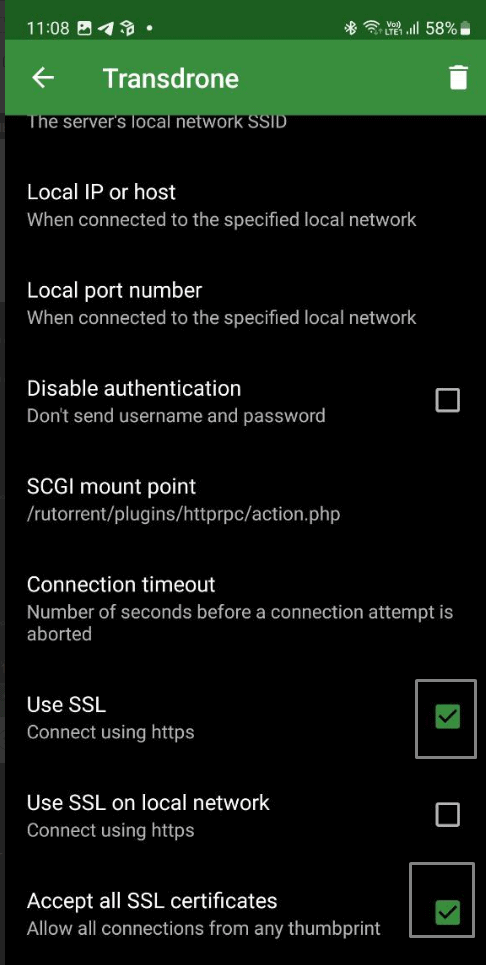
Scroll below and activate both Use SSL and Accept all SSL certificates.
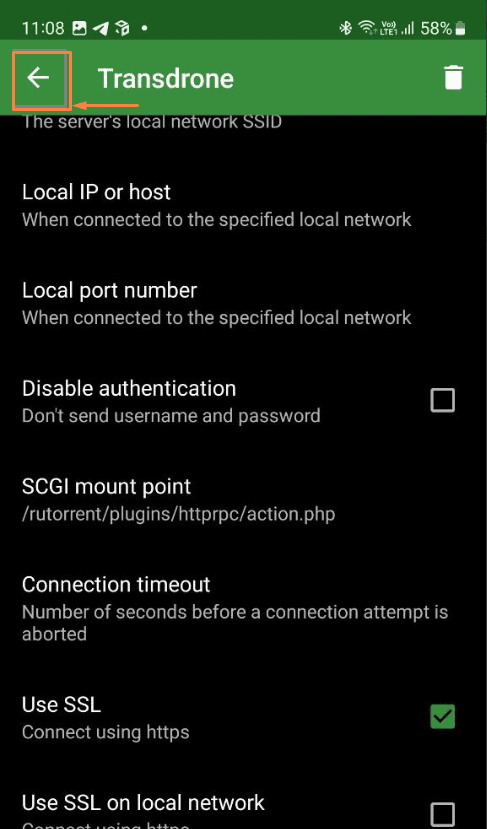
Now hit the back button on your transdrone app
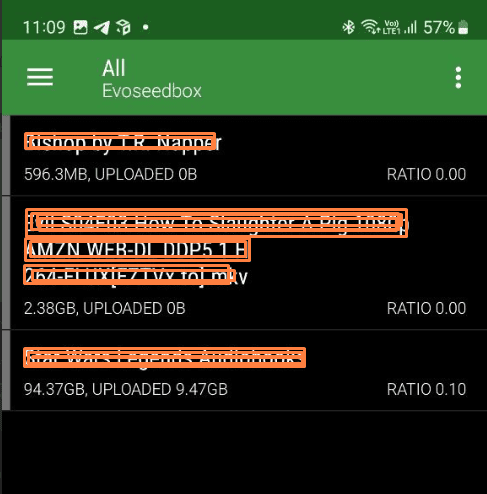
Your transdrone app now will display your torrents and have option to add torrents etc.
Using Transdroid #
Managing Downloads #
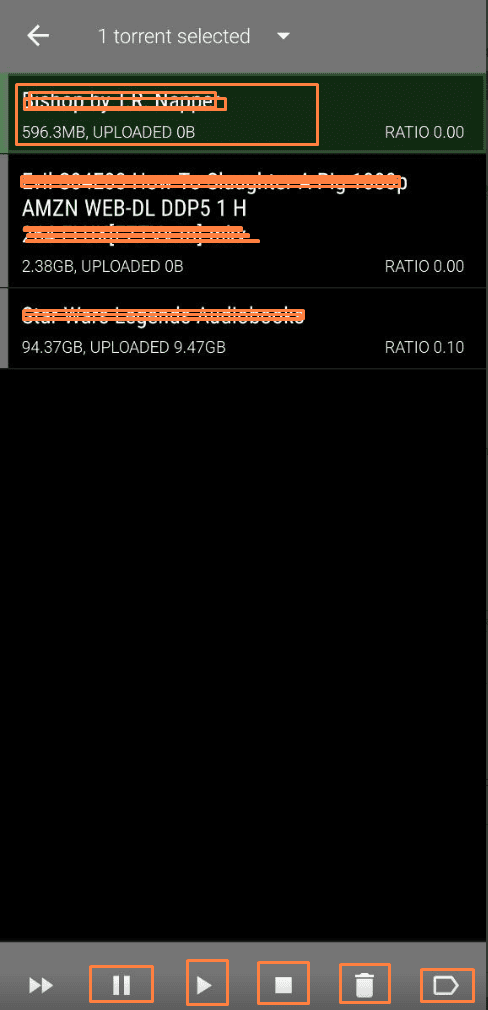
To manipulate a torrent long press on the torrent name and options will show up in the bottom like:
Pause start stop delete and Tag as shown in the image below
Adding Torrents #
-
Manual torrent addition #
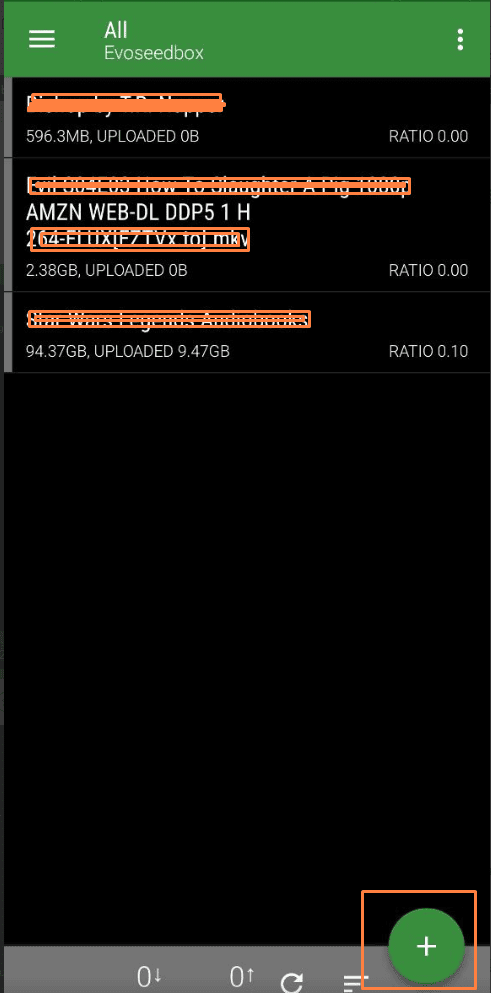
To add new torrent you have to click on the + button on the bottom or transdrone app
Torrent addition by link #
If you have downloaded a torrent file choose the file icon and locate the torrent file in your andorid folder
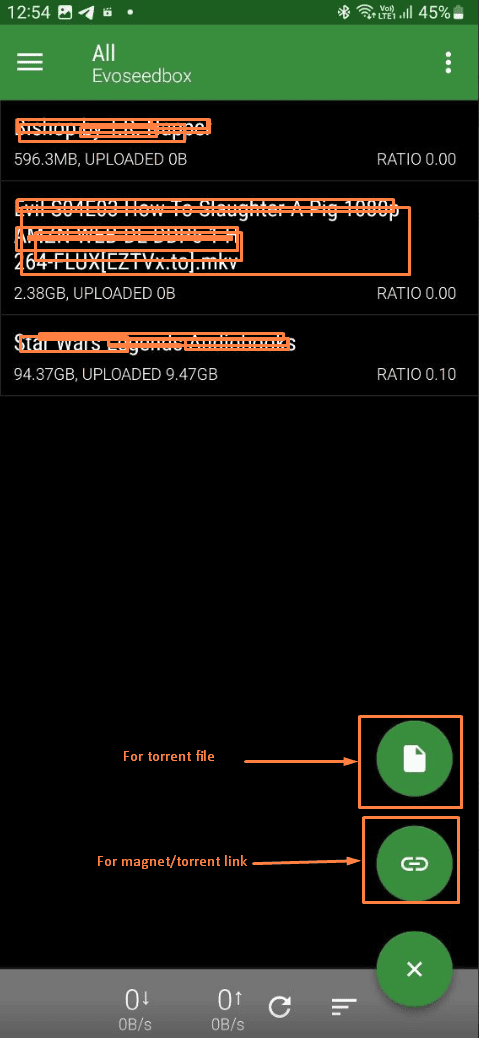
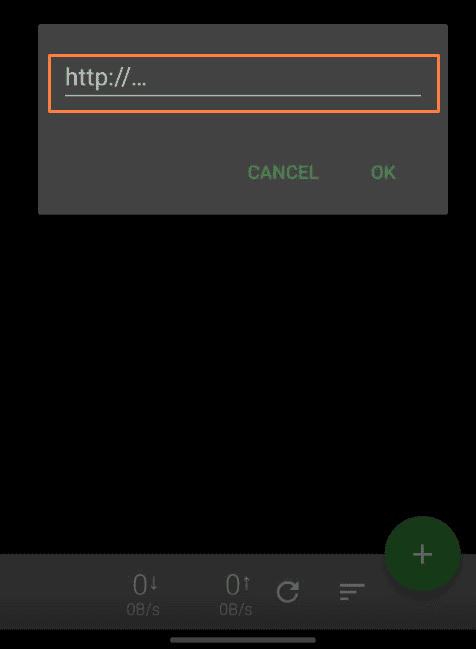
If you click on the link option, the below pop-up will show up and paste your torrent/magnet link in it
accordingly.
FAQ on Transdrone #
What are the benefits of using Transdroid on a Seedbox? #
Using Transdroid on a Seedbox has several benefits:
- Remote Control: You can manage your torrent downloads from anywhere using your phone.
- Speed and Storage: Seedboxes usually have fast internet connections and large storage, making downloads quicker and easier.
- Less Strain on Your Computer: Your computer doesn’t have to be on all the time for downloading, as the Seedbox handles it.
- Privacy: Seedboxes can help keep your downloading activity private.
Is it legal to use Transdroid and Seedbox for torrenting? #
Using Transdroid and a Seedbox is legal, but it depends on what you’re downloading. Downloading and sharing files you don’t own or don’t have permission to share (like movies, music, or software) can be illegal. Always make sure you have the right to download and share the files you’re torrenting.
How do I secure my Seedbox connection? #
To secure your Seedbox connection:
- Use a VPN: A Virtual Private Network (VPN) encrypts your internet connection, making it more private and secure.
- Strong Passwords: Use strong, unique passwords for your Seedbox and Transdroid accounts.
- Regular Updates: Keep your software updated to protect against security vulnerabilities.
- SSH Keys: Use SSH keys instead of passwords for a more secure login method if supported by your Seedbox.
What should I do if Transdroid stops working? #
If Transdroid stops working:
- Check Connection: Ensure your phone and Seedbox have an internet connection.
- Restart the App: Close and reopen Transdroid.
- Update the App: Make sure you have the latest version of Transdroid.
- Check Settings: Verify that your Seedbox settings in Transdroid are correct.
- Consult Help Resources: Look for help on forums or the Transdroid website if the issue persists.
Can I use Transdroid on multiple devices? #
Yes, you can use Transdroid on multiple devices. Just install the Transdroid app on each device and set it up with your Seedbox credentials. This way, you can manage your torrents from any of your devices.
Summary #
Recap of Key Points: Setting up Transdroid on a Seedbox allows you to manage your torrent downloads remotely using your phone. This guide covered the essential steps, including choosing the right Seedbox, installing and configuring Transdroid, and ensuring your connection is secure.
Overview of Setting Up Transdroid on Seedbox:
- Choosing a Seedbox: Select a Seedbox based on storage capacity, bandwidth, pricing, and customer support.
- Installing Transdroid: Download and install the Transdroid app, then connect it to your Seedbox by entering the necessary credentials.
- Configuring Transdroid: Adjust settings for download and upload speeds, set download directories, and configure notifications.
Highlighting Important Configurations and Tips:
- Security: Use a VPN, strong passwords, and keep your software updated to maintain security.
- Troubleshooting: Ensure a stable internet connection, keep the app updated, and verify your settings if you encounter issues.
- Advanced Features: Explore features like automation scripts and remote access to enhance your torrenting experience.
By following these steps and tips, you can effectively manage your torrent downloads on a Seedbox using Transdroid, making the process convenient and efficient.


