Evoseedbox Evoseedbox Evoseedbox Evoseedbox
  • Русский
    • Nederlands (Голландский)
    • English (Английский)
    • Français (Французский)
    • Deutsch (Немецкий)
    • 日本語 (Японский)
    • 한국어 (Корейский)
    • Português (Португальский, Португалия)
    • Español (Испанский)
    • العربية (Арабский)
    • Türkçe (Турецкий)
  • Wiki
  • Forum
  • Pricing
Client Area
Посмотр рубрик
  • Home
  • Документация
  • Tautulli Руководство по установке

Tautulli Руководство по установке

2 мин. чтения

"Tautulli is a 3rd party application that вы можете run alongside your Plex Media Server to monitor activity and track various statistics."

1. Navigate на ваш личный кабинет and locate приложение and click install.

Tautulli

2. Scroll up and click the eye icon to open приложение.

Tautulli

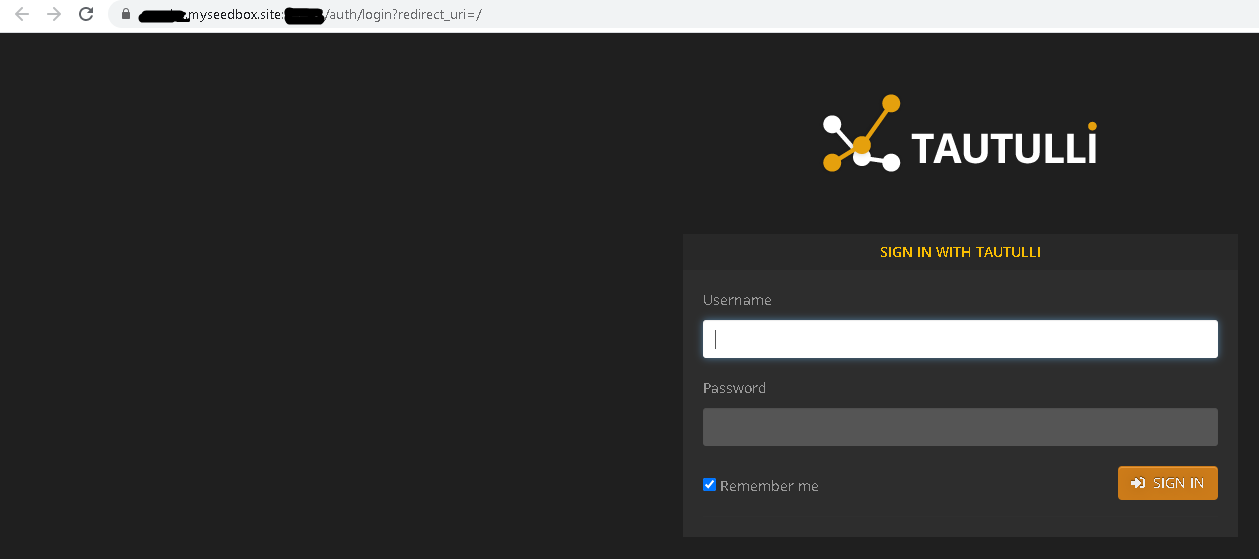
3. You are redirected to this page. Войти with your user name and пароль из личный кабинет. It is the same as your server log in. Вы можете find this information under FTP detail.
Tautulli

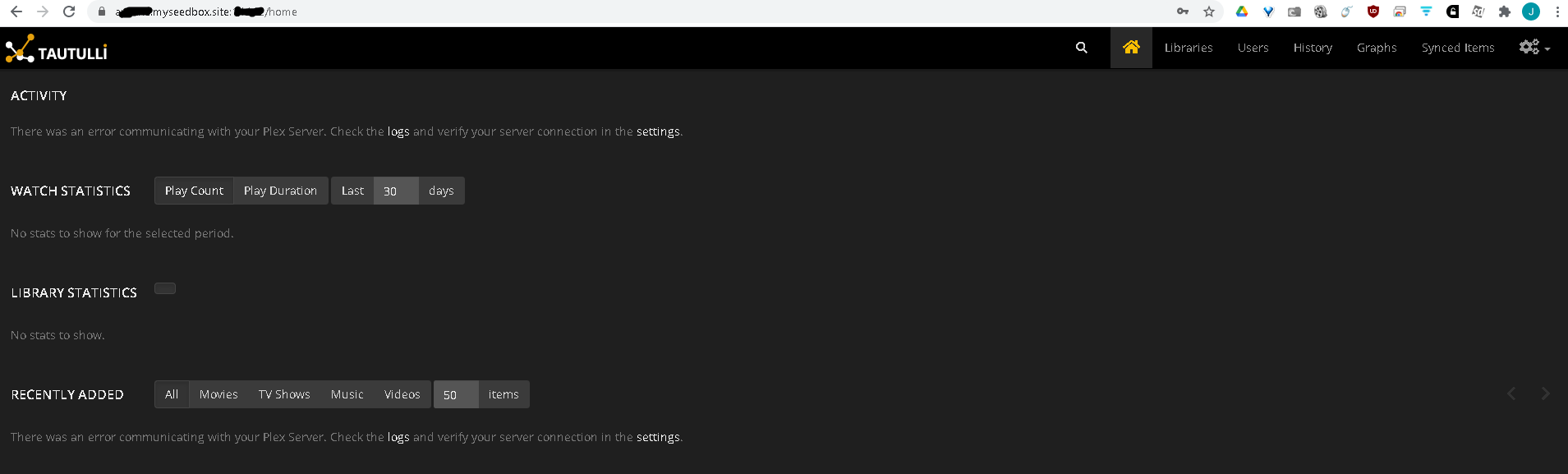
4. After you successfully logged in, вы будете see this screen. Click the settings icon at the top right of the web page.
Tautulli

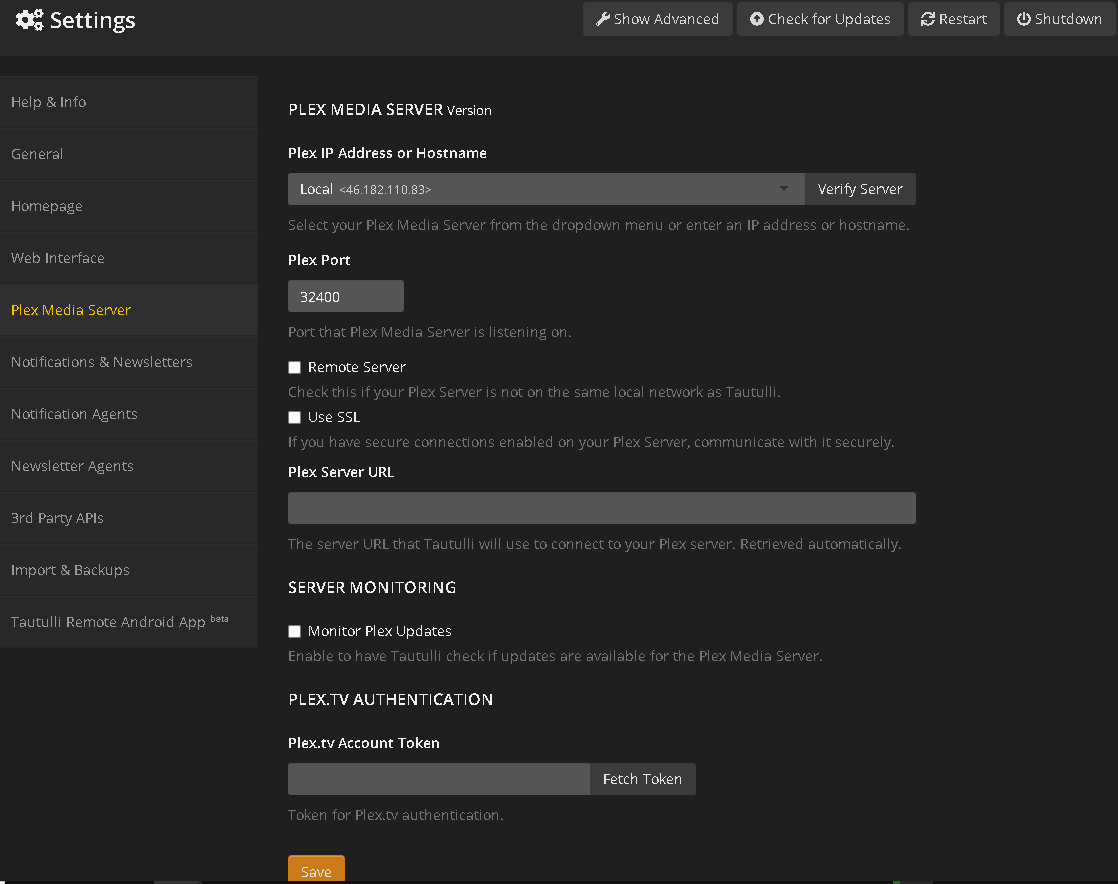
5. After you click the settings кнопка, navigate down to the "Plex Media Server" tab and вы будете see this screen.
Tautulli

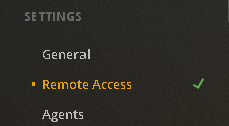
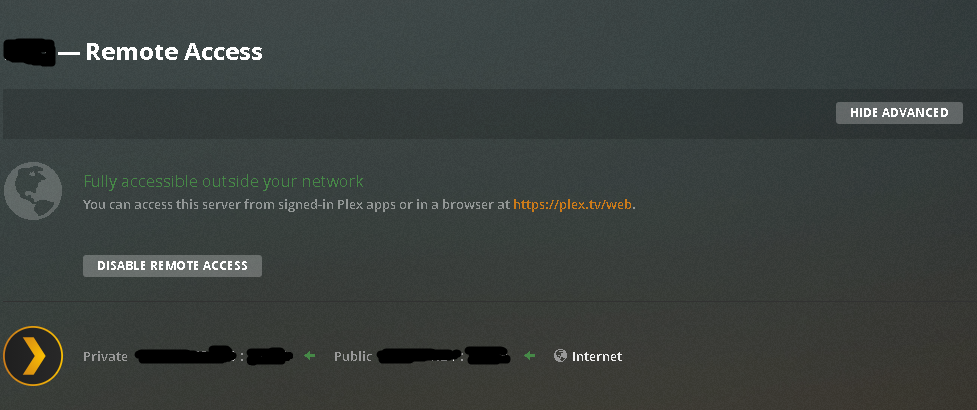
6. Navigate на ваш plex servers settings to obtain the Plex IP Address and port number. On the left side of the web page, вы будете see several options. Near the bottom вы будете see Settings -> Remote access. Click the remote access text.
Tautulli

7. Это the screen what will open after you click remote access. The IP address and port you хотите use is the Public one, NOT the private one.
Tautulli

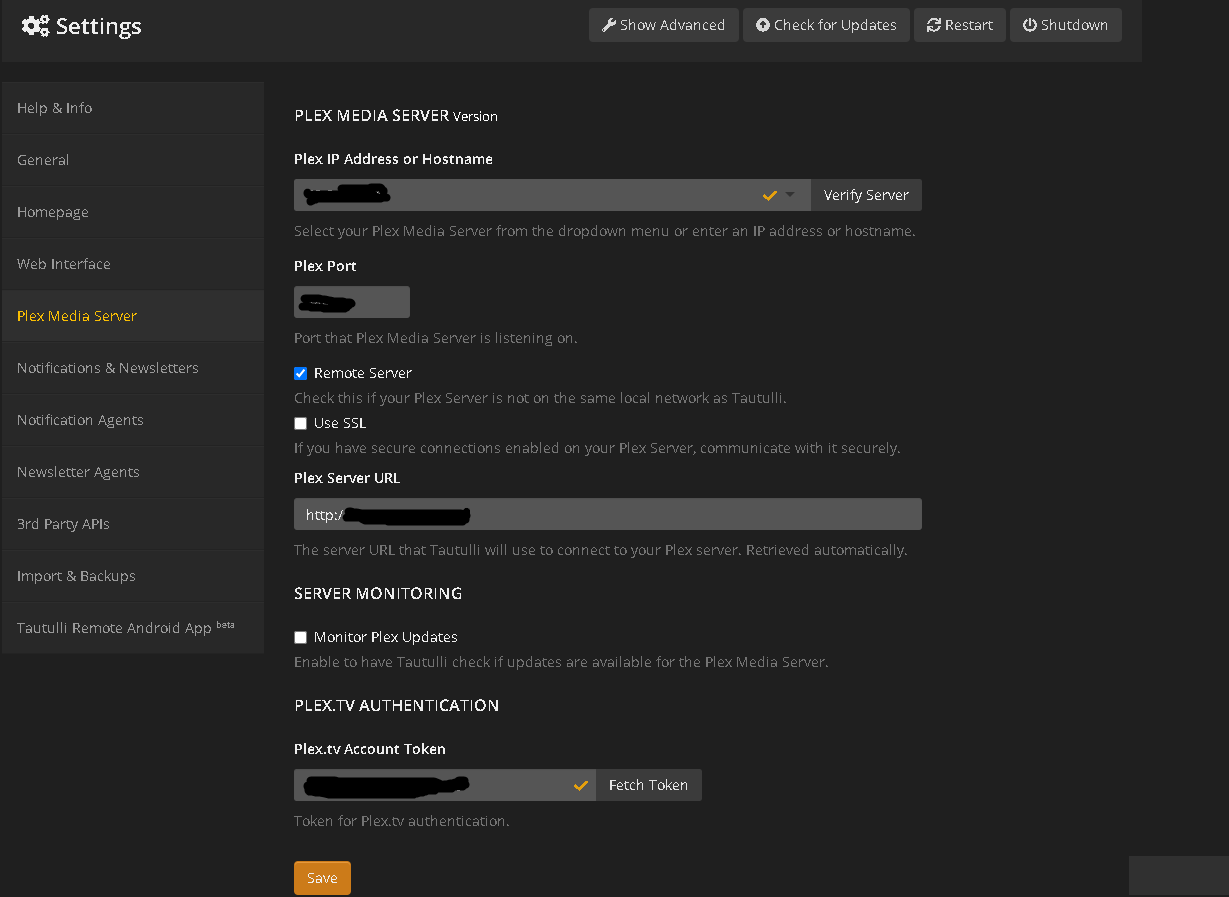
8. Paste that information into the respective field. The IP address ONLY goes on the top line. Example format: 99.99.99.99. DO NOT include the port number behind the IP address. Enter that into its own box.

My server is remote, so I ticked remote. I do not have SSL enabled, so I left that blank.

The plex server url automatically generates.

Finally, click the "fetch token" кнопка on the bottom right, and он будет prompt you to allow приложениеlication to access your server. Accept this and your account token will auto generate. Click save.
Tautulli

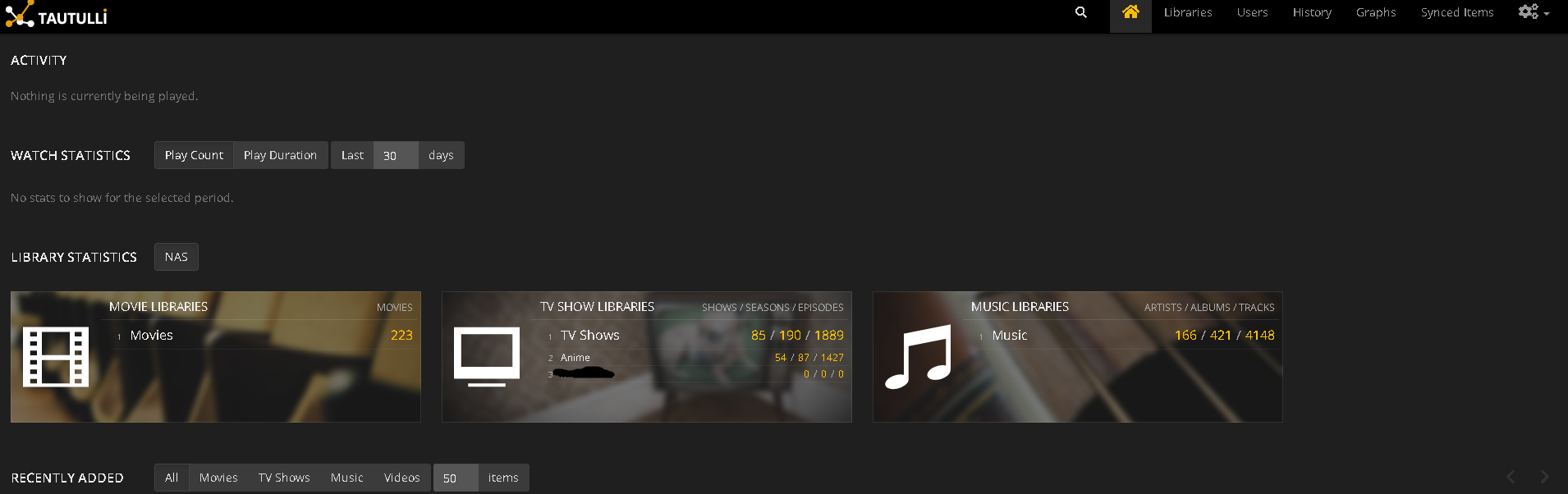
9. After you click save, click the home кнопка on the top right of your screen.

Your home page will display information about your plex server.
Tautulli

Обновлено 16.03.2026

Оцените документ

  • Класс
  • Норм
  • Неуд

Поделитесь этой статьёй:

  • Facebook
  • X
  • LinkedIn
  • Pinterest

We create amazing Seedboxes
for everyone to use 😊

Important Links

Scholarship for CS

Refund Policy

Privacy Policy

Terms of service

Cookie Policy

Acceptable Use Policy

Get in Touch

Contact Us

[email protected]

© 2025 Evoseedbox | All rights reserved. By Evo Created with ❤️

  • Nederlands (Голландский)
  • English (Английский)
  • Français (Французский)
  • Deutsch (Немецкий)
  • 日本語 (Японский)
  • 한국어 (Корейский)
  • Português (Португальский, Португалия)
  • Español (Испанский)
  • العربية (Арабский)
  • Русский
  • Türkçe (Турецкий)
Evoseedbox
  • Русский
    • Nederlands (Голландский)
    • English (Английский)
    • Français (Французский)
    • Deutsch (Немецкий)
    • 日本語 (Японский)
    • 한국어 (Корейский)
    • Português (Португальский, Португалия)
    • Español (Испанский)
    • العربية (Арабский)
    • Türkçe (Турецкий)
  • Wiki
  • Forum
  • Pricing
Client Area