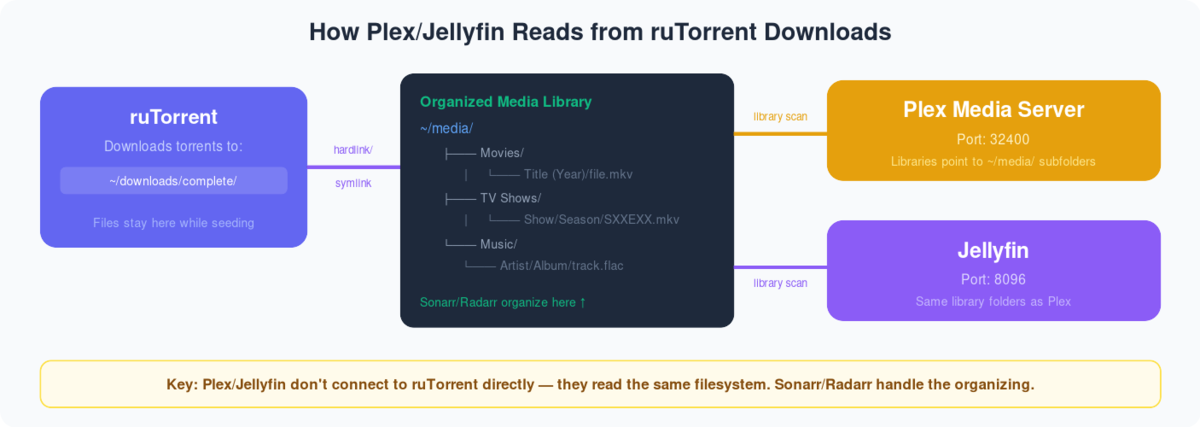
Through this guide, you’ll be able to add libraries in plex and synchronize your streaming content after downloading through rutorrent on вашим seedbox. First of all, we нужно understand what are plex libraries, they are merely representations of media types that you keep in the form of streaming content on вашим seedbox. It helps you to divide your content into groups so that вы можете filter and navigate the content in an easier manner.So, let’s look in to the steps you нужно follow:
- Войти it your Plex Account.
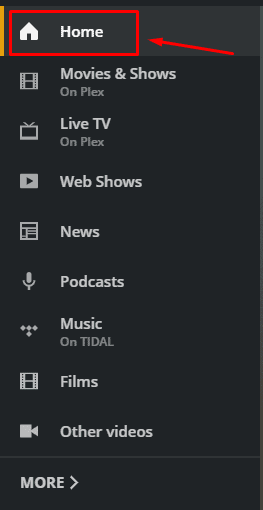
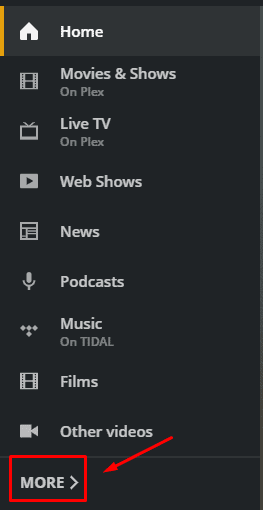
- Перейдите к the ‘Home’ section and on the left side of the screen and click on more options at the bottom of the palette.
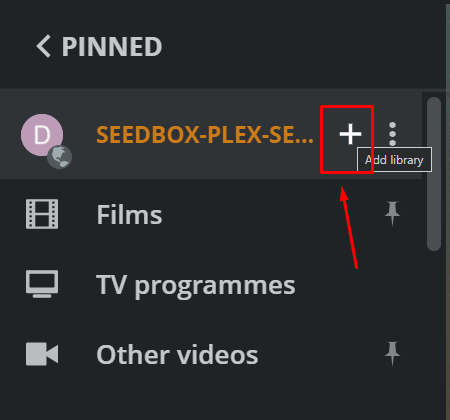
3. Вы будете see the seedbox plex server, you might have a different name of the server. Нажмите на ‘+’ кнопка to add a new library.
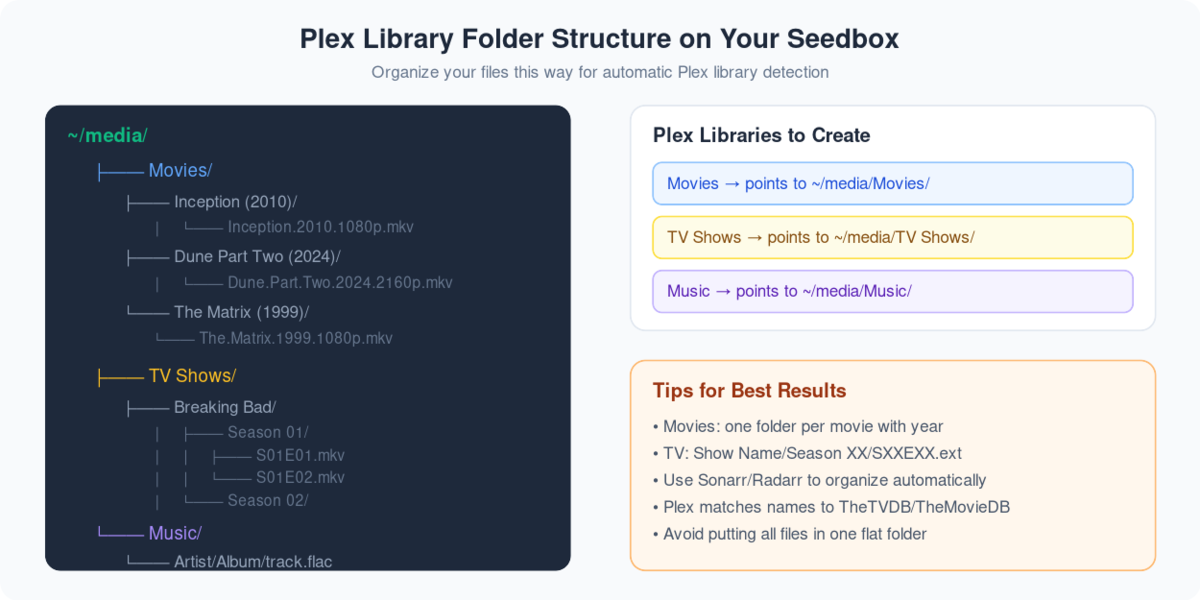
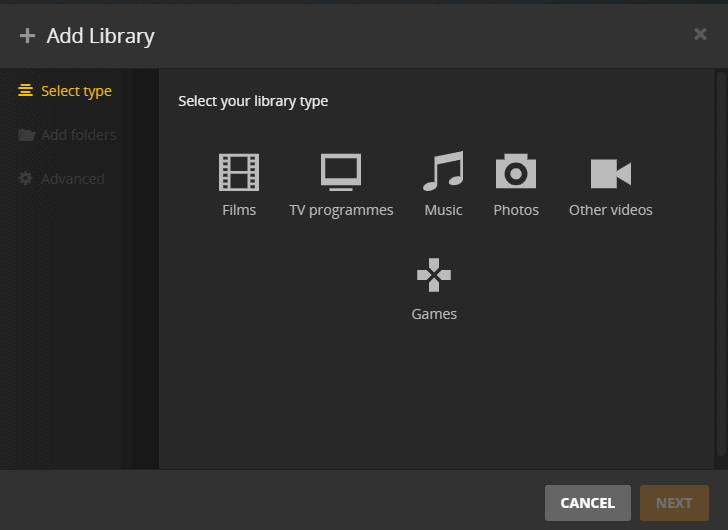
4. Вы будете be asked to select the library type. Выберите приложениеropriate library based on the type of streaming content you хотите add and give приложениеropriate name and select the library language.
5. Click next to select the desired folder where you have downloaded the content.
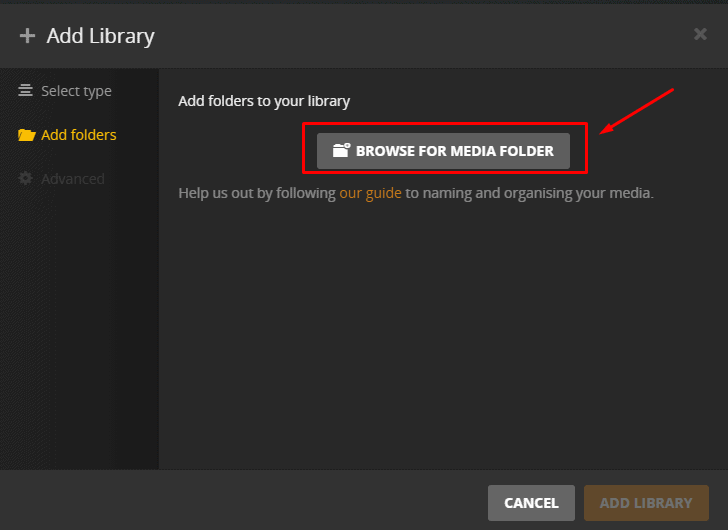
6. Browse the folder and then click on ‘add’.Then click on ‘ADD LIBRARY’ to complete процесс.
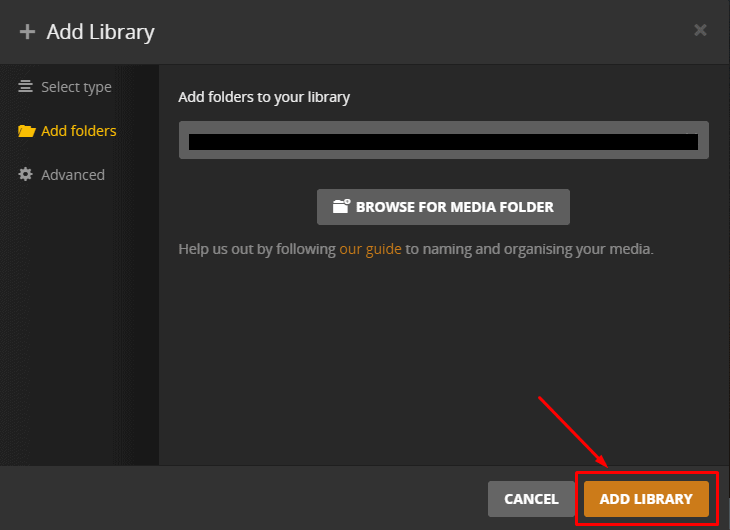
7. It might take some time to add the library and он будет start synchronizing. When this process is complete you’ll be able to see the files in the new library.
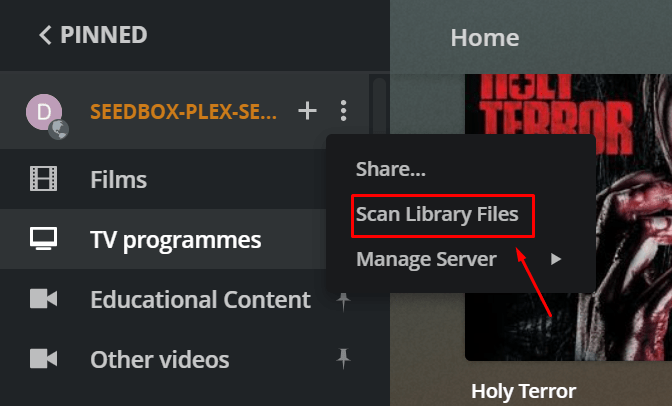
8. For later file additions in the library, synchronization is not done automatically but вы можете do it manually by click on the ‘Scan library files’ option in the plex server drop-down menu as показано ниже.