Seedbox, one of the best and safest ways to interact with torrents is not limited to just downloading/uploading torrent files. Seedboxes were initially created with that purpose, but over years companies have added functionalities to them.
These functionalities include applications, remote management, sharing files, folder sync, etc. and amongst them, the most prominent one is streaming of files.
Streaming helps make a simple seedbox into a remote media server. There are inbuilt applications like plex, emby, and jellyfin to stream videos, but did you know that u kunt stream videos in uw VLC media player too?
In this article, I will show you how u kunt stream videos from Seedbox using a VLC media player.
The steps are simple and easy to follow, so let’s move ahead.
Steps to stream videos from seedbox in VLC #
Stap 1: Downloadenen the VLC media player op uw device #
The obvious step but still important to mention. VLC has been around for many years and is one of the most used media players.
With the rise of streaming services like Prime and Netflix the popularity is decreasing, but none-the-less, VLC is one of its kind.
U kunt download the VLC media player from here.
Stap 2: Open Stream in VLC #
Now that you have downloaded the VLC media player, open it and head to the stream section.
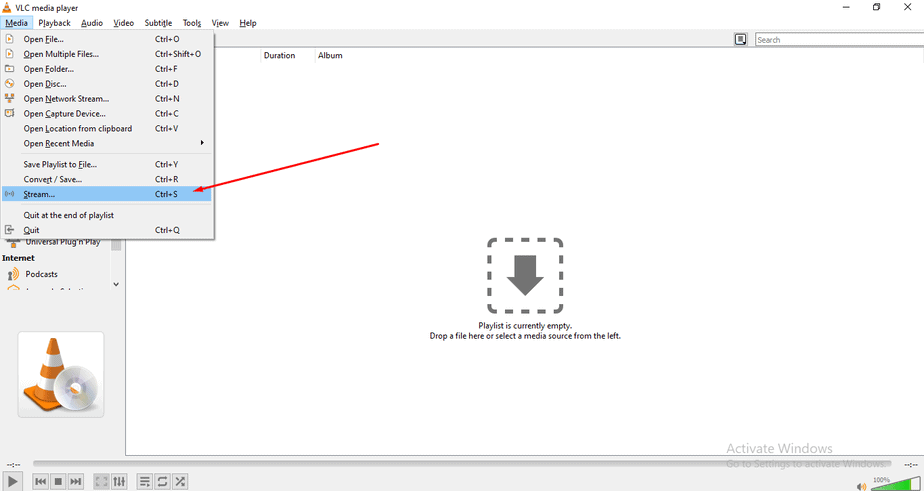
Stap 3: Open Networks in VLC #
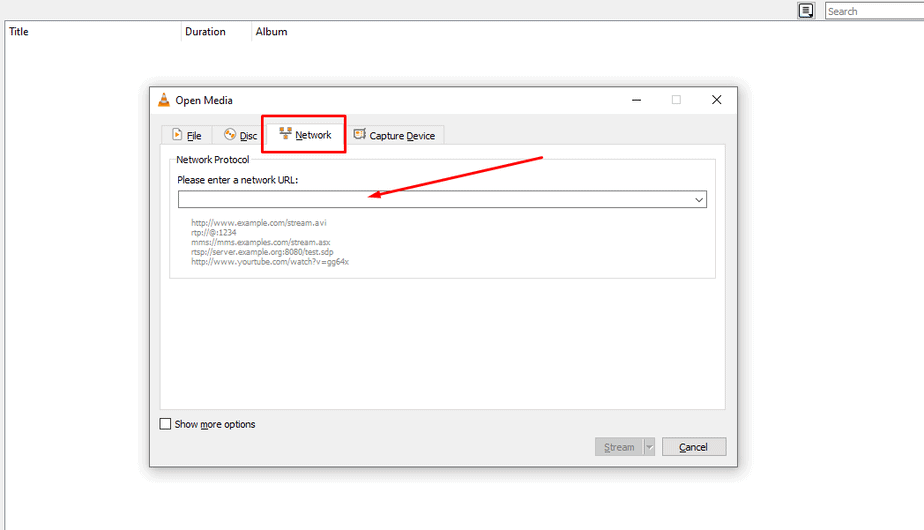
When you click on stream, a pop-up will appear, click on the network section and u zult see a blank text area. Dit is where we will paste the link of our file that is on our seedbox.
Step 4: Copy URL of the file from Seedbox #
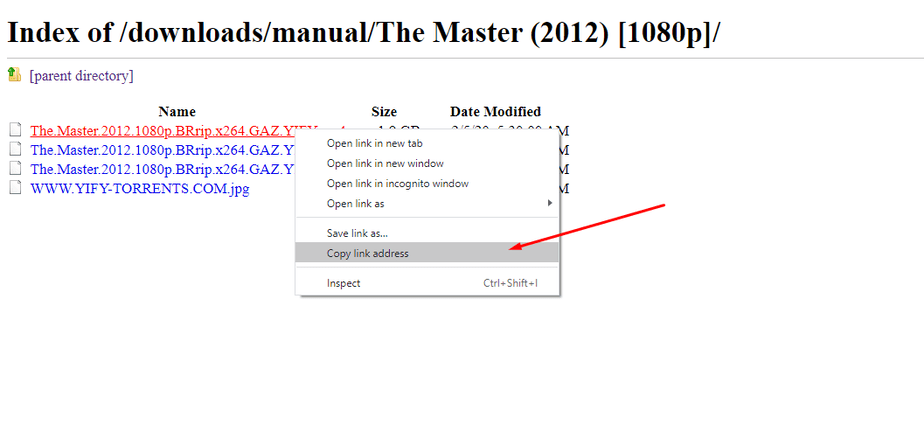
Open uw seedbox, and open your file that you want to stream using the Direct FTP access. Find the file that you want to steam, right-click on it, and copy the link address.
NOTE: Make sure that you copy the link of the video file only.
Step 5: Paste the link in the network URL area in VLC #
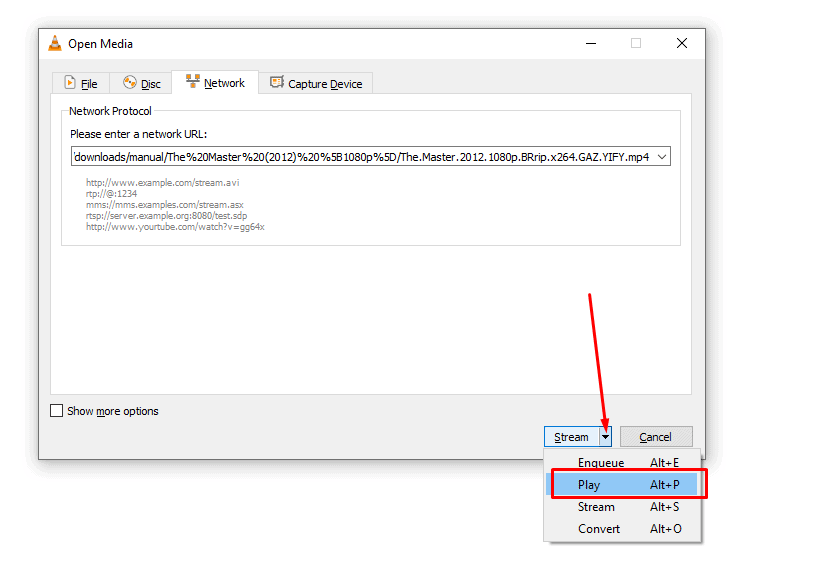
Paste the link in the section. Now this one is an important step. You will see the knop for stream in the pop-up. But you moet click on the arrow beside it and a drop-down menu will appear.
Klik op play and wait for your movie to play.Use these settings and you’ll see 10 files being in queue for download at once.
Step 6: Chill and enjoy your movie. #
You have successfully learned how to stream any file op uw VLC player and you deserve to chill. Just copy the URL of your favorite movie and stream.
NOTE: Get some popcorns too.


