Cómo Stream Videos desde Seedbox on VLC
On this page ▾
Seedbox, one of the best and safest ways to interact with torrents is not limited to just downloading/uploading torrent files. Seedboxes were initially created with that purpose, but over years companies have added functionalities to them.
These functionalities include applications, remote management, sharing files, folder sync, etc. and amongst them, the most prominent one is streaming of files.
Streaming helps make a simple seedbox into a remote media server. There are inbuilt applications like plex, emby, and jellyfin to stream videos, but did you know that puede stream videos in your VLC media player too?
En este artículo, I will show you how puede stream videos from Seedbox using a VLC media player.
The steps are simple and easy to follow, so let’s move ahead.
Steps to stream videos from seedbox in VLC
Paso 1: Descargar the VLC media player on your device
The obvious step but still important to mention. VLC has been around for many years and is one of the most used media players.
With the rise of streaming services like Prime and Netflix the popularity is decreasing, but none-the-less, VLC is one of its kind.
Puede download the VLC media player from here.
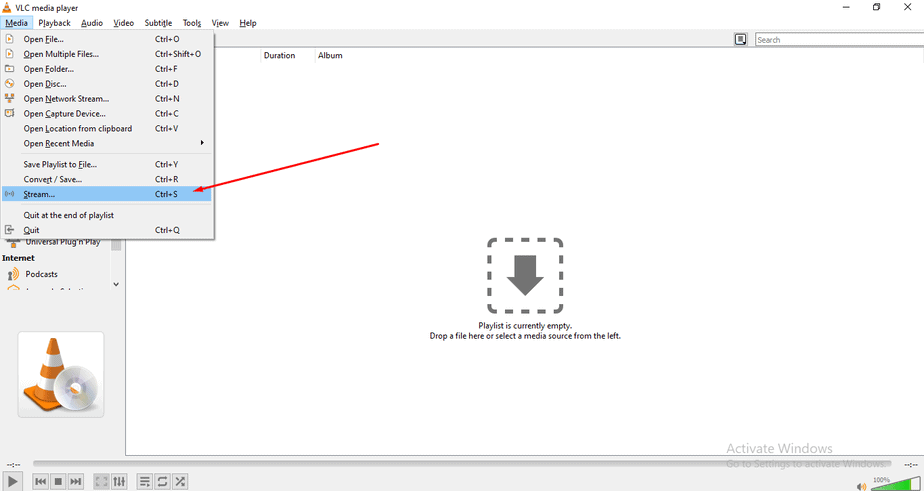
Paso 2: Abrir Stream in VLC
Now that you have downloaded the VLC media player, open it and head to the stream section.
Paso 3: Abrir Networks in VLC
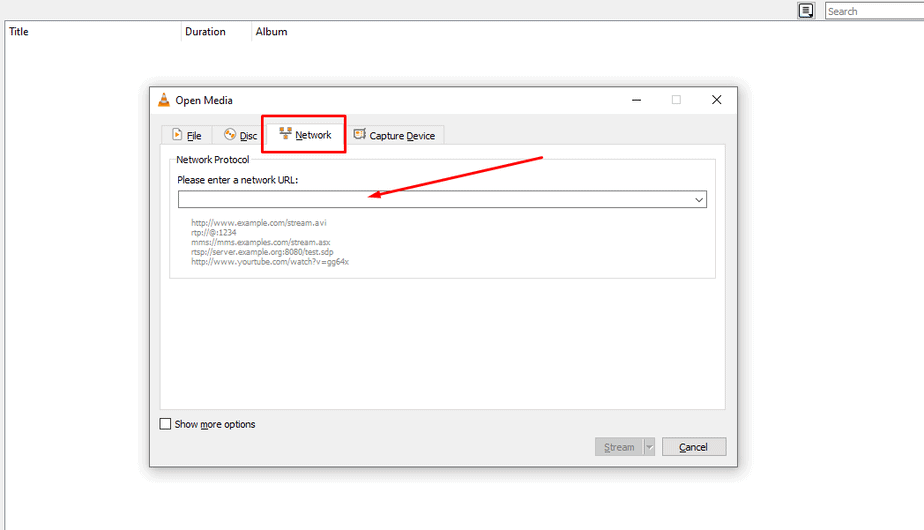
Cuándo you haga clic en stream, a pop-up will appear, haga clic en the network section and verá a blank text area. This is where we will paste the link of our file that is on our seedbox.
Paso 4: Copiar URL of the file from Seedbox
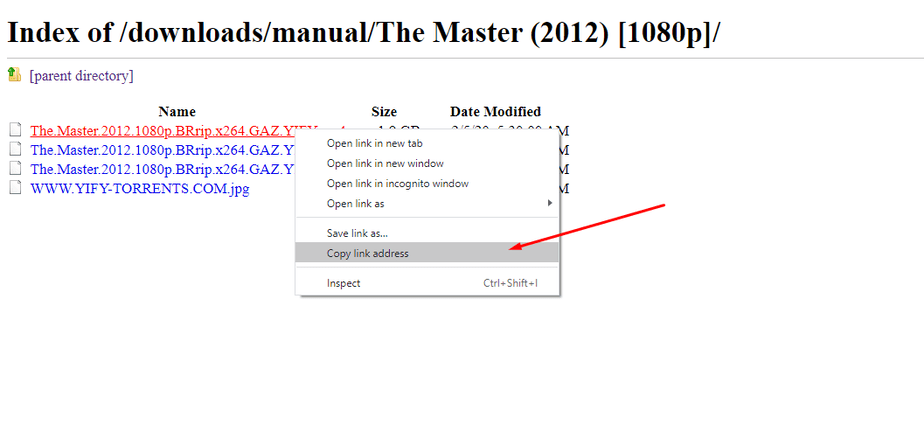
Abrir tu seedbox, and open your file that you want to stream using the Direct FTP access. Find the file that you want to steam, right-haga clic en it, and copy the link address.
NOTE: Asegúrese that you copy the link of the video file only.
Paso 5: Pegar the link in the network URL area in VLC
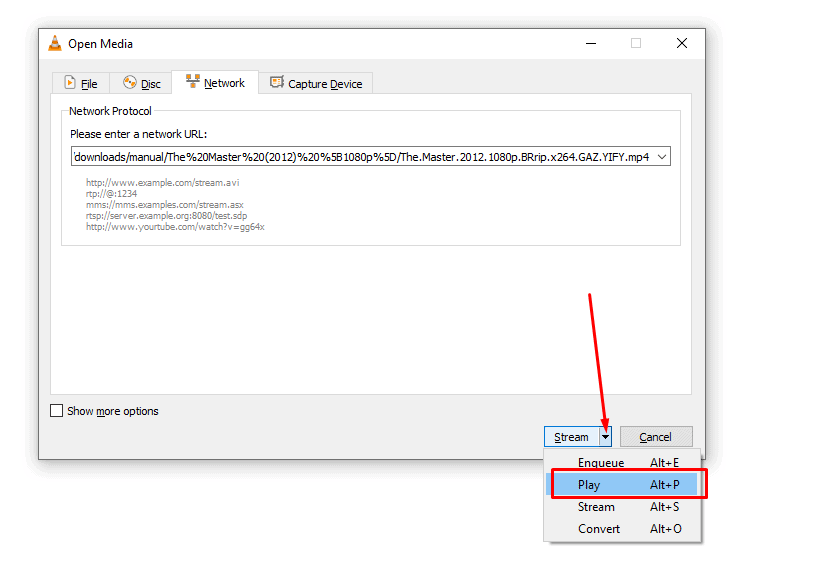
Pegar the link in the section. Now this one is an important step. Verá the button for stream in the pop-up. But you have to haga clic en the arrow beside it and a drop-down menu will appear.
Haga clic en play and wait for your movie to play.Use these settings and you’ll see 10 files being in queue for download at once.
Step 6: Chill and enjoy your movie.
You have exitosoly learned how to stream any file on your VLC player and you deserve to chill. Just copy the URL of your favorite movie and stream.
NOTE: Get some popcorns too.
Put this into practice
EvoSeedbox ships with one-click app installs and up to 10 Gbps per box.


