Evoseedbox Evoseedbox Evoseedbox Evoseedbox
  • 한국어
    • Nederlands (화란어)
    • English (영어)
    • Français (불어)
    • Deutsch (독어)
    • 日本語 (일어)
    • Português (포르투갈 포르투갈어)
    • Español (스페인어)
    • العربية (아랍어)
    • Русский (러시아어)
    • Türkçe (터어키어)
  • 에보씨드박스 홈
  • Wiki
  • Forum
  • Pricing
Client Area
View Categories
  • Home
  • Docs
  • 방법: Use Subsonic 와 함께 EvoSeedbox

방법: Use Subsonic 와 함께 EvoSeedbox

1 min read

Note: Subsonic requires a paid license after the trial period. Navidrome is a free, open-source alternative that’s fully compatible with all Subsonic apps. We recommend Navidrome for new installations.

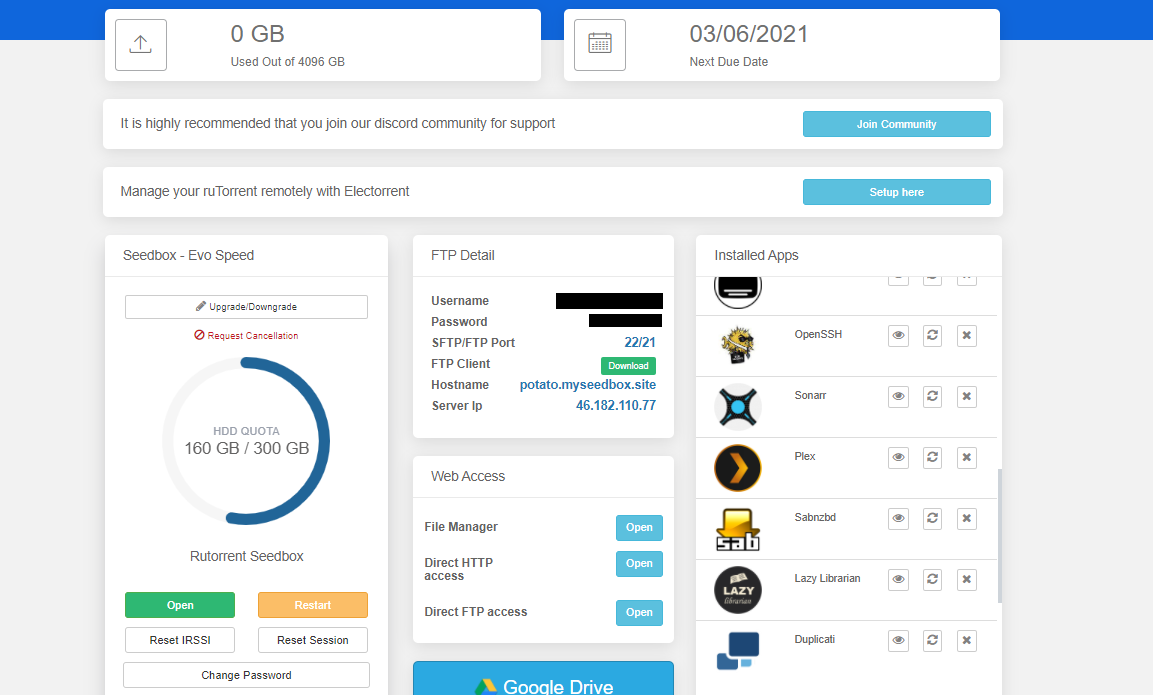
Subsonic is a media streaming app which 할 수 있습니다 use to listen to music, stream movies.You can use it from anywhere from any device as it 또한 offers mobile applications. 이 튜토리얼에서는, we will explore how to install and set up subsonic on evoseedbox. 1. Login 당신의 클라이언트 영역 and scroll down to 앱 section.
How To Use Subsonic With Your Evoseedbox

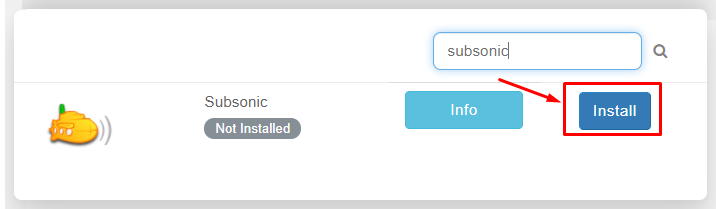
2. 검색 for subsonic and click on the install 버튼.
How To Use Subsonic With Your Evoseedbox

3. Once the installation is complete open it from the installed apps section by clicking on the eye 버튼.

How To Use Subsonic With Your Evoseedbox

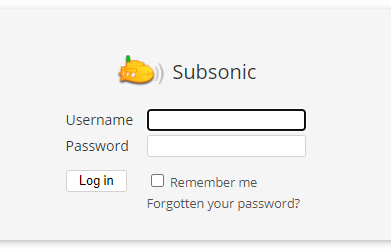
4. The app will open in a new tab where you need to use 자격 증명 provided in FTP detail for login
How To Use Subsonic With Your Evoseedbox

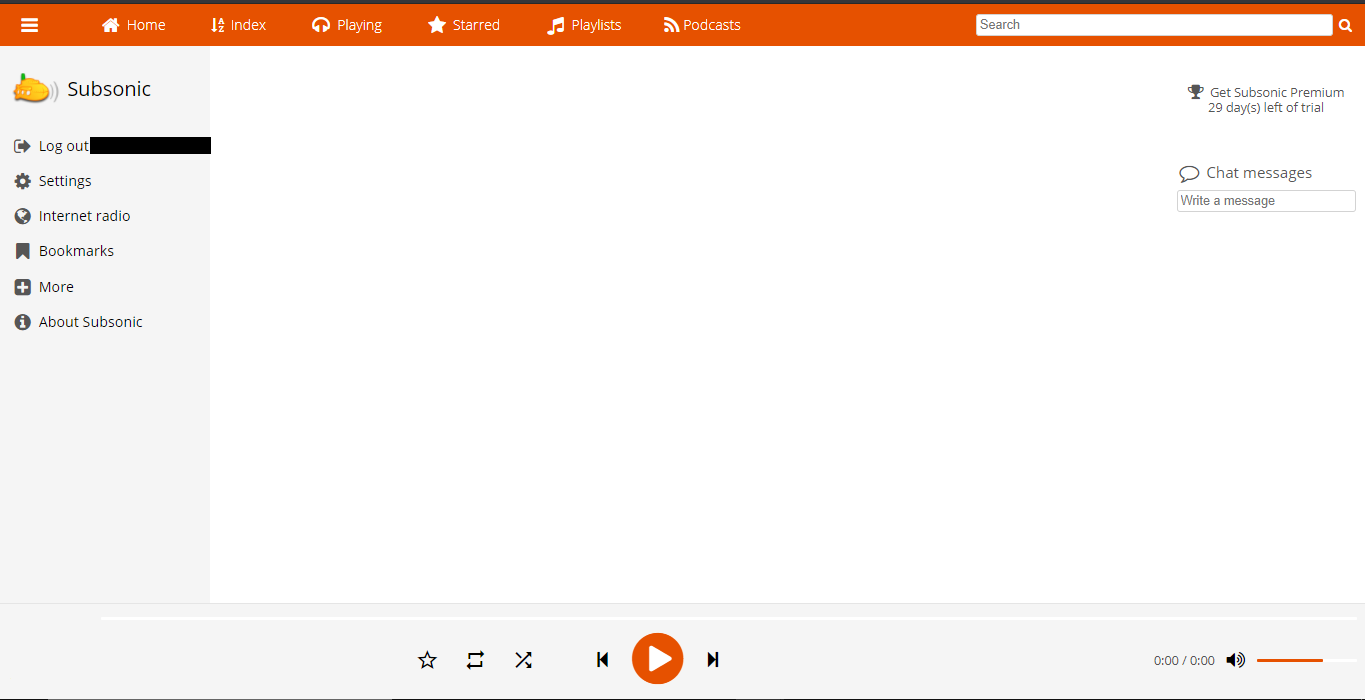
5. After logging, 보게 될 것입니다 land on the home page of 앱 as 아래에 표시.
How To Use Subsonic With Your Evoseedbox

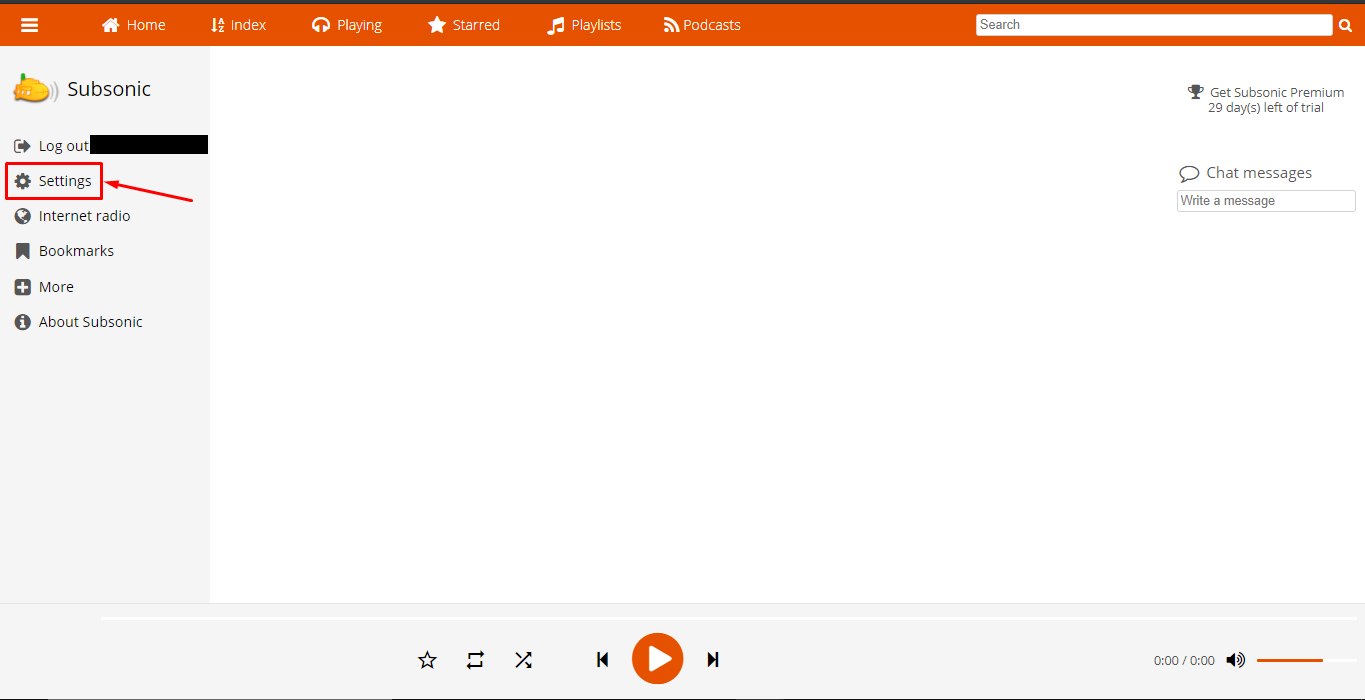
6. All media files are automatically synchronized by subsonic if you want to add media folders manually. 클릭하세요: the setting tab.
How To Use Subsonic With Your Evoseedbox

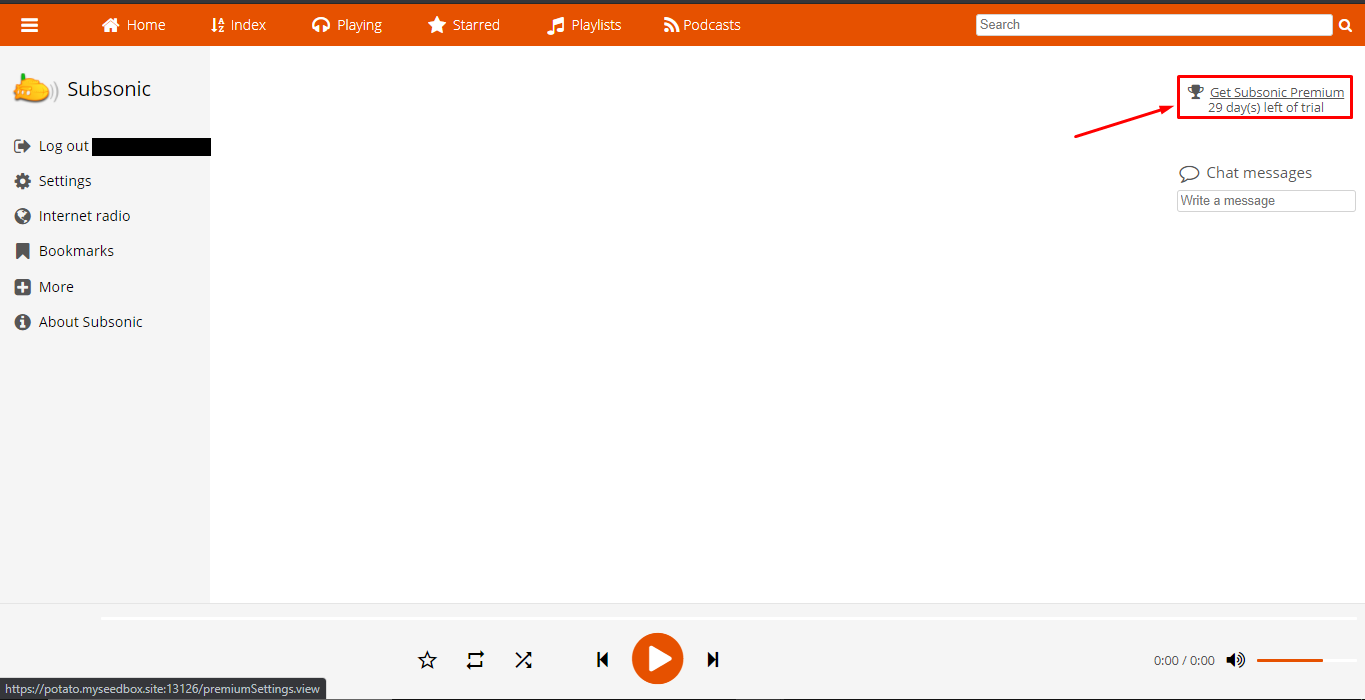
If in case the settings tab doesn’t open from here, click on the ‘Get Subsonic premium’ on the top right, you’ll be directed to the upgrade section from the settings tab.
How To Use Subsonic With Your Evoseedbox

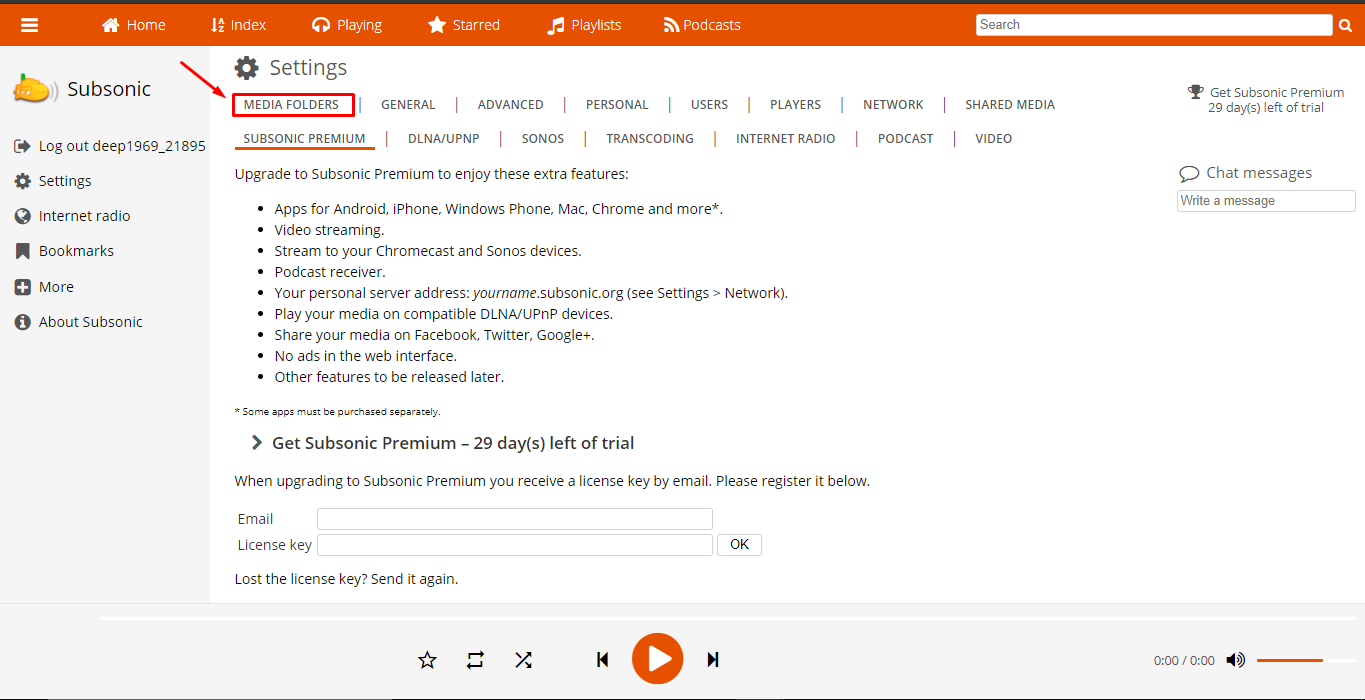
7. From the settings tab, 할 수 있습니다 click on the media folders tab to add a new media folder or edit the path of the existing media folder.
How To Use Subsonic With Your Evoseedbox

8. In the general settings tab, 할 수 있습니다 see the audio and video formats supported and 또한 choose formats for cover images.
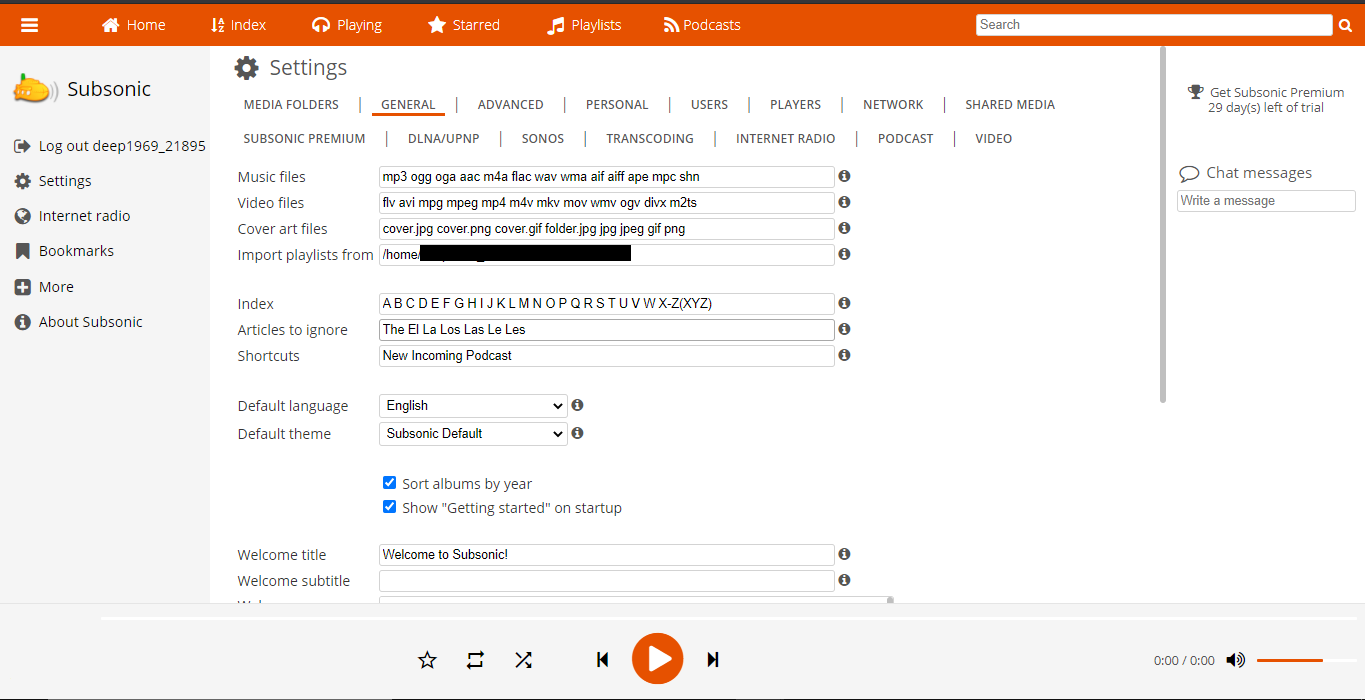
How To Use Subsonic With Your Evoseedbox

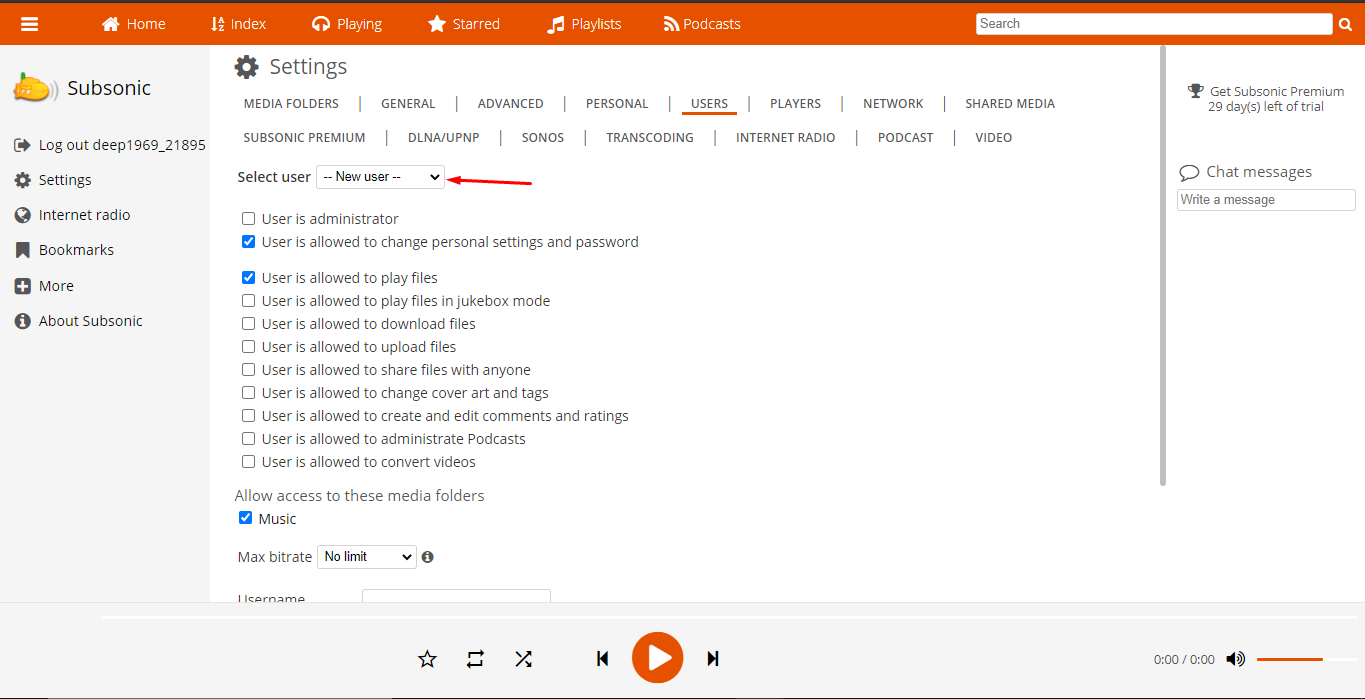
9. There are other settings tabs through which 할 수 있습니다 구성 subsonic according 당신의 needs as 아래에 표시.
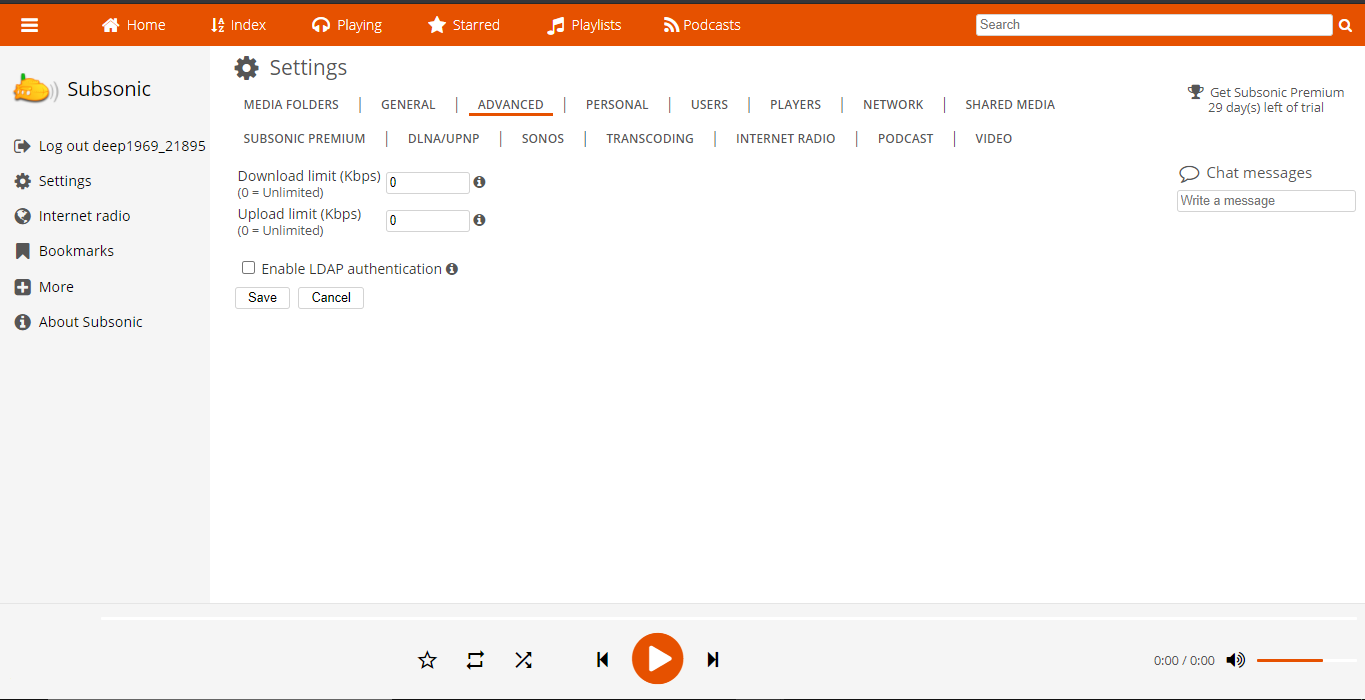
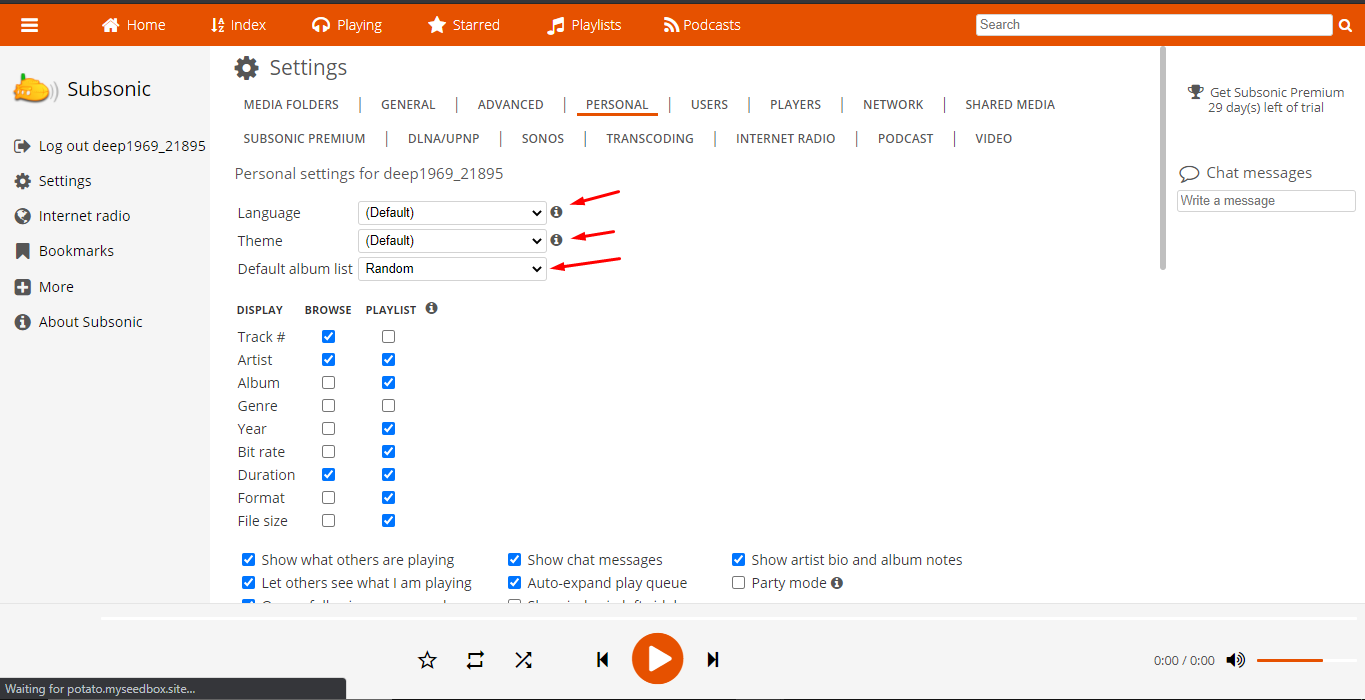
How To Use Subsonic With Your Evoseedbox How To Use Subsonic With Your Evoseedbox How To Use Subsonic With Your Evoseedbox
Updated on 2026년 04월 12일

What are your Feelings

  • Happy
  • Normal
  • Sad

Share This Article :

  • Facebook
  • X
  • LinkedIn
  • Pinterest

We create amazing Seedboxes
for everyone to use 😊

Important Links

Scholarship for CS

Refund Policy

Privacy Policy

Terms of service

Cookie Policy

Acceptable Use Policy

Get in Touch

Contact Us

[email protected]

© 2025 Evoseedbox | All rights reserved. By Evo Created with ❤️

  • Nederlands (화란어)
  • English (영어)
  • Français (불어)
  • Deutsch (독어)
  • 日本語 (일어)
  • 한국어
  • Português (포르투갈 포르투갈어)
  • Español (스페인어)
  • العربية (아랍어)
  • Русский (러시아어)
  • Türkçe (터어키어)
Evoseedbox
  • 한국어
    • Nederlands (화란어)
    • English (영어)
    • Français (불어)
    • Deutsch (독어)
    • 日本語 (일어)
    • Português (포르투갈 포르투갈어)
    • Español (스페인어)
    • العربية (아랍어)
    • Русский (러시아어)
    • Türkçe (터어키어)
  • 에보씨드박스 홈
  • Wiki
  • Forum
  • Pricing
Client Area