Evoseedbox Evoseedbox Evoseedbox Evoseedbox
  • 한국어
    • Nederlands (화란어)
    • English (영어)
    • Français (불어)
    • Deutsch (독어)
    • 日本語 (일어)
    • Português (포르투갈 포르투갈어)
    • Español (스페인어)
    • العربية (아랍어)
    • Русский (러시아어)
    • Türkçe (터어키어)
  • 에보씨드박스 홈
  • Wiki
  • Forum
  • Pricing
Client Area
View Categories
  • Home
  • Docs
  • 방법: Use CouchPotato with Seedbox

방법: Use CouchPotato with Seedbox

1 min read

Note: CouchPotato is no longer actively maintained. We recommend using Radarr instead — it’s more reliable, actively developed, and integrates with Prowlarr for unified indexer management.
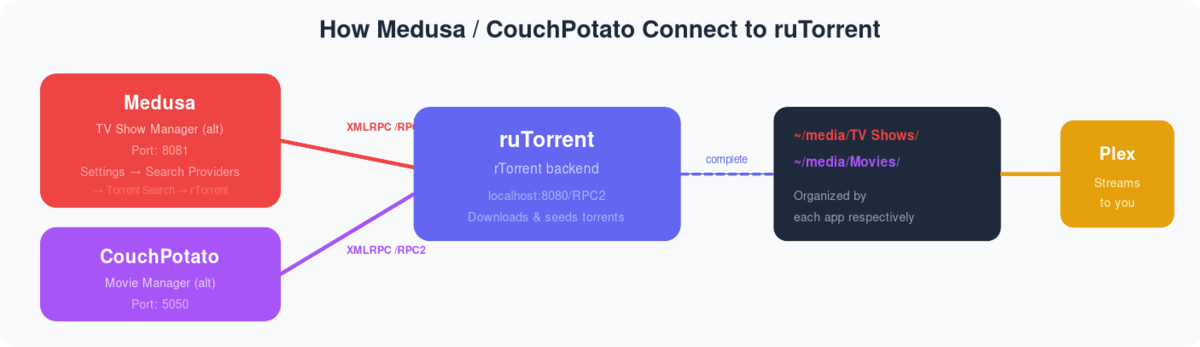
Diagram showing Medusa and CouchPotato connecting to ruTorrent via XMLRPC for automated TV and movie downloads

What is Couch Potato? Couch Potato is a great tool using which 할 수 있습니다 add movie torrents 당신의 rutorrent automatically without manually browsing individual torrent websites for downloading torrent files.Couch Potato uses a Usenet server and torrents to download movies on 당신의 Seedbox through rutorrent torrent client. 

방법: set up Couch Potato on Evoseedbox? #

단계 1. After logging In the 클라이언트 영역 of your service search for the Couch potato in the Apps section and click on the install 버튼.
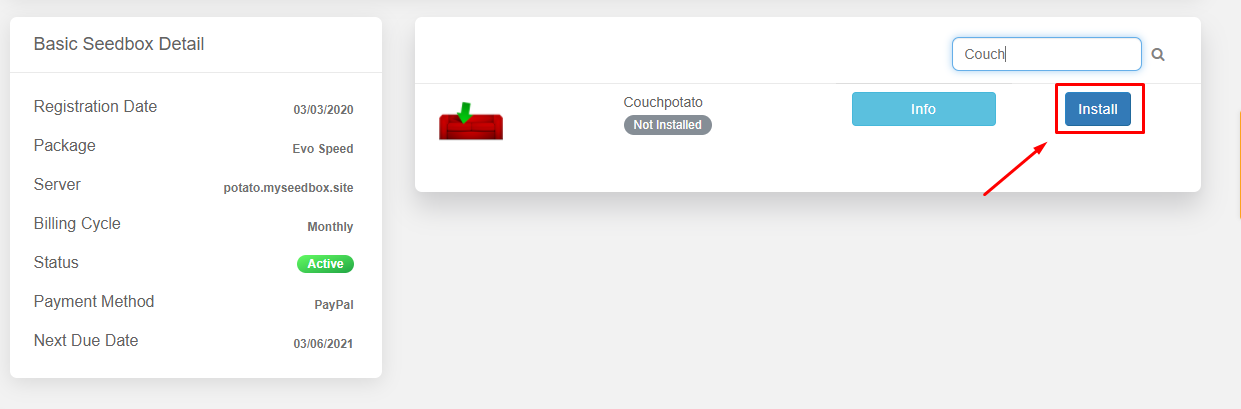
How To Use Couch Potato With 당신의 Seedbox

단계 2. After installation is done open 앱. You will an interface as 아래에 표시:

How To Use Couch Potato With 당신의 Seedbox How To Use Couch Potato With 당신의 Seedbox

단계 3. Login to application using the 자격 증명 provided in the FTP detail. You will be able to see an introductory page where 할 수 있습니다 tweak general and rutorrent client settings.In the general settings section 할 수 있습니다 setup basic settings like Username ,Password, Port no.
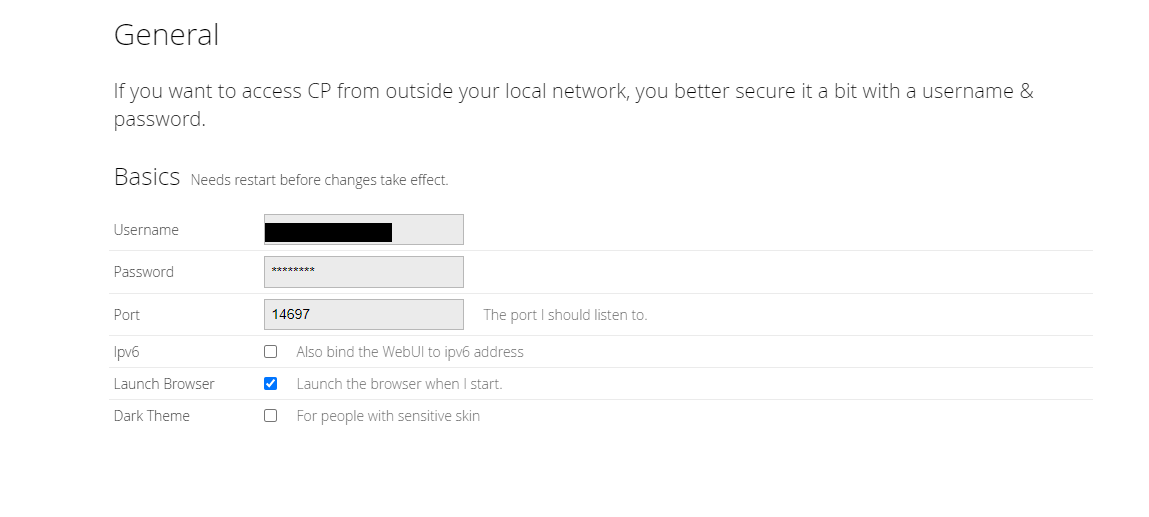
How To Use Couch Potato With 당신의 Seedbox

단계 4. Next you’ll see download settings where your rutorrent 자격 증명 have already been added by default. You need not do anything here.
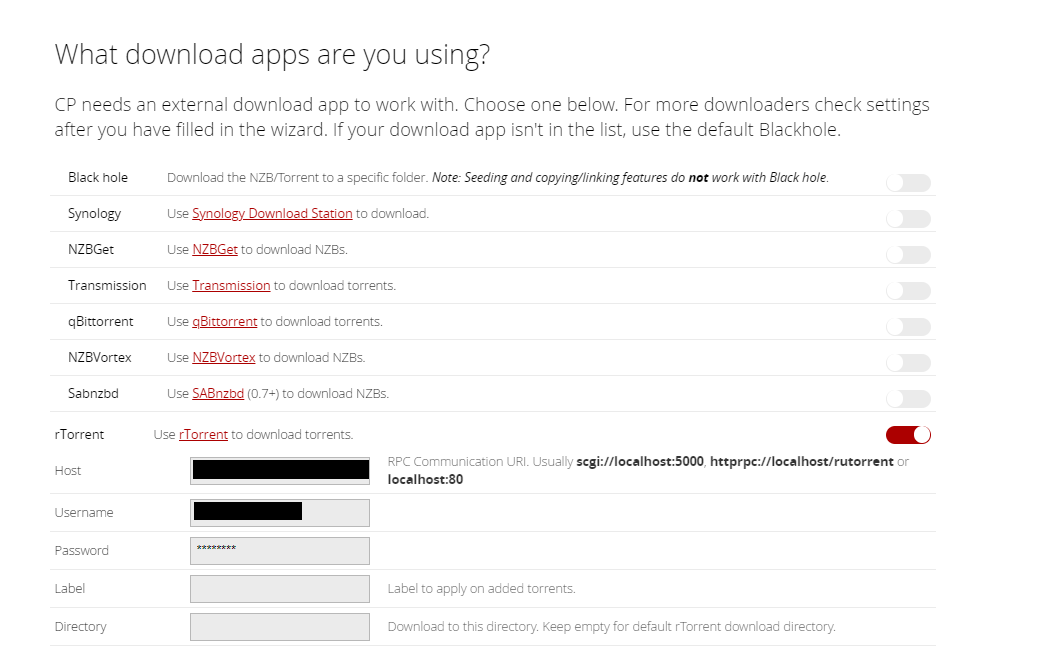
How To Use Couch Potato With 당신의 Seedbox

단계 5. Next you need to add torrent sites that you want couch potato to use for searching torrents.
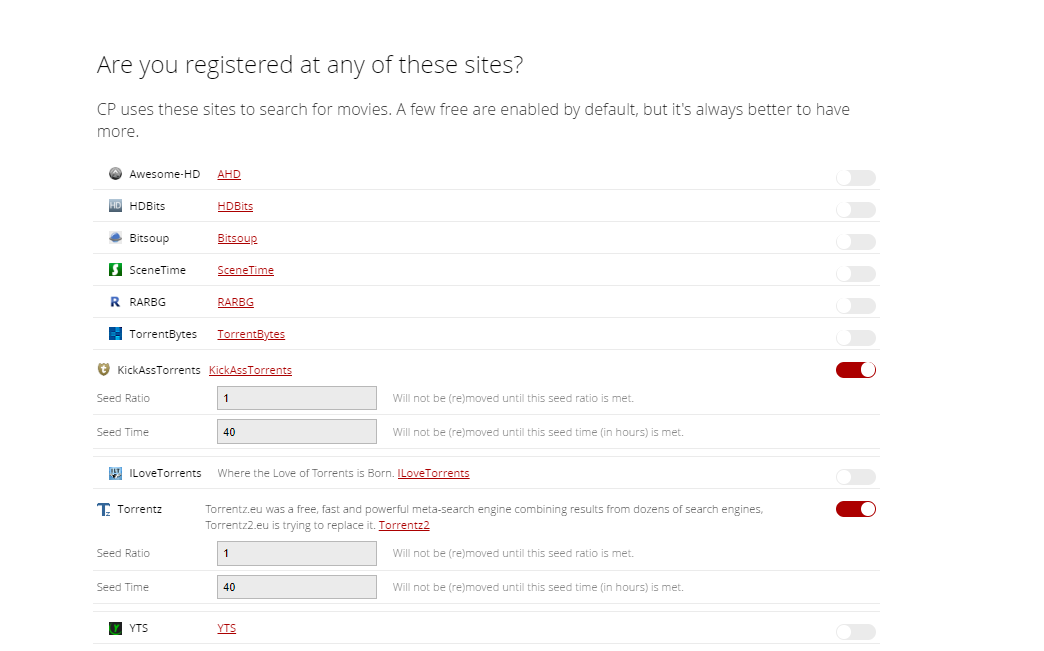
How To Use Couch Potato With 당신의 Seedbox

단계 6. Now, you are ready to use 앱.클릭하세요: ‘I’m ready to start the awesomeness’ 버튼 to complete the setup.
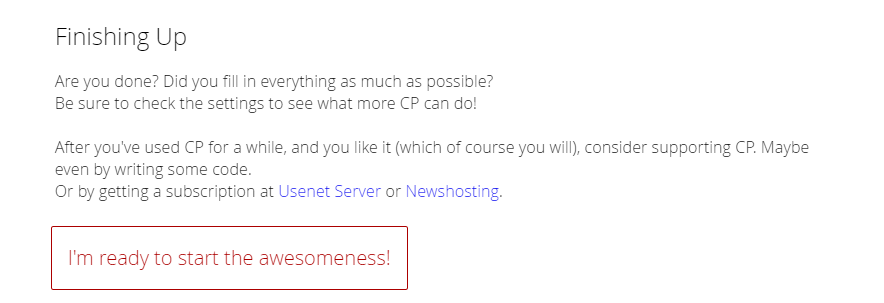
How To Use Couch Potato With 당신의 Seedbox

단계 7. Now 할 수 있습니다 search for your desired movie and add 당신의 rutorrent without any hassle.
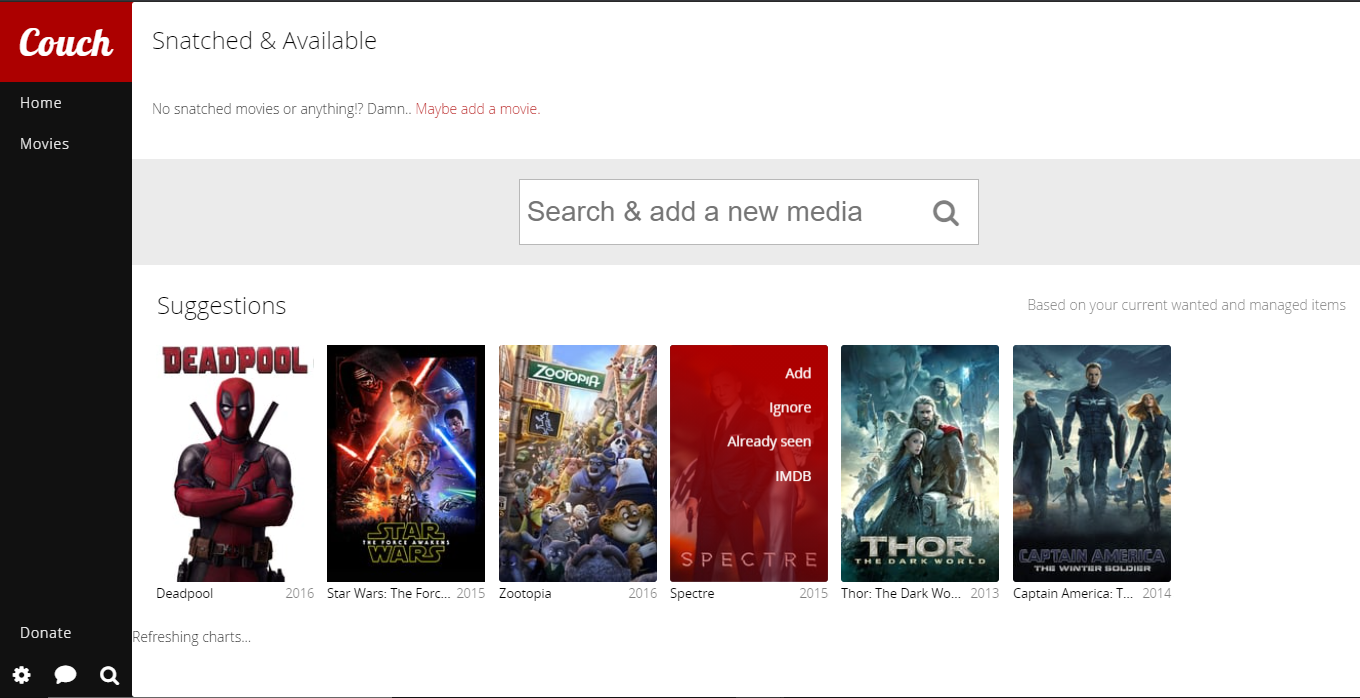
How To Use Couch Potato With 당신의 Seedbox
Updated on 2026년 04월 12일

What are your Feelings

  • Happy
  • Normal
  • Sad

Share This Article :

  • Facebook
  • X
  • LinkedIn
  • Pinterest
Table of Contents
  • 방법: set up Couch Potato on Evoseedbox?

We create amazing Seedboxes
for everyone to use 😊

Important Links

Scholarship for CS

Refund Policy

Privacy Policy

Terms of service

Cookie Policy

Acceptable Use Policy

Get in Touch

Contact Us

[email protected]

© 2025 Evoseedbox | All rights reserved. By Evo Created with ❤️

  • Nederlands (화란어)
  • English (영어)
  • Français (불어)
  • Deutsch (독어)
  • 日本語 (일어)
  • 한국어
  • Português (포르투갈 포르투갈어)
  • Español (스페인어)
  • العربية (아랍어)
  • Русский (러시아어)
  • Türkçe (터어키어)
Evoseedbox
  • 한국어
    • Nederlands (화란어)
    • English (영어)
    • Français (불어)
    • Deutsch (독어)
    • 日本語 (일어)
    • Português (포르투갈 포르투갈어)
    • Español (스페인어)
    • العربية (아랍어)
    • Русский (러시아어)
    • Türkçe (터어키어)
  • 에보씨드박스 홈
  • Wiki
  • Forum
  • Pricing
Client Area