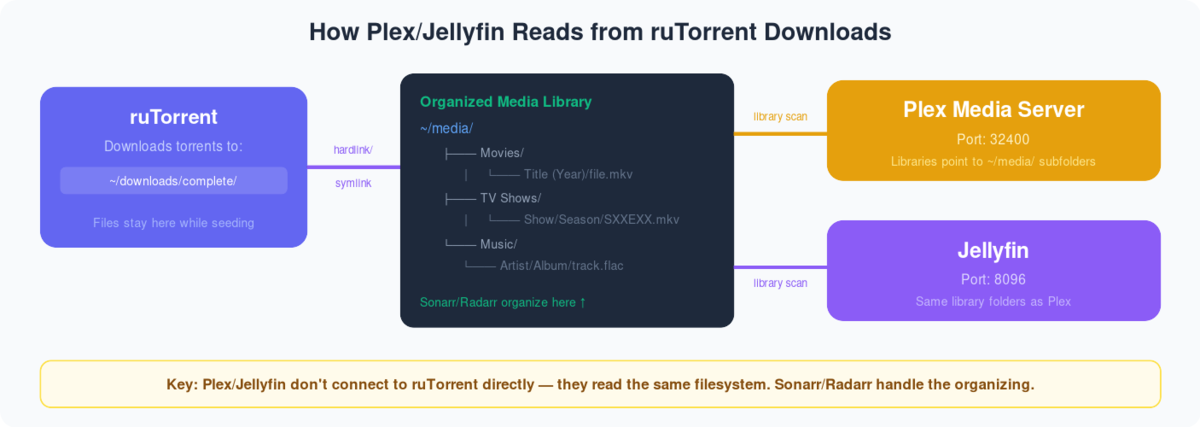
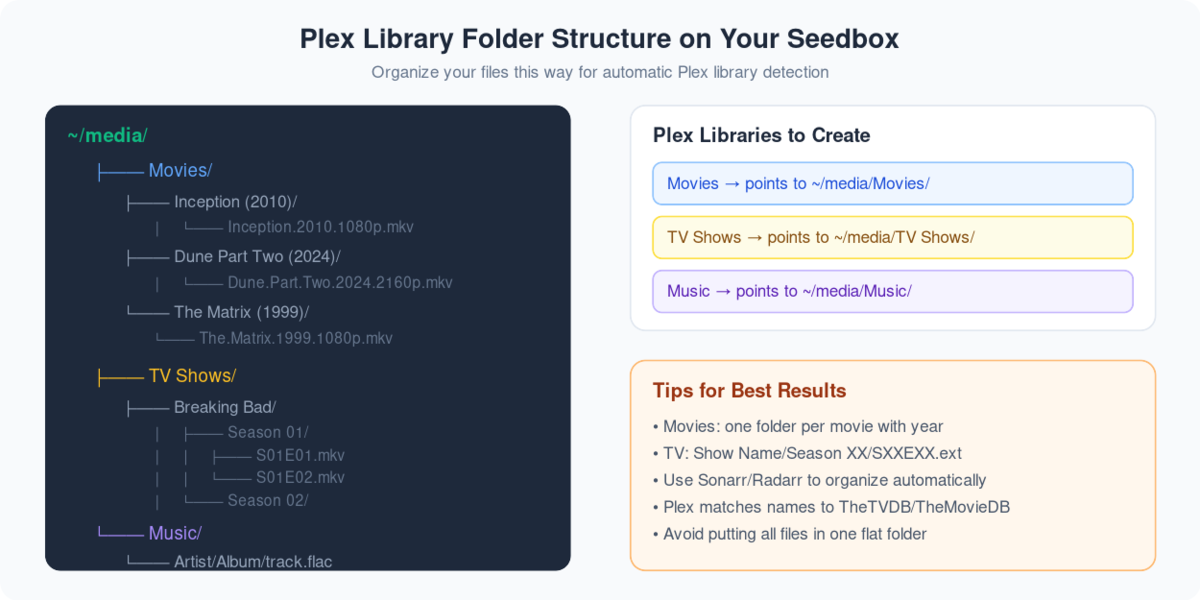
Through this guide, you’ll be able to add libraries in plex and synchronize your streaming content after downloading through rutorrent on 당신의 Seedbox. First of all, we need to understand what are plex libraries, they are merely representations of media types that you keep in the form of streaming content on 당신의 Seedbox. It helps you to divide your content into groups so that 할 수 있습니다 filter and navigate the content in an easier manner.So, let’s look in to the steps you need to follow:
- 로그인 it your Plex Account.
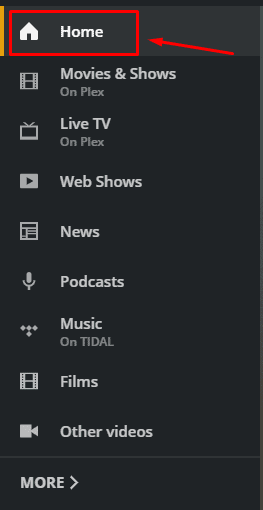
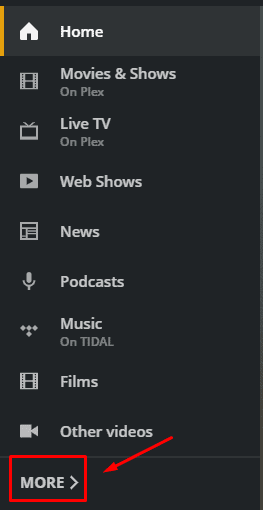
- 이동: the ‘Home’ section and on the left side of the screen and click on more options at the bottom of the palette.
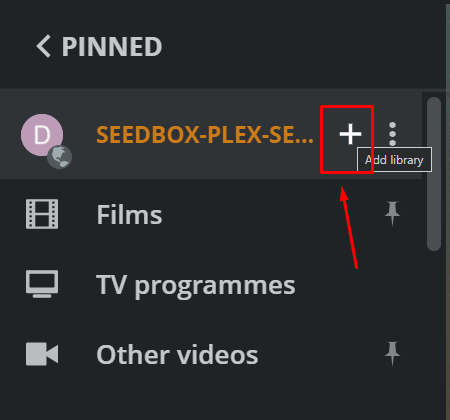
3. You will see the seedbox plex server, you might have a different name of the server. 클릭하세요: ‘+’ 버튼 to add a new library.
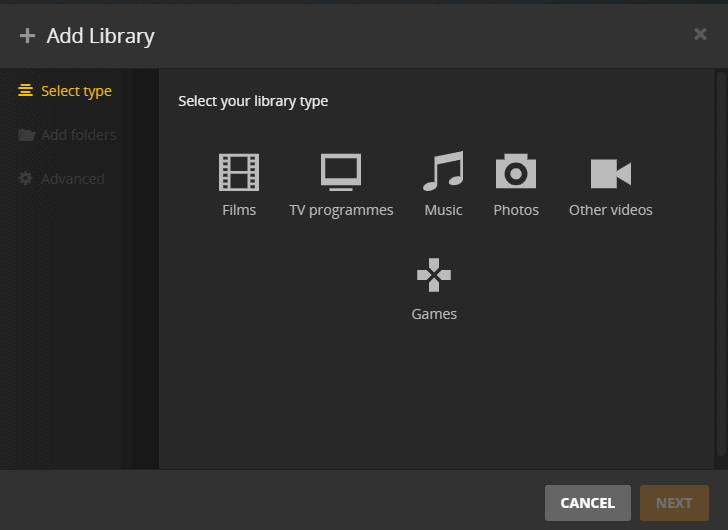
4. You will be asked to select the library type. 선택 앱ropriate library based on the type of streaming content you want to add and give 앱ropriate name and select the library language.
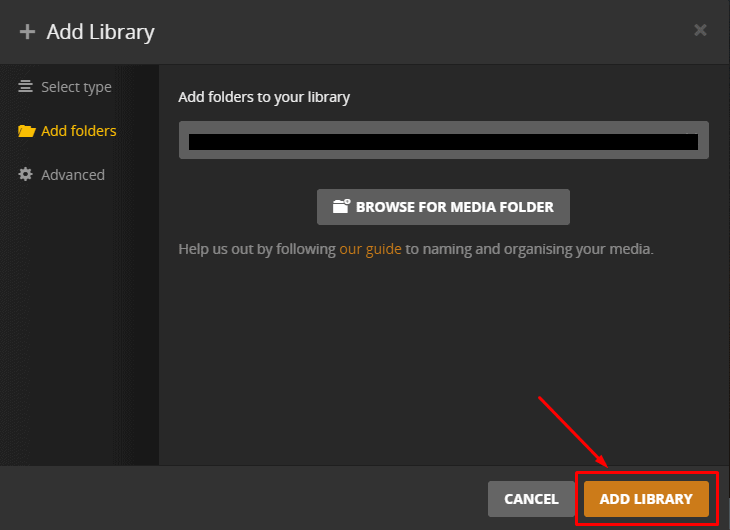
5. Click next to select the desired folder where you have downloaded the content.
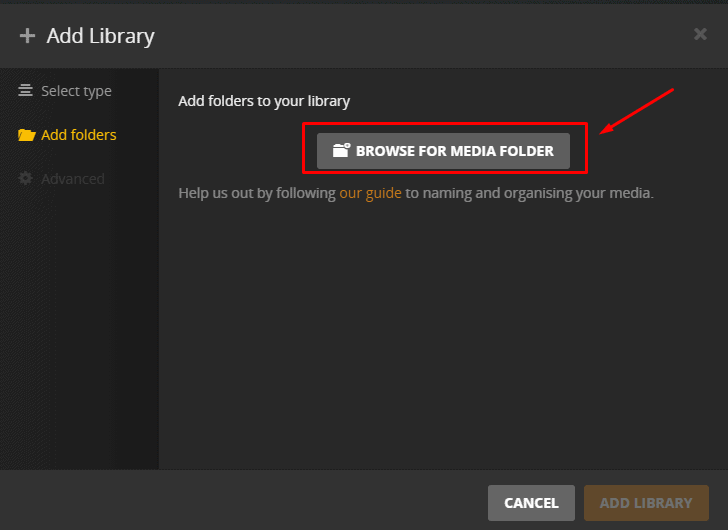
6. Browse the folder and then click on ‘add’.Then click on ‘ADD LIBRARY’ to complete 프로세스.
7. It might take some time to add the library and 될 것입니다 start synchronizing. When this process is complete you’ll be able to see the files in the new library.
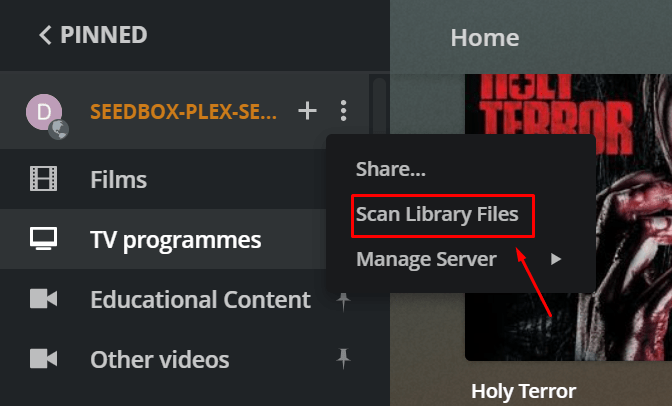
8. For later file additions in the library, synchronization is not done automatically but 할 수 있습니다 do it manually by click on the ‘Scan library files’ option in the plex server drop-down menu as 아래에 표시.