方法: Use BTSync with Seedbox
On this page ▾
Note: BTSync has been renamed to Resilio Sync. The app still works the same way. For peer-to-peer file sync, also consider SyncThing as a free, open-source alternative.
Btsync is one of those applications that can help you create your own environment of a file-sharing system. Your seedbox is a remote server and your mobile phone and desktop or tablet are remote devices.
もし want to transfer a single file, then the norm is to establish an FTP connection, find the file your want to transfer, and download it あなたの device, manually. With Btsync, your headache of transfer is eliminated by using synchronization of folders.
All you 必要があります do is set up a folder and Btsync will synchronize all the files in that folder to all your device for you.
Let move to actually learning how to set up Btsync.
Steps to Configure Btsync/Resilio App with a Seedbox
ステップ 1: 開く your Evoseedbox Dashboard and find btsync application and click on install.
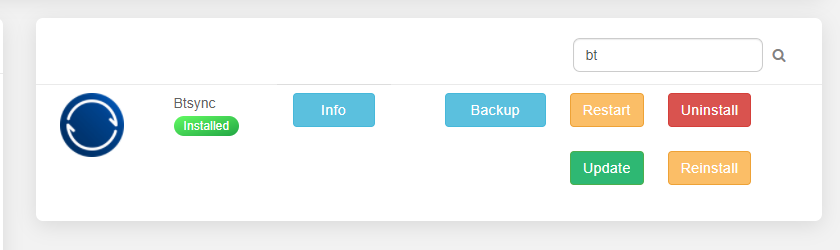
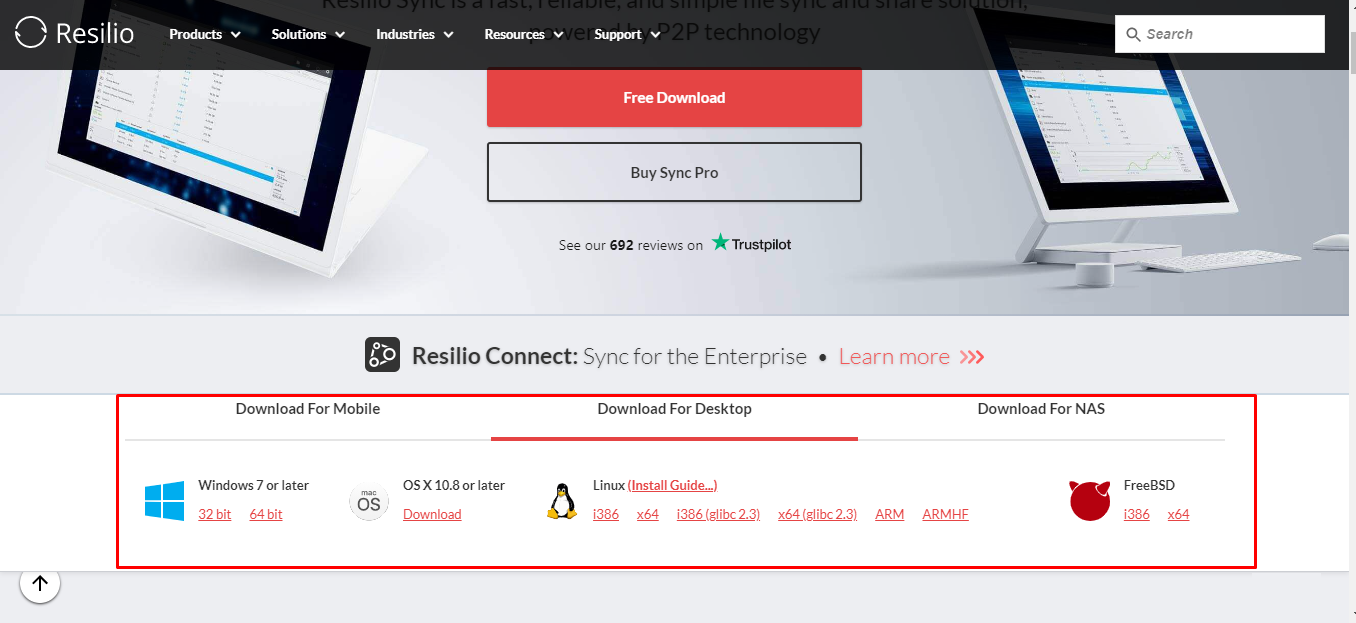
ステップ 2: While アプリ installs, click on the info ボタン to download Resilio あなたの device. You will be redirected to the Resilio website.

ステップ 3: Click the ボタン on the top right corner.

ステップ 4: ダウンロード the Resilio application あなたの device.
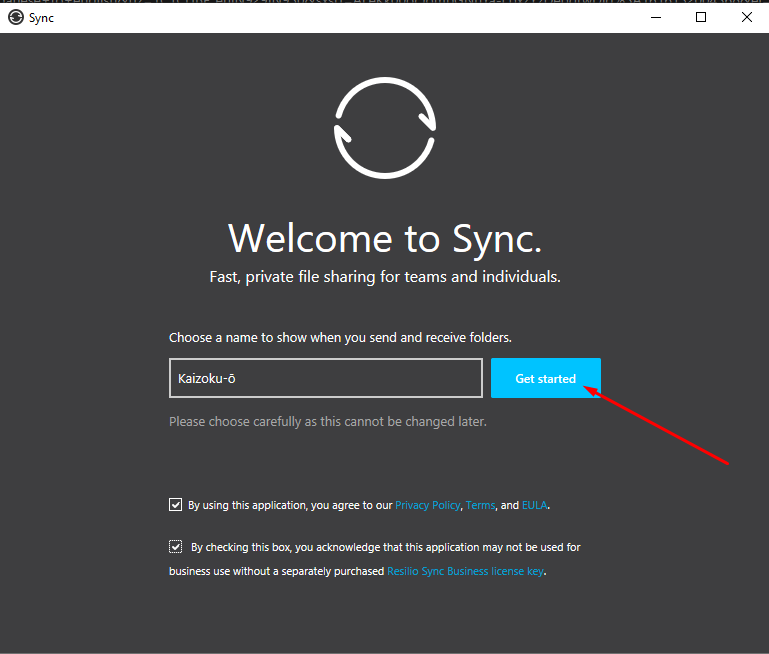
ステップ 5: インストール アプリ and start the configuration.
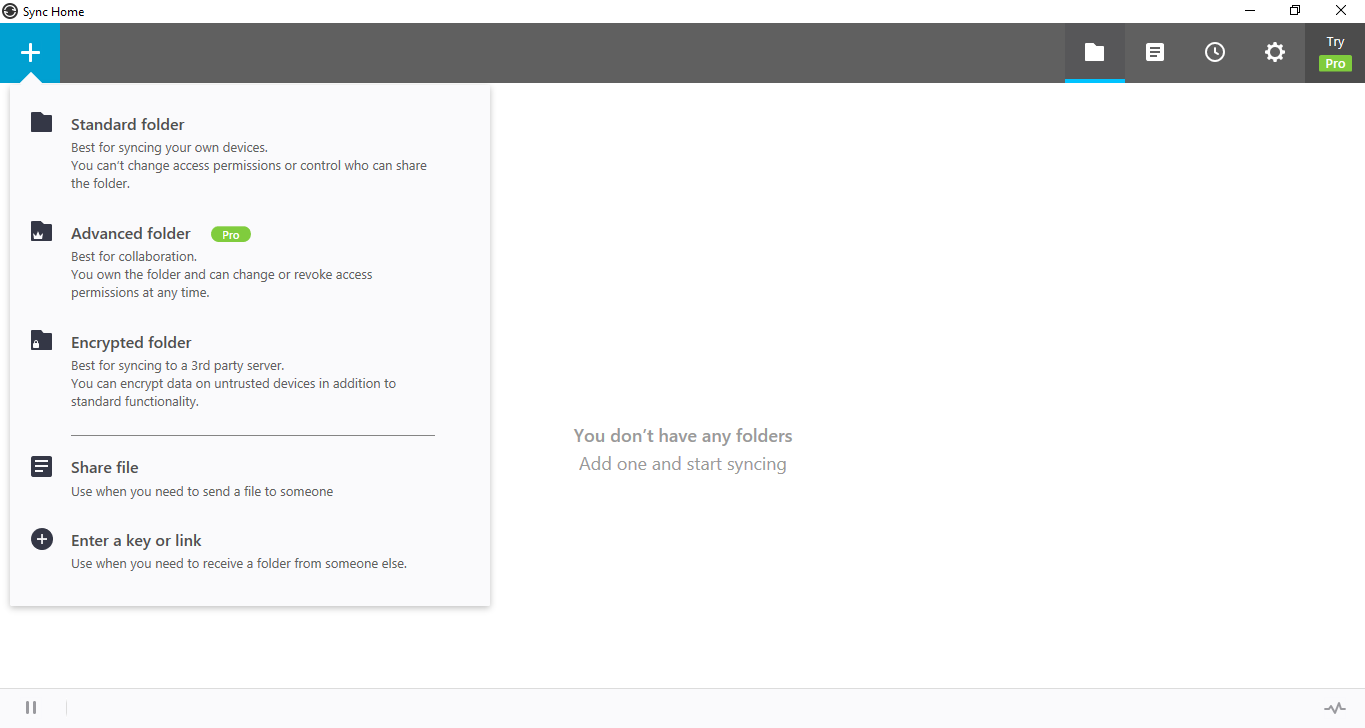
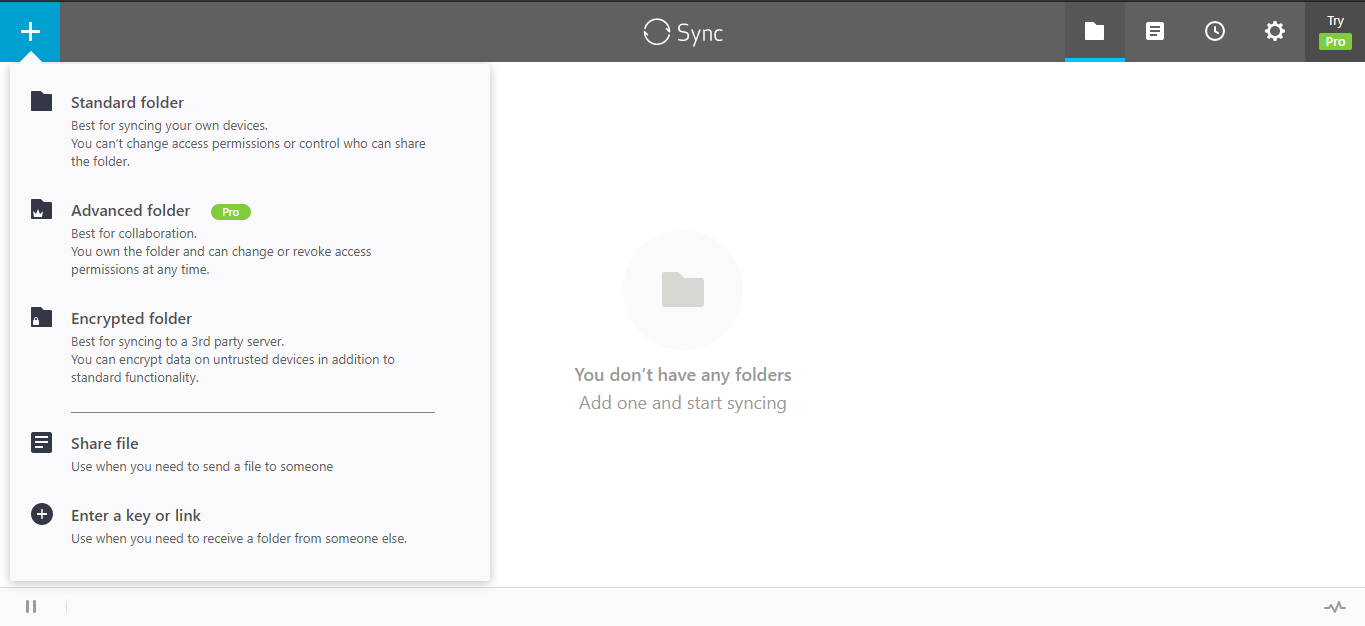
ステップ 6: クリックしてください: the “+” sign to find the functionalities.
方法: transfer files from seedbox to remote device using Btsync.
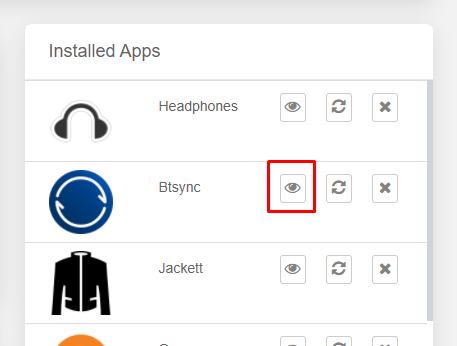
ステップ 1: 開く the Btsync app on あなたのSeedbox.
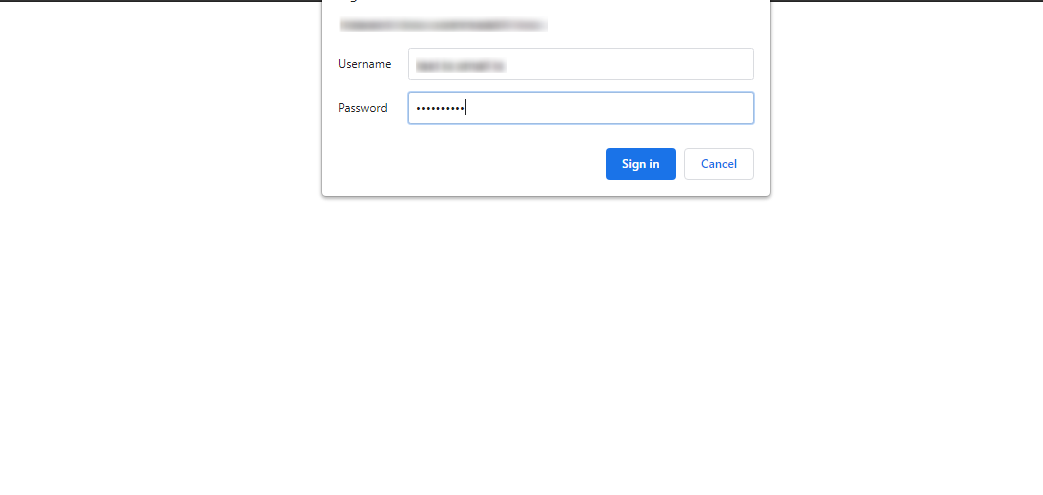
ステップ 2: Put in the FTP 認証情報 あなたの Evoseedbox Client Area.
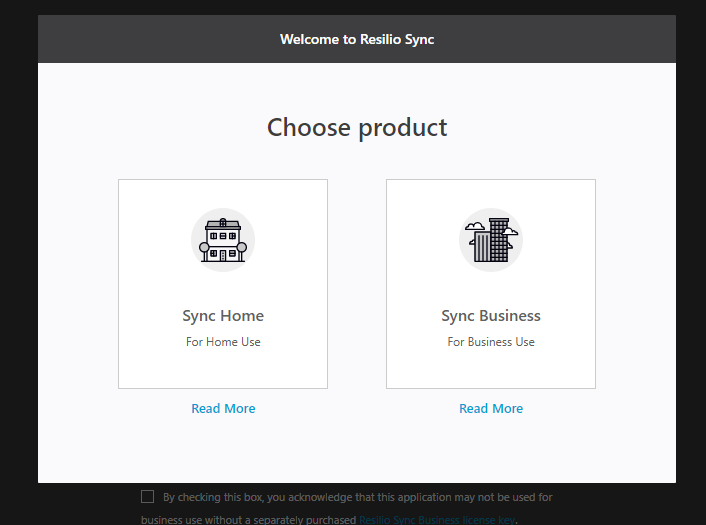
ステップ 3: 選択 the product.
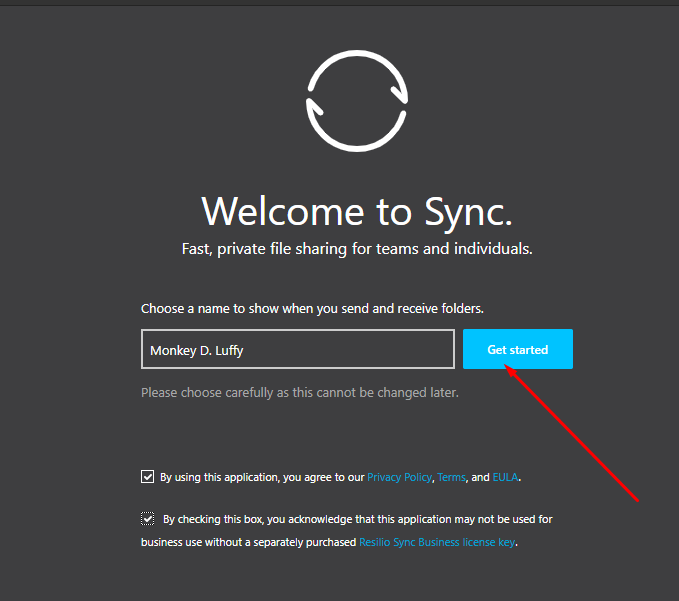
ステップ 4: Setup the profile from あなたのSeedbox.
ステップ 5: クリックしてください: the plus sign and select any type of file transfer.
(For this tutorial, we will go with Share File)
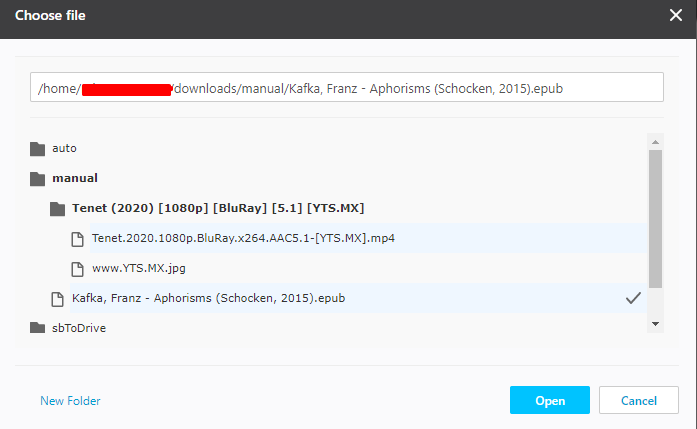
ステップ 6: 選択 the file from あなたのSeedbox.
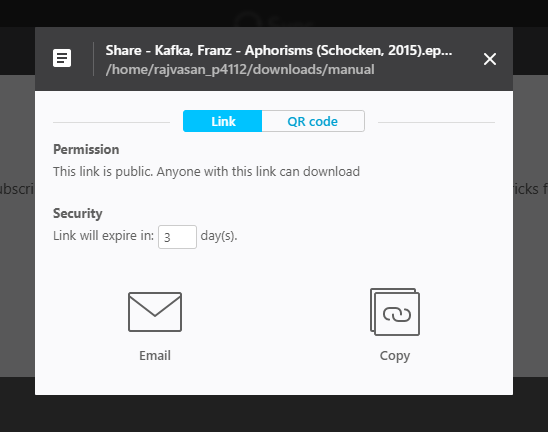
ステップ 7: 選択 the medium using which you want to share the file.
できます use a QR code to directly get it あなたの device. Or できます email the link or copy and send the link to the person. もし want to transfer a file from あなたのSeedbox あなたの device then copy the link.
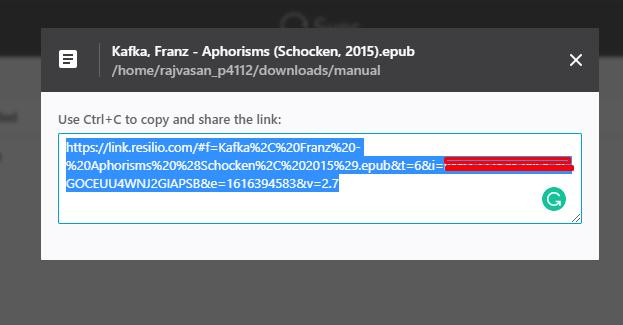
Step 8: Copy the link and open Resilio あなたの device.
Step 9: Click the “+” ボタン and select the “Enter a key or link” option.
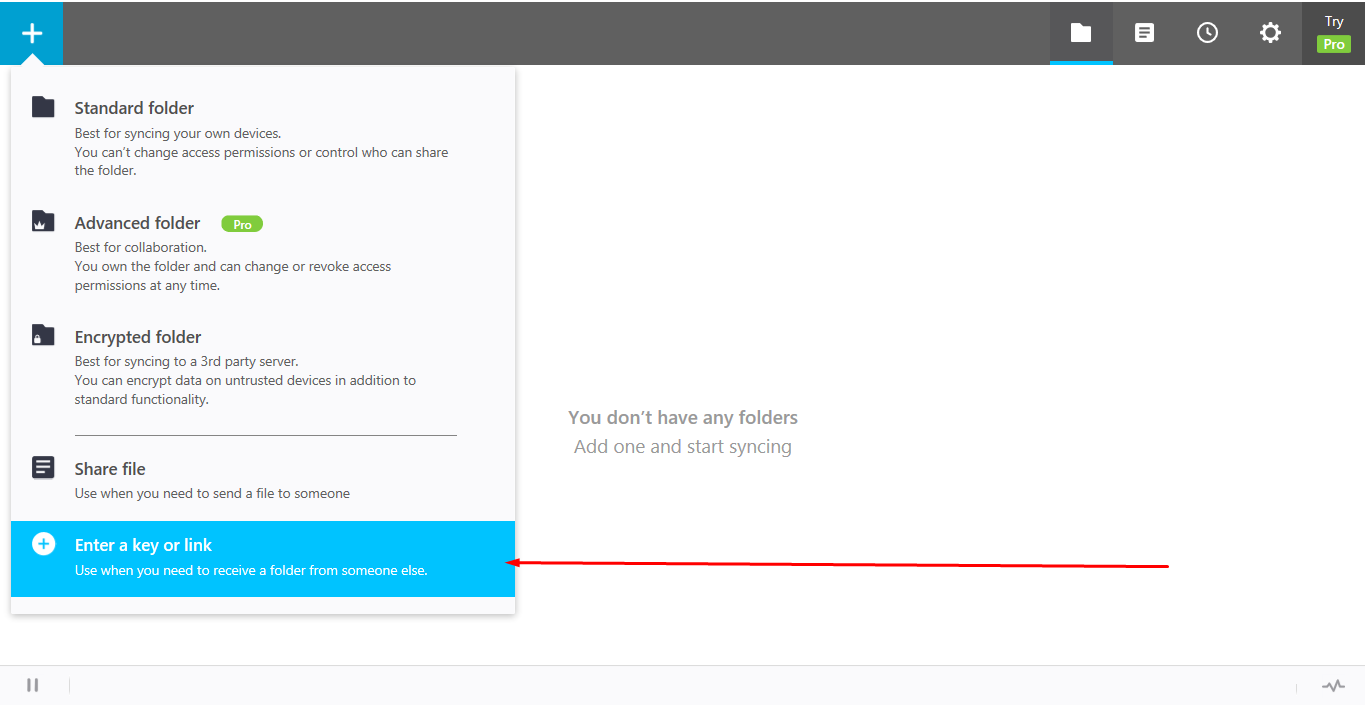
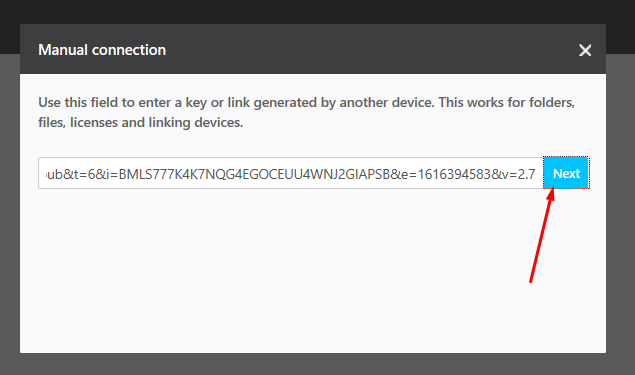
ステップ 10: Paste the copied link and click on next.
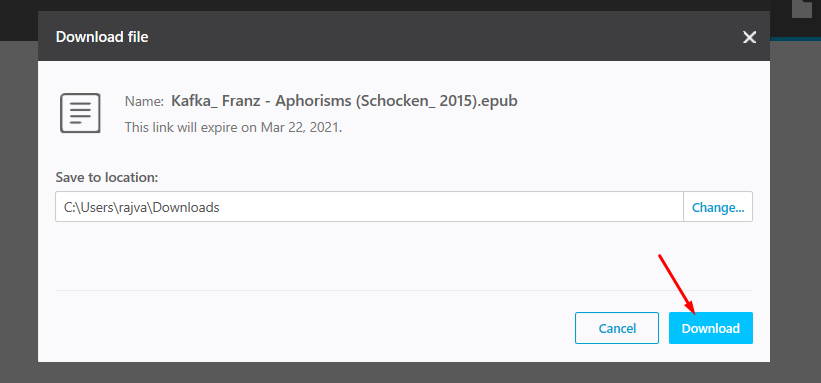
ステップ 11: 選択 the folder to which you want to download your file and click on the download ボタン.
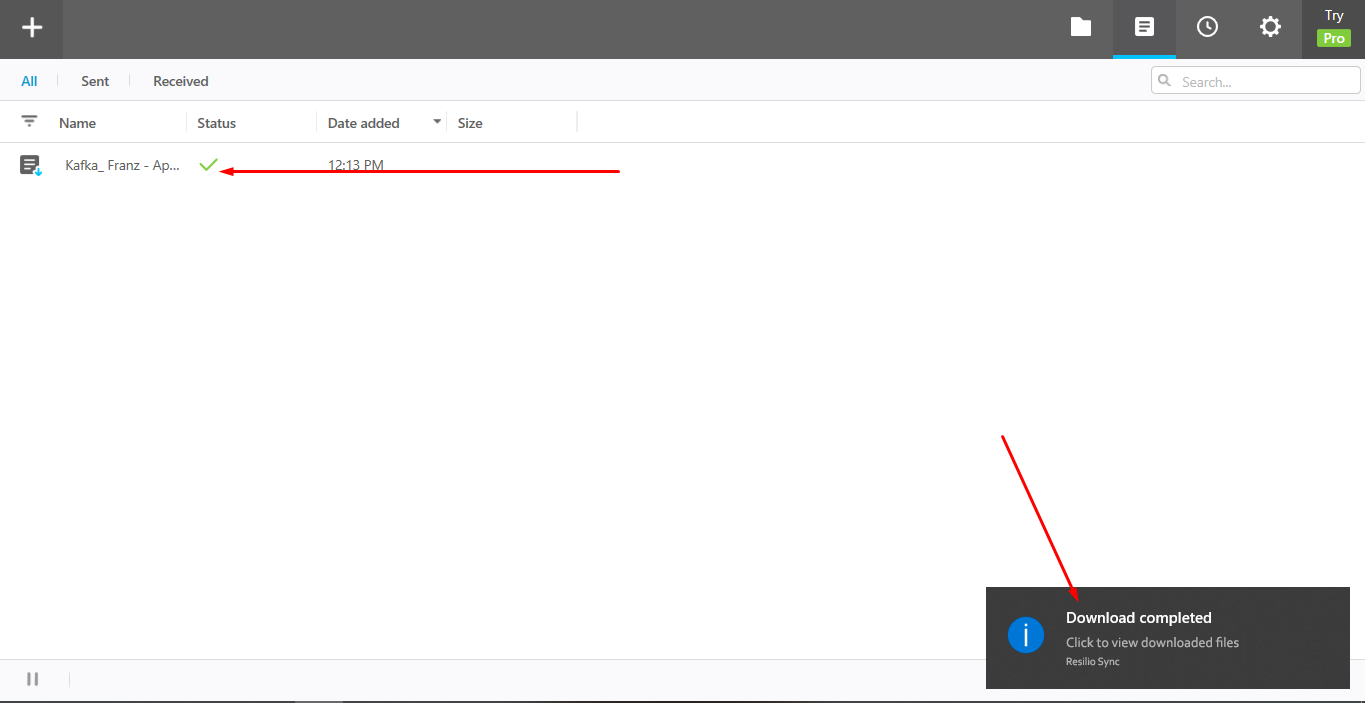
ステップ 12: Your file is successfully transferred from あなたのSeedbox あなたの device.
Using this method できます share files あなたの device to あなたのSeedbox as well and また できます transfer files あなたの peers using Btsync.
Put this into practice
EvoSeedbox ships with one-click app installs and up to 10 Gbps per box.


