FTP is one of the most common methods used for transferring files from a remote server to your computer. FTP transfer can have an ideal experience if FTP speeds are maximized but that is not always the case.Dans ce guide, we will provide all the information needed so that vous pouvez troubleshoot your problems and find optimal solutions, and use most of your resources for better speed performance.
Table des matières:
- Possible speed limitations:
- FTP speeds metrics
- Network Bande passante limitations
- Network hardware limitations
- Testing FTP speeds
- FTP working mechanism and protocols:
- How FTP works?
- Alternative to FTP protocol
- Configuring your FTP client for maximum speed
- Concurrent Téléchargers
- Segmented Téléchargers
- Other settings which can improve FTP speeds
- Troubleshooting slow FTP speed
- Verifying network
- Using wired connection vs Wireless network
- Checking your Firewall
- Possible Speed limitationsYour network bande passante is the most important factor which determines your FTP speed. Knowing your network bande passante would enable you to understand the network resources disponible at your end.
- FTP Speeds metrics:Your ISP may have provided your bande passante in terms of MB/s or Mib/s which have different meanings. So let’s first get our speeds metrics understanding right. We will use 1 Mbps (Megabits per second) as the base unit.
- One Mbps = 1000 Kbps (Kilobits per second).
- 1 Mbps = 125 KB/s (Kilobytes per second).
- One Mbps = 976.5 KiB/s (Kibibites per second).
- 1 Mbps = 122.07 KiB / s (Kibibytes per second).
- One Mbps = 0.953674 Mib/s (Mebibites per second).
- 1 Mbps = 0.125 MB/s (Megabytes per second).
- Network bande passante Limitations:
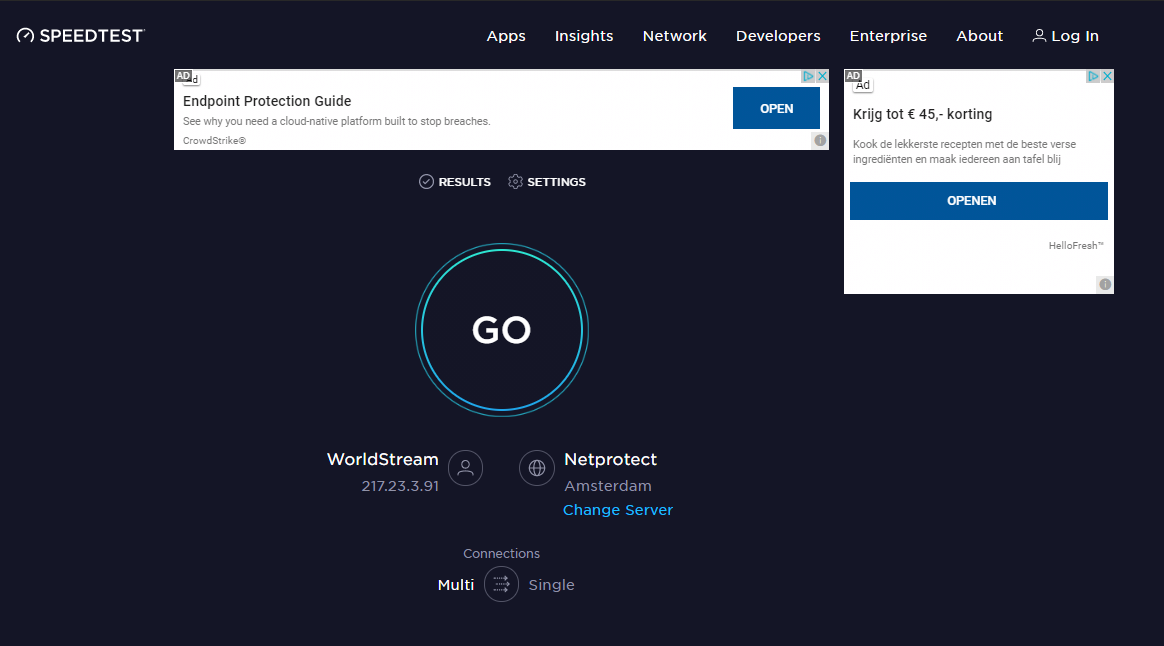
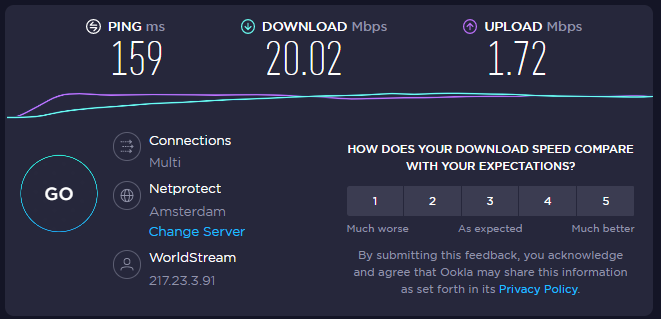
Most ISPs advertise their Internet vitesse de téléchargements in Mbps. While it is technically correct, it confuses many consumers, because their testing tools display other metrics. Some ISPs also advertise only their asymmetrical speeds. They show how incredible their vitesse de téléchargements are but don’t mention the vitesse d’envois, which sometimes are 3x slower. To know your real bande passante, measure it using online testing tools. Vous pouvez use tools like ookla speed test which provides you all the details from your vitesse d’envoi to vitesse de téléchargement and also the correct speed metric used for measuring your speed.
- Network Hardware Limitations:
Your Local machine’s limitations – A computer with low CPU and ram memory can result in slower FTP speeds but a high-end computer with average network bande passante also doesn’t give encouraging speeds.
Wi-Fi connections are slower due to packet loss and delay. Wi-Fi protocols like 802.11n support high-speed bande passante up to 300 Mbps but they are not ideal choice for constant uploading and downloading. - Testing your FTP vitesse de téléchargements:
Vous pouvez test your FTP vitesse de téléchargements using popular free-to-use tools like Tele2Speedtest. This service allows you to test both the upload and vitesse de téléchargement through your FTP client without providing a nom d’utilisateur and mot de passe.




- FTP working mechanism and protocols:
- How FTP works?FTP works as a basic server/client protocol. In simple words, a network connection enables you to send and receive files with each other. It uses the TCP/IP protocol model for communication and for file transfer. It uses port number 21 for creating connections but the downside of FTP is that it doesn’t provide encryption.The FTP Client provides:
- Seedbox Connexion identifiants.
- FTP commands.
- browse directory
The FTP Server provides
- Authentication.
- Directory display
- Port assignment.
Let’s understand the functionality of FTP keeping seedbox in mind:
- Your seedbox provides identifiants and IP or hostname to access votre seedbox (FTP server) remotely from your computer (FTP client)
- You log in remotely into votre seedbox from your computer.
- From votre seedbox vous pouvez download files as the FTP server in votre seedbox provides authentication and assign port numbers (21,22).
- Vous pouvez now use your FTP client as an interface to connect to your FTP server as it takes login identifiants, sends FTP commands, and browses through the file directory.
- Alternatives to FTP:Apart from FTP, there are many other protocols and applications which provide much better security and file transfer speeds compared to FTP. A protocol like SFTP(SSH File Transfer Protocol) works through SSH and provides much better security over FTP. HTTP and HTTPS provide much faster speeds along with good security features which makes it a good alternative to FTP as a whole.
- FTP vs SFTPThe main difference between the two protocols (FTPS and SFTP) is their way of functioning. There is a performance overhead on FTPS since it needs multiple ports. For every new transfer file is requested, FTPS requires a new port for the data channel. The upside of this is that the control and data channels run asynchronously in two different connections; this exclusive data channel makes transfers much faster. While the SFTP needs one port number for all communication to the data channels, making it much easier to secure and with less performance overhead. But having the same channel for control and data can turn out to be a bit slower.
- Configuring your FTP client for maximum speed
- Concurrent Téléchargers:The concurrent download is a technical concept where it gives the ability to download multiple files simultaneously at the same time using FTP. FTP applications that support this feature create multiple connections to the server for downloading. It is very beneficial when someone is trying to download a folder of files. Let’s assume that there is a session bande passante limitation then creating multiple connections will eventually exceed the provided per session speed which will result in an overall improvement in vitesse de téléchargement.Free to use FTP clients which provide concurrent downloads are – FileZilla
- Segmented Téléchargers:A fragmented download is actually a file transfer concept where a large file at the sender end is broken into fragments or pieces and these pieces are sent to the receiver through multiple FTP connections and at the receiver’s end these pieces are recombined to produce the original file.In this FTP transfer technique fragments of a single file are downloaded simultaneously through multiple FTP connections and after downloading these fragments these are recombined to create the original file.Free to use FTP apps that provide this capability are: BitKinex, CuteFTP Pro, Progressive Téléchargerer (MAC)
- Other settings which can improve FTP speedsFTP Speed limits: Please make sure that your FTP client does not have any download/vitesse d’envoi limits. FTP active and passive mode: Si vousr FTP is hosted with NAT( proxy or VPN), the FTP Passive mode should be configured. The passive mode seems to be slower than active.
- Let’s verify the network Loss of packets within the network can also contribute to slower FTP speeds.
- Ping the local gateway


