Evoseedbox Evoseedbox Evoseedbox Evoseedbox
  • Français
    • Nederlands (Néerlandais)
    • English (Anglais)
    • Deutsch (Allemand)
    • 日本語 (Japonais)
    • 한국어 (Coréen)
    • Português (Portugais – du Portugal)
    • Español (Espagnol)
    • العربية (Arabe)
    • Русский (Russe)
    • Türkçe (Turc)
  • Accueil Evoseedbox
  • Wiki
  • Forum
  • Pricing
Client Area
View Categories
  • Home
  • Docs
  • Utilisation de Watch Folder for Large Torrents

Utilisation de Watch Folder for Large Torrents

1 min read

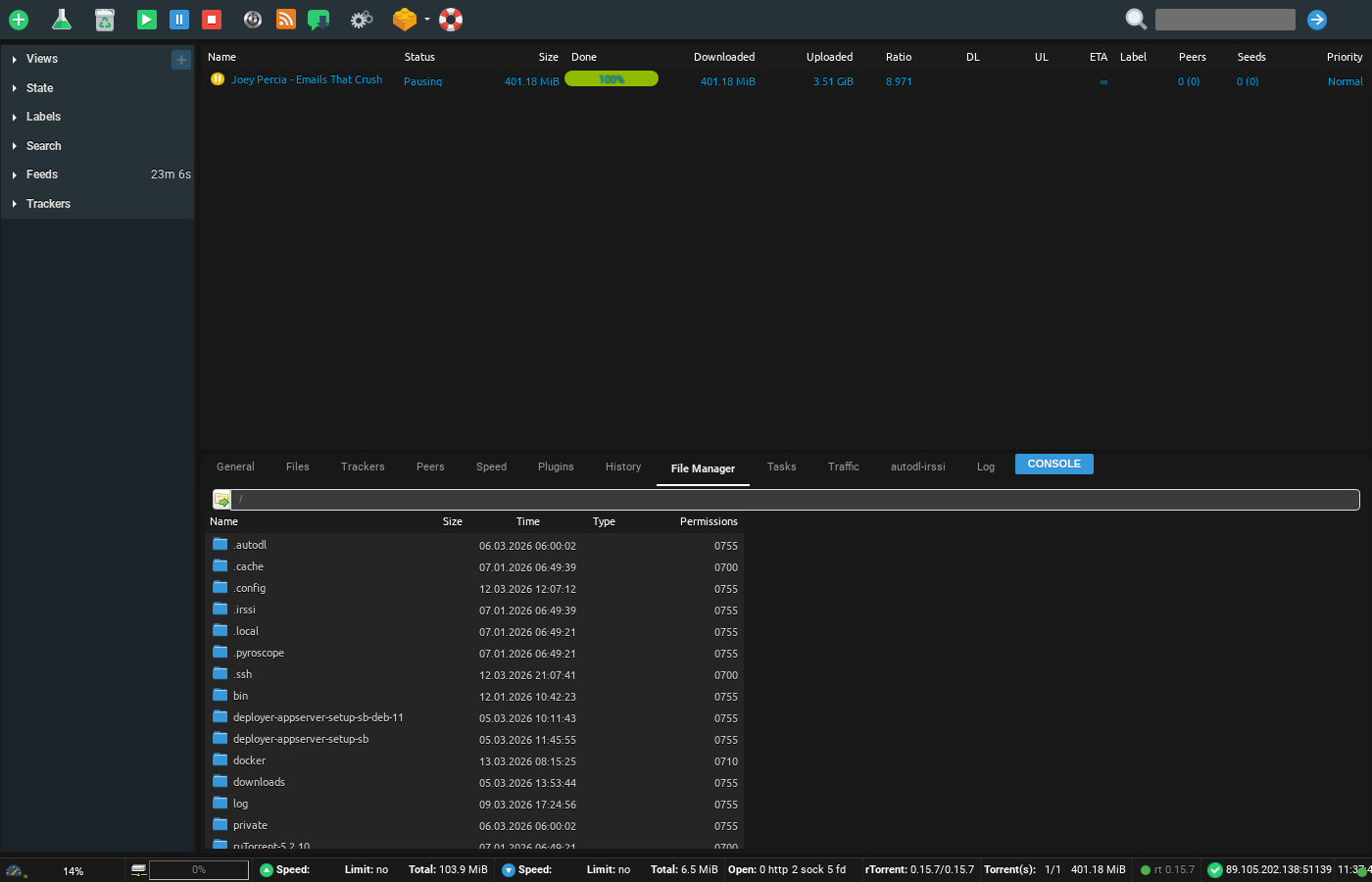
Screenshot of ruTorrent File Manager showing seedbox directory structure with folders for downloads, docker, config, and private files

Watch folder is a useful folder in votre seedbox, vous pouvez drop any torrent file in this folder and it will load in rutorrent. It is very helpful in situations where tracker file size is more than 2 mb

To access it Ouvrir up your FTP tool and login with your identifiants , in this example we will use filezilla

Browse to the watch folder in it as shown in the image below:
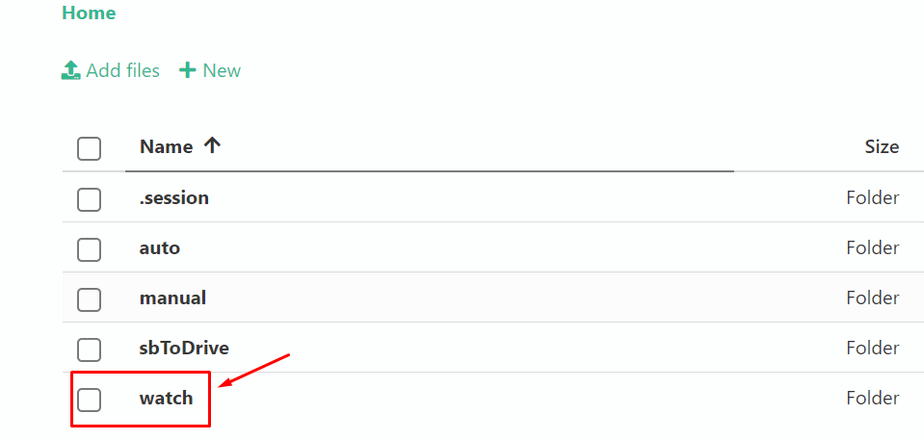
Using Watch Folderlarge Torrents

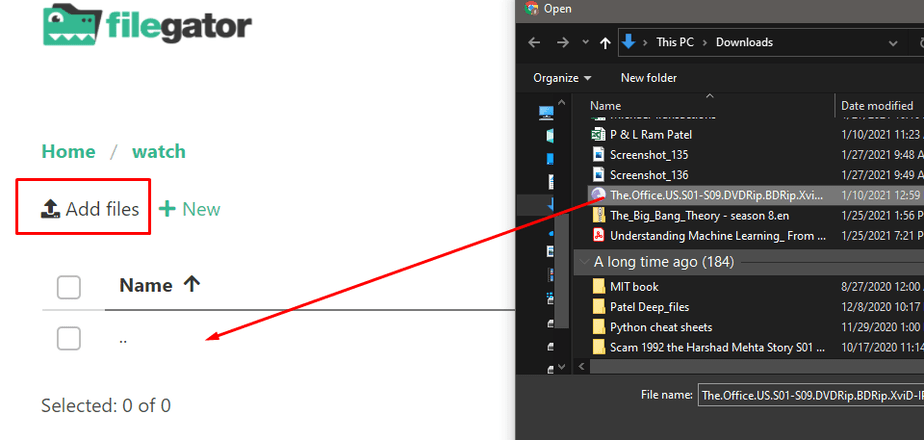
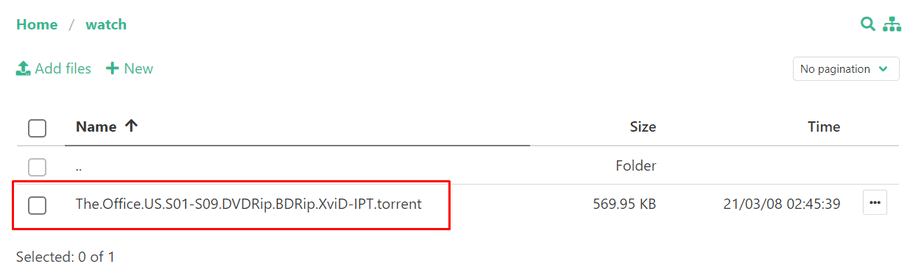
Charger your torrent file in the watch directory:
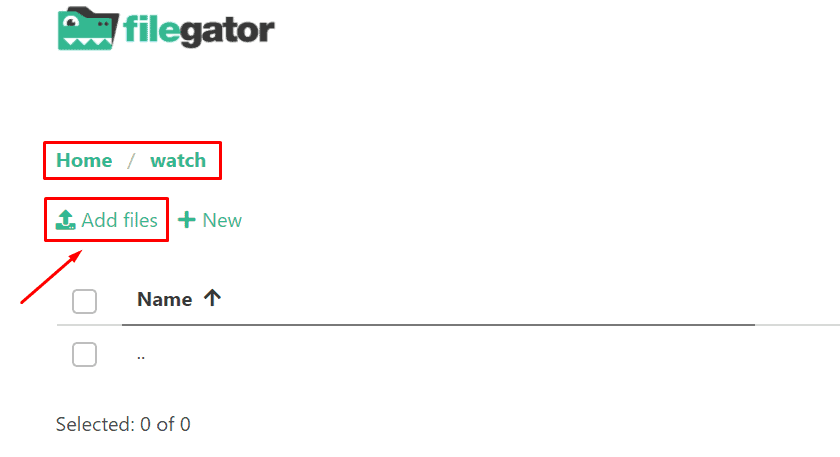
Using Watch Folderlarge Torrents

Using Watch Folderlarge Torrents

Using Watch Folderlarge Torrents

Once done the torrent will automatically load in your rutorrent.

Using the Watch Folder #

The watch folder is a special directory on votre seedbox. Any .torrent file placed in this folder is automatically loaded into ruTorrent and starts downloading — no manual interaction needed.

Comment Use It #

  1. Connect to votre seedbox via FTP/SFTP (using FileZilla or similar)
  2. Naviguez vers the watch folder in your home directory
  3. Charger one or more .torrent files into this folder
  4. ruTorrent automatically detects and starts downloading them

Quand the Watch Folder Is Useful #

  • Large .torrent files: Torrent files larger than 2 MB may fail to upload through ruTorrent’s web interface. The watch folder has no such limit.
  • Batch adding: Charger 50+ .torrent files at once via FTP — much faster than adding them one by one in the browser.
  • Automation: Scripts or tools can automatically drop .torrent files into the watch folder.

Tip #

The watch folder checks for new files every few seconds. If a torrent does not appear in ruTorrent within 30 seconds, verify the .torrent file is valid and not corrupted.

Updated on 16 mars 2026

What are your Feelings

  • Happy
  • Normal
  • Sad

Share This Article :

  • Facebook
  • X
  • LinkedIn
  • Pinterest
Table of Contents
  • Using the Watch Folder
    • Comment Use It
  • Quand the Watch Folder Is Useful
  • Tip

We create amazing Seedboxes
for everyone to use 😊

Important Links

Scholarship for CS

Refund Policy

Privacy Policy

Terms of service

Cookie Policy

Acceptable Use Policy

Get in Touch

Contact Us

[email protected]

© 2025 Evoseedbox | All rights reserved. By Evo Created with ❤️

  • Nederlands (Néerlandais)
  • English (Anglais)
  • Français
  • Deutsch (Allemand)
  • 日本語 (Japonais)
  • 한국어 (Coréen)
  • Português (Portugais - du Portugal)
  • Español (Espagnol)
  • العربية (Arabe)
  • Русский (Russe)
  • Türkçe (Turc)
Evoseedbox
  • Français
    • Nederlands (Néerlandais)
    • English (Anglais)
    • Deutsch (Allemand)
    • 日本語 (Japonais)
    • 한국어 (Coréen)
    • Português (Portugais – du Portugal)
    • Español (Espagnol)
    • العربية (Arabe)
    • Русский (Russe)
    • Türkçe (Turc)
  • Accueil Evoseedbox
  • Wiki
  • Forum
  • Pricing
Client Area