Evoseedbox Evoseedbox Evoseedbox Evoseedbox
  • Français
    • Nederlands (Néerlandais)
    • English (Anglais)
    • Deutsch (Allemand)
    • 日本語 (Japonais)
    • 한국어 (Coréen)
    • Português (Portugais – du Portugal)
    • Español (Espagnol)
    • العربية (Arabe)
    • Русский (Russe)
    • Türkçe (Turc)
  • Accueil Evoseedbox
  • Wiki
  • Forum
  • Pricing
Client Area
View Categories
  • Home
  • Docs
  • Sync Files Between votre Seedbox and PC

Sync Files Between votre Seedbox and PC

2 min read

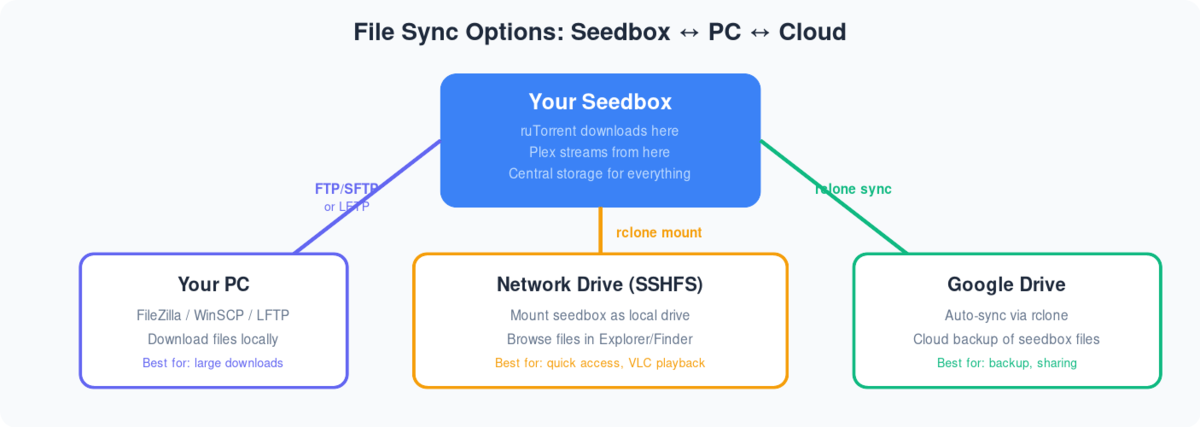
Diagram showing three ways to sync files from seedbox: FTP to PC, SSHFS network drive, and rclone to Google Drive

Syncing files in Seedbox and PC can make file management easier. All you have to do is add the file to a dedicated sync folder and it will make sure that the file is disponible on both votre seedbox and your PC.

For this, we are going to use an application called Syncthing. All you have to do is configure it once.

We are assuming the Syncthing is installed on votre seedbox and your PC.

Click here to download Syncthing for pc.

Let us now begin the configuration.

Comment use Syncthing to sync files between your device and seedbox

Étape 1: Ouvrir the Syncthing application on votre seedbox.
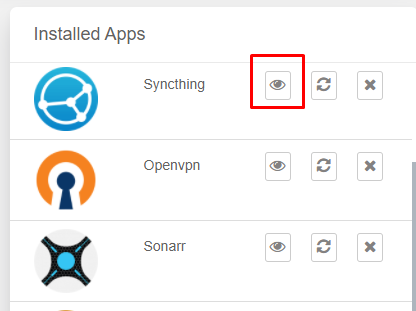
Sync Flies Between Votre Seedbox And Pc

Étape 2: Entrez your FTP identifiants
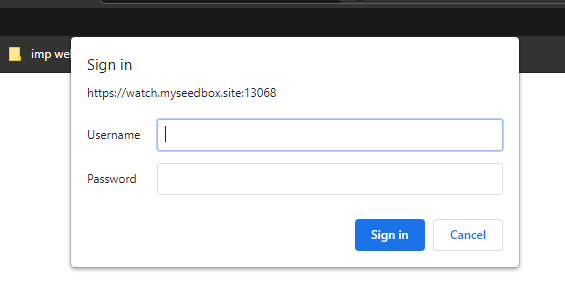
Sync Flies Between Votre Seedbox And Pc

Étape 3: Add a remote device, a.k.a your PC
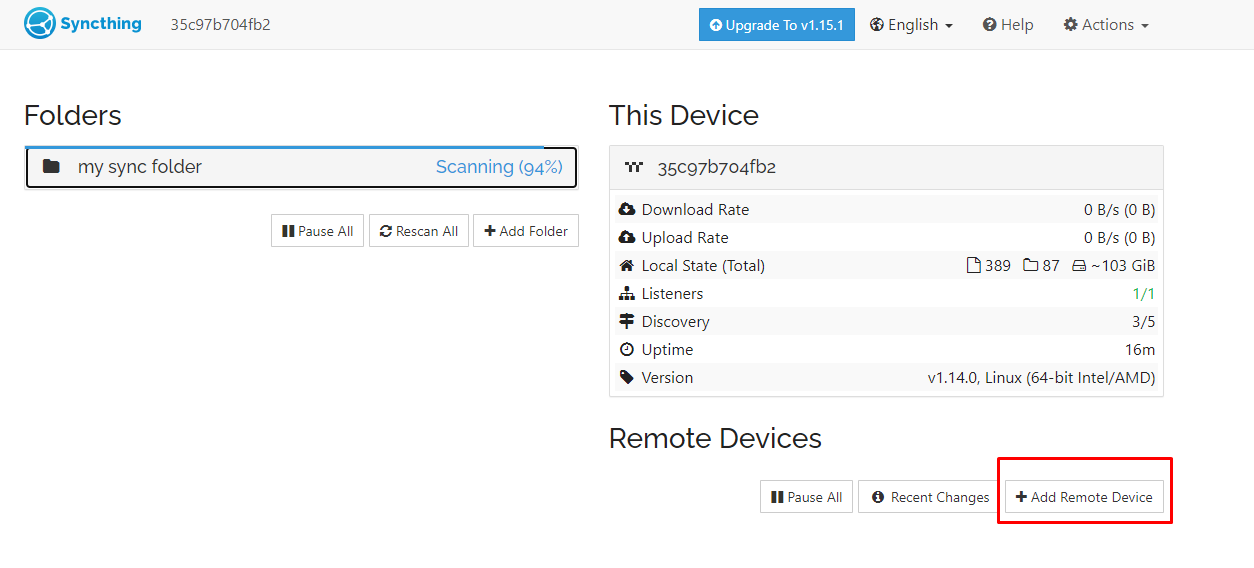
Sync Flies Between Votre Seedbox And Pc

Étape 4: Ouvrir Syncthing on your device and find the device ID in the action menu.

A Pop-up will appear, copy the code written.
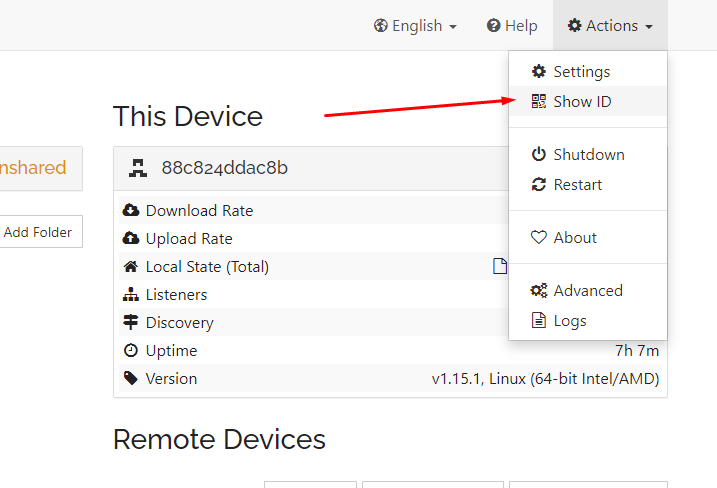
Sync Flies Between Votre Seedbox And Pc

Étape 5: Add in the details and cliquez sur save.
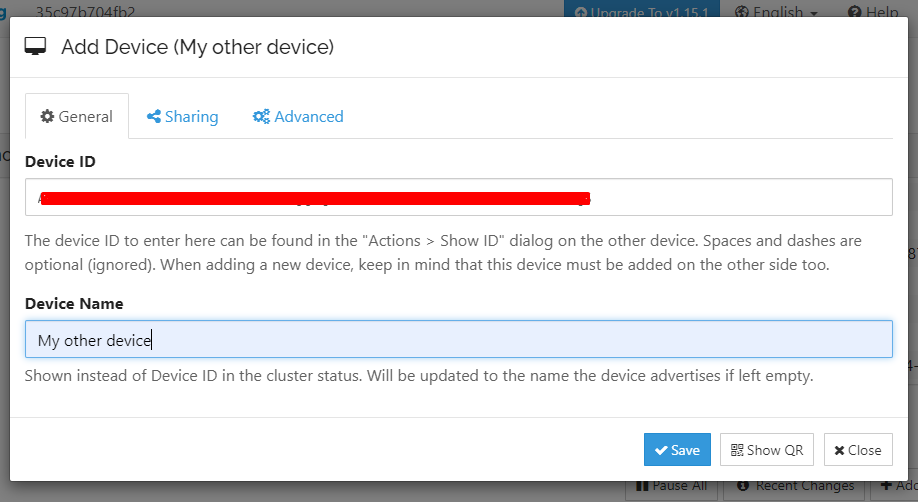
Sync Flies Between Votre Seedbox And Pc

Step 6: Allez à the Syncthing app on your device and accept the request.

A pop-up will appear, check the details, and cliquez sur the Enregistrer button.
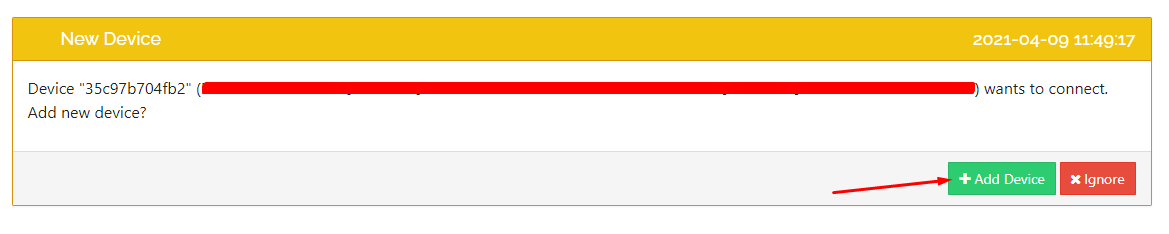
Sync Flies Between Votre Seedbox And Pc

Bueno, both your devices are connected now. It is time to create folders and actually starts syncing files.

Adding folders in Syncthing to sync files.

Étape 1: Add a folder which you will use to sync files.
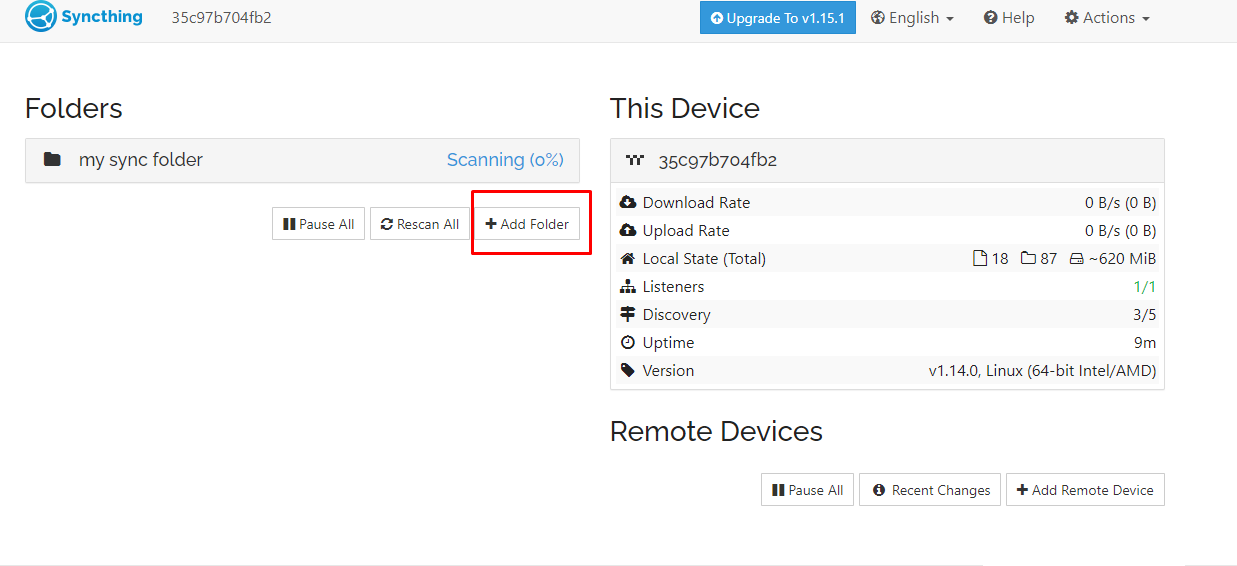
Sync Flies Between Votre Seedbox And Pc

Étape 2:  Fill in all the information and cliquez sur save.
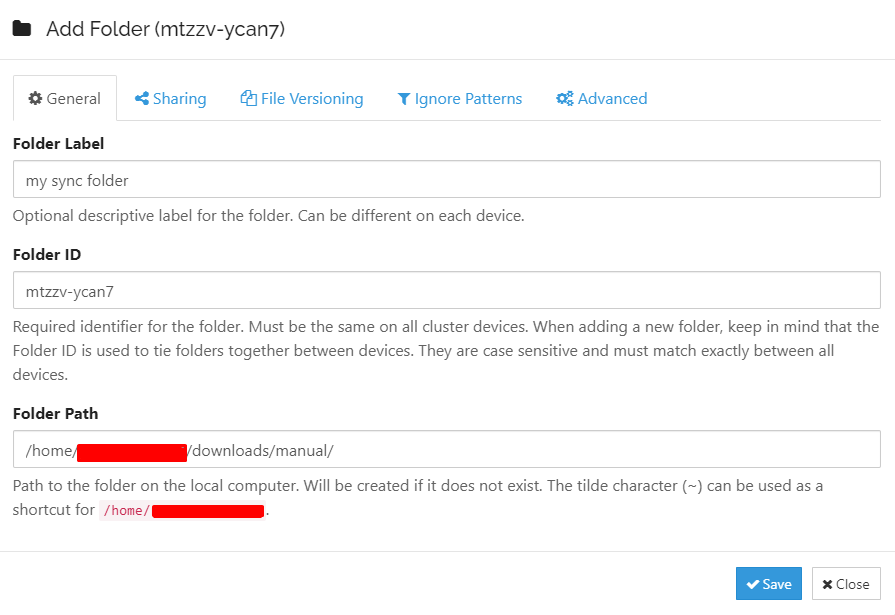
Sync Flies Between Votre Seedbox And Pc

Étape 3: Do the same for your PC. Assurez-vous the folder ID is the same as the folder ID of la seedbox.

In this case, the folder ID is: mtzzv-ycan7
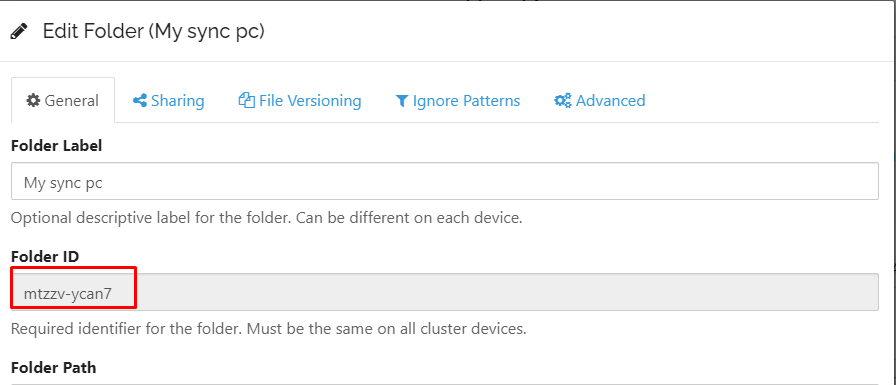
Sync Flies Between Votre Seedbox And Pc

These folders are added but not shared by default. Therefore, you need to manually approve the folder to be shared.

Étape 4: Cliquez sur the folder from votre seedbox and cliquez sur the edit button.
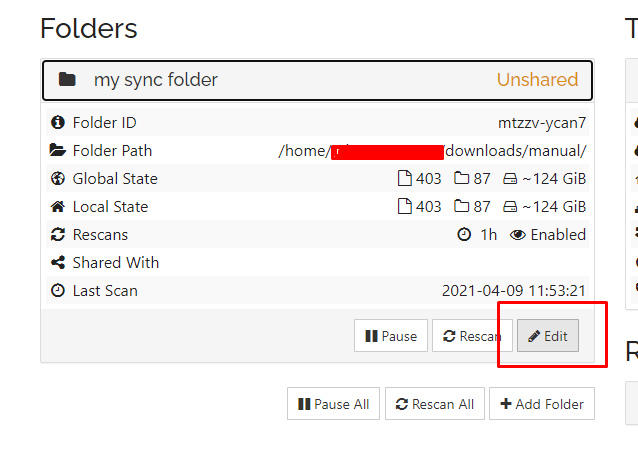
Sync Flies Between Votre Seedbox And Pc

Étape 5: Allez à the “Sharing tab” and check your device(PC) you want the folder to sync with. Cliquez sur save.
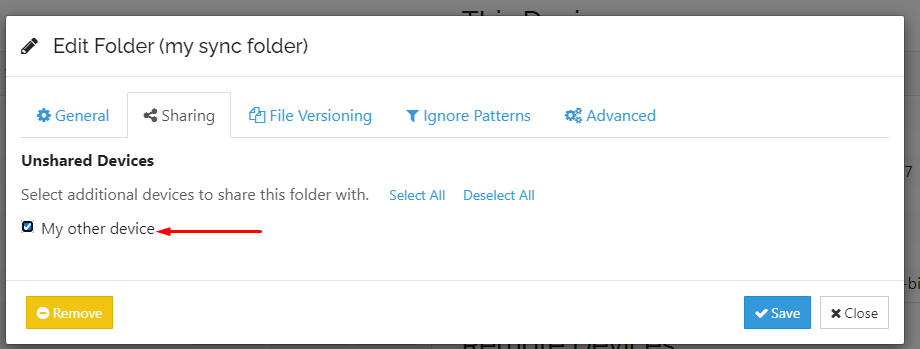
Sync Flies Between Votre Seedbox And Pc

Step 6: Ouvrir Syncthing on your device(PC) and cliquez sur share.

Sync Flies Between Votre Seedbox And Pc

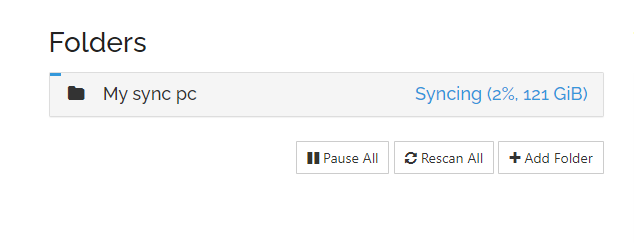
The scanning process will start automatically.
Sync Flies Between Votre Seedbox And Pc

Once it is complete then the sync has been done. Now all you have to do is add any file you want to sync in this folder. It doesn’t matter if it is from a PC or votre seedbox.

Si vous still have any doubt then please get in touch with us using chat or raise a ticket.

Updated on 16 mars 2026

What are your Feelings

  • Happy
  • Normal
  • Sad

Share This Article :

  • Facebook
  • X
  • LinkedIn
  • Pinterest

We create amazing Seedboxes
for everyone to use 😊

Important Links

Scholarship for CS

Refund Policy

Privacy Policy

Terms of service

Cookie Policy

Acceptable Use Policy

Get in Touch

Contact Us

[email protected]

© 2025 Evoseedbox | All rights reserved. By Evo Created with ❤️

  • Nederlands (Néerlandais)
  • English (Anglais)
  • Français
  • Deutsch (Allemand)
  • 日本語 (Japonais)
  • 한국어 (Coréen)
  • Português (Portugais - du Portugal)
  • Español (Espagnol)
  • العربية (Arabe)
  • Русский (Russe)
  • Türkçe (Turc)
Evoseedbox
  • Français
    • Nederlands (Néerlandais)
    • English (Anglais)
    • Deutsch (Allemand)
    • 日本語 (Japonais)
    • 한국어 (Coréen)
    • Português (Portugais – du Portugal)
    • Español (Espagnol)
    • العربية (Arabe)
    • Русский (Russe)
    • Türkçe (Turc)
  • Accueil Evoseedbox
  • Wiki
  • Forum
  • Pricing
Client Area