Restarting ruTorrent on Seedbox
On this page ▾
Por qué and when should you restart the Rutorrent?
It is an ideal behavior of an app that never needs to be restarted but there are some conditions and circumstances where an occasional restart ensures the smooth and error-free operation of Rucliente torrent.Some general circumstances when restarting rutorrent is needed
- Torrents are having errors (torrents have become red)
- Plugins like Autotools are not working.
- btsync cannot sync files.
- Timestamp labels like “Created on “ etc are not showing.
- HDD quota limit reached error even you have used HDD under the limit.
The overall process of restarting the rutorrent is quite simple and puede do it within rutorrent itself.
- Abrir up your rutorrent interface and haga clic en this rutorrent manager icon on your top panel as shown in the screenshot.
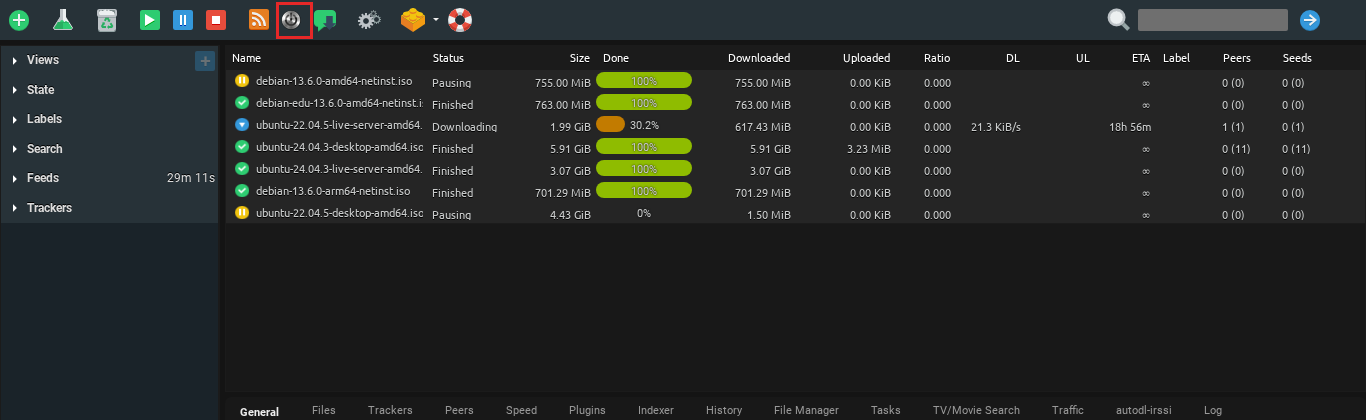
2. Una vez que haga clic en the button, rutorrent manager dialogue panel will show up. Once it shows up haga clic en stop and wait for a few seconds and it will stop you rtorrent. It should look something like this :
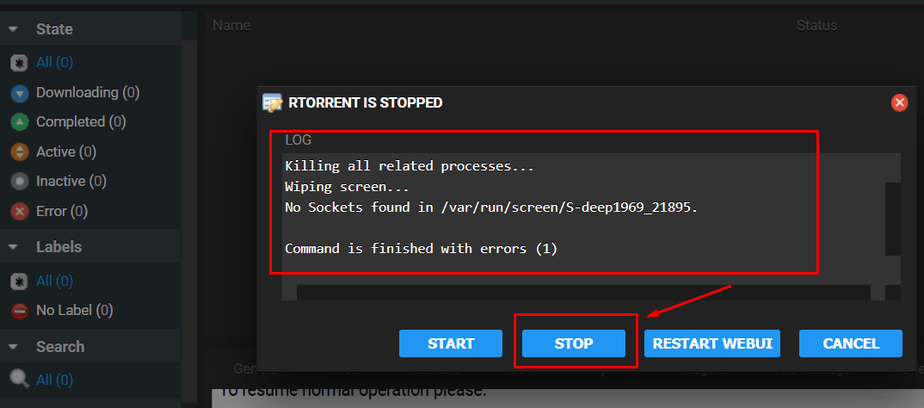
3. Una vez que haga clic en the button, rutorrent manager dialogue panel will show up. Once it shows up haga clic en stop and wait for a few seconds and it will stop you rtorrent. It should look something like this :
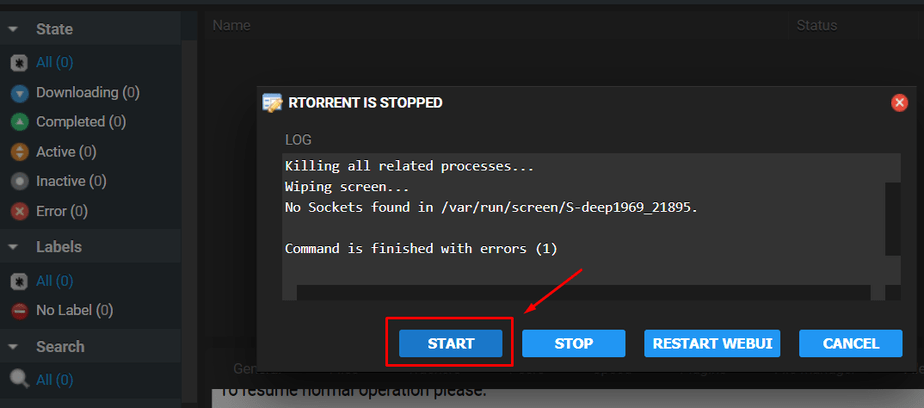
4. That's it your rutorrent will be back online and puede again use it, it just takes a few seconds and should fix any/most of your rutorrent related errors.
Put this into practice
EvoSeedbox ships with one-click app installs and up to 10 Gbps per box.


