Evoseedbox Evoseedbox Evoseedbox Evoseedbox
  • Español
    • Nederlands (Holandés)
    • English (Inglés)
    • Français (Francés)
    • Deutsch (Alemán)
    • 日本語 (Japonés)
    • 한국어 (Coreano)
    • Português (Portugués, Portugal)
    • العربية (Árabe)
    • Русский (Ruso)
    • Türkçe (Turco)
  • Evoseedbox Home
  • Wiki
  • Forum
  • Pricing
Client Area
View Categories
  • Home
  • Documentación
  • Cómo Use Subsonic con tu EvoSeedbox

Cómo Use Subsonic con tu EvoSeedbox

1 minutos de lectura

Note: Subsonic requires a paid license after the trial period. Navidrome is a free, open-source alternative that’s fully compatible with all Subsonic apps. We recommend Navidrome for new installations.

Subsonic is a media streaming app which puede use to listen to music, stream movies.Puede use it from anywhere from any device as it also offers mobile applications. En este tutorial, we will explore how to install and set up subsonic on evoseedbox. 1. Inicio de sesión to your área de cliente and scroll down to the app section.
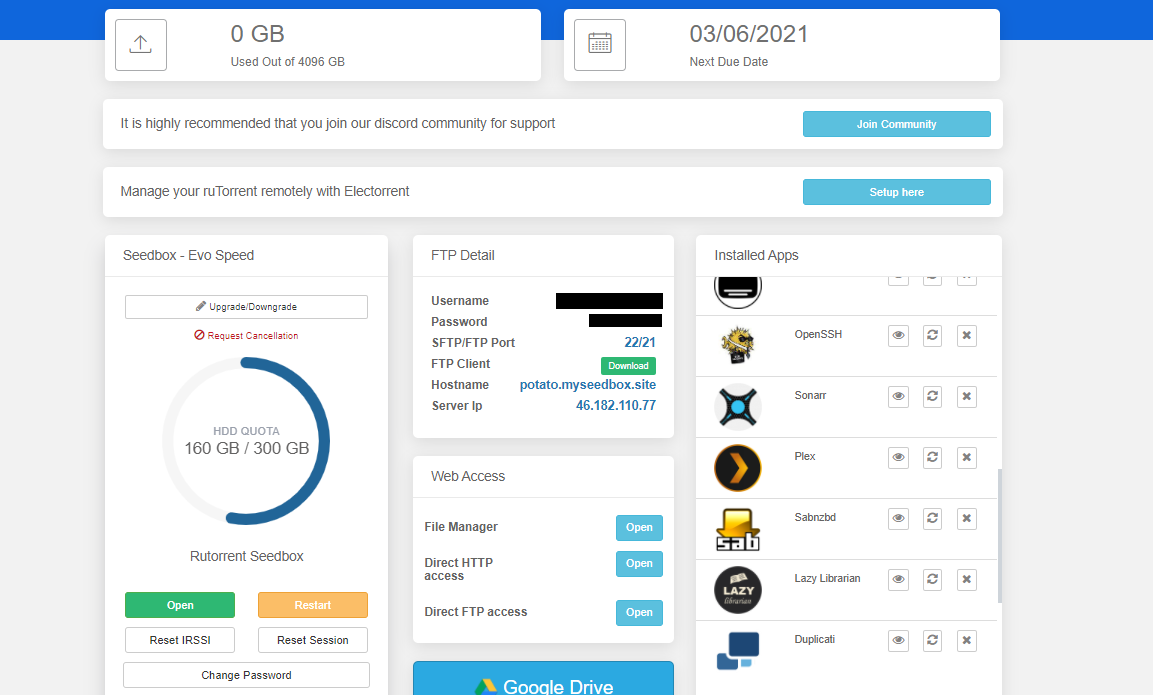
Cómo Use Subsonic With Your Evoseedbox

2. Buscar for subsonic and haga clic en the install button.
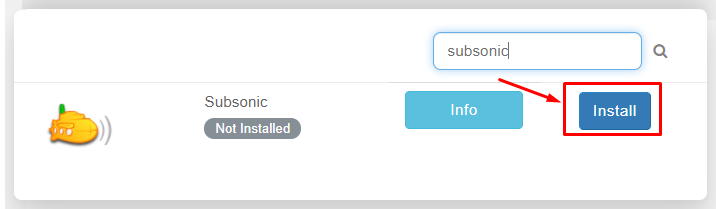
Cómo Use Subsonic With Your Evoseedbox

3. Once the installation is complete open it from the installed apps section by clicking on the eye button.

Cómo Use Subsonic With Your Evoseedbox

4. The app will open in a new tab where you need to use credenciales provided in FTP detail for login
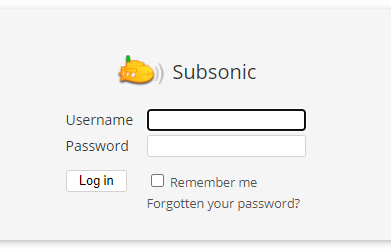
Cómo Use Subsonic With Your Evoseedbox

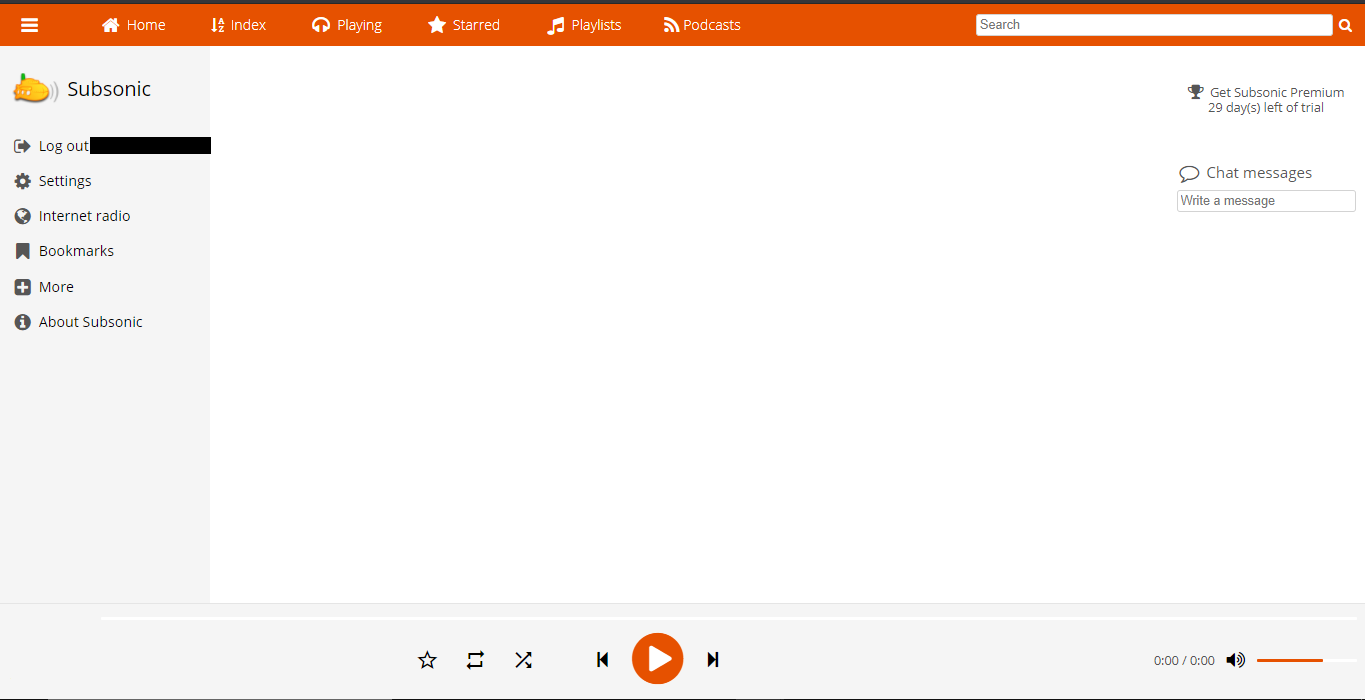
5. Después de logging, you will land on the home page of the app como se muestra abajo.
Cómo Use Subsonic With Your Evoseedbox

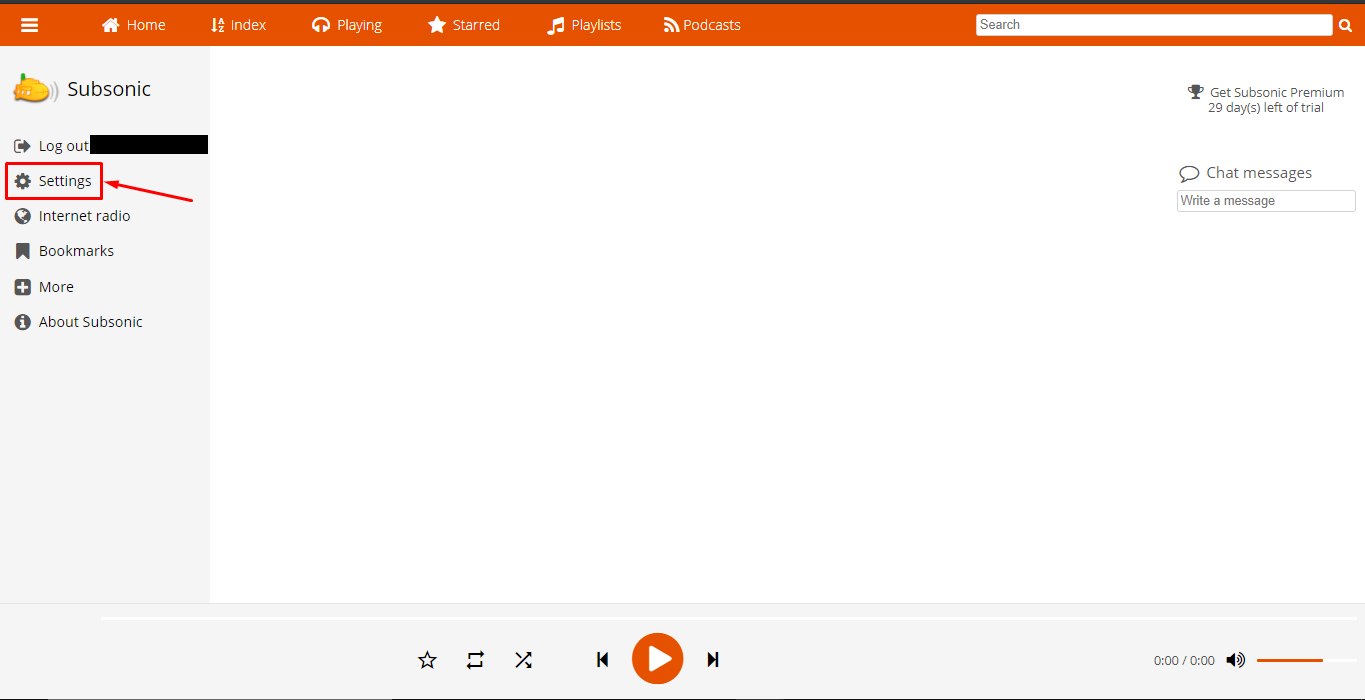
6. All media files are automatically synchronized by subsonic if you want to add media folders manually. Haga clic en the setting tab.
Cómo Use Subsonic With Your Evoseedbox

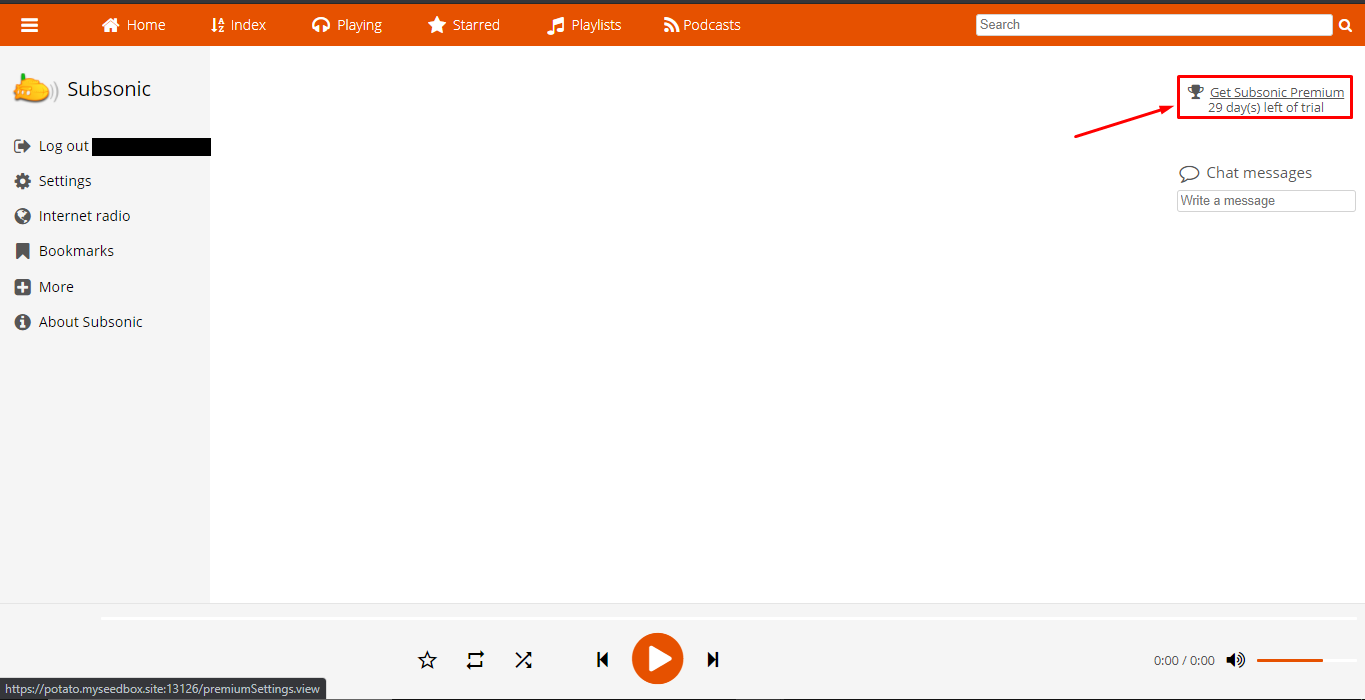
If in case the settings tab doesn’t open from here, haga clic en the ‘Get Subsonic premium’ on the top right, you’ll be directed to the upgrade section from the settings tab.
Cómo Use Subsonic With Your Evoseedbox

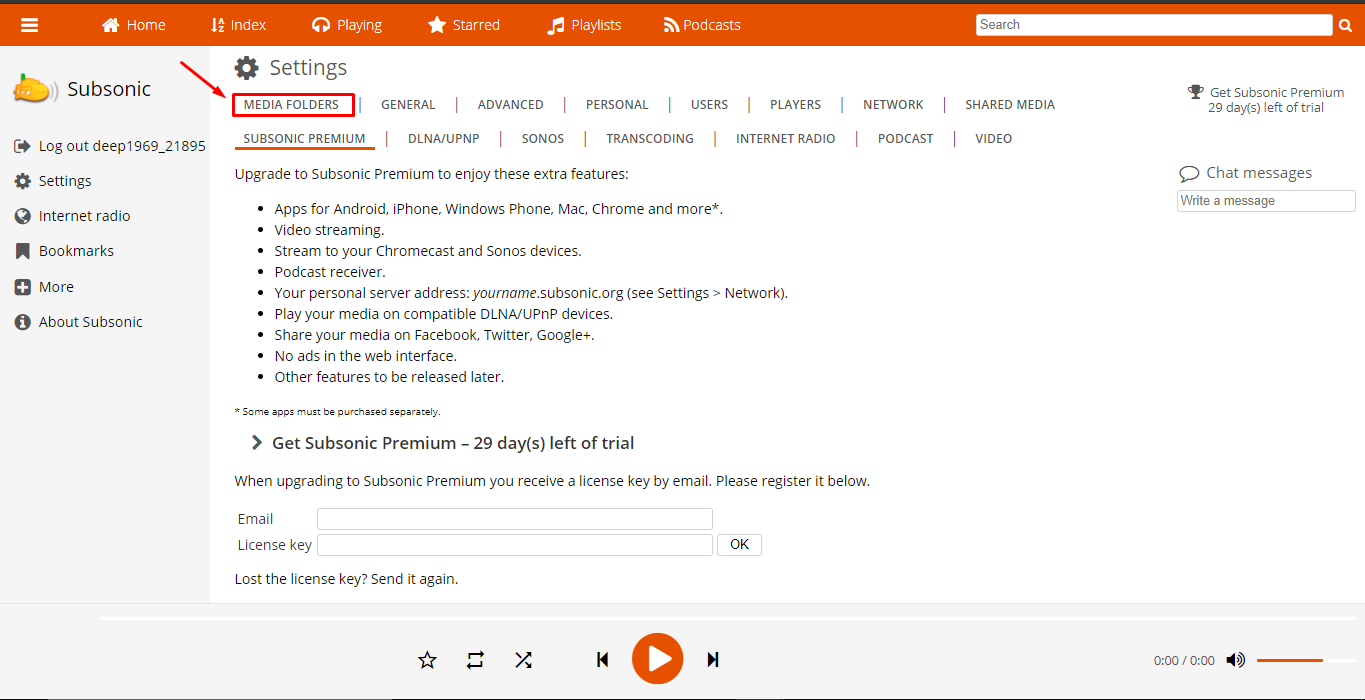
7. From the settings tab, puede haga clic en the media folders tab to add a new media folder or edit the path of the existing media folder.
Cómo Use Subsonic With Your Evoseedbox

8. In the general settings tab, puede see the audio and video formats supported and also choose formats for cover images.
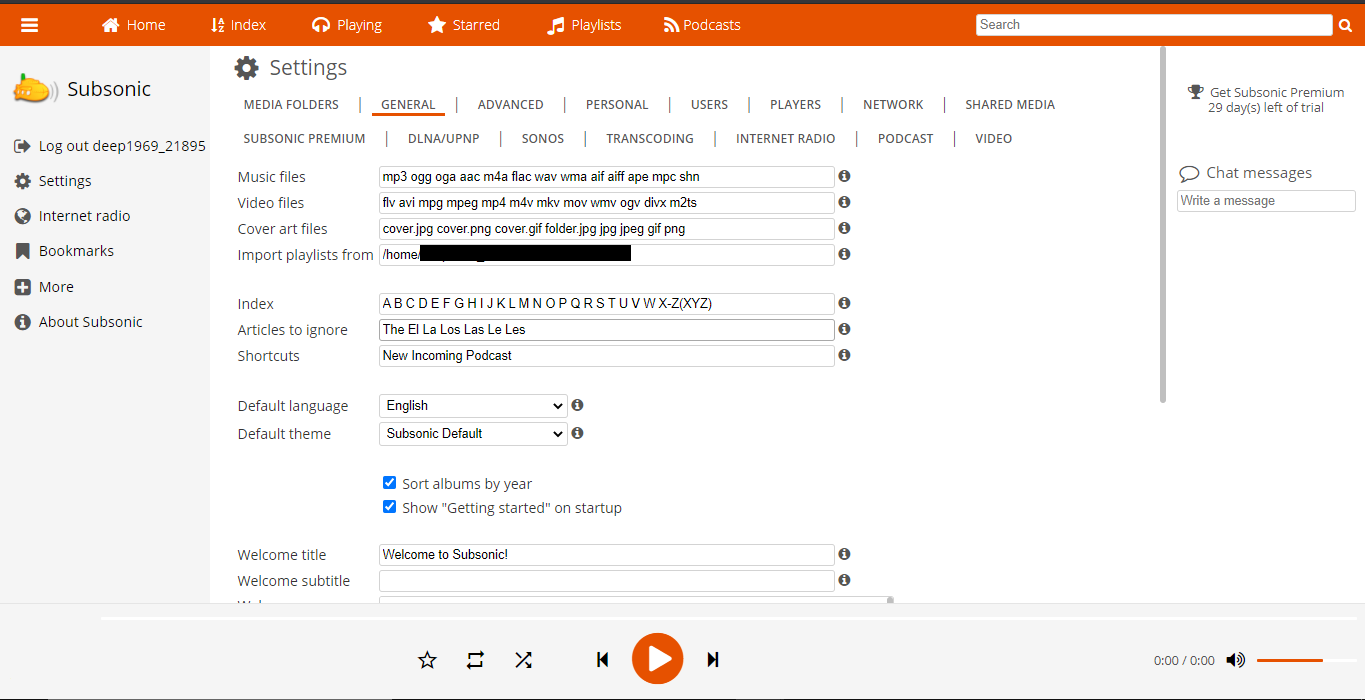
Cómo Use Subsonic With Your Evoseedbox

9. There are other settings tabs through which puede configure subsonic according to your needs como se muestra abajo.
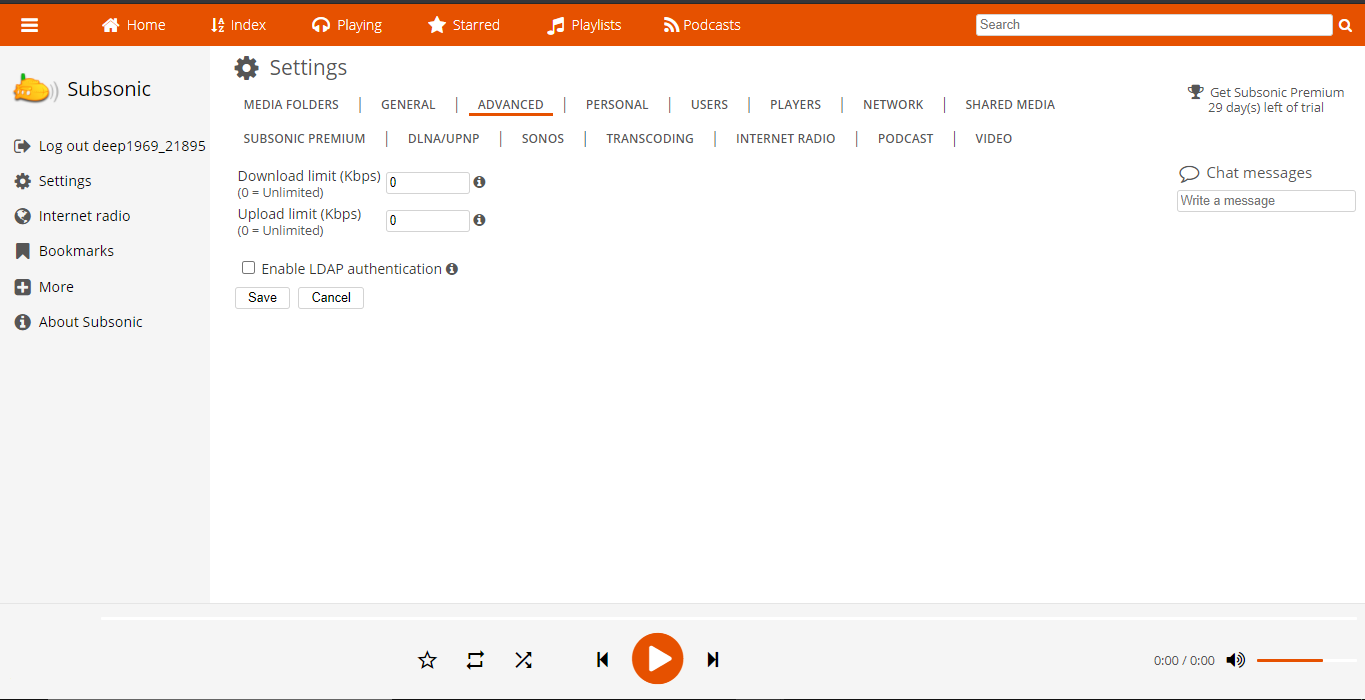
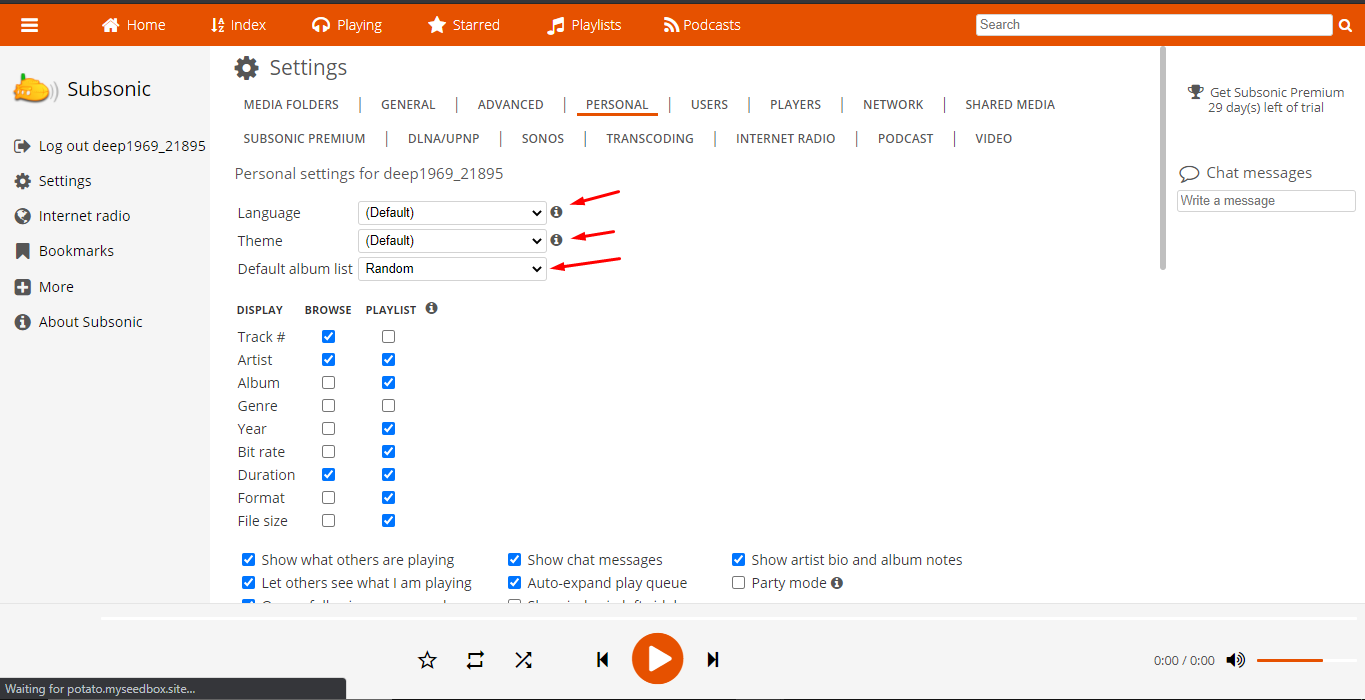
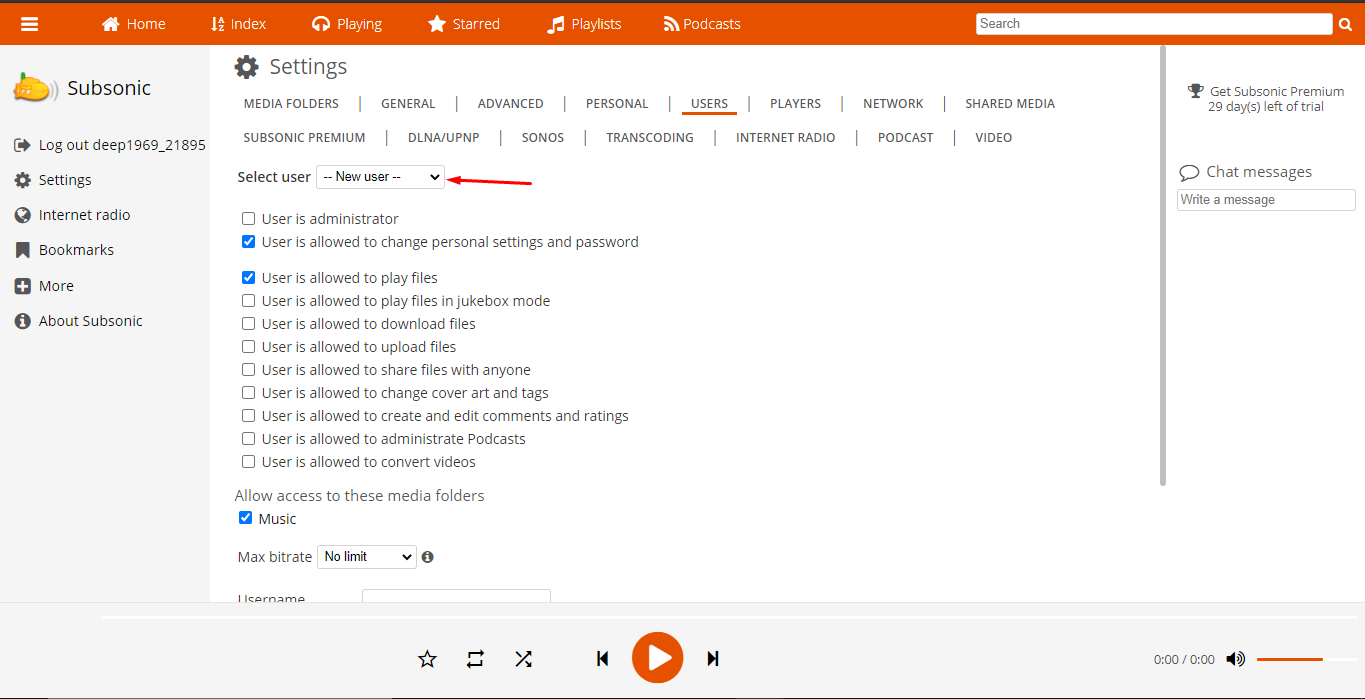
Cómo Use Subsonic With Your Evoseedbox Cómo Use Subsonic With Your Evoseedbox Cómo Use Subsonic With Your Evoseedbox
Updated on 12 de abril de 2026

What are your Feelings

  • Happy
  • Normal
  • Sad

Comparte este artículo:

  • Facebook
  • X
  • LinkedIn
  • Pinterest

We create amazing Seedboxes
for everyone to use 😊

Important Links

Scholarship for CS

Refund Policy

Privacy Policy

Terms of service

Cookie Policy

Acceptable Use Policy

Get in Touch

Contact Us

[email protected]

© 2025 Evoseedbox | All rights reserved. By Evo Created with ❤️

  • Nederlands (Holandés)
  • English (Inglés)
  • Français (Francés)
  • Deutsch (Alemán)
  • 日本語 (Japonés)
  • 한국어 (Coreano)
  • Português (Portugués, Portugal)
  • Español
  • العربية (Árabe)
  • Русский (Ruso)
  • Türkçe (Turco)
Evoseedbox
  • Español
    • Nederlands (Holandés)
    • English (Inglés)
    • Français (Francés)
    • Deutsch (Alemán)
    • 日本語 (Japonés)
    • 한국어 (Coreano)
    • Português (Portugués, Portugal)
    • العربية (Árabe)
    • Русский (Ruso)
    • Türkçe (Turco)
  • Evoseedbox Home
  • Wiki
  • Forum
  • Pricing
Client Area