Tired of opening seedbox dashboard every time to add torrent in rutorrent?
This Firefox add on, "Torrent Control" will allow you to remotely add torrents directly إلى seed box.
تحميل the add on here.
After you have Torrent Control installed. Navigate to about:addons → Torrent Control → Then Options
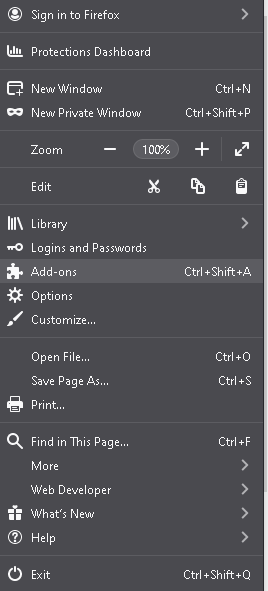
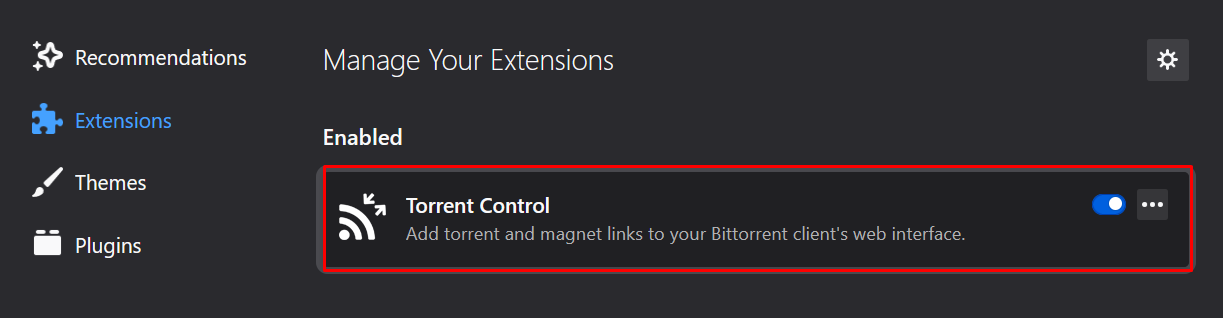
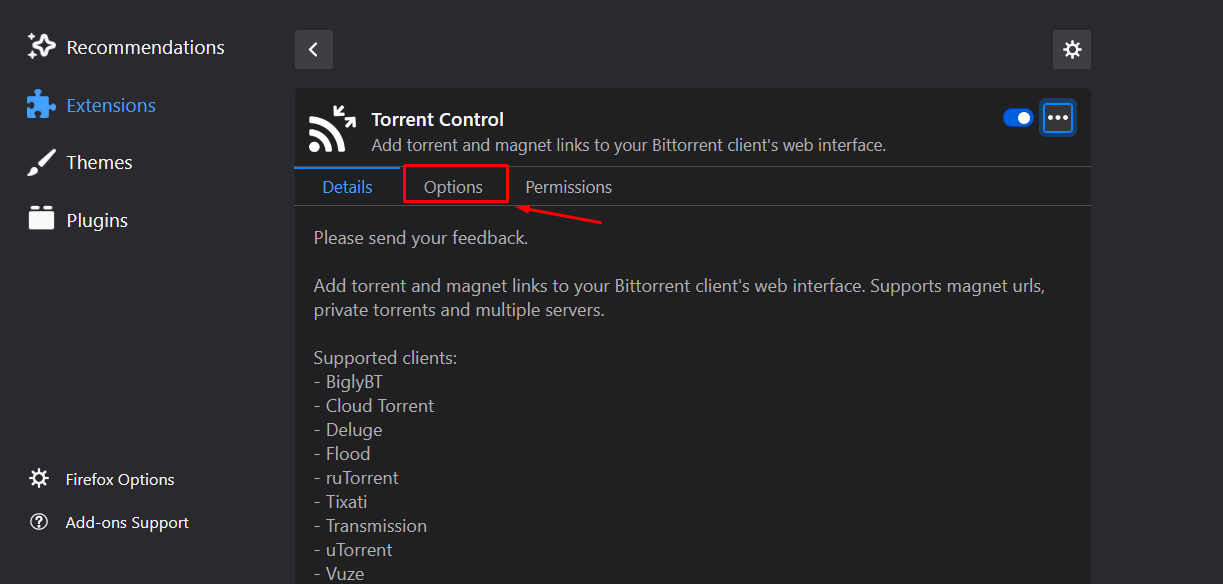
Please keep the default options as it is and set labels as per your reference and set the server configuration by using the FTP details of الـ Seedbox الخاص بك.
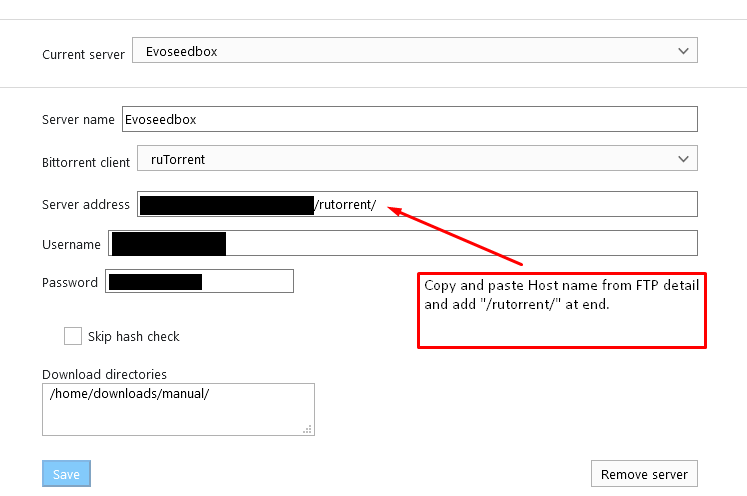
يمكنك use the following as default save directories:/home/WEBSITEUSERNAME/downloads/manual/OR/home/WEBSITEUSERNAME/downloads/Example: /home/evo4ever/downloads/manual/ OR /home/evo4ever/downloads/
After you are done, select save and try adding any torrent by going إلى favorite torrent website and right-clicking on a magnet link.
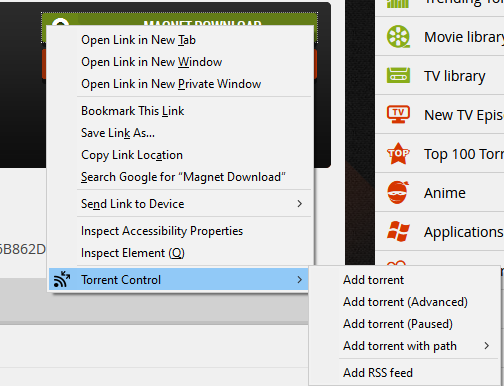
إذا get an error, you more than likely entered some information wrong. Double-check and ensure your details are entered correctly.
You will see this when you right-click a magnet link.
From here, يمكنك add your torrent with whatever label you want, or with other options.
- Add Torrent is default and simply adds the torrent to الـ Seedbox الخاص بك.
- Add Torrent (advanced) lets you modify some information.
- Add Torrent(Paused) adds the torrent paused
- Add Torrent with label → lets you select what label. Useful if you have different torrent websites with different seed requirements.
- Add Torrent with path lets you change your download path if you desire.
يمكنك أيضاً open الـ Seedbox الخاص بك’s rutorrent by click on the extension itself.


