Jdownloader is one of the many apps you get with your evoseedbox. It is growing in popularity right now and with that, many people and users are getting curious about uygulamalication and how to use it.
In the article, we will address the same and then go on to a full guide on how to use Jdownloader with your evoseedbox.
What is Jdownloader?
Jdownloader is an open-source application developed to manage the downloads of files and make the whole process easy and fast.
With a seedbox, yapabilirsiniz use it in 2 different ways:
- Using Jİndiriner to download files from seedbox’unuz sizin device. For this, göreceksiniz need to install the Jdownloader app üzerinde device. Yapabilirsiniz get it from here.
- Use Jİndiriner to download dosyaları seedbox’unuz from other servers.
Nasıl use Jdownloader?
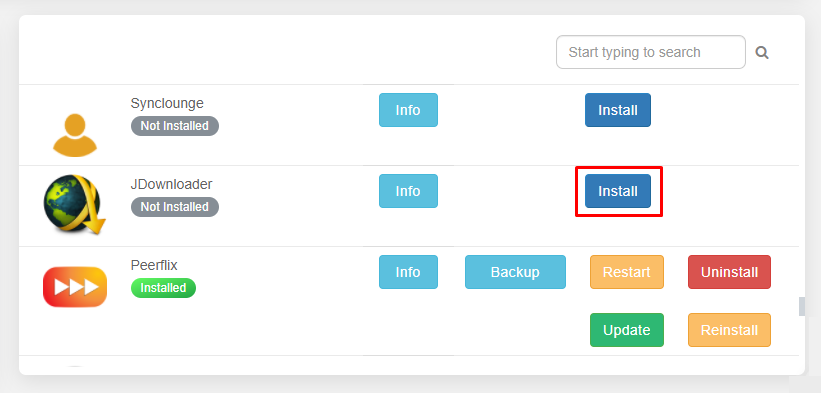
The first step is to install uygulamalication üzerinde device. Eğer are downloading dosyaları seedbox’unuz then go sizin evoseedbox dashboard and install the Jdownloader application.
Once it is installed, open uygulama and göreceksiniz find an interface like this:
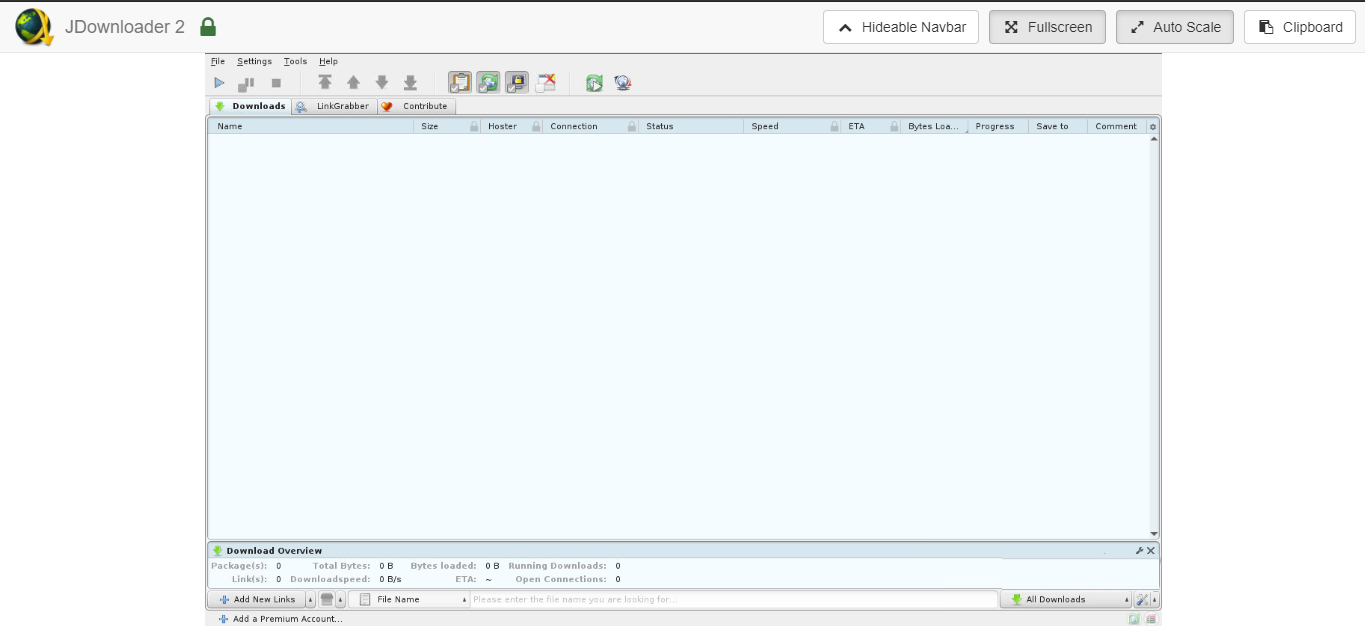
There are a few tabs, let us go through them:
İndirins: All your downloads are shown here
LinkGrabber: All grabbed links and files appear here
İndirin Overview: Speed and other metrics
My Jİndiriner settings: In the settings tab, göreceksiniz find the My Jİndiriner menu, which is used for settings for remote access.
We are taking the case of downloading files from a remote server to seedbox’unuz. The principles to download files using Jİndiriner sizin device are going to be the same.
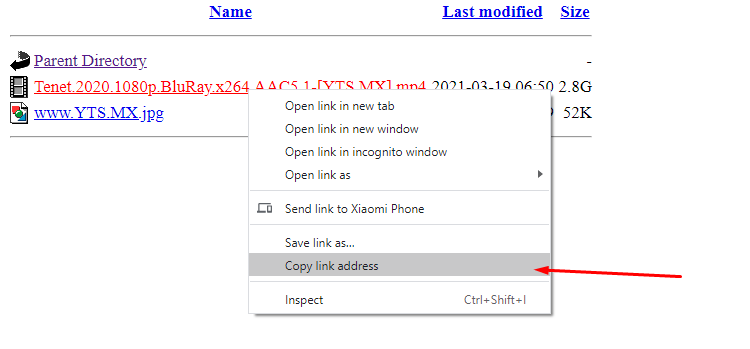
You will need an http link to the file you want to download. In this case, I am using another seedbox, so with Evoseedbox’s HTTP web access, we can get links easily.
Once you identify the file you want to download, right-click and select copy the link address option.
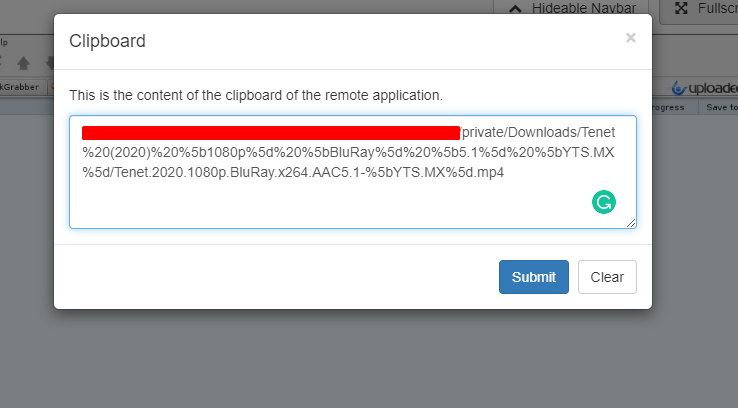
Now go back sizin Jİndiriner and click on the clipboard düğme mevcut in the top-right corner.
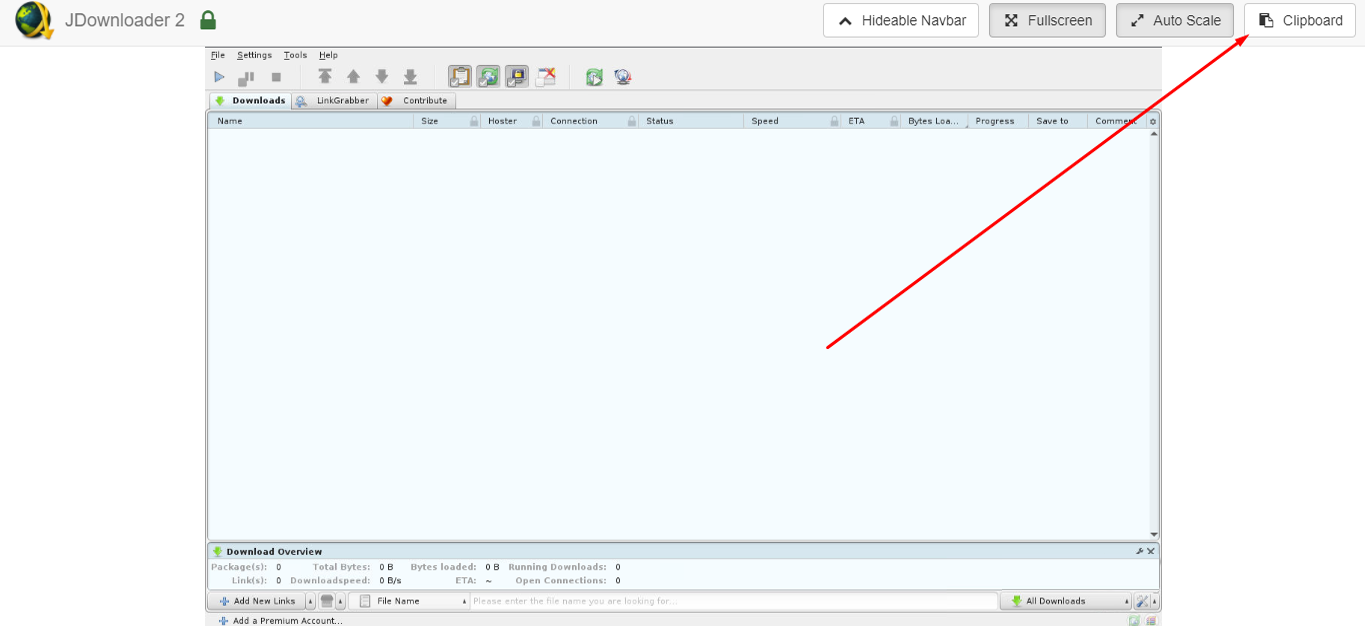
Paste the copied link here and click on the submit düğme.
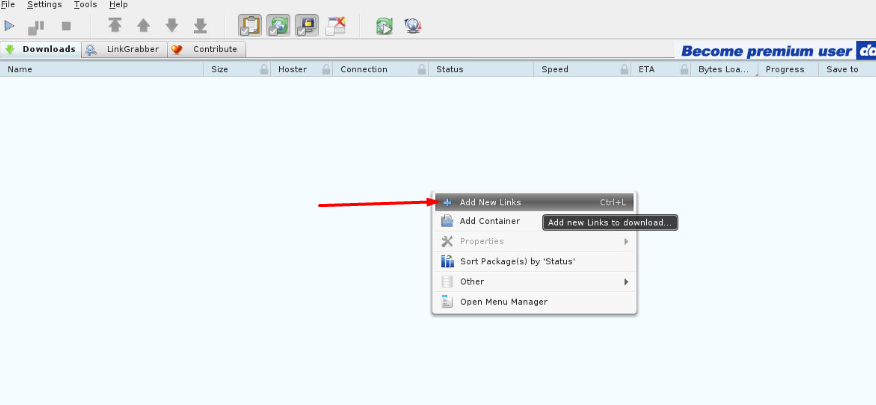
Now, right-click on the main dashboard and click on add new link.
A pop-up will appear on the screen. Over here you gerekir paste the link. Just right-click and paste.
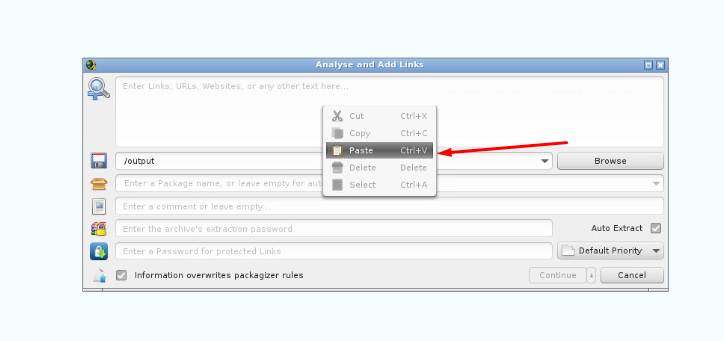
Yapabilirsiniz change additional details like a folder to download the file in, package name, or comment.
If the link is şifre protected then, you gerekir enter the şifre as well.
Once your details are entered, click on the continue düğme.
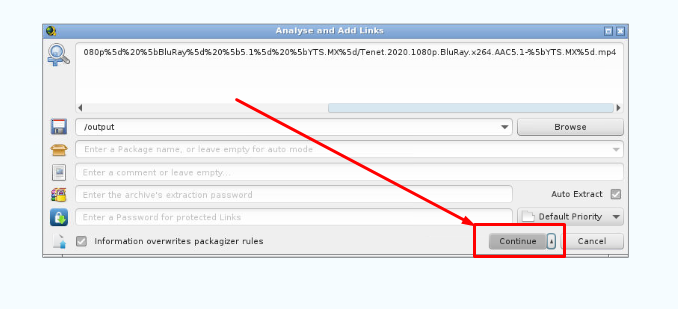
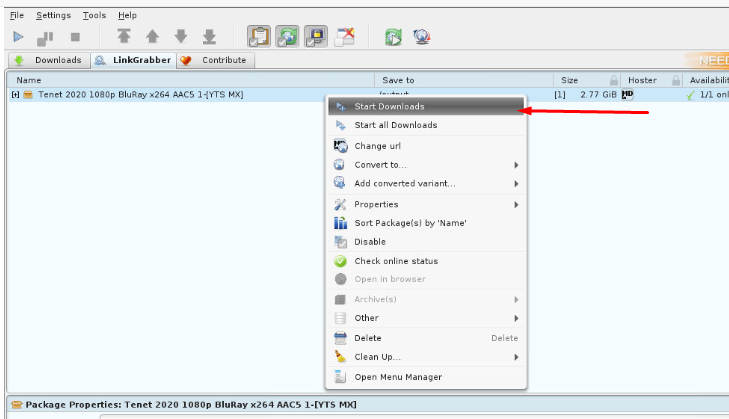
Your file is added in the LinkGrabber section. Now right-click on the file and click on start download. Eğer have multiple links then click on Start all downloads.
Now, göreceksiniz be able to see your file being downloaded in the “İndirins” tab.
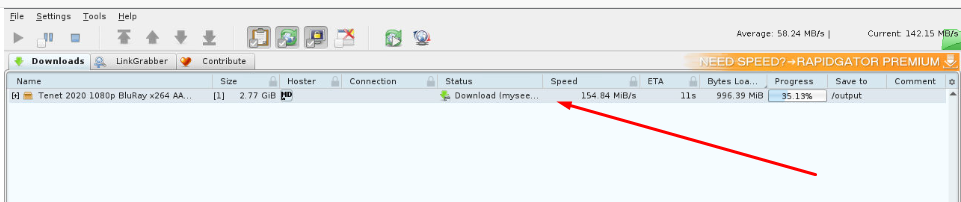
That’s it, your file is successfully downloaded on seedbox’unuz from another remote server. Eğer are not getting the right speed, then head to settings and change some numbers to find the best combination that works for you.
Eğer still need help, hit us up using our live chat or raise a ticket.
Happy Seedboxing.


