What is Autodl-Irssi?
Autodl-Irssi is a plugin for web based torrent clients (such as rutorrent) which allows users to настроить a bot to idle on the Torrentleech IRC server and automatically download torrents when they are announced. This allows users to grab releases as soon as they become доступен to maximise seed time.
Autodl-Irssi is often installed by default on Seedbox slots, the best way to check if it is installed на вашем box is to look for the configuration icon withв вашем web based client, which looks like the following
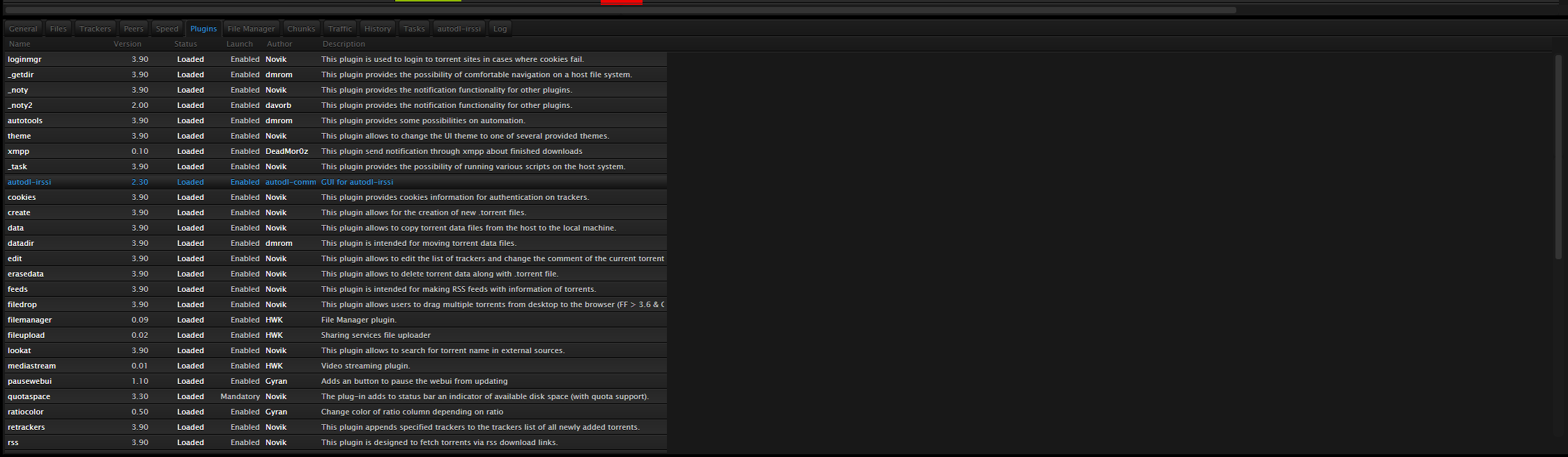
Figure 1: The Autodl-Irssi configuration icon
If вы можетеnot see this icon, вы будете нужно speak на ваш Seedbox provider to see if they can install it на ваш slot.
Once вы можете see the icon shown above in Figure 1, we will нужно do the following:
Enable RSS for use with your Torrentleech user account & настроить Autodl-Irssi with your Torrentleech RSS key Configure a “Watch Folder” используется для save announced torrents Configure the Torrentleech IRC server & channel for your Seedbox to connect to Configure filters
Enable RSS & настроить Autodl-Irssi with your Torrentleech RSS key To use Autodl-Irssi with your Torrentleech account вы будете first нужно enable RSS access. This can be done by navigating на ваш Torrentleech profile page, selecting “Edit Profile”, and ticking the “Enable RSS Access” box under “RSS Options”:
Figure 2: Enabling RSS within a user’s profile pageOnce enabled, your unique Torrentleech RSS key will be visible. Это what identifies you to the tracker, and should not be shared:
Figure 3: The RSS key generated by the server
Should the key become known to another user, or you need it resetting, simply tick the “Сбросить RSS Access Key” shown above in Figure 3, and click the Сохранить кнопка.
Once you have enabled RSS, we now нужно enter the RSS key shown in Figure 3 in to Autodl-Irssi. To do this, login на ваш web based torrent client, click on the Autodl-Irssi configuration icon (shown in Figure 1), and select “Trackers”:
Figure 4: Showing the Autodl-Irssi “Trackers” option
Выберите Torrentleech из list shown, and paste the RSS link shown withв вашем Torrentleech profile (similar to that in Figure 3), and set the “Delay” field to 5:
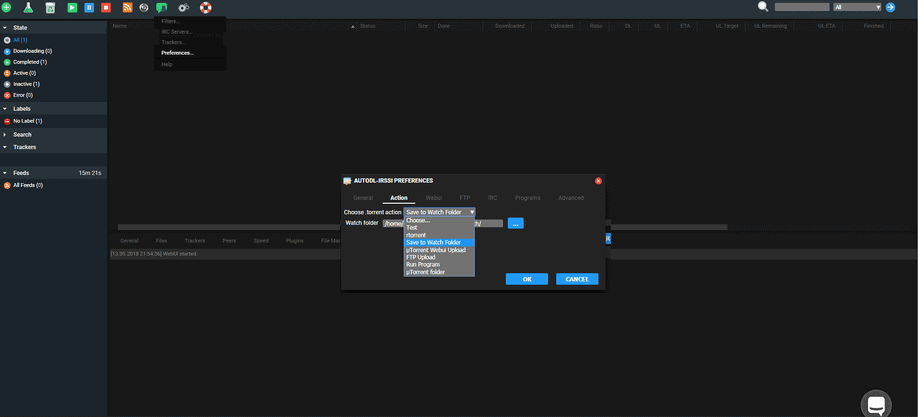
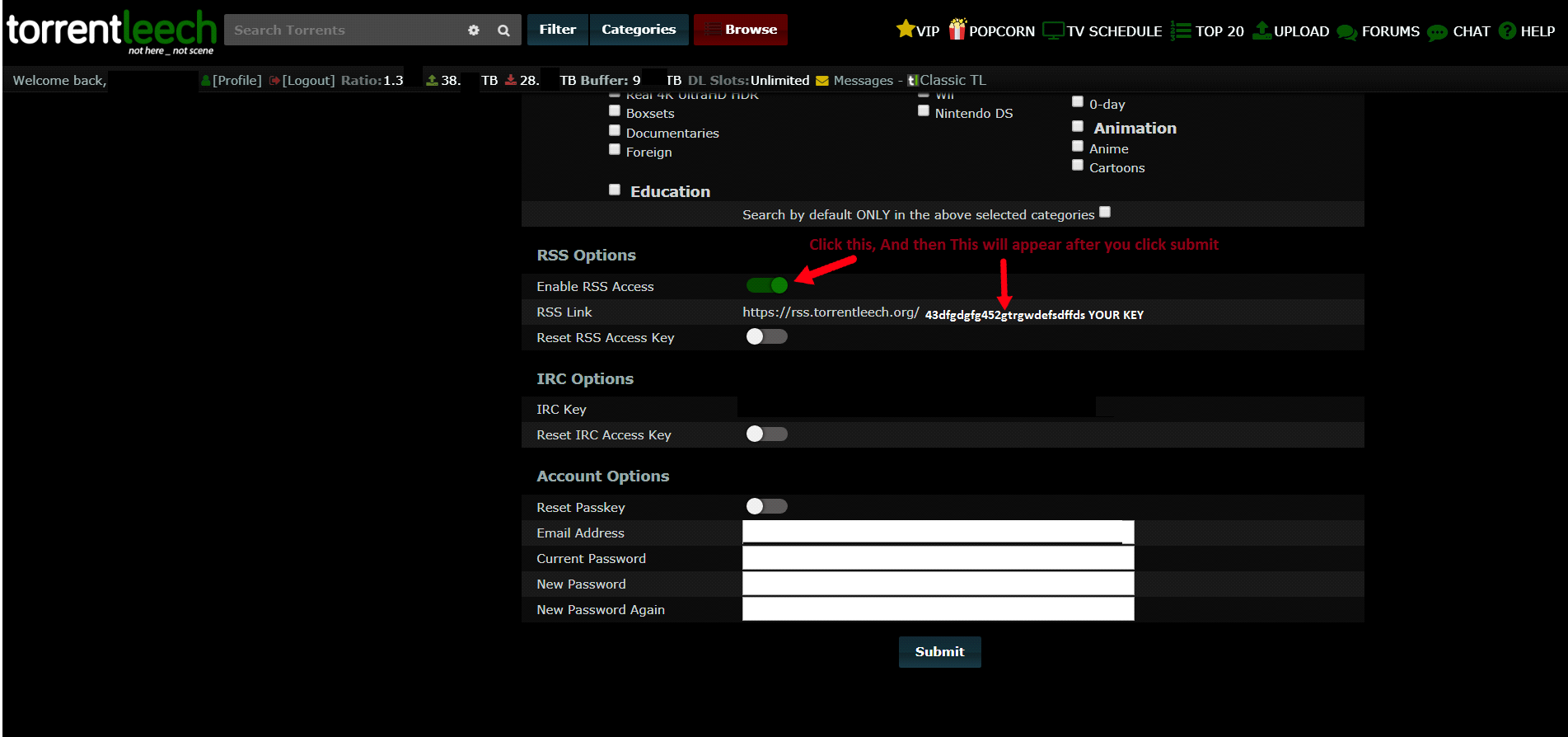
Figure 6: Showing the Preferences option
Navigate to the “Action” tab, and then specify a directory на вашем Seedbox slot that you have write permissions. ( The /torrents/watch folder is the default watch folder):

Figure 7: Showing the configuration of the “Watch Folder”
Click the “OK” кнопка, and then select “IRC Servers” из Autodl-Irssi configuration icon:
Figure 8: Showing the IRC Servers option
Configure the IRC Server settings
Это the section of the program where we настроить the IRC server that Autodl-Irssi will connect to.
Figure 9: Showing the IRC Servers configuration options
Нажмите на the “New” кнопка located at the bottom left of this box, and then specify the following details..
Server – irc.torrentleech.org
Port: – 7011
Nick: – nickname_bot (where nickname is your Torrentleech имя пользователя)
Нажмите на the “New” кнопка located under the IRC Channel section of this box, and enter
Channel: #tlannounces
Figure 10: Showing the required Autodl-Irssi options for connecting to the Torrentleech IRC server Note that should you wish to use SSL, change the port to 7021 and tick the “SSL” box, however we recommend using a standard connection during the initial configuration so that you don’t нужно troubleshoot SSL should anything go wrong for you.
Нажмите на the “OK” кнопка, and the Seedbox will then connect to the Torrentleech IRC server, это verified by the Autodl-Irssi logs & by doing a /whois botnickname whilst on the IRC server:
These options are as follows:
Display name: Это the name of the filter and should be something meaningful so вы можете identify what this filter is for, we will use “How I Met Your Mother” here,
Match releases: Это the match syntax, so to match “How I Met Your Mother”, we enter “How*I*Met*Your*Mother”
Except releases: Enter any exceptions to these releases, for example if you don’t want 720p releases then enter “720p” in this box
Match sites: Click this кнопка and select “Torrentleech” из list of trackers in the list:


